10 Best Strategy Document Templates for 2026
Find the best strategy document templates for product, growth & support teams. Actionable guides for Notion, Miro, and more to drive results.
Stop Guessing, Start Strategizing with Data
Your team is shipping. Customers are talking. Sales is pushing for one thing, support is escalating another, and leadership keeps adding “must-win” initiatives that all sound urgent. Meanwhile, the product roadmap starts to look less like a strategy and more like a record of who argued last.
That’s usually the moment teams go looking for strategy document templates. Not because they love documentation, but because they need a shared decision frame. A good template helps people separate signal from noise, explain trade-offs clearly, and connect priorities to outcomes instead of personalities.
The catch is that most strategy documents still behave like static files. They get filled out during planning season, presented in a meeting, and then drift out of sync with what customers do. That’s where modern product intelligence changes the value of the template itself. When you feed these documents with live feedback patterns, usage signals, and revenue-aware prioritization, they stop being slides and start becoming operating tools.
That’s the lens for this list. These are useful strategy document templates, but the bigger point is how to make each one more defensible with quantitative inputs from your stack. If you want a broader framing on planning systems before picking a template, Bulby's strategic planning insights are a solid companion read.
1. Notion – Product Strategy Guide Template
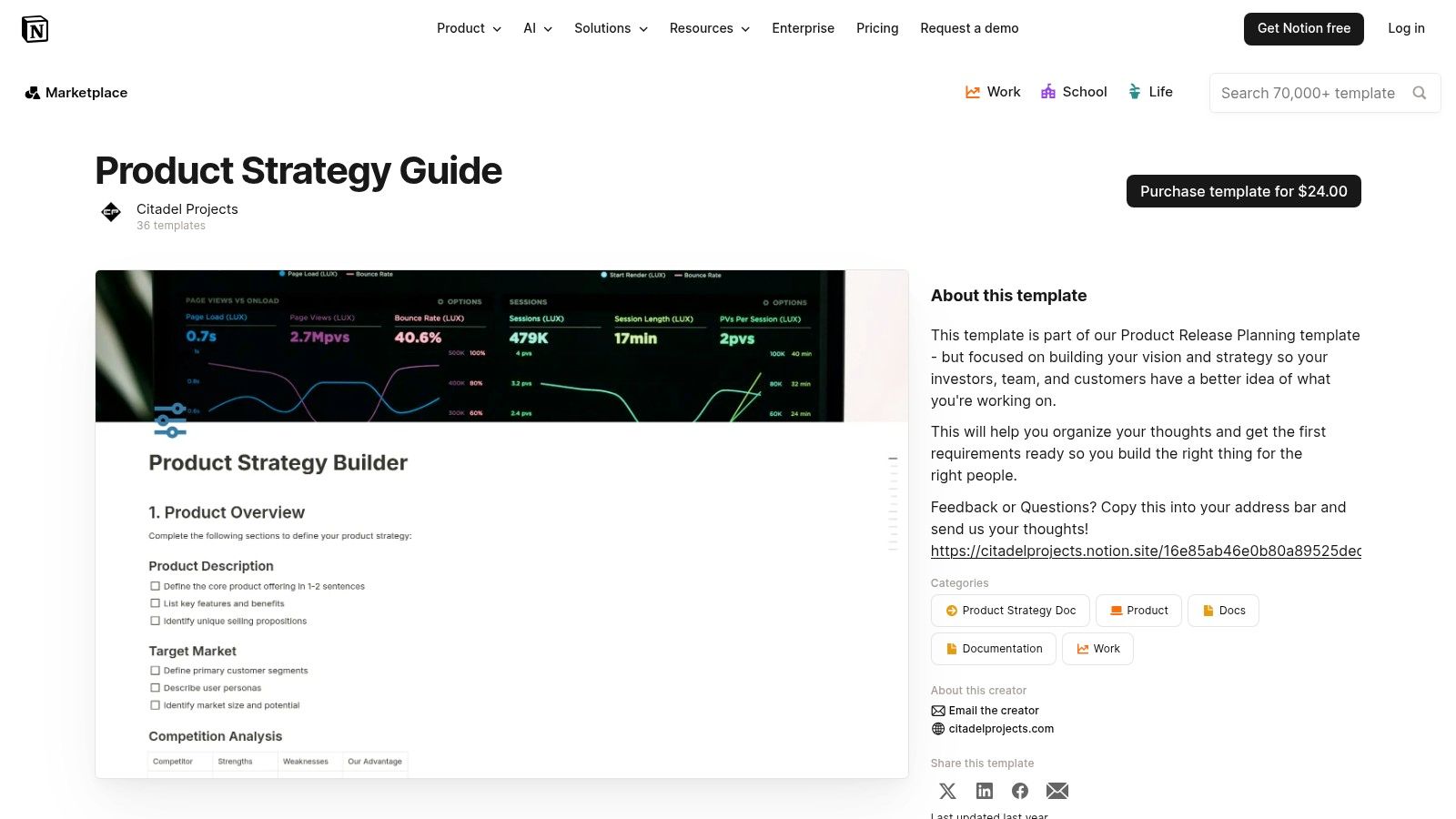
Notion works best when your strategy needs to live close to the rest of product work. If your team already keeps research notes, PRDs, meeting decisions, and OKRs in Notion, the Notion Product Strategy Guide Template gives you a clean way to turn scattered context into one narrative.
The strength here is continuity. A strategy page doesn’t sit off to the side. It can link directly to initiative docs, customer research databases, and backlog records. That makes it easier to explain why a bet exists and what evidence supports it.
Where it fits best
This template is a strong choice for product teams that need written clarity more than workshop theater. You can spell out vision, objectives, bets, and success metrics in a format executives will read asynchronously.
What doesn’t work as well is governance by itself. Notion won’t save a team that’s inconsistent about updating data or defining owners. Without operating discipline, it becomes an elegant graveyard of old decisions.
- Best for narrative strategy: Teams can explain the logic behind choices, not just list initiatives.
- Best when connected to existing docs: It’s especially useful if backlog items, discovery notes, and OKRs already live in Notion.
- Less effective for operational reporting: You may still need another system for status rollups and execution monitoring.
Practical rule: Use Notion when the main problem is strategic clarity. Don’t use it as your only execution control plane.
To make this template stronger, add a small evidence block under every strategic bet. Pull in customer themes, support escalations, churn signals, or revenue impact notes from your analytics stack. That one habit turns a polished memo into a document people can challenge and trust.
2. Smartsheet – Strategic Plan Template
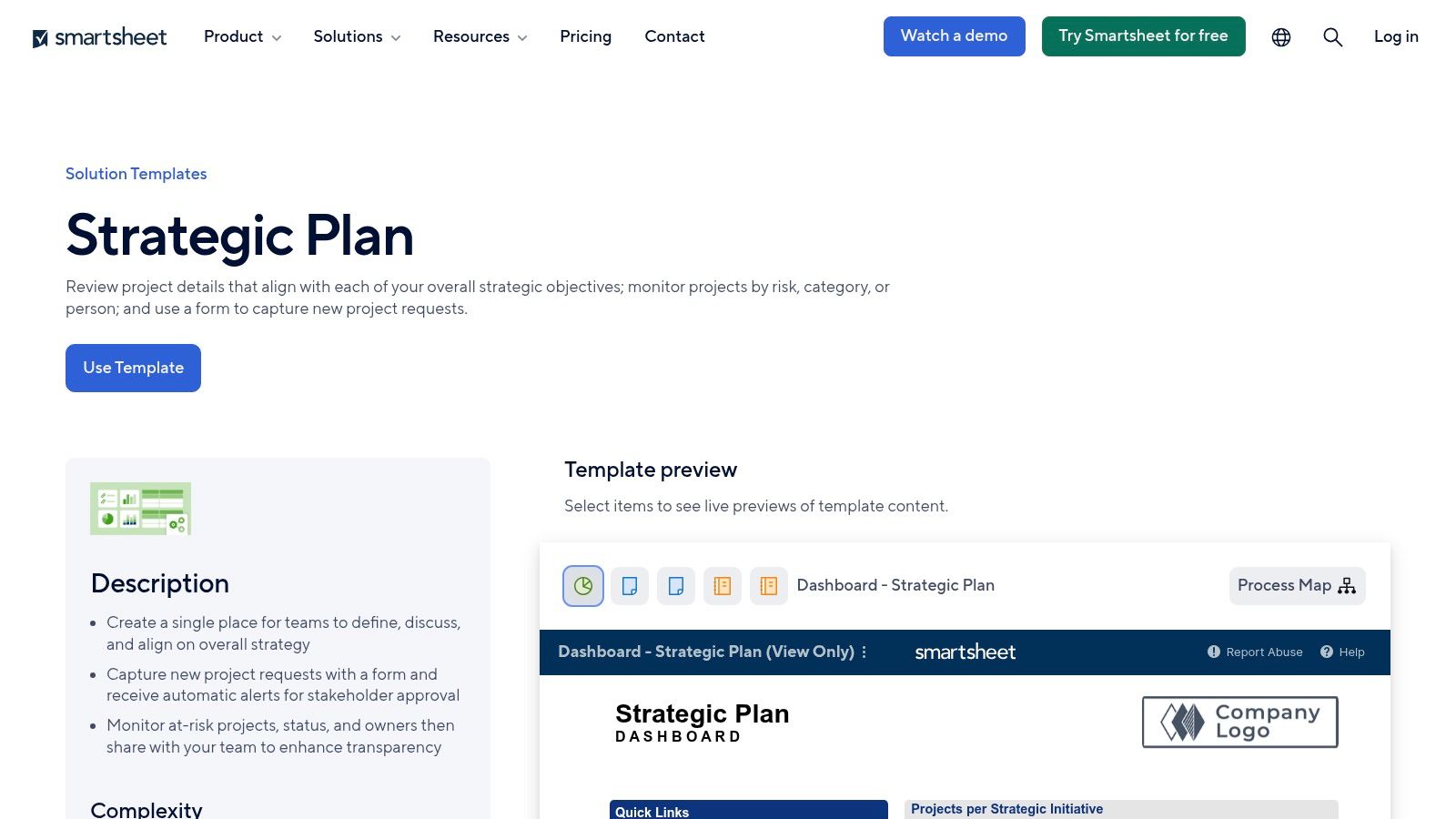
Quarterly planning usually fails in the same place. Leadership agrees on priorities, then execution scatters across spreadsheets, slide decks, and status meetings. The Smartsheet Strategic Plan Template is useful because it turns strategy into an operating system with owners, dates, dependencies, and reporting in one shared view.
That matters for cross-functional work. Product can define the bet, but revenue teams, operations, and executives still need a clear way to track what is happening, who is accountable, and where plans are slipping.
Where it fits best
Smartsheet works well for annual plans, strategic programs, and multi-team initiatives where governance matters as much as the strategy itself. It gives teams forms, dashboards, reminders, and status rollups without asking everyone to learn a new planning method.
The trade-off is real. Smartsheet is still row-and-column software. It handles accountability better than strategic storytelling, so teams often need a separate memo or brief to explain the market context, customer problem, and logic behind each major bet.
- Useful for execution discipline: Owners, milestones, risks, and review cycles are visible.
- Strong for cross-functional coordination: Teams outside product can work from the same planning structure.
- Less effective for strategic nuance: A spreadsheet format can compress messy decisions into tidy fields.
The best setup is simple. Keep the strategic argument in a short written document, then represent each objective in Smartsheet with explicit measures, owners, and review dates. Add revenue and customer evidence alongside delivery status so the plan stays tied to business impact, not just task completion.
That is where modern tooling improves the template. If you pull signals from systems like SigOS into the plan, each initiative can be reviewed against actual commercial outcomes such as retention risk, expansion potential, or account health. Smartsheet then stops being a static tracker and becomes a living strategy document that shows whether a priority is creating value.
For teams that struggle less with ideas than with follow-through, Smartsheet is a practical choice. It gives strategy enough structure to survive real operations.
3. Atlassian Confluence – Strategic Plan Template
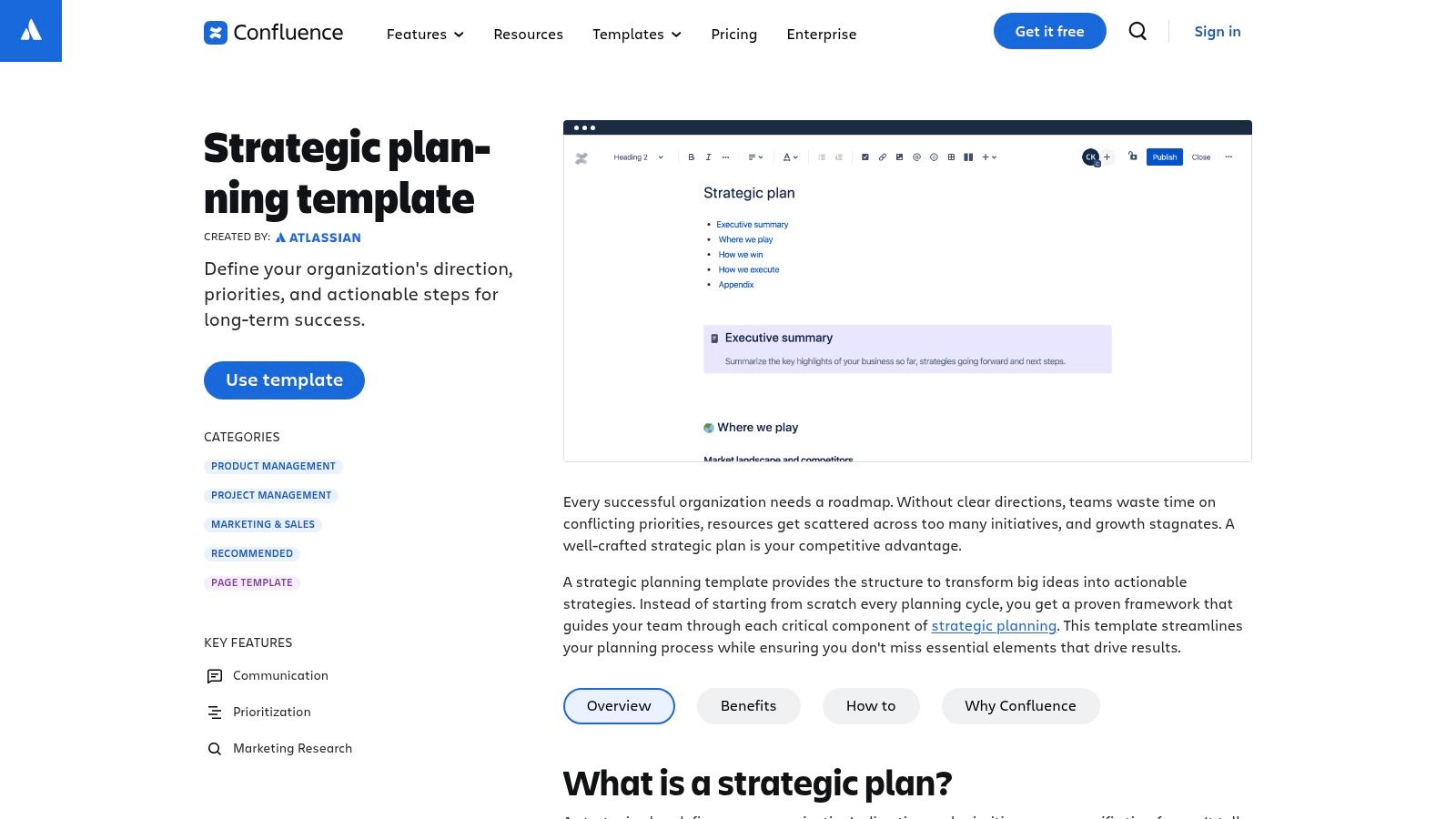
Confluence makes sense when product strategy needs to stay tightly connected to engineering delivery. The Confluence Strategic Plan Template gives teams a structured page for goals, initiatives, metrics, and ownership inside a workspace they’re probably already using.
That integration matters more than the template itself. If your roadmap lives in Jira and your technical decisions live in Confluence, strategy becomes traceable instead of aspirational. Leaders can move from a company priority to an initiative page to linked delivery work without leaving the system.
The real trade-off
Confluence is practical, but it’s easy for strategy pages to feel like wiki furniture. Teams create them, everyone nods, and then the page slowly drifts because nobody treats it as a live decision record.
Keep the strategy page short enough to review in one sitting, then link out to supporting evidence. Long Confluence pages often create the illusion of rigor while hiding the actual point.
This template works best when you treat it as the top layer of a decision tree. State the goal, define the measure, link the evidence, and connect it to delivery artifacts. If you’re trying to run strategy directly inside the same ecosystem as engineering, Confluence is hard to beat.
It becomes even more useful when you add quantitative feedback sections that static templates usually miss. That gap is real. ClearPoint’s overview of strategic planning templates notes that common frameworks focus on classics like SWOT and Balanced Scorecard, while the material reviewed provides no guidance on integrating AI-driven customer feedback analytics. For SaaS teams handling fast-moving support and product signals, that missing layer is often where the most important decisions start.
4. Miro – Strategy and Planning Templates
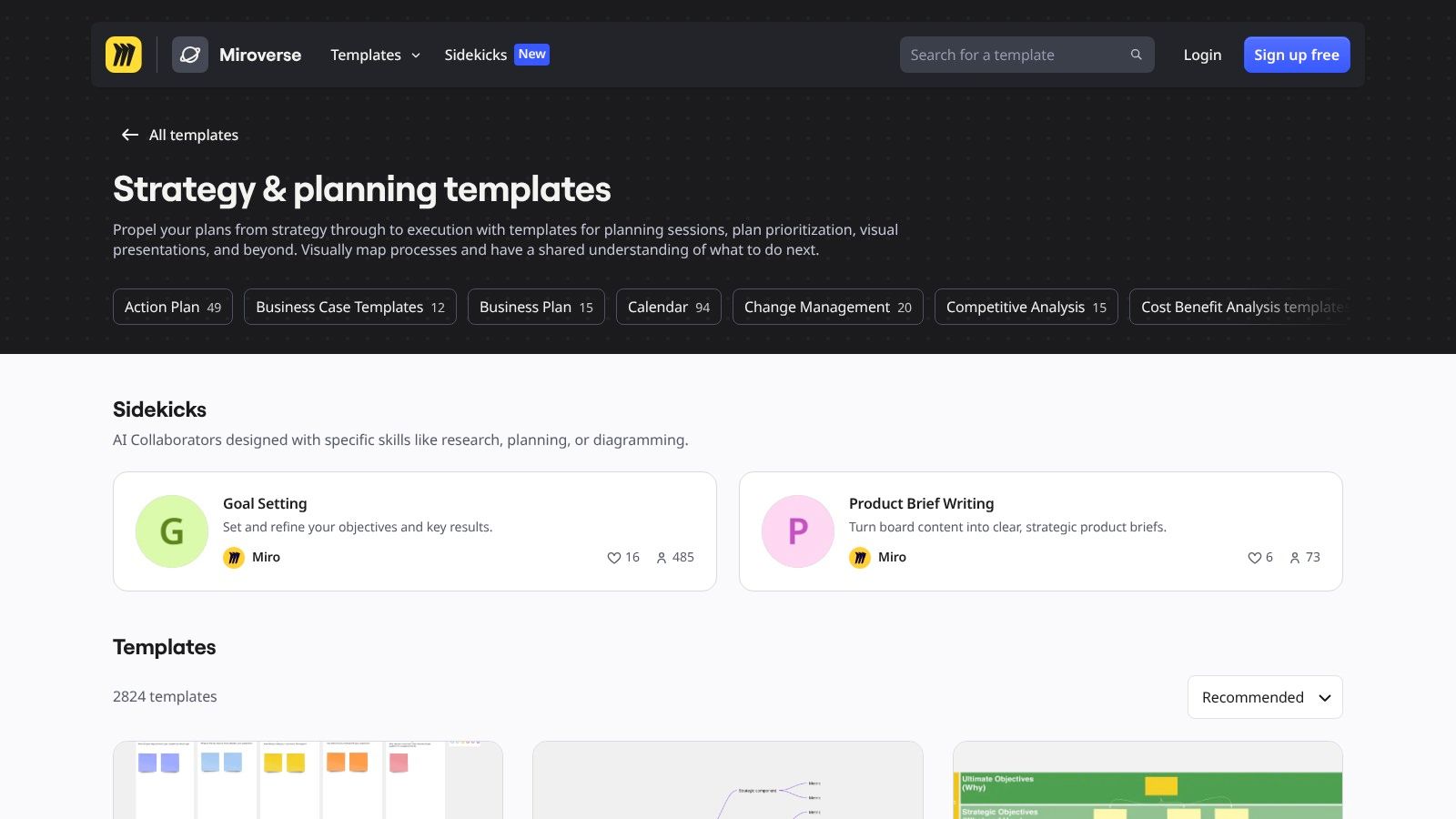
A common planning failure looks like this: the workshop goes well, the board fills up, everyone feels aligned, and a week later nobody can say which ideas became decisions. Miro works well at that front end of strategy work. The Miro strategy and planning template library gives teams a fast way to run SWOT sessions, strategy maps, prioritization exercises, and cross-functional planning conversations in one shared visual space.
That strength is real. So is the limit.
Miro helps teams expose assumptions in public, which is often the hardest part of strategic planning. Product, sales, support, and leadership can react to the same board in real time, which makes disagreement visible early instead of letting it surface later in roadmap reviews. For distributed teams, that speed matters.
The mistake is treating the board itself as the strategy artifact. Whiteboards are good for generating options and forcing discussion. They are weak at preserving decision quality over time. Sticky notes rarely carry the owner, metric, timing, and economic context needed to guide execution three months later.
Use Miro for synthesis, then move the output into a system with accountability. I usually want three things extracted from the session before calling it done: the decision, the evidence, and the measure that will tell the team if the choice is working.
- Best for live alignment: Useful when several functions need to debate trade-offs together, not in sequence.
- Strong for visual frameworks: SWOT, opportunity trees, prioritization grids, and strategy maps are easy to adapt during the conversation.
- Weak as the system of record: Teams still need a document or platform that tracks owners, dates, outcomes, and changes.
This is also where modern tooling can improve an otherwise static template. A Miro board can capture hypotheses such as "enterprise churn is the main growth constraint" or "support volume points to onboarding friction," but those claims should not stay qualitative for long. Teams can bring in quantitative signals from tools like SigOS to pressure-test the discussion with revenue exposure, customer sentiment patterns, or issue concentration by segment. That changes the workshop from a collaborative exercise into a strategy input that is tied to financial impact.
Miro is a strong choice if the immediate goal is getting the right people to work through the problem together. It becomes much more useful when someone turns the output into a short, measurable strategy document instead of leaving the plan on the board.
5. Aha! – Strategy Templates and Strategic Models
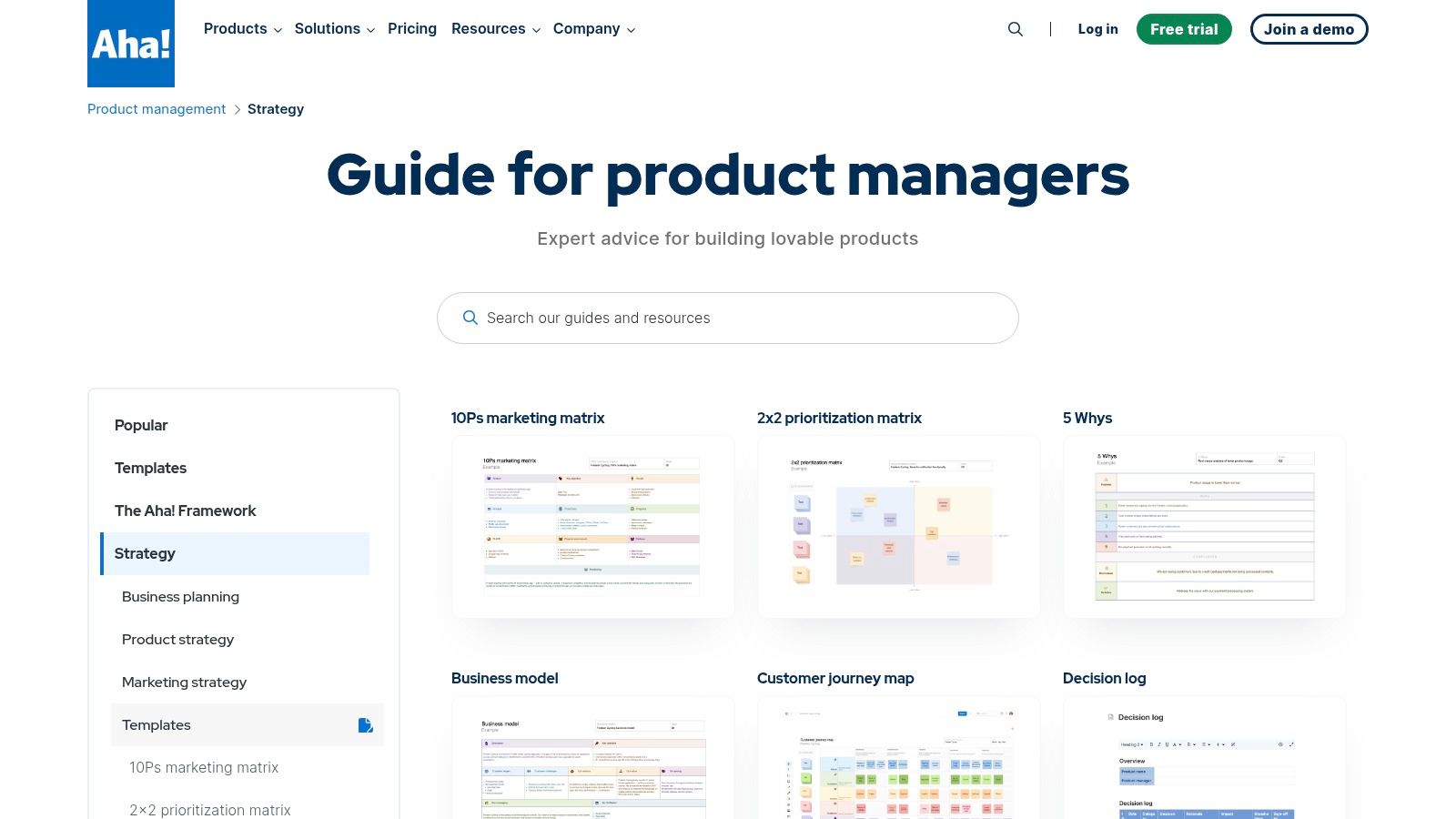
Aha! is for teams that want strategy tied directly to roadmaps, releases, and portfolio reporting. The Aha! strategy templates and strategic models cover vision, goals, initiatives, positioning, SWOT, and more inside a product management platform that expects those artifacts to connect.
That’s the key distinction. Unlike a standalone document template, Aha! assumes strategy should cascade into product planning machinery. If your organization wants one system to connect high-level intent with initiative planning, Aha! does that more naturally than lighter tools.
What works and what gets heavy
Aha! is strong when you need portfolio-level consistency across multiple product lines. It helps product leaders standardize how teams describe goals, initiatives, and strategic models.
The downside is weight. Smaller teams often don’t need this much framework, and the learning curve is real. If your product org is still forming its planning habits, Aha! can feel like too much system before you’ve settled the strategy basics.
A practical use case is to define strategic themes in Aha!, then attach evidence that goes beyond opinion. For SaaS teams, that means linking roadmap themes to feedback clusters, support pain points, and opportunity signals. If your current strategy docs say “improve onboarding” without tying that to actual customer behavior, the issue isn’t the template. It’s the missing evidence model behind it.
6. Productboard – Product Strategy Template
Productboard’s product strategy template guide is useful because it starts where many strategy efforts fail: unclear problem framing. Instead of jumping straight to projects, it pushes teams to define customer problems, priorities, bets, and measurable outcomes.
That orientation makes it a good reset tool. When a product team has too many initiatives and no clean strategic story, a well-structured strategy doc often does more than another roadmap exercise.
Better for thinking than for running
The template itself is not a live operating system. It’s a guide and a document. That’s a feature if you need to clarify strategy quickly, but it also means you’ll still need somewhere else to manage the ongoing work.
A strong strategy document should make it obvious what you won’t do. If the template only helps you list ambitions, it’s incomplete.
Productboard’s framing is especially useful for customer-centric teams because it encourages clear links between user pain, strategic intent, and outcomes. To make that practical in a modern SaaS environment, add a simple scoring layer under each problem statement:
- Customer evidence: Summarize which feedback sources support the problem.
- Behavioral evidence: Note whether usage or support patterns reinforce it.
- Business evidence: Record whether the issue affects churn risk, expansion potential, or deal momentum.
That last step is where static strategy document templates usually break down. They help you describe a bet, but not quantify the business case behind it. The teams that close that gap tend to make cleaner prioritization calls.
7. Lucid – Strategy Map Template
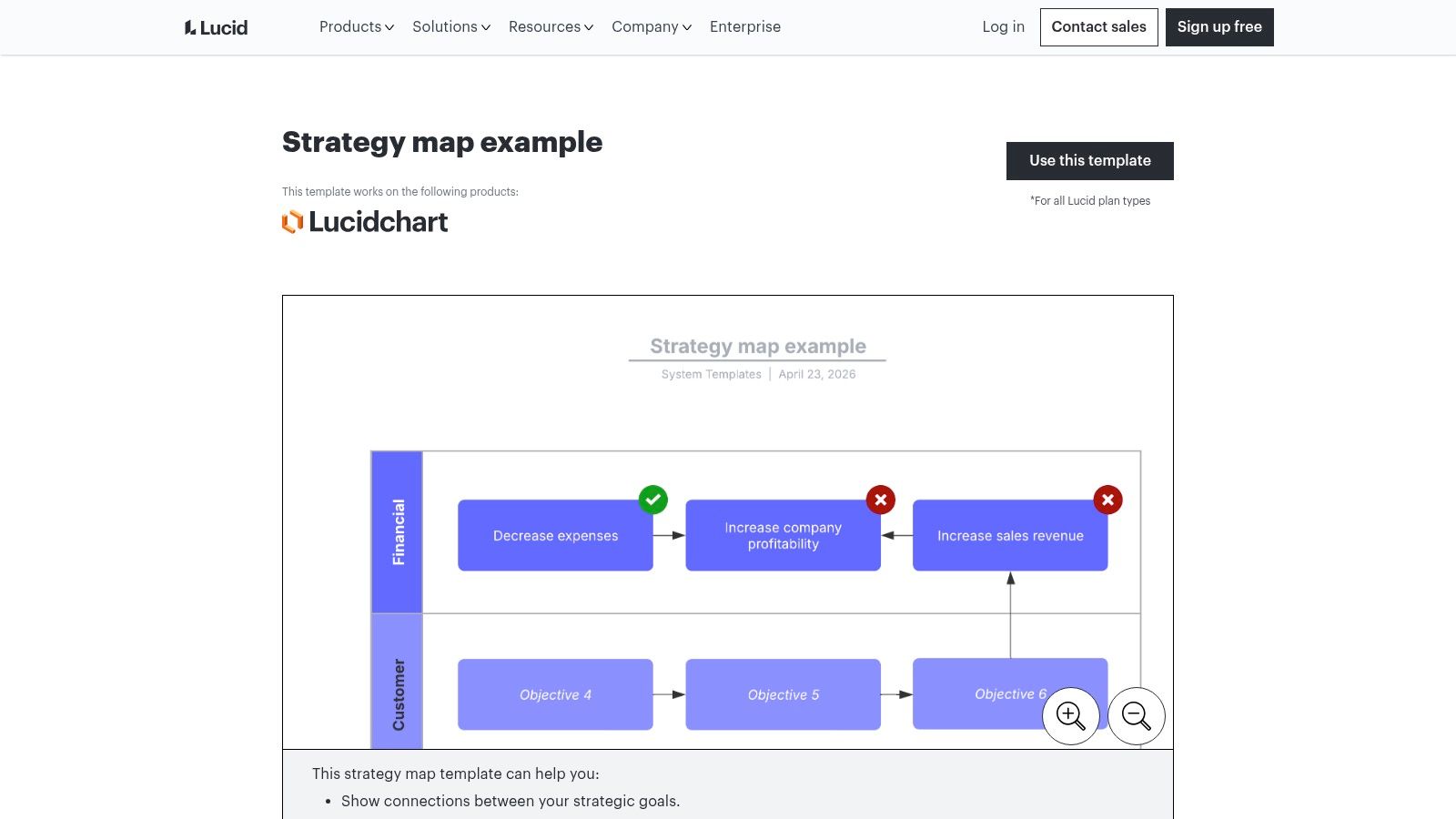
A familiar planning failure looks like this. Leadership approves a stack of initiatives, every team can explain its own work, and six months later nobody can clearly show how those efforts connect to retention, expansion, margin, or adoption. Lucid’s strategy map template is useful in that situation because it forces the logic onto one page.
The format is built around cause and effect. Financial outcomes connect to customer goals, internal process changes, and the capabilities required to support them. That structure comes from the Balanced Scorecard approach, which still holds up because it asks a hard question many strategy docs avoid: what has to be true operationally for the business result to happen?
That makes Lucid a strong fit for executive communication. It also makes it uncomfortable in the right way. If a priority cannot be tied to a believable outcome chain, it is probably an activity, not a strategy.
Use it for synthesis, not detail.
A good strategy map helps teams explain three things clearly:
- What outcome matters most: Revenue growth, retention, cost efficiency, market entry, or another top-level business goal.
- What customer change should drive it: Better activation, fewer support-heavy workflows, stronger adoption in a target segment, or improved trust.
- What capabilities must exist: Product changes, operational fixes, data visibility, or team investments required to produce that customer change.
The trade-off is real. Lucid gives clarity fast, but it does not give enough structure for initiative ownership, sequencing, or delivery management. Teams still need another system for execution.
Where this template gets more valuable is in the evidence layer you add underneath the map. Static strategy maps often stop at arrows and labels. A stronger version adds quantitative support to each link. If the map claims that improving onboarding will reduce churn in a high-value segment, attach the actual evidence source, such as activation drop-off, support volume by cohort, renewal risk, or expansion patterns. Tools like SigOS can help teams connect those strategic claims to account-level revenue signals, so the map reflects business exposure, not just workshop logic.
That changes how the document gets used. Instead of a one-time planning artifact, it becomes a revenue-aware guide for reviewing whether the current strategy still deserves resources. For product leaders working across multiple bets, that is the difference between a clean-looking diagram and a strategy map that can survive an executive review.
8. Figma and FigJam – Strategy Templates Collection
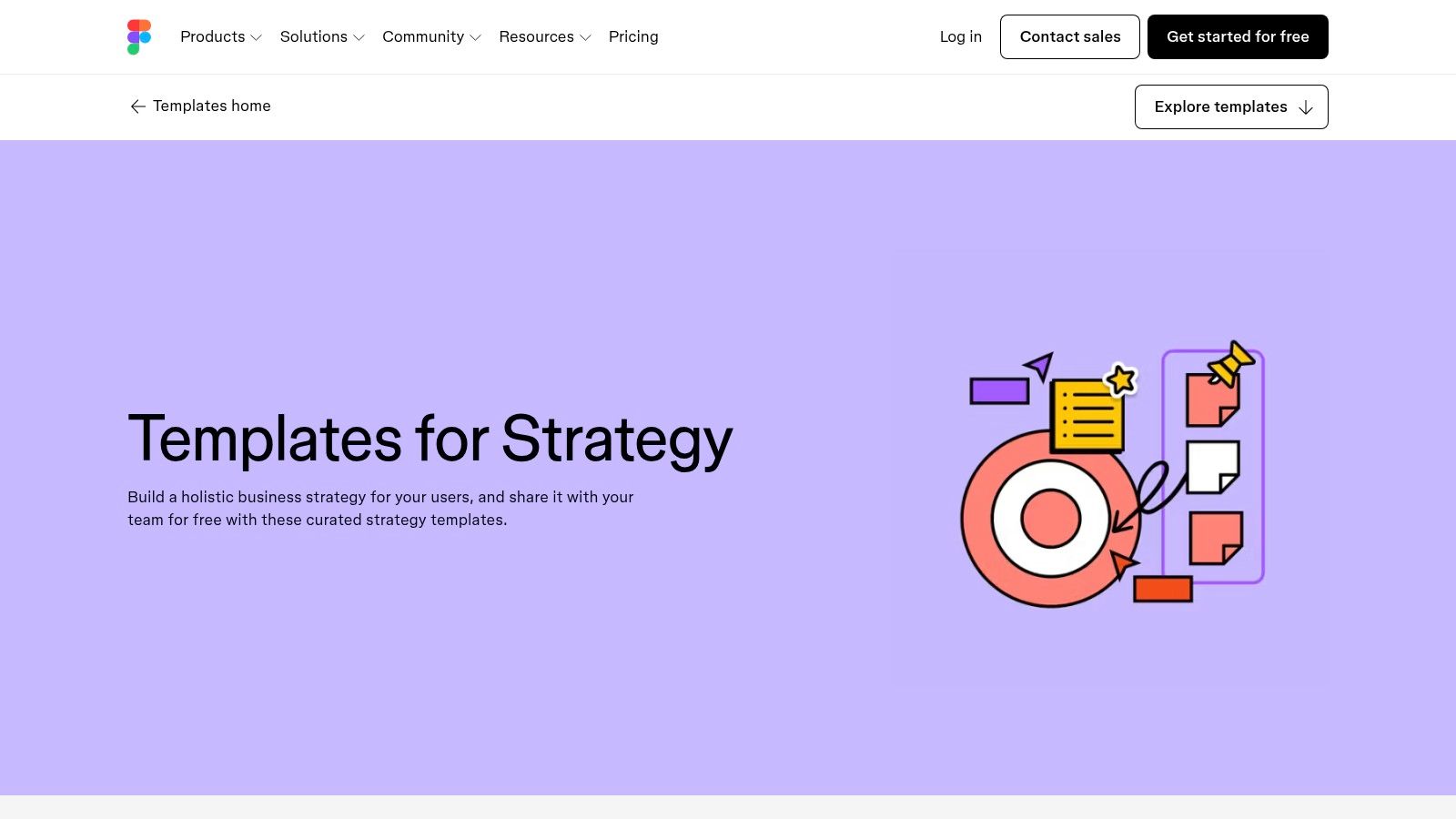
A common product planning failure looks like this. The workshop is strong, the board is full of smart input, and nobody can explain three weeks later which decisions were made, which assumptions still need proof, or which revenue risk the plan is meant to address. That is the essential context for using FigJam strategy templates.
Figma and FigJam are useful because they let teams shape strategy visually, fast. The template collection covers lean canvas, strategy diamond, prioritization matrices, stakeholder maps, and GTM planning boards. For teams already running design reviews, roadmap discussions, and cross-functional workshops in Figma, that familiarity cuts setup time and gets broader participation early.
FigJam earns its place in messy, early-stage strategy work.
It works well when product, design, research, sales, and marketing need to react to the same information at the same time. A shared canvas makes assumptions easier to challenge, dependencies easier to spot, and competing priorities easier to compare in one view. That matters if the goal is not just to document a strategy, but to pressure-test it before execution starts.
The limitation is discipline. FigJam is excellent for synthesis and alignment, but weak as a long-term system of record. Teams can sketch a strong strategic direction there, yet the board often mixes confirmed decisions with open questions, raw notes, and abandoned ideas. If nobody translates that into owners, metrics, and review points, the template stays a workshop artifact.
The better operating model is to use FigJam for framing, then add an evidence layer before the strategy is treated as settled. For example, a market expansion board should not stop at segment notes and sticky-dot prioritization. Add win rates by segment, implementation cost, retention risk, support load, or sales cycle length. If you use a platform like SigOS, you can go a step further and connect those strategic choices to account-level revenue exposure, product usage, and expansion potential. That turns a visual template into a revenue-aware planning tool instead of a static board people stop opening after the meeting.
That is the practical trade-off. FigJam gives speed, shared context, and low-friction collaboration. It does not provide much control over decision quality unless the team adds structure on purpose. For organizations that already know how to turn workshop output into measurable bets, it is a strong front-end for strategy work.
9. monday.com – Organizational and Strategic Plan Templates
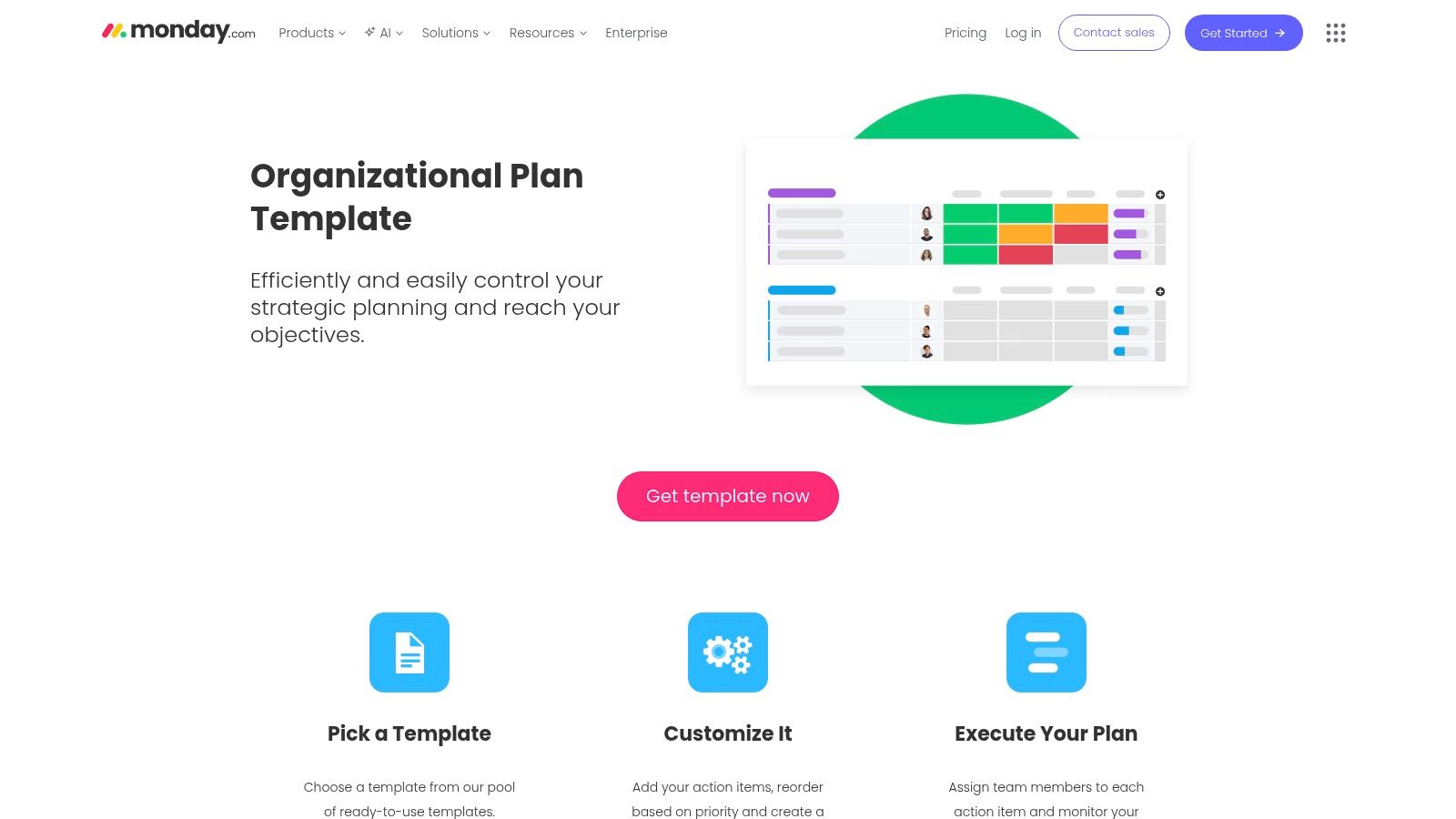
A common strategy failure looks mundane. The leadership team agrees on priorities, the plan gets shared, and two weeks later every function is tracking progress in a different format. monday.com works well in that gap between agreement and execution.
The monday.com organizational plan templates are built around owners, timelines, status fields, dependencies, and dashboards. That setup makes sense for organizations that need a strategy document to become a working cadence fast, especially outside product and engineering. Sales, customer success, marketing, and operations teams usually adopt the board structure quickly because it matches how they already manage recurring work.
That adoption advantage is easy to underestimate.
A strategy template only matters if people keep it current. monday.com earns its place because teams will update it during weekly reviews, launch planning, and cross-functional check-ins. For GTM programs, customer onboarding improvements, or company-level initiatives with many stakeholders, that matters more than having a perfect narrative template nobody revisits.
The trade-off is depth. monday.com is strong at coordination and visibility, but weaker at capturing strategic reasoning. A board can show that an initiative is red, yellow, or green. It usually does not explain the market logic, customer evidence, or financial bet behind it unless the team adds that context on purpose.
The better use case is to pair the template with a clear decision layer. Define the objective, spell out the assumption behind it, and attach the metric that would prove the bet is working. Teams using SigOS can push this further by tying board items to revenue exposure, product usage signals, expansion potential, or account health. That changes monday.com from a task tracker into a strategy operating system with commercial context.
A useful board does more than show status. It connects ownership, evidence, and business impact in the same place.
Used that way, monday.com is a practical choice for companies that need strategy to survive contact with cross-functional execution. It will not replace a strong memo or planning narrative. It will make that strategy visible, reviewable, and much harder to ignore.
10. Asana – Product Strategy Template
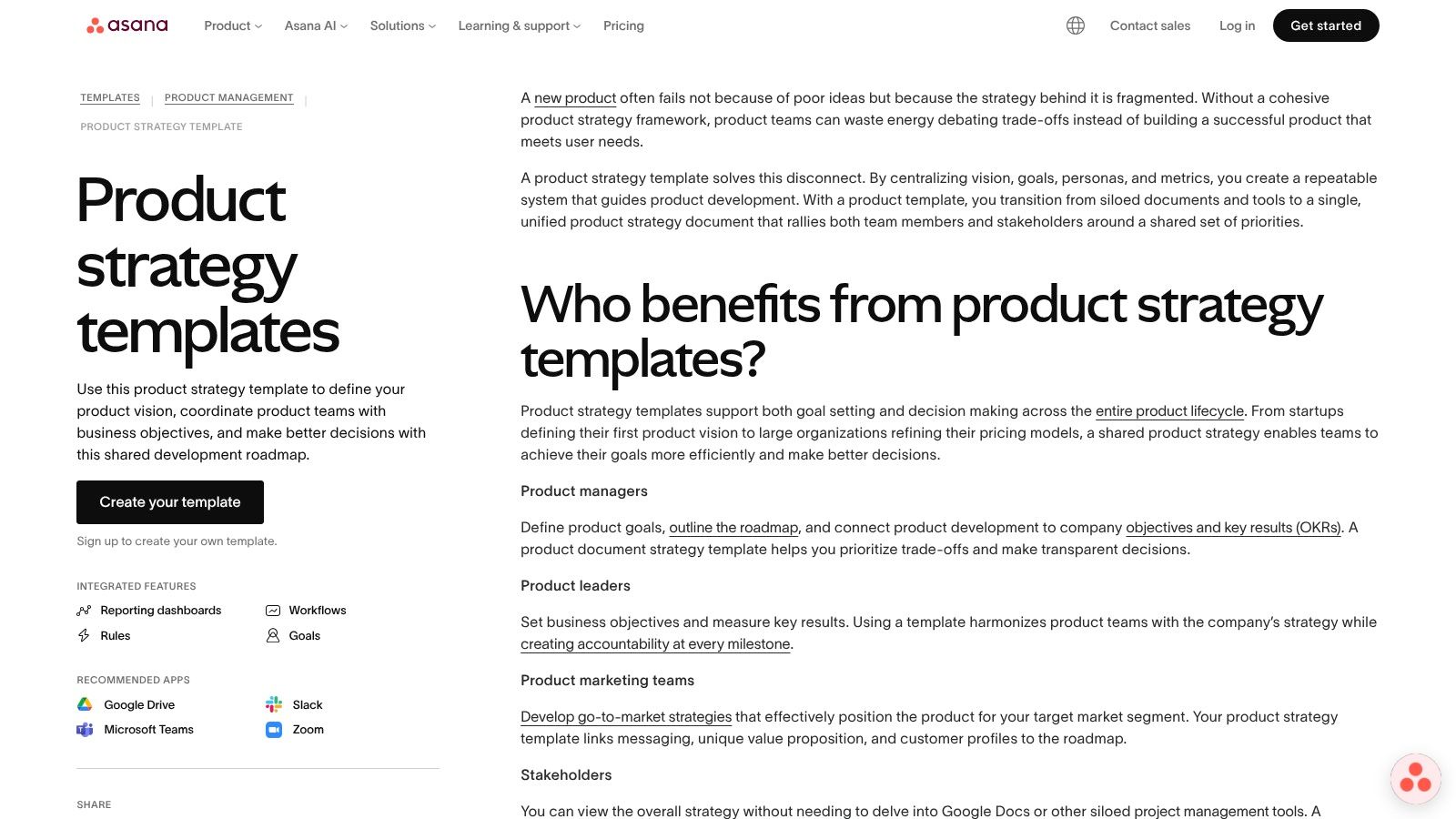
Asana’s product strategy template is the lightweight option on this list. It’s good when your team doesn’t want a heavy strategy system and mostly needs clear ownership, milestones, and a visible link between goals and initiatives.
That simplicity is its strength. Small and mid-size product teams can move from a rough strategy to an operational plan quickly. If everyone already works in Asana, there’s very little friction.
Best for teams that value momentum
Asana is not the place for a dense strategic memo. It is the place for turning a direction into assigned work with status updates and deadlines. That makes it useful when the problem is execution drift rather than strategic confusion.
The limit shows up when you need richer context, competitive reasoning, or evidence-heavy prioritization. You can attach supporting docs, but the template itself is intentionally lean.
Where Asana becomes more interesting is in GTM coordination. Scalability Project’s write-up on marketing strategy templates says digital and go-to-market strategy document templates achieve 65% user satisfaction among SaaS growth teams globally when they connect buyer personas, launch KPIs, and execution tracking. Asana fits that style of work well because it keeps ownership visible without overwhelming the team with process.
If your strategy is already understood and you mostly need people to deliver against it, Asana is often enough.
Top 10 Strategy Template Comparison
| Template | Core Focus & Features | Integration & Execution (SigOS-ready) | UX / Quality (★) | Value & Pricing (💰) | Best Fit (👥 ✨🏆) |
|---|---|---|---|---|---|
| Notion – Product Strategy Guide Template | Structured strategy doc: vision, bets, KPIs; links to Notion DBs | Embed live SigOS dashboards; direct links to backlog/PRDs | ★★★★ | 💰 Free template; low friction for Notion teams | 👥 Notion-native teams; ✨ Narrative→work linking; 🏆 Fast start |
| Smartsheet – Strategic Plan Template | Operational plan + live dashboard, intake forms, risk tracking | Automations can create rows from SigOS alerts (revenue fields) | ★★★ | 💰 Subscription; strong governance ROI | 👥 Ops/Product leads; ✨ Automated intake; 🏆 Reporting |
| Atlassian Confluence – Strategic Plan Template | Page-based strategy: goals, measures, whiteboards, linked pages | Tight Jira traceability; create Jira issues from SigOS insights | ★★★★ | 💰 Included with Confluence; needs Atlassian stack | 👥 Engineering/Jira orgs; ✨ Traceability; 🏆 Collaboration |
| Miro – Strategy & Planning Templates (Miroverse) | Visual boards for workshops: SWOT, OKRs, matrices, facilitation tools | Place SigOS data cards on boards; requires downstream execution hookup | ★★★★ | 💰 Free/community; paid for advanced features | 👥 Cross-functional workshops; ✨ Visual co-creation; 🏆 Consensus |
| Aha! – Strategy Templates and Strategic Models | Strategy artifacts tied to roadmaps, releases, reusable models | Auto-create initiatives from validated SigOS insights into Aha! | ★★★★ | 💰 Paid product; high ROI for product orgs | 👥 Enterprise PMs; ✨ Strategy→roadmap linkage; 🏆 Enterprise workflows |
| Productboard – Product Strategy Template (Guide + PDF) | Practitioner guide: problems, bets, measurable outcomes (PDF + examples) | Use SigOS to populate customer problems; live benefits need Productboard | ★★★½ | 💰 Free PDF; deeper value with Productboard subscription | 👥 PMs needing examples; ✨ Practical templates; 🏆 Quick unblock |
| Lucid (Lucidchart) – Strategy Map Template | One-page strategy map showing cause→effect across perspectives | Data-linking possible to surface SigOS metrics on map elements | ★★★★ | 💰 Paid for advanced features; good exec readouts | 👥 Execs & ops; ✨ Visual logic map; 🏆 Clear communication |
| Figma & FigJam – Strategy Templates Collection | 60+ frameworks: canvases, matrices, stakeholder maps; remixable | Paste SigOS quotes/data cards; needs handoff to execution tools | ★★★★ | 💰 Free collection; great for discovery sessions | 👥 Designers & cross-functional teams; ✨ Remixable; 🏆 Flexibility |
| monday.com – Organizational/Strategic Plan Templates | Boards for objectives, owners, timelines with automations & dashboards | Add 'Revenue Impact' column from SigOS; automate row creation & alerts | ★★★★ | 💰 Paid tiers for advanced automations; good execution ROI | 👥 GTM & CS teams; ✨ Automations→action; 🏆 Adoption ease |
| Asana – Product Strategy Template | List-based strategy: vision → initiatives → milestones; ownership | Create tasks from SigOS insights (Zapier/integrations) for triage | ★★★★ | 💰 Freemium template; premium for Portfolios/Goals | 👥 Small–mid PM teams; ✨ Lightweight ops; 🏆 Fast operationalization |
From Template to Actionable Intelligence
Monday morning, the leadership team reviews three different inputs. Sales says enterprise buyers need one thing. Support says churn risk is coming from another. Product analytics points somewhere else entirely. The strategy template is filled out, but the hard part is still unresolved. Which signal deserves budget, roadmap space, and executive attention?
That is the core gap most templates do not solve. By 2026, frameworks are easy to find. SWOTs, annual plans, strategy maps, and product strategy docs are already built into the tools teams use every day. The harder job is assigning weight to conflicting evidence, then turning that judgment into a document the company can operate from.
Good strategy documents work best as decision containers. They give teams a shared format for goals, bets, assumptions, owners, and review points. The intelligence has to come from somewhere else. In practice, that means pulling evidence from the systems that capture customer behavior: support conversations, sales calls, product usage, retention patterns, and expansion signals.
That shift changes the quality of the discussion across functions.
A product leader can defend a bet with evidence tied to timing, customer pain, and commercial impact. A support lead can show recurring failure points instead of forwarding a thread from the angriest account. Growth and GTM teams can make a packaging or messaging case using the same evidence base as product, which cuts down on the familiar problem of every function bringing its own slide deck and its own version of reality. Doczen platform for AI transformation is a useful reference if you are looking at the broader operating model behind this shift, not just the document format.
The practical choice is still the template your team will maintain under pressure. Notion and Confluence are strong when strategy needs context and narrative. Smartsheet, monday.com, and Asana are better when ownership, deadlines, and follow-through are the weak spot. Miro and FigJam help teams frame the problem fast, but they rarely serve as the long-term home for strategy. Aha! and Productboard fit better once strategy needs a tighter connection to roadmap and planning workflows.
The upgrade path is straightforward. Add an evidence block to each major bet. Include the customer pattern behind the bet, the revenue or retention implication, the metric that will confirm progress, and the review cadence. That turns a static template into an operating document.
SigOS fits into that layer. It analyzes patterns across support tickets, chat transcripts, sales conversations, and usage signals so teams can attach current customer and revenue context to strategic bets instead of relying on anecdotes or quarterly recollection. Used with a clear review process, that input can help a strategy doc stay current enough to guide decisions, not just document them after the fact.
If your strategy documents still reflect the loudest opinion in the room, SigOS gives product and growth teams a way to ground those plans in customer behavior, churn signals, and revenue impact. It is a practical fit when you want your roadmap, support insights, and strategic priorities to use the same evidence.
Keep Reading
More insights from our blog


Ready to find your hidden revenue leaks?
Start analyzing your customer feedback and discover insights that drive revenue.
Start Free Trial →