Master Customer Onboarding Best Practices for 2026
Reduce churn & accelerate expansion with 10 customer onboarding best practices. Get actionable tips for SaaS teams to boost activation & retention.
Analysts consistently find that a large share of subscription churn happens in the first 90 days. That window decides whether new customers become retained revenue, expansion pipeline, or a write-off your team keeps trying to win back.
I treat onboarding as a revenue system. The first 90 days shape retention, contract durability, support cost, and expansion potential. If a customer reaches value fast, uses the features tied to their purchase decision, and builds the product into daily work, renewal risk drops. If they stall, adoption usually does not recover on its own.
The mistake I see most often is measuring activity instead of progress. Teams report tour completions, webinar attendance, and email open rates because those numbers are easy to pull. Finance does not care about any of that unless those actions lead to activation, lower churn, faster time-to-value, higher seat adoption, or expansion revenue.
Product intelligence platforms like SigOS help teams make that connection. They combine behavioral signals, support history, CRM context, and account health patterns so you can see which onboarding moments predict retention. That lets you prioritize the fixes with the highest revenue impact, whether that is removing a setup blocker for enterprise accounts, flagging stalled admins before go-live slips, or identifying usage patterns that usually lead to upsell-ready accounts.
There is also a resourcing trade-off here. High-touch onboarding can protect larger contracts, but it does not scale well across every segment. Purely automated onboarding scales, but it often misses risk signals until the account is already disengaged. The better model is targeted intervention. Use product intelligence to decide which accounts need a CSM, which need guided in-app help, and which are progressing well enough to stay on a lower-cost path.
If you want a broader framework before you redesign your flow, this guide on onboarding customers best practices is a useful companion. The ten practices below focus on what moves revenue: reducing early churn, increasing adoption of sticky features, and creating clear proof that onboarding investment pays back.
1. Implement Data-Driven Onboarding Personalization
A single onboarding flow usually looks efficient on the company side and expensive on the revenue side.
Accounts buy for different reasons, deploy at different speeds, and hit value through different actions. A startup trying Slack for internal communication does not need the same setup path as an enterprise team rolling out governance, admin controls, and integrations. Notion gets this right by sending users toward different starting points such as wiki, project management, or CRM, because the first proof of value depends on intent.
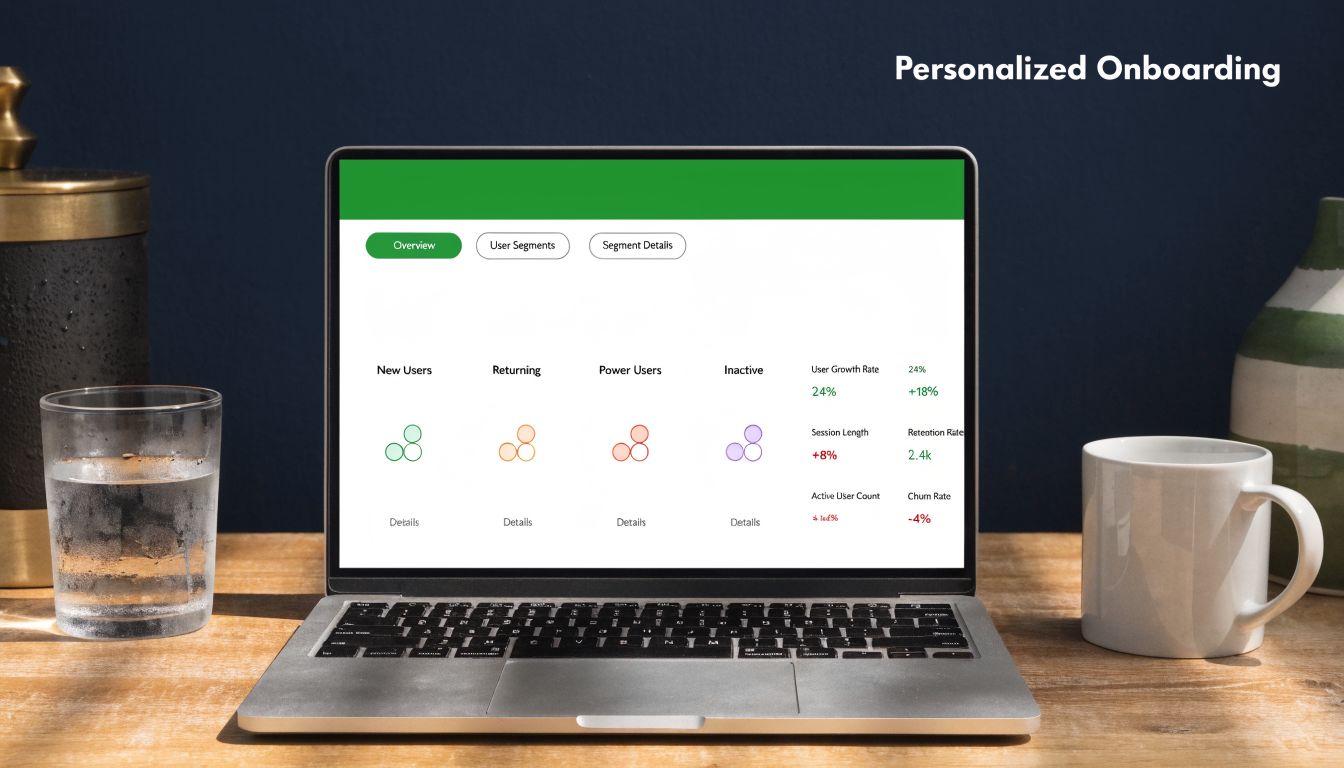
The goal is not a nicer experience for its own sake. The goal is faster activation, lower early churn, and a clearer path to expansion. If onboarding routes every account through the same checklist, high-value customers waste time on irrelevant steps and low-intent customers never reach the actions that predict retention.
Start with the few inputs that change time-to-value:
- Primary use case: Ask what the customer needs to accomplish first, then route them to the shortest path to that outcome.
- Account complexity: Handle single-user trials differently from multi-team rollouts with security, approvals, or data migration.
- Role: Admins, end users, champions, and technical evaluators need different guidance and different proof points.
This only works if segmentation comes from evidence. SigOS helps teams connect product usage, support history, CRM notes, and account context so onboarding decisions reflect real behavior. If retained accounts usually connect an integration before inviting teammates, while churned accounts stall during workspace setup, that is not an interesting insight for a dashboard. It is a cue to change the flow, trigger outreach, and put CSM time where it protects revenue.
I have seen teams overbuild this. They create six or seven onboarding branches before they know which steps matter, then spend months maintaining logic nobody can justify. A better approach is to start with two or three high-impact paths, measure activation rate, conversion to paid, onboarding length, and 90-day retention by segment, then expand only when the revenue signal is clear.
Practical rule: Personalize the steps that change activation, retention, or expansion. Standardize the rest.
There is a trade-off. More specific onboarding improves relevance, but every new branch adds content, QA, analytics, and operational overhead. If your team cannot explain which segment gets a different path, why that path should improve retention, and how you will measure the result in revenue terms, keep the flow simpler until you can.
2. Create Interactive Product Walkthroughs with Clear Value Messaging
Teams lose customers during onboarding for a simple reason. The walkthrough teaches buttons and menus before it proves why the product is worth adopting.
The better approach is to drive one revenue-relevant outcome fast. For a project management tool, that might be creating the first live project with owners and due dates. For a support platform, it might be routing the first conversation correctly. Linear handles this well by getting users to create an issue and project early. Figma succeeds when it shows collaboration in action instead of forcing a full product tour.
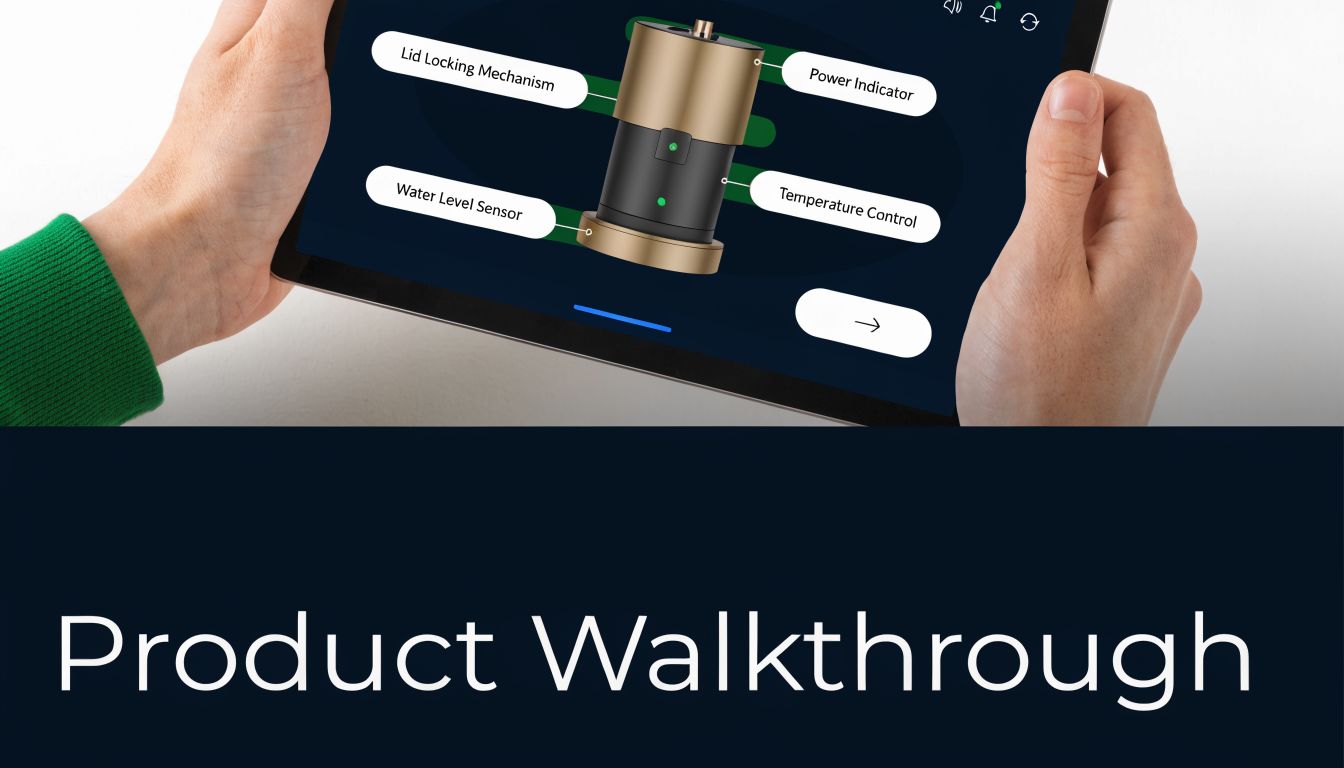
A walkthrough should cover the shortest path to first value. Everything else can appear later, once the customer has a reason to continue.
Tie every step to a business outcome
Clear value messaging changes the quality of a walkthrough. “Connect your inbox to reduce response time” is stronger than “Set up inbox rules.” “Invite your team so work stops living in spreadsheets” is stronger than “Add collaborators.”
That difference affects revenue. Customers who experience a real use case early are more likely to complete setup, renew, and expand. Customers who only learn the interface often stall before they reach a meaningful outcome. In SigOS, teams can verify this by comparing walkthrough completion with downstream signals such as feature adoption, account expansion, and churn by cohort. If users who finish a specific setup flow retain at a higher rate, that flow deserves attention. If a heavily promoted tour has no relationship to retention or expansion, cut it.
Video can help when the product includes motion, workflow logic, or collaboration steps that are hard to explain in text. The trade-off is maintenance. Video gets stale quickly when the UI changes, so use it for concepts and context, not for every click path.
A good example of the format in action looks like this:
What strong walkthroughs do well
The strongest teams keep the scope narrow and the measurement strict.
- Works: Guiding the user to one concrete win inside the product.
- Works: Explaining why each action matters in customer terms such as speed, accuracy, collaboration, or revenue protection.
- Works: Giving experienced users a way to skip, dismiss, or return later.
- Works: Reviewing support tickets, session recordings, and product intelligence to rewrite weak steps.
- Doesn’t work: Stuffing every feature into onboarding because internal teams want visibility.
- Doesn’t work: Writing tooltip copy that describes controls but never states the outcome.
- Doesn’t work: Treating walkthrough completion as success if the account still fails to activate or expand.
I have seen teams improve activation by removing steps, not adding them. The hard part is deciding what to leave out. If a step does not increase the chance that an account reaches first value, stays past the first renewal, or grows usage across the team, it should probably live in docs or secondary education instead of the primary walkthrough.
If you cannot connect a walkthrough step to activation, retention, or expansion, it is probably not onboarding material.
3. Establish Multi-Channel Onboarding with Integration Continuity
Customers don’t onboard in one place. They move between in-app prompts, email nudges, chat conversations, docs, and internal meetings. If those channels aren’t connected, the customer has to reconstruct the journey themselves.
Zendesk is a useful model here. Its help center, support chat, and product guidance work better when they share context. Stripe does something similar for developers. The documentation, implementation steps, and support experience all reinforce the same setup journey instead of acting like separate systems.
Preserve context across channels
The practical mistake I see most often is channel fragmentation. Marketing sends a welcome sequence. Product launches an in-app checklist. Support answers setup questions in chat. None of those systems know what the customer has already completed.
That creates duplicate instructions, bad timing, and unnecessary confusion.
The better approach is to define a shared onboarding state. If the account has already connected its data source, the next email shouldn’t ask them to do it again. If support sees that a user stalled after import, they should know what walkthrough they saw and what errors appeared.
A good multi-channel setup includes a few basics:
- Shared milestone visibility: Product, support, and success should all see progress against the same onboarding markers.
- Channel-specific strengths: Use email for reminders, in-app guidance for action, chat for friction, and docs for depth.
- Behavior-triggered support: Alert the team when inactivity, repeated errors, or abandoned setup flows suggest the customer is stuck.
Connecting Intercom or Zendesk with product analytics and a platform like SigOS pays off. You’re not just sending content through more channels. You’re deciding which channel should intervene based on observed behavior and revenue risk.
Measure continuity, not just activity
A lot of teams measure the performance of each channel in isolation. Open rate for email. Article views for docs. Chat satisfaction for support. Those aren’t useless, but they don’t tell you if the onboarding system works.
A better question is whether customers who use more than one channel move faster to value with less friction. If docs views spike right before support tickets rise, your documentation might be unclear. If in-app completion improves when paired with targeted follow-up emails, keep the sequence.
The point isn’t omnichannel complexity. It’s continuity.
4. Implement Outcome-Based Success Metrics and Milestone Tracking
Teams that reach value early tend to renew at higher rates. That is why onboarding metrics need to measure customer progress that changes revenue outcomes, not just product activity.
A crowded dashboard can hide the true story. Logins, page views, and checklist clicks show motion. They do not show whether an account is getting to the moment that makes the product worth paying for.
Start with milestones the customer would recognize as meaningful progress. For Slack, that might be inviting teammates and sending messages in a live channel. For HubSpot, it could be syncing contacts and building the first usable list. For Asana, a stronger signal is assigning real work inside an active project, not opening the app five times in one week.
Choose milestones that connect to retention and expansion
A good milestone does two jobs. It marks a customer outcome, and it helps your team predict who will stay, expand, or churn.
That is a higher bar than simple adoption reporting. Tracking feature usage still matters, but only after you tie it to commercial results. If accounts that complete "data import plus teammate invite" renew more often, that milestone deserves executive attention. If accounts that never publish a first report are the ones that downgrade, onboarding should focus there first.
Three to five milestones are usually enough. Common examples include first project created, first integration connected, first teammate invited, first report generated, first workflow completed, or first automation turned on.
If you need a starting point, build milestones from customer behavior rather than internal assumptions. A framework for behavioral segmentation in SaaS onboarding and retention helps teams separate actions that look busy from actions that predict account health.
Track the metrics around each milestone
Milestones on their own are not enough. Measure the conditions around them so you can see why accounts progress or stall.
- Milestone completion rate: Shows whether the onboarding path is clear enough for the right accounts to finish the steps that matter.
- Time to milestone: Faster time to first value usually matters more than total onboarding task completion.
- Support friction by milestone: Tickets, repeated errors, and failed setup attempts show where revenue risk starts.
- Expansion rate by milestone cohort: Compare accounts that reached key milestones against those that did not.
- Churn rate by missed milestone: Onboarding then becomes a forecasting input, not just a CS report.
The trade-off is real. Instrumenting milestone tracking takes product, success, and data teams time. But teams that skip this work usually end up optimizing for easier numbers because those are readily available.
SigOS is useful here because it helps connect product behavior to account outcomes. You can identify which onboarding actions correlate with lower churn, higher seat growth, or faster expansion. That changes prioritization. A stalled setup is no longer just a UX problem. It is an account with measurable revenue risk, and your team can intervene before that risk turns into contraction or churn.
5. Develop Segment-Specific Onboarding Tracks Based on Customer Behavior
Segment-specific onboarding is where many teams either achieve growth or create chaos.
The upside is obvious. Salesforce shouldn’t onboard Sales Cloud users the same way it onboards Service Cloud users. Mailchimp shouldn’t guide an ecommerce brand and a nonprofit through identical first steps. Jira has long recognized this by presenting different paths for software teams, business teams, and IT operations.
The risk is just as real. Bad segmentation is worse than generic onboarding because it sends customers down the wrong road with confidence.
Build segments from observed behavior
Demographic segmentation is often a starting point because it’s easy. Company size, industry, contract tier, region. Those can help, but they rarely tell you what the customer needs to do first.
Behavior is more useful. You can see a stronger breakdown of that approach in this guide to behavioral segmentation. For onboarding, that means grouping customers by signals like setup actions, collaboration patterns, integration intent, support themes, and feature exploration.
For example, a product may have three viable early tracks:
- Operational rollout: Teams focused on implementation, governance, and admin control
- Individual productivity: Users trying to get personal value before broader adoption
- Cross-functional collaboration: Accounts where sharing, inviting, and workflow visibility matter immediately
Those tracks are more useful than broad labels like SMB or enterprise if they reflect actual usage patterns.
Where the revenue connection shows up
A good segment-specific path should increase relevance. Relevance should improve completion and adoption. Adoption should improve retention and expansion.
That’s the sequence to test.
SigOS helps because it can correlate segment behavior with downstream revenue outcomes, not just top-of-funnel engagement. If one onboarding track reliably precedes stronger expansion conversations for agency accounts, keep investing in it. If another produces more support load with weak activation, simplify it or retire it.
Segment by the behavior that predicts value, not by the field that was easiest to collect on a form.
Keep the number of tracks small at first. Three good tracks with strong measurement beat seven clever ones that nobody can maintain.
6. Create Comprehensive Knowledge Base with Onboarding-Focused Content
A knowledge base shouldn’t be a graveyard for feature documentation. During onboarding, it should function like an extension of the product experience.
Notion gets this right because its guides and templates help users start from a real use case instead of a raw feature list. Stripe’s documentation works for the same reason. It supports onboarding by showing developers how to get to implementation, not just by describing API endpoints in isolation. GitHub’s docs are effective when they are segmented by user type and workflow, not just by product surface.
Write for the first 30 days
Most knowledge bases are built from the company’s perspective. They mirror the product architecture. New customers don’t think that way.
They think in terms of tasks and blockers. How do I import data? How do I invite my team? Why didn’t the integration work? What should I do first if I’m an admin? Onboarding content should answer those questions directly.
The strongest onboarding content usually includes:
- Getting-started guides: Short paths built around use cases, not features
- Troubleshooting content: Plain-language help for setup failures and common errors
- Role-based articles: Separate guidance for admins, operators, analysts, and end users
- Embedded media: Video or annotated screenshots for tasks that are easier to show than explain
Make the knowledge base part of onboarding, not a fallback
A common mistake is treating docs as the thing customers use only after they’re confused. A better model is to place the right article or guide in the workflow before the confusion peaks.
That means linking docs from inside setup screens, using support macros that point to the exact next step, and reviewing search terms from new accounts to see where content gaps still exist. If customers repeatedly search for a phrase your docs don’t cover well, the issue isn’t discoverability alone. It may be product language that doesn’t match customer language.
The trade-off is governance. Onboarding docs get stale quickly when the product changes fast. Someone needs to own updates and tie them to releases. Without that discipline, a knowledge base creates mistrust instead of confidence.
7. Assign Dedicated Onboarding Support and Success Resources
Accounts with the highest contract value rarely fail onboarding because they missed one tooltip. They fail because setup stalls, ownership is unclear, or an executive sponsor stops seeing the business case. That is where dedicated onboarding support pays for itself.
Automation should cover reminders, checklists, and standard education. Dedicated people should focus on moments that change revenue outcomes. In practice, that means assigning onboarding specialists or CSMs to accounts with complex implementation needs, multiple stakeholders, regulated environments, or clear expansion potential.
That coverage should be selective.

Put human support where the revenue risk is highest
A high-touch model for every account is expensive and usually wasteful. A targeted model performs better. The right question is not whether every customer gets a named resource. The right question is which accounts create the biggest downside if onboarding slips by 30 days, or the biggest upside if adoption reaches a second team quickly.
I look for a few signals before assigning hands-on support:
- High ARR or strategic accounts: Delayed onboarding pushes revenue recognition, renewal confidence, and expansion timing in the wrong direction.
- Complex setup paths: Integrations, security reviews, data migration, and change management often need active coordination.
- Behavioral risk signals: Use SigOS to identify accounts with stalled setup, repeated failed actions, low admin engagement, or a drop in early product usage.
- Expansion potential: Accounts that show cross-team interest during onboarding often justify more guided support because the payback is larger.
This is also where product intelligence matters. Support teams should not rely on gut feel or whoever shouts loudest. SigOS can surface which new accounts are drifting off the path to first value, so teams spend time where intervention can reduce churn or accelerate expansion.
Structure the role so it scales
Dedicated support only works if the role is tightly scoped. If onboarding specialists become a catch-all for product gaps, support debt grows and margins erode.
A better model is milestone-based intervention. Kickoff calls should confirm business goals, owners, timeline, and success criteria. Working sessions should remove a specific blocker or complete a setup milestone. Executive check-ins should reconnect progress to the original purchase decision.
That structure also makes ROI easier to prove. Track time-to-value, onboarding completion for target milestones, conversion from initial use case to broader adoption, and renewal or expansion performance by support tier. If accounts with guided onboarding reach activation faster and expand sooner, the staffing model is working. If they consume hours without improving retention or growth, redesign the coverage model.
Support conversations are also a strong source of product insight. Teams that want a better process for collecting and operationalizing that input can use this framework for gathering customer feedback in a structured way.
Measure dedicated support like an investment
The trade-off is straightforward. More human support raises service cost. It should also raise retention, protect larger deals, and increase expansion revenue. If it does not, the problem is usually poor targeting, weak instrumentation, or sessions that educate without moving the account closer to value.
One rule has held up well for me. If the team answers the same onboarding question live every week, stop treating it as a staffing issue. Fix the product, the guidance, or the trigger that should have caught the problem earlier.
8. Implement Feedback Loops and Continuous Onboarding Optimization
Onboarding degrades gradually. The product changes, new features appear, language shifts, support questions evolve, and the old flow starts leaking value.
The teams that stay good at onboarding review it constantly. They don’t wait for churn reports at renewal time. They inspect where customers hesitate, what support hears from new accounts, and which messages no longer make sense after the latest release.
Build a review system that combines voices and behavior
Customer comments matter, but they’re not enough on their own. Some users tell you exactly what’s wrong. Others only reveal the problem through abandonment, repeated clicks, or support friction.
That’s why I like combining direct input with behavioral analysis. If you need a practical framework for collecting better input, this guide on how to gather customer feedback is a solid starting point. The point is not to run more surveys. It’s to make feedback review operational.
A simple cadence works well:
- Weekly: Review drop-off points, incomplete steps, and new-user support themes
- Monthly: Audit onboarding content, walkthrough copy, and triggered messages against recent customer behavior
- Quarterly: Run a broader retro with product, support, success, and growth
Focus on changes that affect revenue, not noise
A lot of onboarding feedback is too local. One customer dislikes the checklist color. Another asks for a longer tooltip. Those comments might be valid, but they don’t all deserve equal weight.
SigOS is helpful here because it can surface patterns from support tickets, chat transcripts, sales calls, and usage data that correlate with churn or expansion. That makes prioritization cleaner. If one onboarding friction point appears repeatedly among accounts that later stall or contract, fix that before polishing copy on a low-impact screen.
The strongest optimization loops are short. Teams notice friction, confirm it with behavior, ship a change, and measure whether milestone completion or feature adoption improves. If you can’t connect the change to a business result, keep digging.
9. Build Onboarding Analytics and Predictive Churn Models
Revenue risk usually shows up during onboarding before it shows up in a renewal forecast. Teams that only watch completion rates miss the bigger question: which early behaviors separate accounts that expand from accounts that stall, discount, or leave?
Basic funnel reporting helps with visibility. It does not help much with prioritization. The job here is to connect onboarding behavior to commercial outcomes so success, product, and sales know where to intervene first.
Model risk and expansion from real onboarding behavior
Start with events that map to value, not just activity. A completed signup matters less than a connected integration. A viewed checklist matters less than finishing the first workflow that proves the product can solve the customer’s job.
The strongest models usually combine three types of inputs:
- Activation signals: first key workflow completed, time to first value, integration connected, first report or output generated
- Friction signals: repeated setup failures, stalled admin configuration, unresolved onboarding tickets, inactivity after a critical step
- Commercial signals: contract size, segment, promised use case, rollout scope, and whether the account has expansion potential
That mix gives teams something they can act on. If enterprise accounts that miss integration setup in week one churn more often, assign hands-on help there. If accounts that invite collaborators in the first ten days expand faster, build onboarding around that behavior.
If you want a practical framework for building the model itself, this guide to a predictive churn model lays out the mechanics clearly.
Keep the model narrow enough to use
A lot of teams overbuild this. They pull in dozens of events, produce a risk score, and then struggle to explain what anyone should do with it.
Start with a small set of high-signal behaviors and review them against revenue outcomes every month. I’ve seen simple models outperform complicated ones because the intervention path was obvious. For example, an account that has not completed setup, has opened two support tickets, and has no active champion needs outreach now. No one needs a data science lecture to act on that.
SigOS is useful here because it does more than chart product events. It can pull signals from support tickets, chat, call transcripts, and usage patterns, then rank onboarding issues by revenue impact. That changes the conversation. Instead of saying, “Step three has a 22% drop-off,” teams can say, “Accounts that hit this setup failure are more likely to contract, and fixing it protects expansion pipeline.”
Measure the model by dollars, not score accuracy
Prediction quality matters. Business impact matters more.
Track whether the model helps your team reduce churn in flagged cohorts, shorten time to value for high-risk accounts, and increase expansion among customers who complete the behaviors your analysis identified. If the score does not change how accounts are handled, it is just reporting with better branding.
There is a practical trade-off here. Better models need cleaner instrumentation, clear milestone definitions, and tighter account mapping across product, support, and CRM data. If those foundations are weak, fix them first. Otherwise, the model will look precise and still send your team after the wrong accounts.
One more guardrail. Keep this section focused on prediction and intervention, not motivation design. If your team is also evaluating reward mechanics later in onboarding, this article on implementing gamification strategies is a useful reference, but the analytics layer should answer a different question: which customer behaviors protect revenue, and which ones put it at risk?
10. Create Incentive Structures and Gamification for Onboarding Completion
Completion rates matter because incomplete onboarding has a revenue cost. Accounts that never finish setup take longer to reach first value, require more support time, and churn before the commercial relationship has a chance to mature.
Incentives can help, but only when they are tied to actions that predict retention or expansion. That is the standard. If a customer earns a badge for clicking through screens, the team may get a nicer completion report without improving revenue. If the reward is tied to connecting an integration, inviting the right teammates, or publishing a first workflow, the mechanic is doing real work.
The practical starting point is simple. Show progress clearly. Confirm milestones. Give customers a reason to care about the next step by tying it to an outcome they want, not a generic “complete your profile” message.
SigOS and similar product intelligence tools are useful here because they help teams identify which onboarding actions correlate with paid retention, lower contraction risk, or faster expansion. That changes how incentives are designed. Instead of rewarding every step equally, teams can prioritize the few actions that move an account toward durable usage and reserve human follow-up for customers who stall before those milestones.
If you’re exploring the learning design side of this, this piece on implementing gamification strategies offers practical ideas.
Tie rewards to revenue-relevant behaviors
Good onboarding incentives usually reinforce one of four actions:
- Setup completion: Connecting data sources, configuring permissions, or finishing the core implementation work.
- Stakeholder adoption: Inviting admins, managers, or end users who influence renewal scope.
- First value event: Publishing a dashboard, sending a campaign, closing a ticket, or completing the first workflow that proves the product works.
- Expansion signals: Activating adjacent features that often lead to seat growth, module adoption, or broader deployment.
The trade-off is tone. SMB users may respond well to visible progress, checklists, and small celebrations. Enterprise buyers often prefer a restrained approach that respects the seriousness of the workflow. In those environments, milestone confirmation and benchmark-driven nudges usually perform better than playful badges or points.
Where teams waste effort
- They reward activity instead of outcomes: Completion goes up, but retained revenue does not.
- They apply one incentive model to every segment: Admin-heavy enterprise onboarding and self-serve SMB onboarding need different mechanics.
- They fail to measure business impact: The team tracks badge completion, not whether incentivized accounts renew at a higher rate or expand faster.
A useful test is straightforward. Compare cohorts that completed incentivized milestones against similar accounts that did not. Then measure time to first value, support cost during onboarding, gross retention, and expansion revenue. If the mechanic improves completion but does not improve those outcomes, remove it or redesign it.
Good gamification reinforces momentum toward value. The best versions feel less like a game and more like a well-run onboarding system that shows customers what matters, rewards progress that predicts retention, and gives your team a clean way to prove ROI.
10-Point Customer Onboarding Comparison
A good onboarding program should earn its budget. This comparison frames each approach by implementation cost, operating load, and the revenue outcomes teams should expect if they execute it well and measure it with the right instrumentation.
For teams using a product intelligence platform such as SigOS, this table becomes more than a planning aid. Behavioral signals let you see which onboarding steps correlate with lower churn, faster expansion, and better net revenue retention, so you can put resources behind the motions that effectively move revenue.
| Item | Implementation Complexity (🔄) | Resource Requirements (⚡) | Expected Outcomes (📊⭐) | Ideal Use Cases (💡) | Key Advantages (⭐) |
|---|---|---|---|---|---|
| Implement Data-Driven Onboarding Personalization | 🔄 High, cross-touchpoint tracking, continuous tuning | ⚡ High, data engineers, analysts, AI models | 📊 Strong lift in activation and retention; measurable ROI when tied to expansion and churn cohorts | 💡 Products with diverse segments and enough usage data, especially B2B SaaS | ⭐ Customized experiences; revenue-focused prioritization; early risk detection |
| Create Interactive Product Walkthroughs with Clear Value Messaging | 🔄 Medium, design plus in-app tooling, ongoing maintenance | ⚡ Medium, UX, engineering, and walkthrough platform | 📊 Faster activation; better feature discovery; fewer basic support tickets | 💡 New users who need guided discovery, especially SMB and self-serve SaaS | ⭐ Faster time-to-value; clear value communication |
| Establish Multi-Channel Onboarding with Integration Continuity | 🔄 High, sync context across channels and handoffs | ⚡ High, integrations, middleware, cross-channel content | 📊 Higher completion rates; less friction when customers switch channels | 💡 Complex products with support ecosystems, including enterprise and developer platforms | ⭐ Smooth context-preserving experience; easier escalations |
| Implement Outcome-Based Success Metrics and Milestone Tracking | 🔄 Medium, define milestones and alerts | ⚡ Medium, analytics, success processes, instrumentation | 📊 Clear goals; earlier churn signals; onboarding ROI tied to business milestones | 💡 Revenue-focused teams that need objective onboarding KPIs | ⭐ Objective goals; better intervention timing; direct link to revenue |
| Develop Segment-Specific Onboarding Tracks Based on Customer Behavior | 🔄 Medium to High, segmentation logic and multi-track flows | ⚡ Medium, segment content, testing, assignment logic | 📊 Higher relevance and activation by segment; better monetization | 💡 Businesses with distinct customer profiles, such as SMB and enterprise | ⭐ Specific success paths; better resource allocation |
| Create Onboarding-Focused Knowledge Base Content | 🔄 Medium, content architecture and search integration | ⚡ Medium to High, writers, video production, indexing | 📊 Lower support volume; stronger self-service adoption; added search visibility | 💡 Feature-rich products and self-serve customer bases | ⭐ Scalable reference content; consistent, easy-to-find help |
| Assign Dedicated Onboarding Support and Success Resources | 🔄 Low to Medium operationally, harder at scale | ⚡ Very High, trained CSMs and support specialists | 📊 Strong retention gains for high-value accounts; earlier expansion identification | 💡 Enterprise and high-ARR customers | ⭐ Human relationship building; qualitative insight; account-specific intervention |
| Implement Feedback Loops and Continuous Onboarding Optimization | 🔄 Medium, structured collection and review cycles | ⚡ Medium, survey tools, analytics, cross-functional time | 📊 Faster iteration; better prioritization of high-impact fixes | 💡 Teams that ship often and growth-stage companies | ⭐ Continuous improvement; sharper prioritization; lower experiment waste |
| Build Onboarding Analytics and Predictive Churn Models | 🔄 High, advanced modeling and validation | ⚡ High, data scientists, modeling infrastructure, instrumentation | 📊 Proactive interventions; predictive alerts; quantified ROI | 💡 Organizations with large data volumes that need proactive risk management | ⭐ Early warning signals; smarter resource prioritization; hidden correlation discovery |
| Create Incentive Structures and Gamification for Onboarding Completion | 🔄 Low to Medium, design and product integration | ⚡ Low to Medium, product work and small rewards | 📊 Higher completion; more exploration when incentives align with value milestones | 💡 SMBs, consumer apps, and training platforms. Less effective for enterprise onboarding | ⭐ Cost-efficient engagement lever; stronger motivation; measurable lift |
The practical trade-off is simple. The highest-impact approaches usually need better instrumentation, cleaner customer data, and tighter coordination across product, success, and revenue teams.
That is why many teams start with walkthroughs, milestone tracking, and onboarding-focused knowledge base content, then invest in behavioral segmentation, predictive models, and SigOS-driven prioritization once they can connect onboarding behavior to retention and expansion revenue with confidence.
From Onboarding to Ongoing Success
The best customer onboarding best practices have one thing in common. They treat onboarding as a revenue system, not a courtesy sequence.
That shift changes how teams prioritize work. Instead of arguing over whether a tooltip should be shorter or whether a checklist needs one more step, the conversation becomes sharper. Which onboarding behaviors lead to retention? Which friction points show up before churn? Which early milestones predict expansion? Which support interactions rescue a customer before the account goes sideways?
That’s the level onboarding needs to operate at if you want it to matter financially.
There’s enough evidence to justify that investment. Companies with formalized onboarding report a 63% year-over-year increase in customer satisfaction. That isn’t just a service metric. In SaaS, satisfaction during the first weeks often determines whether customers continue learning, continue adopting, and continue buying. There’s also a pricing implication. Customers who have a positive onboarding experience are willing to pay 12% to 21% more than average users. That should change how product, success, and growth teams think about onboarding budgets.
The broader commercial impact is hard to ignore too. 84% of companies improving customer experience through onboarding report revenue growth, and 63% of customers factor onboarding into purchase decisions. In other words, onboarding influences both sides of the revenue equation. It helps close deals, and it helps keep them.
What I’ve seen in practice is that the winning teams don’t try to perfect everything at once. They pick one high-friction part of the first 30 to 90 days and instrument it properly. They define what success looks like in customer terms and business terms. Then they improve the flow, measure impact, and keep going.
If you’re deciding where to begin, start with the points where customer behavior and money are most closely linked:
- Activation gaps: Customers sign up but never complete the steps that lead to first value.
- Support-heavy setup moments: New users repeatedly ask for help in the same part of the journey.
- Segment mismatch: Different customer types are being pushed through the same generic path.
- Invisible churn signals: Stalled adoption, delayed setup, and repeated friction go unnoticed until renewal risk is obvious.
This is also why product intelligence matters more than ever in onboarding. Organizations often already possess the raw signals. They’re scattered across support tickets, CRM notes, product analytics, chat transcripts, onboarding calls, and success handoffs. The problem isn’t lack of data. It’s lack of synthesis.
Platforms like SigOS help solve that by connecting the dots. Instead of relying on subjective opinions or delayed churn analysis, teams can see which onboarding issues correlate with risk, which patterns point to expansion, and which fixes deserve engineering time because they protect or grow revenue. That changes onboarding from a debate into an operating discipline.
And there’s a compounding effect. A 5% increase in retention can raise profits by 25% to 95%, according to Bain & Company research cited here. Onboarding isn’t the only lever behind retention, but it’s one of the earliest and most controllable ones. If your first 90 days are weak, every downstream team pays for it. If they’re strong, every downstream team benefits.
Pick one practice from this list. Instrument it. Tie it to a milestone that matters. Then prove the result in retention, expansion, or reduced churn risk.
If your team is sitting on support tickets, chat logs, sales calls, and product analytics but still prioritizing onboarding changes by instinct, SigOS is worth a close look. It helps product, success, and growth teams identify the behavioral signals that predict churn and expansion, then turns those signals into revenue-weighted priorities your team can act on fast.
Keep Reading
More insights from our blog



Ready to find your hidden revenue leaks?
Start analyzing your customer feedback and discover insights that drive revenue.
Start Free Trial →