7 Great Release Notes Examples to Inspire Your Own in 2026
Discover 7 amazing release notes examples from top companies like Slack, Stripe, and Notion. Learn to write better release notes and drive adoption.

Why do so many release notes feel like a missed opportunity? They're often a dry, technical list of bug fixes and minor updates that nobody reads. Most fail because they are written without a clear audience or purpose, becoming a repository for "what we shipped" instead of a powerful tool for "why you should care." They become noise, ignored by users and a wasted effort for product teams.
But it doesn't have to be this way. Your release notes can and should be a high-impact channel for product marketing, user engagement, and customer retention. When done right, they build trust, drive adoption of new features, and significantly reduce support tickets. The secret lies in moving beyond a simple changelog and treating every update as a conversation with your customers. The key is understanding who you're talking to-be it end-users, admins, or developers-and tailoring the message accordingly.
In this guide, we will dissect seven excellent release notes examples from companies like Slack, Stripe, and Notion. For each one, we'll analyze the strategy, break down the specific tactics used, and provide actionable takeaways you can apply immediately. We will show you how to match your message to the right audience and channel, transforming your updates from a chore into a competitive advantage. To complement these specific examples and help in building your own strategy, you might also find inspiration by examining general implementations, such as testdriver.ai's Changelog page. This article provides a playbook for turning your release notes into a must-read, ensuring your hard work gets the attention it deserves.
1. GitHub Changelog: The High-Cadence Developer Feed
GitHub's changelog is a prime example of release notes tailored for a highly technical, high-frequency audience. It's not a marketing document; it's a utility. Developers depend on GitHub for their daily work, and any change, no matter how small, can impact their workflows. The changelog addresses this need with precision and consistency, making it a gold standard for developer-facing communication.
This approach stands out because it prioritizes function over fanfare. Instead of bundling changes into a monthly newsletter, GitHub publishes updates as they happen, creating a continuous feed of information. This method respects the developer's need for timely and accurate data without promotional fluff.
Link: GitHub Changelog
Strategic Analysis
GitHub’s strategy is built on three core principles: frequency, clarity, and discoverability. The changelog isn't an afterthought; it’s an integral part of the development lifecycle.
- Taxonomy is Key: Each entry is meticulously tagged. These aren't just arbitrary labels; they are a functional navigation system. Tags like
actions,codespaces,security, orapiallow developers to filter the feed and focus only on the updates that affect them directly. - Structured Content: Every post follows a predictable format. A clear headline announces the change, followed by a concise explanation of what it is, why it matters, and often a link to the relevant documentation or the feature itself. This structure makes the feed highly scannable.
- Multi-Channel Distribution: GitHub understands that developers consume information in different ways. The changelog is available on their blog, but crucially, it's also distributed via an RSS feed and a dedicated X/Twitter account. This allows developers to integrate updates directly into their preferred news readers or social feeds.
Key Insight: For a technical audience, the value of release notes is directly tied to their utility and ease of access. GitHub treats its changelog like a product API: structured, reliable, and predictable. The focus is on delivering raw, actionable information with zero friction.
Actionable Takeaways
How can you apply GitHub’s methods to your own release notes examples?
- Implement a Tagging System: Categorize every update with functional tags. Think about the core components of your product (e.g.,
dashboard,api,billing,integration-x) and use them consistently. This empowers users to filter noise and find signal. - Establish a Clear Template: Create a simple, repeatable format for all release notes. A good starting point is What (the feature), Why (the user benefit), and How (a link to docs or the feature).
- Offer Multiple Subscription Channels: Don’t assume users will visit a specific page. Provide an RSS feed or integrate with platforms like Slack or X/Twitter to deliver updates directly into their existing workflows. This makes staying informed effortless for your audience.
2. Stripe Changelog: Bridging the Gap Between Product and API
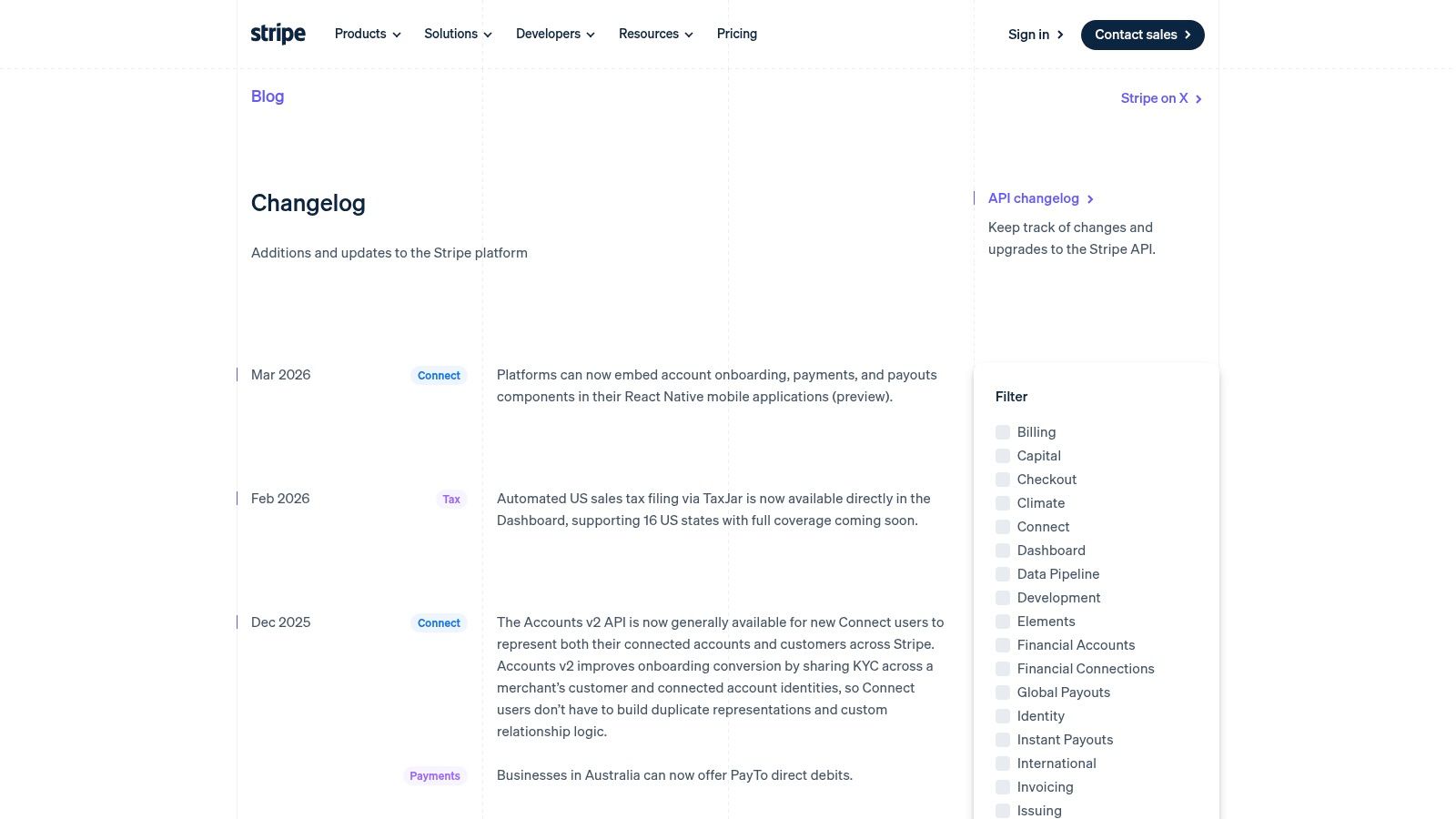
Stripe's changelog is a masterclass in communicating with a diverse audience that includes developers, product managers, and business operators. It masterfully balances updates for its polished user interface (the Dashboard) with critical changes to its powerful API. For any company that serves both technical and non-technical users, Stripe provides one of the best release notes examples available.
This approach is noteworthy because it unifies the product narrative. Instead of siloing UI changes from API updates, Stripe presents them in a cohesive feed, acknowledging that modern businesses rely on both. This builds trust and demonstrates a deep understanding of how their customers' teams work together.
Link: Stripe Changelog
Strategic Analysis
Stripe’s strategy revolves around authority, clarity, and accessibility. The changelog isn't just a list of updates; it’s a reflection of the company's high-quality, developer-centric brand identity.
- Audience Segmentation: The changelog is clearly categorized by product area. Labels like
Dashboard,Payments,API, andDataallow different user personas to quickly find what’s relevant. A developer can focus on API changes, while an operations manager can review Dashboard updates. - Scannable and Deep: Each entry is short and direct, often just a sentence or two. However, they almost always include a "Learn more" link that directs users to detailed documentation, a blog post, or a guide. This keeps the main changelog clean while providing paths to deeper knowledge.
- Parallel API Changelog: For hardcore developers, Stripe maintains a separate, more technical API changelog. This log details specific API version changes, field deprecations, and endpoint updates, which are critical for maintaining stable integrations. This dual-system caters to all technical levels without cluttering the main feed.
Key Insight: A unified changelog for UI and API changes builds a holistic product story. Stripe demonstrates that you can serve multiple audiences effectively by using clear categorization and providing layered information, moving from high-level announcements to granular technical documentation.
Actionable Takeaways
How can you apply Stripe's methods to your own release notes examples?
- Categorize by Product Area and Audience: If you have both a UI and an API, create tags for each (
ui,api). Add other functional tags likereporting,billing, orintegrationsso different teams in your customer's organization can follow updates relevant to them. - Use a "Summary and Link" Format: Write a concise, one-sentence summary for each update. Then, always link to the full documentation or a detailed blog post. This respects your users' time while still providing comprehensive information for those who need it. Writing clear feature definitions starts with solid planning; you can explore how to write product requirements to strengthen this process.
- Create a Dedicated API Log if Necessary: If your API is a core product with frequent, breaking, or version-specific changes, create a separate, developer-focused changelog. This keeps your main release notes accessible to a broader audience while giving technical users the precision they require.
3. Notion "What's New": The Visual Storytelling Approach
Notion’s "What's New" page masters the art of product marketing through release notes. Unlike purely technical changelogs, Notion’s updates are crafted as engaging, benefit-driven stories designed for a broad user base. They communicate not just what has changed, but why it matters to the user’s productivity and creativity, making it a stellar example of customer-centric communication.
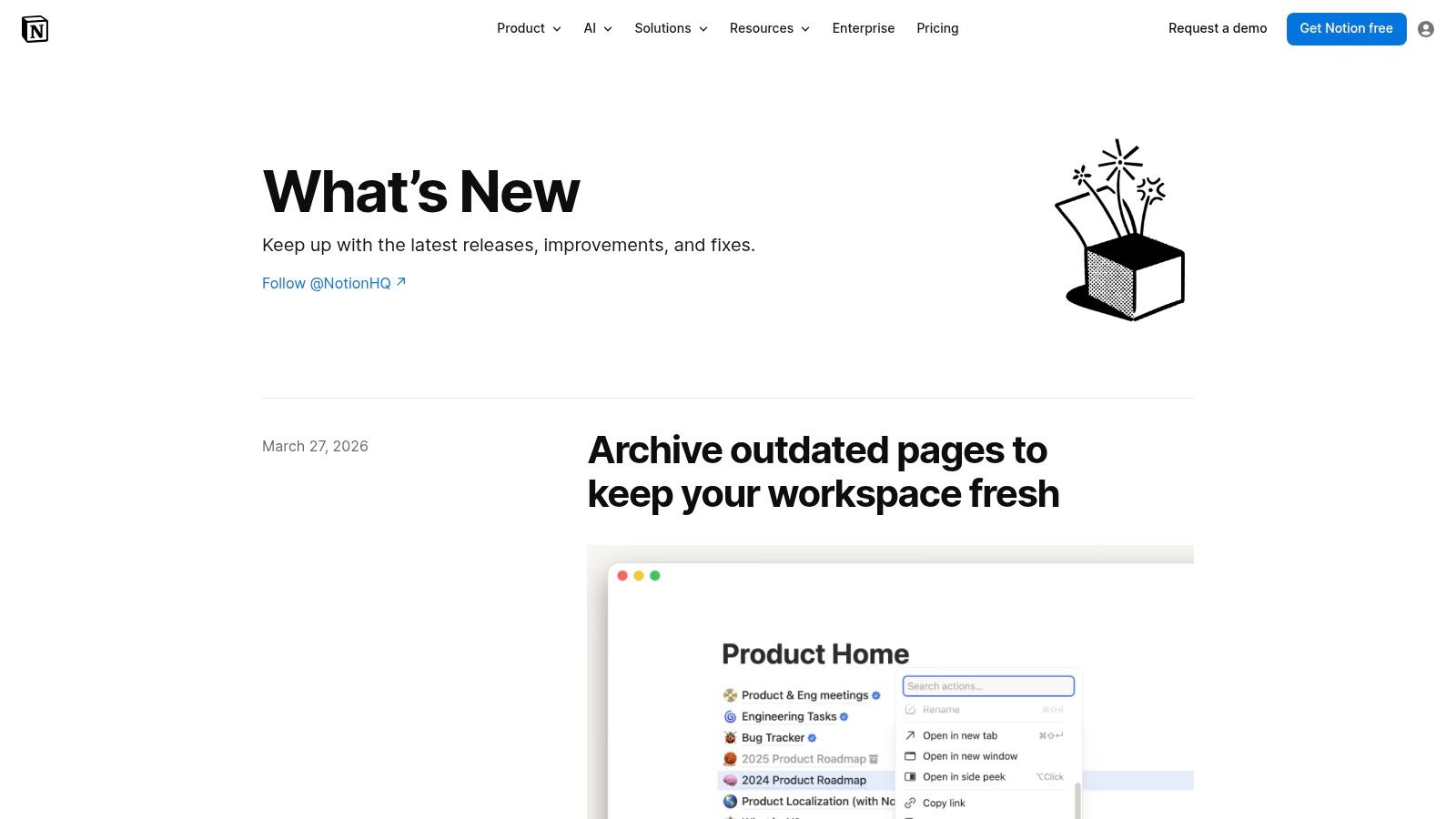
This method is powerful because it prioritizes user adoption and feature discovery. Each update is a mini-launch, complete with polished visuals, animated GIFs, and clear explanations that help users immediately grasp the value and integrate new features into their workflows. It turns a simple log of changes into a compelling product showcase.
Link: Notion "What's New"
Strategic Analysis
Notion's strategy is built on two key pillars: visual appeal and segmented audiences. They understand that a single firehose of technical details won't work for their diverse user base, which ranges from casual note-takers to power users and developers.
- Benefits-First Narrative: Every update is framed around the user's benefit. Headlines like "A more helpful Q&A" or "Link previews that do more" immediately answer the user's question, "What's in it for me?". The copy focuses on the new capabilities unlocked, not the technical implementation.
- Show, Don't Just Tell: Notion makes heavy use of embedded GIFs and videos. This is critical. Instead of describing a new UI interaction, they show it in a looping animation, eliminating ambiguity and making the feature instantly understandable. This visual proof is far more effective than text alone.
- Dual-Track Communication: Notion intelligently separates its audiences. The main "What's New" page is for end-users. For developers and technical partners, they maintain a separate, more traditional API changelog. This dual approach ensures that each audience gets the right level of detail in the right format, without overwhelming the other.
Key Insight: Polished, visually-rich release notes can be a powerful product marketing tool. By focusing on the 'why' (user benefit) and demonstrating the 'how' (with GIFs and visuals), Notion drives feature adoption and reinforces the product's value proposition with every update.
Actionable Takeaways
How can you apply Notion's methods to your own release notes examples?
- Lead with the User Benefit: Reframe your update announcements. Instead of "We added a v2 API endpoint for data export," try "You can now export your data faster and with more filter options." Connect every change to a direct user outcome.
- Use Visuals to Demonstrate Change: Create a simple GIF or short screen recording for any UI change or new feature. Tools like Giphy Capture or Cleanshot make this easy. A 5-second GIF can explain more than three paragraphs of text.
- Segment Your Release Notes: If you serve both technical and non-technical users, consider a two-pronged approach. Create a polished, benefit-driven page for general users and maintain a separate, detailed changelog for developers. This ensures that a new feature is not just shipped but also successfully adopted by connecting its value directly to a revenue-driven product roadmap.
4. Slack: The Multi-Audience, Brand-Voice Masterclass
Slack's release notes are a masterclass in speaking to multiple audiences without losing brand identity. They cleverly manage a complex ecosystem-spanning end-users, workspace administrators, and developers-by creating distinct but interconnected communication channels. This two-layer approach separates high-level, user-facing news from the more technical, client-specific bug fixes and updates.
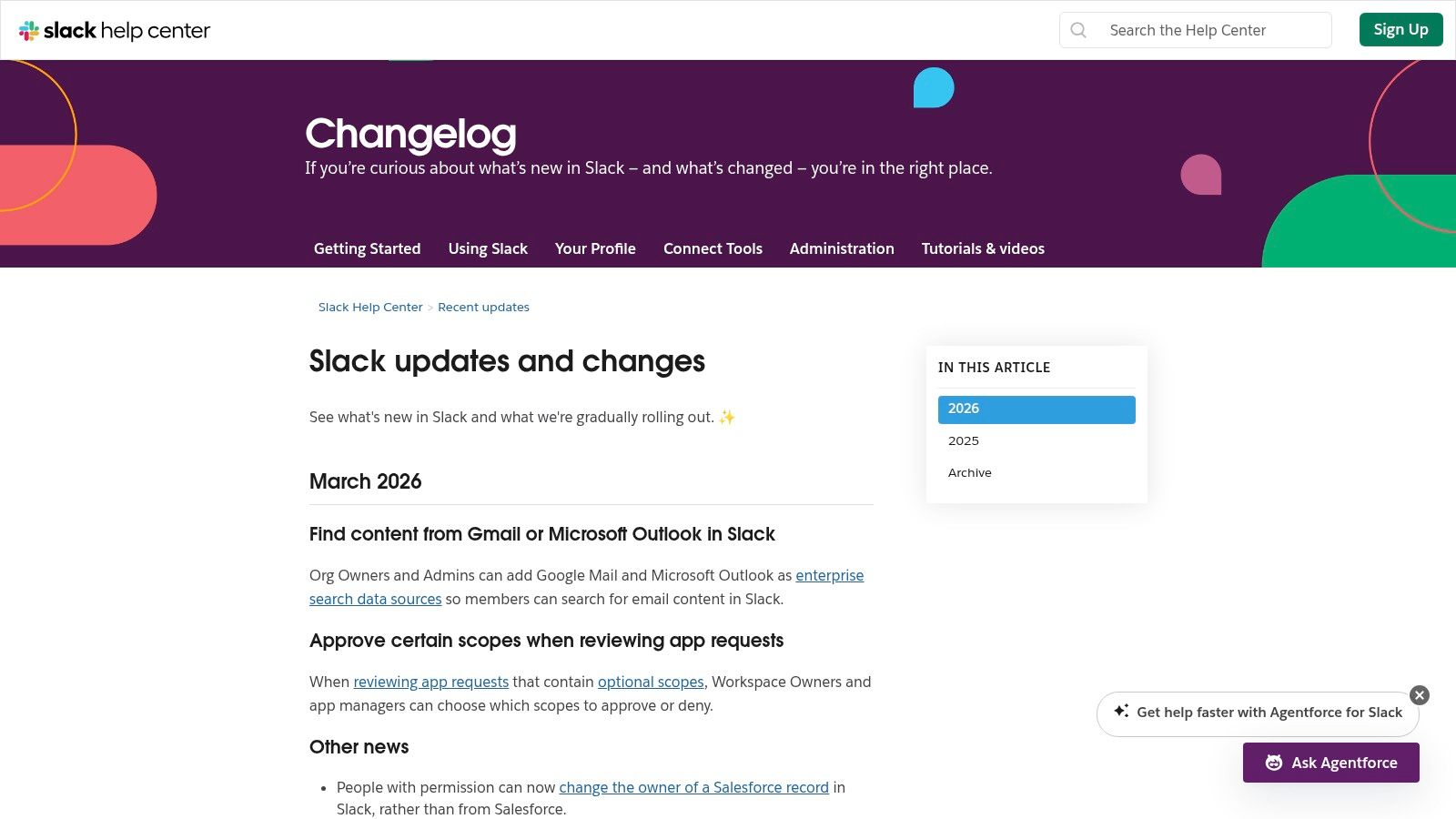
This strategy is notable because it solves a common problem for mature platforms: how to inform everyone without overwhelming anyone. Instead of a single, chaotic feed, Slack segments its updates by audience and impact. An end-user can follow the friendly, benefit-driven "Updates and Changes" feed, while a developer can subscribe to a separate changelog detailing API and SDK changes. The tone remains approachable and human across all of them.
Link: Slack "Updates and Changes"
Strategic Analysis
Slack's strategy is founded on audience segmentation, brand consistency, and channel clarity. The release notes are not just technical logs; they are extensions of the product's friendly and helpful persona, designed to guide different user types effectively.
- Tiered Information Architecture: Slack uses a tiered system. The main
slack.com/changelogis for user-facing features and is written in a conversational, benefit-oriented tone. Deeper, platform-specific notes (e.g., for the Mac or Windows app) exist separately, containing more granular details on bug fixes and performance improvements. A third tier exists for developers, focusing on API, SDK, and CLI tools. - Consistent, On-Brand Voice: Whether announcing a major new feature or a minor bug fix, Slack's voice is consistently cheerful, clear, and empathetic. They often use phrases like "What’s New," "What’s Fixed," and use simple language, making the notes feel like a helpful tip from a coworker rather than a dry technical document.
- Admin-Specific Guidance: Many updates include a dedicated callout for administrators. Slack understands that rolling out a feature in a large organization requires planning. By providing admins with a heads-up and specific guidance, they turn release notes into a practical governance tool.
Key Insight: Segmenting release notes by audience allows you to tailor both the content and the tone. Slack proves that you can maintain a strong, consistent brand voice even when communicating highly technical information, making the updates more engaging and digestible for everyone.
Actionable Takeaways
How can you apply Slack’s methods to your own release notes examples?
- Map Your User Personas: Identify your core user groups (e.g., end-users, power-users, administrators, developers). Create separate release note channels or sections tailored to the information each group needs.
- Develop a Brand Voice Guide for Updates: Don't let your release notes be dry and robotic. Define a tone that aligns with your brand. Use simple, benefit-focused headlines and write for humans, even when the topic is technical.
- Include Role-Specific Instructions: If a new feature impacts different roles in different ways, call it out directly. Add a small "For Admins:" or "For Developers:" section to your notes to provide targeted advice and reduce support tickets.
5. Figma Release Notes: The Segmented Single Source of Truth
Figma’s release notes masterfully serve a diverse user base, from casual designers to power users and plugin developers, without creating a cluttered experience. They accomplish this by creating a centralized hub that acts as a top-level summary, while intelligently segmenting more technical information into separate, dedicated changelogs. This tiered approach respects different users' needs for information depth.
Unlike a purely chronological feed, Figma’s main release notes are organized by product area, making it easy for users to scan for updates relevant to their specific workflows. Each entry is concise, clearly stating the improvement or new feature, but almost always includes a path to deeper learning, such as a Help Center article or a livestream recap.
Link: Figma Release Notes
Strategic Analysis
Figma's strategy is built on segmentation, context, and ecosystem awareness. They understand that a single firehose of information is ineffective for a product with such a broad and varied user community.
- Tiered Information Architecture: The main release notes page is for the end user. It’s clean, visual, and focused on workflow benefits. For developers building on the platform, there are separate, highly technical changelogs for the Plugin API and REST API. This separation prevents the main feed from being overloaded with code-level details while giving developers the specific, granular information they require.
- Context-Rich Summaries: Figma doesn’t just announce a feature; they provide context. By linking directly to detailed documentation, blog posts, or video recaps from events like Config, they turn a simple update into a learning opportunity. This encourages deeper product engagement and mastery.
- Grouping by Product Area: Updates are often grouped under clear headings like "Design," "Prototyping," or "FigJam." This organization mirrors how users think about the product itself, allowing them to quickly find what’s new in the parts of Figma they use most. It’s a user-centric approach to information organization.
Key Insight: A single product can have multiple distinct audiences for its release notes. Figma’s success comes from creating a "single source of truth" that gracefully directs different user segments (designers, admins, developers) to the specific level of detail they need, preventing information overload.
Actionable Takeaways
How can you use Figma’s methods to improve your release notes examples?
- Create Audience-Specific Channels: If you have a developer API or a plugin ecosystem, create separate changelogs for them. Keep your main release notes focused on user-facing benefits and link out to the technical feeds for those who need them.
- Link to "Learn More" Resources: Don't let your release note be a dead end. For every significant feature, provide a link to a detailed guide, a video tutorial, or a blog post. This accommodates users who want to go from "What's new?" to "How do I master this?"
- Organize by Product Theme, Not Just by Date: Instead of a simple chronological list, group related updates under logical product areas. This helps users understand the broader story of how your product is evolving and how changes connect to their daily tasks.
6. Intercom "New at Intercom": The Operational Playbook
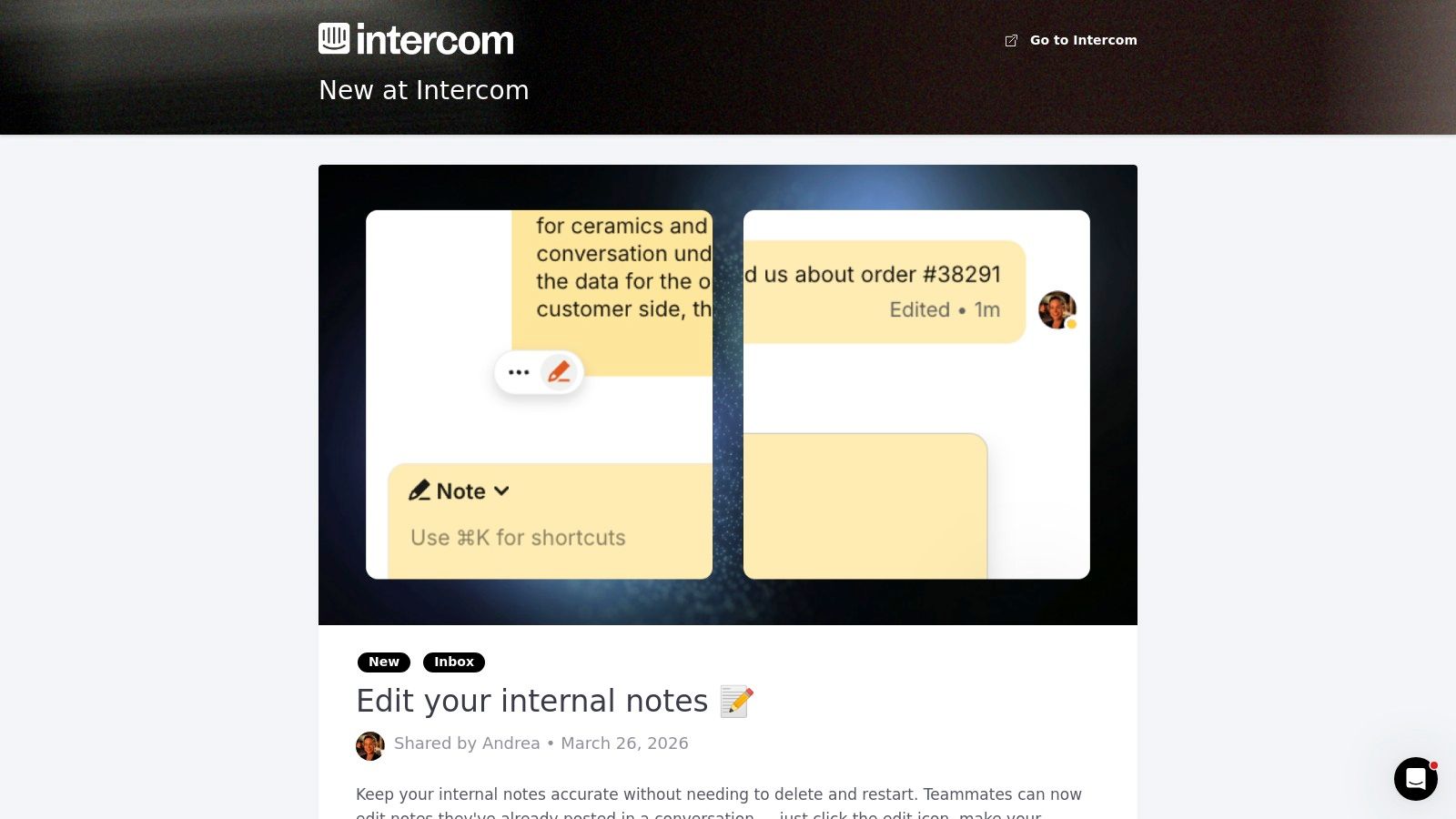
Intercom's "New at Intercom" page is a masterclass in writing release notes for an operational audience. It targets support, success, and product teams by focusing on the practical application of new features. Rather than emphasizing technical specifications, the content is framed around improving workflows, boosting efficiency, and solving real-world customer service problems.
This approach is powerful because it speaks the language of its users. Support managers and product owners aren't just looking for new tools; they are looking for solutions. Intercom's release notes directly address this by explaining how each update helps their teams perform better, making it an excellent model for B2B SaaS companies.
Link: New at Intercom
Strategic Analysis
Intercom’s strategy revolves around three core ideas: audience alignment, workflow integration, and clear segmentation. The entire experience is built to make adoption as smooth as possible for non-technical or semi-technical teams.
- Audience-Centric Language: Each update is summarized in plain language. Technical jargon is avoided in favor of benefit-driven headlines like "Proactively support customers in your app" or "Resolve conversations faster with Fin AI Copilot." This immediately communicates the value proposition to a busy support lead.
- Actionable Pathways: Every post includes clear next steps. Instead of just announcing a feature, Intercom provides direct links to "Learn more" in the help center, "Watch a video," or "Get started," guiding users from awareness to adoption within a few clicks. This minimizes friction and encourages immediate use.
- Content Segmentation: Intercom understands its audience has different needs. It maintains a primary, user-friendly "Changes" page for general updates while keeping a separate, more technical API changelog for developers. This ensures that operational teams aren't overwhelmed with versioning details, and developers can find the specific data they need.
Key Insight: For operational teams, release notes are not just announcements; they are training documents. Intercom treats each update as an opportunity to educate users on how to do their jobs better. The focus is on the "so what" and "what's next," empowering teams to immediately apply new capabilities.
Actionable Takeaways
How can you apply Intercom's methods to your own release notes examples?
- Frame Updates Around User Goals: Instead of leading with the feature name, lead with the problem it solves or the goal it achieves. Use headlines that answer the user's question, "How does this help me?"
- Provide a "Next Step" for Everything: Never leave a user at a dead end. For every announcement, include at least one clear, action-oriented link, whether it's to documentation, a tutorial, a webinar, or the feature itself.
- Segment Your Release Notes by Audience: If you serve both technical and non-technical users, create separate communication channels. A user-friendly blog or "What's New" page can cover high-level benefits, while a dedicated changelog can provide the granular details developers need. This prevents either audience from feeling that the content isn't for them.
7. Linear Changelog: The Narrative-Driven Product Journal
Linear's changelog masterfully combines product storytelling with functional updates, creating a format that resonates deeply with its audience of design-conscious developers and product teams. It's more than a list of bug fixes; each entry is a chapter in the product's ongoing evolution. This narrative approach builds a strong connection with users by explaining the "why" behind every significant change.
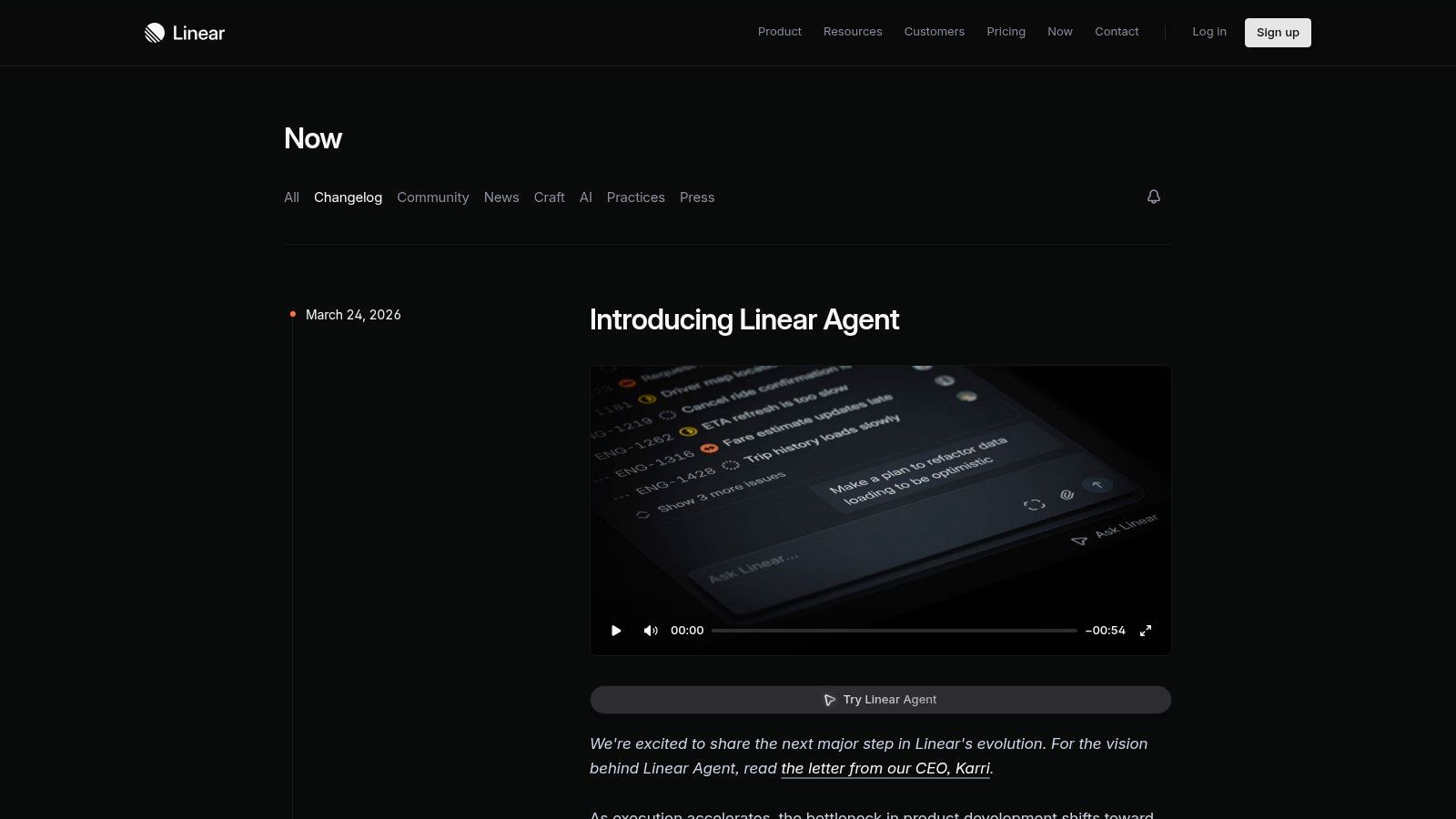
This method stands out by turning release notes into valuable, shareable content. Instead of a dry, technical log, each update is a permalinked post that is both SEO-friendly and engaging. It successfully balances the need for concrete details with a compelling story that reinforces Linear's brand and product philosophy.
Link: Linear Changelog
Strategic Analysis
Linear’s strategy is rooted in using release notes as a core pillar of its product marketing. The changelog is not just documentation; it's a demonstration of product momentum and thoughtful design.
- Narrative Over Index: Each significant update gets its own dedicated post. These entries start by setting the context, framing the problem the new feature solves, and then detailing the solution. This storytelling makes the value of the update immediately clear.
- Visual and Structural Harmony: The changelog's design perfectly mirrors the clean, minimalist aesthetic of the Linear application itself. Posts blend concise prose, bulleted lists of specific changes, and high-quality visuals or GIFs. This reinforces the brand and makes the content a pleasure to read.
- Content as a Back-Catalog: The changelog serves as a public, historical record of the product's journey. Anyone can browse past entries to see how Linear has evolved. This transparency builds trust and also acts as an extended feature tour for prospective customers.
Key Insight: Release notes can be a powerful product marketing channel. By framing updates within a narrative, Linear turns a functional necessity into an asset that communicates brand values, educates users on the "why," and creates a shareable artifact that promotes the product.
Actionable Takeaways
How can you apply Linear’s methods to your own release notes examples?
- Tell a Story with Each Major Release: For significant updates, don't just list what's new. Write a brief introduction that explains the user problem you were trying to solve. Frame the release as the solution.
- Create Permanent, Shareable Posts: Instead of burying updates in a single, ever-growing page, give each major announcement its own URL. This makes it easy for your team and your fans to share the news on social media and helps with SEO.
- Balance Narrative with Details: Start with the story, but don't forget the specifics. Follow your narrative intro with a clear, scannable list of the exact changes, fixes, and improvements included in the release. This serves both the casual reader and the power user looking for details.
7-Example Release Notes Comparison
| Changelog | Implementation Complexity 🔄 | Resource Requirements ⚡ | Expected Outcomes ⭐📊 | Ideal Use Cases 💡 | Key Advantages ⭐ |
|---|---|---|---|---|---|
| GitHub Changelog | Low — standardized micro-post workflow | Moderate — editors, tagging, feed maintenance | Quick developer awareness; high discoverability 📊 | Frequent shipping, developer ecosystems | Strong taxonomy and push distribution (RSS/X) |
| Stripe Changelog | Medium — multi-surface + API versioning | High — docs linking, QA, version guidance | High trust and comprehensive coverage ⭐📊 | Products with both UI and APIs | Clear product-area categorization; API changelog |
| Notion "What's New" | Medium — visual storytelling + dual-track notes | High — design, media, polished copy | Increased adoption and user engagement 📊⭐ | Consumer-facing features, product marketing | Benefit-led narratives with rich media |
| Slack "Updates and Changes" | High — multi-source, audience-segmented feeds | High — cross-linking, admin guidance, platform notes | Targeted communications; risk of fragmentation 📊 | Large platforms with distinct user/admin/dev groups | Built-in audience segmentation and approachable tone |
| Figma Release Notes | Medium — centralized feed with external links | Moderate — curation, links to livestreams/docs | Clear summaries with learn-more paths 📊 | Ecosystem products (plugins, API) | Single source of truth; ecosystem awareness |
| Intercom "New at Intercom" | Low — plain-language operational updates | Low–Moderate — concise writing, doc links | Rapid operational readiness for support teams 📊 | Support, success, and ops teams | Action-oriented, practical guidance and links |
| Linear Changelog | Medium — permalinked narratives and lists | Moderate — writing, SEO, visuals | Strong product positioning and shareability ⭐📊 | Major feature launches; product storytelling | Balances rationale ("why") with concrete changes |
From Examples to Execution: Building Your Release Notes Engine
Throughout this guide, we've dissected seven distinct release notes examples, moving beyond surface-level descriptions to uncover the strategic thinking behind each one. From Stripe's developer-centric precision to Notion's user-focused narratives, a clear pattern emerges: the most effective release notes are not an afterthought. They are a core component of the product experience, meticulously designed to serve a specific audience and achieve a clear business goal.
The journey from a blank page to compelling release communications begins with understanding that there is no single "best" approach. Success lies in choosing the right model for your unique context and often blending elements from different examples to create a hybrid strategy.
Choosing Your Release Notes Model
To help you translate these examples into an actionable strategy, consider the following decision framework. This isn't a rigid set of rules, but a starting point to guide your thinking.
- If you have a public API or a technical user base...
- Start with the Stripe or GitHub model. Prioritize clarity, accuracy, and detailed technical information. Your goal is to build trust and enable developers to integrate your changes with minimal friction. A chronological, searchable changelog is non-negotiable.
- If your product is highly visual or collaborative...
- Learn from Figma and Notion. Use GIFs, videos, and narrative descriptions to show, not just tell. Focus on the "why" behind a change, connecting new features to user workflows and productivity gains. The tone should be inspiring and community-oriented.
- If you are Product-Led Growth (PLG) focused...
- Emulate Notion and Intercom. Deliver updates directly within the app through "What's New" modals or feeds. Make your release notes discoverable and contextual, driving immediate adoption of new features and reinforcing product value during usage.
- If you need to communicate with multiple distinct audiences...
- Adopt the Slack or Linear hybrid approach. Pair a high-level, narrative-style blog post for general announcements with more detailed, channel-specific notes (e.g., in-app updates for users, technical changelogs for developers). This allows you to tailor the message, tone, and depth for each segment. As you develop your own release notes strategy, drawing inspiration from various approaches can be invaluable. For instance, exploring saaspa.ge's Changelog might offer insights into how other platforms communicate updates.
From Good to Great: The Product Intelligence Connection
Ultimately, the quality of your release notes is a direct reflection of the quality of your product updates. Announcing a feature that solves a real, painful customer problem is infinitely easier and more impactful than trying to create excitement around a minor tweak no one asked for.
This is where product intelligence becomes essential. The most compelling release notes-the ones that drive adoption, retention, and revenue-begin long before a single line of code is written. They start by identifying which feature requests are tied to the most significant customer pain points and revenue opportunities.
Tools that analyze customer feedback data from support tickets, sales calls, and surveys provide the foundational "why." They surface the quantitative and qualitative proof needed to prioritize the right features. When you build what truly matters, your release notes almost write themselves. They stop being a chore and become a celebration-a strategic announcement of a promise fulfilled. You are no longer just shipping code; you are delivering tangible value, and your release notes become the final, critical step in that value delivery chain. Turn your product updates from a simple list of changes into a powerful engine for growth and customer delight.
Your release notes are only as powerful as the features you ship. SigOS helps you build a data-driven product roadmap by analyzing customer feedback to identify the most urgent pain points and highest-impact feature requests. Stop guessing what to build next and start shipping updates that truly matter to your users and your bottom line with SigOS.
Keep Reading
More insights from our blog


Ready to find your hidden revenue leaks?
Start analyzing your customer feedback and discover insights that drive revenue.
Start Free Trial →