7 Actionable Product Launch Plan Sample Frameworks for 2026
Stop guessing. Download a product launch plan sample for SaaS from HubSpot, Asana, & more. Get frameworks you can use to launch features and products.
Launching a product without a plan is like navigating without a map; you might get somewhere, but probably not where you intended. A solid plan aligns teams, mitigates risk, and ensures every action drives toward a successful market entry. But where do you start? The blank page can be intimidating. That’s why using a proven product launch plan sample is a game-changer for modern SaaS teams. It provides the structure to turn strategy into a coordinated, multi-team effort.
This guide moves beyond theory. We will dissect seven distinct types of launch templates from platforms like Asana, Airtable, and Aha!, ranging from static checklists to dynamic project plans. More importantly, we'll show you how to adapt them for different scenarios-a minor feature release, a major version upgrade, or a full go-to-market push. To move from a blank page to a flawless product launch, you'll need to develop a robust digital marketing strategy. Understanding how to effectively launch a winning digital marketing campaign is a critical component of this process, ensuring your message reaches the right audience.
We'll also explore how to supercharge these plans with real-time product intelligence. You will learn how signals from your product's usage can help you prioritize launch activities by continuously analyzing customer feedback and behavioral data. This ensures your launch resonates with what users truly want and are willing to pay for. Let's explore the frameworks that will get your next launch right.
1. HubSpot: The Classic Messaging & Alignment Template
For teams seeking a foundational, no-frills starting point, HubSpot offers a classic product launch plan sample that excels at one critical task: aligning stakeholders on core messaging. Available as a free, instantly downloadable Excel, Google Sheets, or PDF file, this template acts as a structured brainstorming and documentation tool. It’s ideal for less-experienced teams or organizations that need to formalize their positioning before moving execution into a more complex project management system.
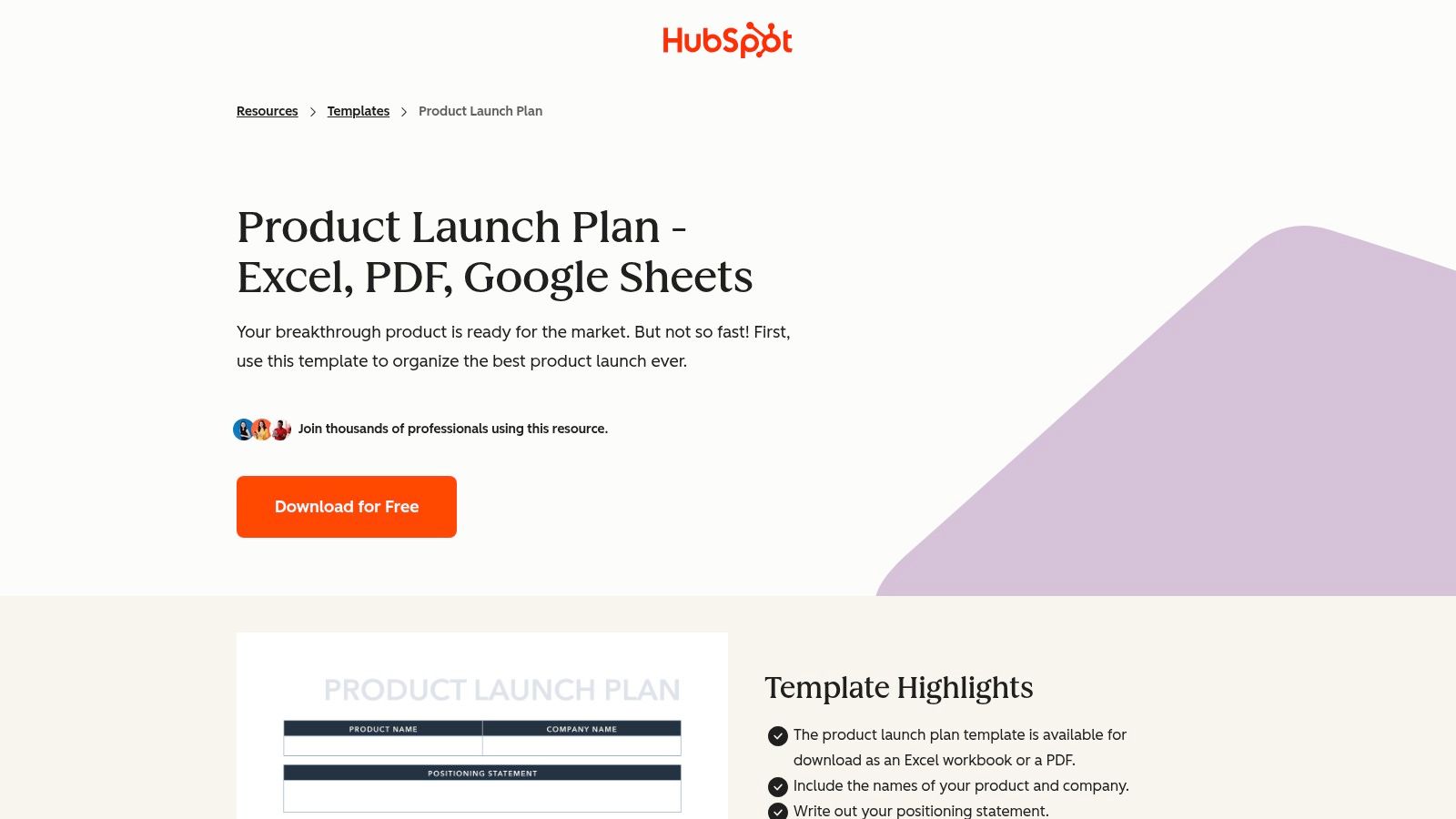
This resource strips away the complexities of Gantt charts and dependency tracking to focus purely on the strategic narrative. Its strength lies in its simplicity and the guided prompts that walk users through defining their product, its positioning, target audience, and key messaging pillars.
Strategic Analysis & Actionable Takeaways
HubSpot’s template is best understood as a pre-launch artifact. It’s not a project management tool but a consensus-building document.
- Core Function: Use this template in early-stage planning workshops. Bring together product, marketing, sales, and support to fill out each section collaboratively. This ensures everyone agrees on the "what" and "why" before anyone starts building campaigns or sales decks.
- Key Sections: The template is organized around fundamental questions:
- Positioning: What problem does this product solve?
- Target Audience: Who are we selling to? What are their pain points?
- Competitive Analysis: Where do we fit in the market?
- Messaging: What are the key benefits and features we need to communicate?
- Practical Tip: Once your team completes the template, treat it as the "source of truth" for all launch-related content. Copy and paste the finalized messaging directly into creative briefs, press releases, website copy, and sales enablement materials to maintain consistency.
Key Insight: The main value of this template is forcing cross-functional alignment before the tactical execution begins. It prevents the common pitfall where marketing, sales, and product teams operate with slightly different understandings of the product's value proposition.
While it lacks the dynamic capabilities of a full project plan, its focused approach makes it an excellent first step. For a small team launching a single feature, this document might be all you need to keep everyone on the same page. For larger, more complex launches, it serves as the essential strategic foundation upon which a more detailed operational plan can be built in tools like Asana, Jira, or Monday.com.
Access the Template:
- Link: HubSpot Product Launch Plan Template
- Pricing: Completely free. Requires an email submission to download.
- Formats: Excel, Google Sheets, PDF.
2. Asana: The Operational Go-to-Market Hub
For teams ready to move from strategic alignment to tactical execution, Asana provides a product launch plan sample that operationalizes the entire process. This pre-built project template transforms a launch into a trackable, collaborative workspace. It's especially powerful for companies that already use Asana for product or marketing management, allowing them to centralize the GTM strategy within their existing system of work.
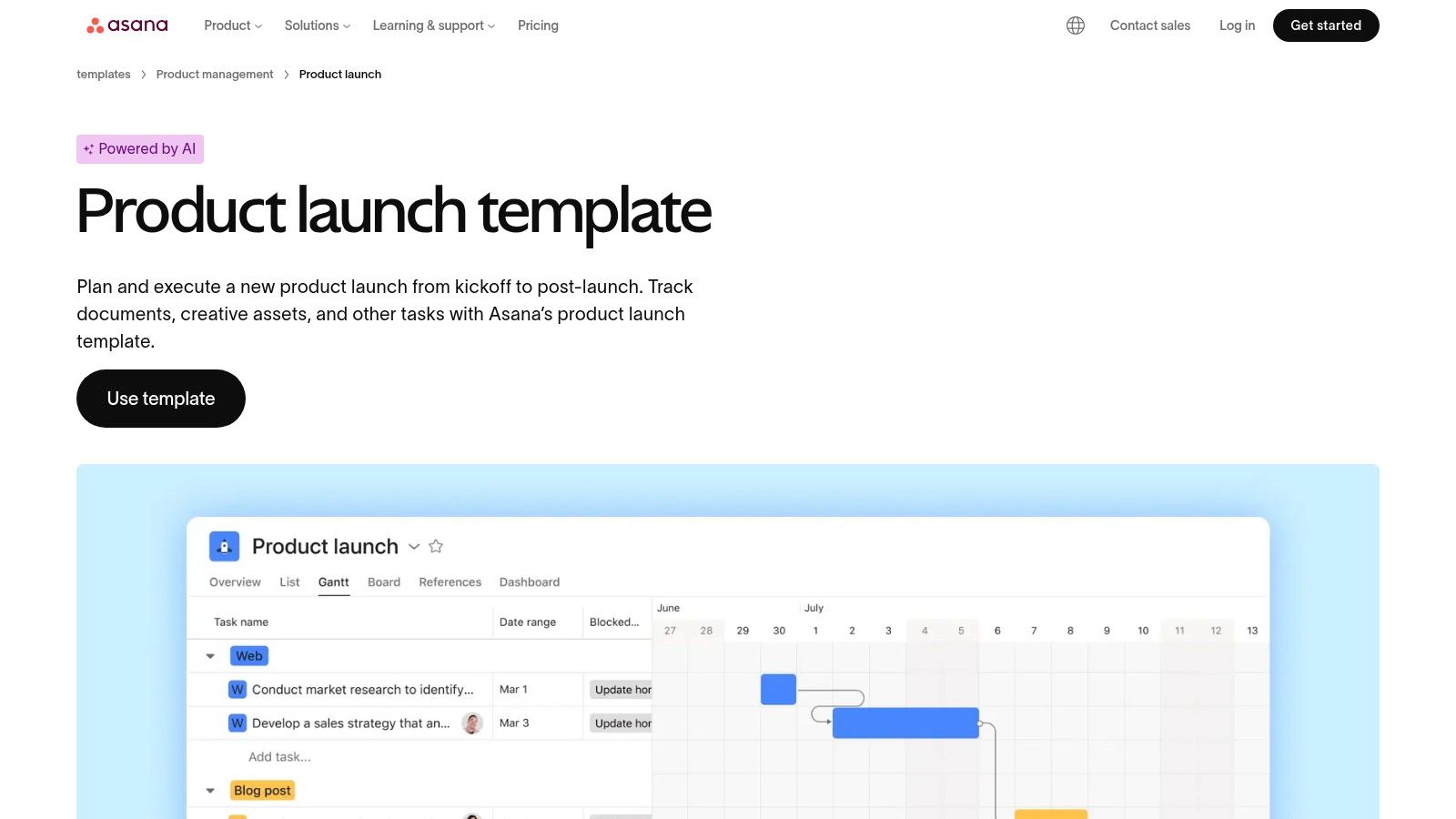
Unlike static documents, Asana’s template is a living project plan. It comes pre-populated with sections, tasks, and milestones common to most product launches, which can be immediately assigned to team members. This makes it an ideal single source of truth for tracking deliverables, dependencies, and overall progress, scaling from minor feature drops to major platform releases.
Strategic Analysis & Actionable Takeaways
Asana's template is a project management powerhouse, designed to convert your strategic documents into a clear, actionable roadmap. It bridges the gap between the "what" and the "how" of a launch.
- Core Function: Use this template to manage the day-to-day execution of your launch. It excels at creating visibility across departments by assigning clear ownership and deadlines to every task, from writing blog posts to training the sales team.
- Key Sections: The template is built around a typical launch workflow, which you can customize:
- Planning & Strategy: Houses high-level documents, like the PRD, and key decisions. For deeper insights on what to include, you can learn more about how to write a product requirements document.
- Marketing & Comms: Contains all tasks for the marketing team, such as content creation, social media campaigns, and email sequences.
- Launch Day: A checklist of actions to be taken on the day of the release.
- Post-Launch: Activities for monitoring performance, gathering feedback, and reporting on KPIs.
- Practical Tip: Connect your strategic documents (like a completed HubSpot template or a PRD) as attachments to high-level tasks within the Asana plan. This gives team members the context they need directly within the task they are working on, reducing the need to hunt for information in different tools.
Key Insight: The primary benefit of Asana's template is its ability to create accountability and real-time visibility. Stakeholders can see at a glance what’s on track, what's at risk, and who is responsible for each deliverable, preventing tasks from falling through the cracks.
While it requires team adoption of the Asana platform, its strength lies in making the plan operational. For iterative SaaS teams that launch frequently, standardizing on a template like this creates a repeatable, scalable, and transparent process that improves with every release.
Access the Template:
- Link: Asana Product Launches Template
- Pricing: The template is free to use with any Asana plan, including the free tier. Advanced features like automation and custom fields may require a paid plan.
- Formats: Asana Project Template.
3. Smartsheet: The Ultimate Toolkit for Launch Artifacts
For product teams that need more than a single document, Smartsheet offers a comprehensive library of product launch plan sample templates. Instead of providing one monolithic plan, Smartsheet gives you a collection of specialized, downloadable files designed for different stages and stakeholders of a launch. This approach is perfect for teams that want to maintain separate, focused artifacts-like a high-level roadmap for executives, a detailed Gantt chart for the project manager, and a communications plan for marketing-while using familiar tools like Excel and Google Sheets.
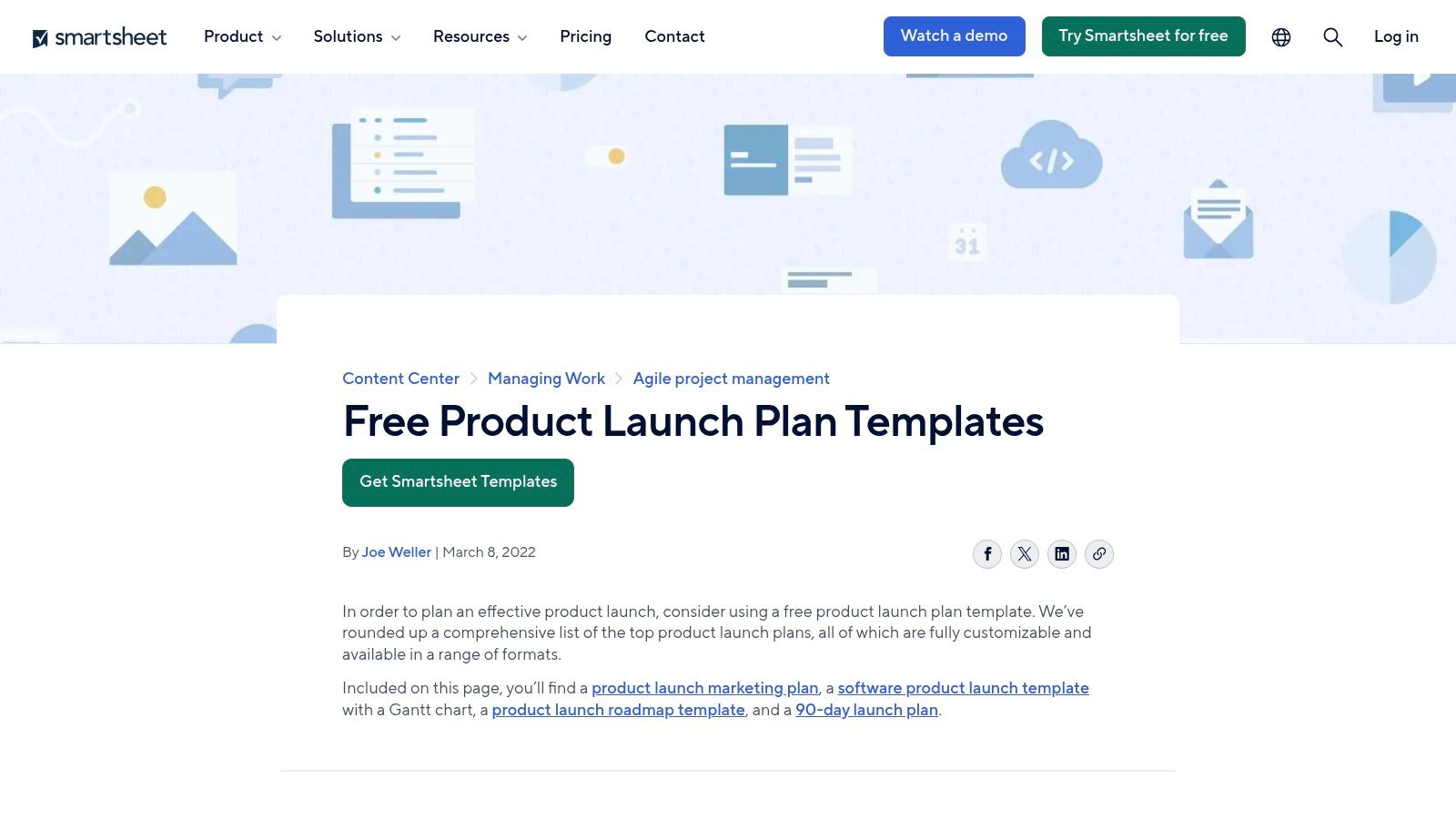
The strength of Smartsheet's offering is its versatility. You can pick and choose the exact documents you need without committing to the Smartsheet platform itself. This makes it an incredibly flexible resource for organizations that may already have established project management systems but need well-structured templates to standardize their launch documentation.
Strategic Analysis & Actionable Takeaways
Smartsheet’s collection functions as a modular toolkit rather than a single, rigid framework. The files are standalone, which means you can use them independently or import them into other systems.
- Core Function: Assemble a custom launch documentation package tailored to your organization's needs. Use the SaaS Gantt template for your core project team, the communications plan for your marketing syncs, and the 90-day plan for onboarding new team members to the launch.
- Key Sections: The templates cover a wide array of launch activities and formats:
- Software Product Launch Gantt: A detailed timeline-based spreadsheet with phases for planning, development, testing, launch, and post-launch analysis.
- Marketing & Comms Plan: Focuses on channel strategy, content creation, and promotional timelines.
- Product Roadmap: A higher-level view for communicating launch sequencing to leadership and other departments.
- 30-60-90 Day Plan: Helps structure and track progress in the critical first three months post-launch.
- Practical Tip: Download the "Software Product Launch Gantt" in Google Sheets and use it as your central operational plan. Then, link out from specific tasks in the Gantt chart to other documents, like the "Marketing Plan" (stored as a separate Sheet) or the "Product Roadmap" (as a PowerPoint slide). This creates a connected, yet decentralized, system of record.
Key Insight: The value here is not in a single template but in the breadth of the collection. It acknowledges that a product launch isn't managed by one document; it's a constellation of plans, roadmaps, and calendars that serve different audiences.
While these templates lack the automatic data syncing of an integrated platform, their standalone nature is a feature, not a bug. It provides maximum flexibility, allowing teams to adopt best-practice formatting without being locked into a specific software ecosystem. For a growing company formalizing its launch processes, this library provides an excellent, no-cost starting point for building a robust set of internal best practices.
Access the Template:
- Link: Smartsheet Product Launch Plan Templates
- Pricing: Completely free. No email or signup is required for download.
- Formats: Excel, Word, Google Sheets, PowerPoint, PDF.
4. ProductPlan: The High-Level Stakeholder Roadmap
When the goal is to align executive leadership and cross-functional directors, a detailed task list can obscure the strategic picture. This is where ProductPlan's product launch plan sample shines. It provides a high-level, timeline-based roadmap designed for communicating the big picture, organizing work by major streams, and securing stakeholder buy-in on sequencing and key phases. It’s less about daily tasks and more about telling a clear story of the launch journey.
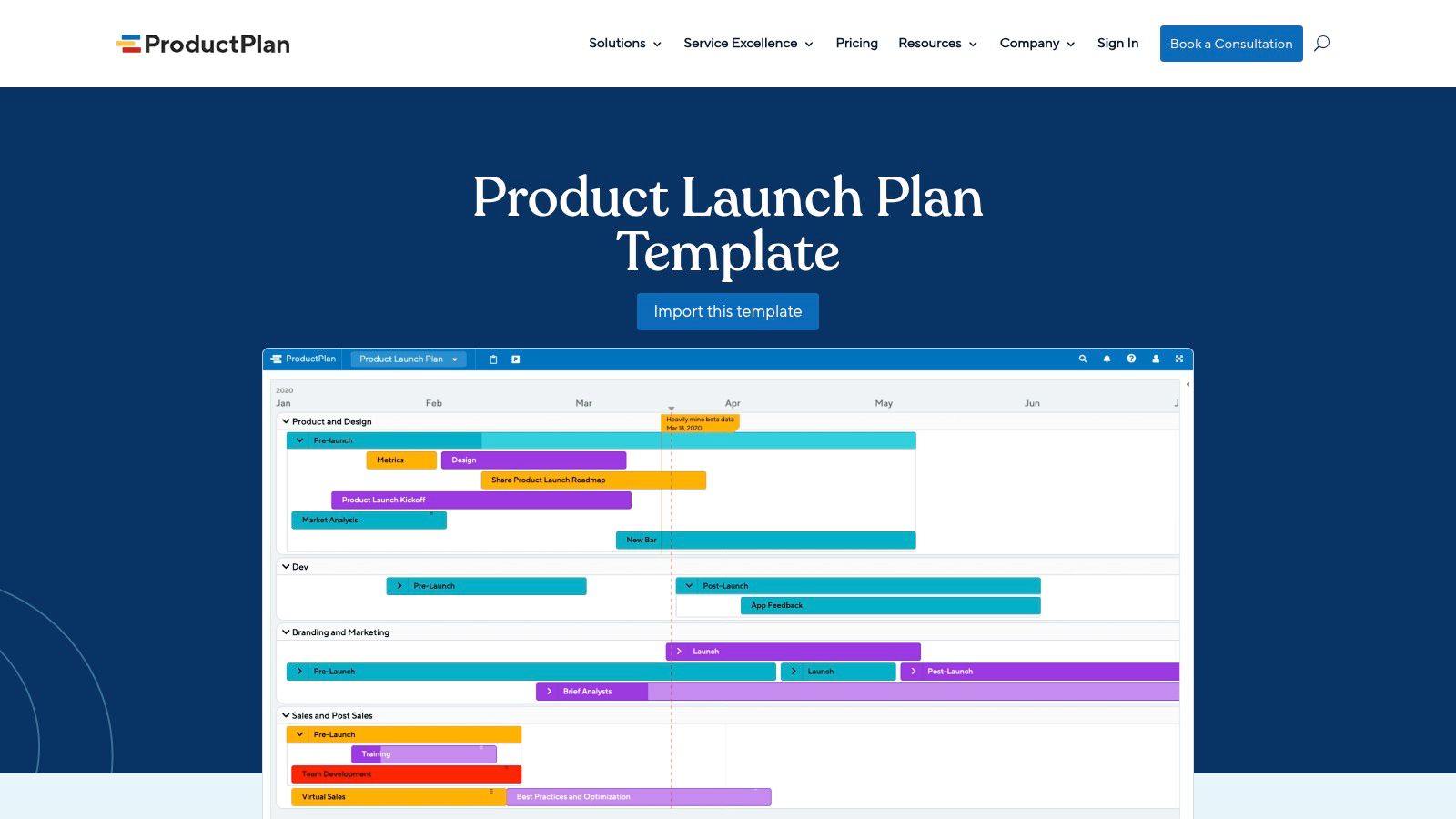
Unlike granular project plans, ProductPlan’s template uses broad strokes to paint a clear visual narrative. It organizes the entire launch across a six-month timeline, broken down into distinct phases from initial research to post-launch analysis. This format is perfect for Product Marketing Managers (PMMs) who need to coordinate multiple departments without getting bogged down in the tactical weeds of each team's backlog.
Strategic Analysis & Actionable Takeaways
Think of this template as your "boardroom view" of the launch. It’s the document you bring to a steering committee meeting, not a daily stand-up. Its primary function is to create a shared understanding of the launch's pace and priorities across different teams.
- Core Function: Use this roadmap to communicate the strategic sequence of the launch. It answers questions like, "When does marketing's budget need to be approved?" or "When does the sales team need to be fully trained?"
- Key Sections: The roadmap is built around swimlanes that clarify ownership and dependencies between major workstreams:
- Phases: Clearly defined stages such as Research, Strategy, Action, and Measurement.
- Product: Key milestones for development, beta testing, and final release.
- Branding & Marketing: Major campaign beats, content creation, and PR efforts.
- Channel & Sales: Partner enablement, sales training, and tooling updates.
- Practical Tip: Present this roadmap during your launch kickoff meeting. Walk through each phase and swimlane to ensure every department head understands their team's role and how it connects to the others. This visualization is far more effective for leadership than a 500-line spreadsheet. For more detail on integrating this into your overall strategy, explore how it fits within a new product development roadmap.
Key Insight: This template’s power lies in its ability to visualize cross-functional dependencies at a strategic level. It makes it immediately obvious if, for example, the sales enablement timeline is misaligned with the product's final release date, allowing for high-level corrections before they become critical problems.
While it isn't designed for managing individual tasks, it serves as the master guide that keeps different departmental plans in sync. Teams can continue using their preferred tools (like Jira for engineering or Asana for marketing) for day-to-day execution, using the ProductPlan roadmap as their North Star for timing and major deliverables.
Access the Template:
- Link: ProductPlan Product Launch Plan Template
- Pricing: The template example is free to view. Creating and maintaining a live, editable roadmap requires a ProductPlan subscription.
- Formats: Accessible as a template within the ProductPlan software.
5. Figma FigJam: The Collaborative Visual Launch Canvas
For teams that thrive on visual collaboration and co-creation, Figma’s FigJam offers a dynamic product launch plan sample built for interactive workshops. This whiteboard-style canvas is perfect for remote or hybrid teams needing to align on strategy in a single session. Instead of a static spreadsheet, it provides a shared space where product, marketing, design, and sales can brainstorm, map timelines, and define messaging together using digital sticky notes, diagrams, and widgets.
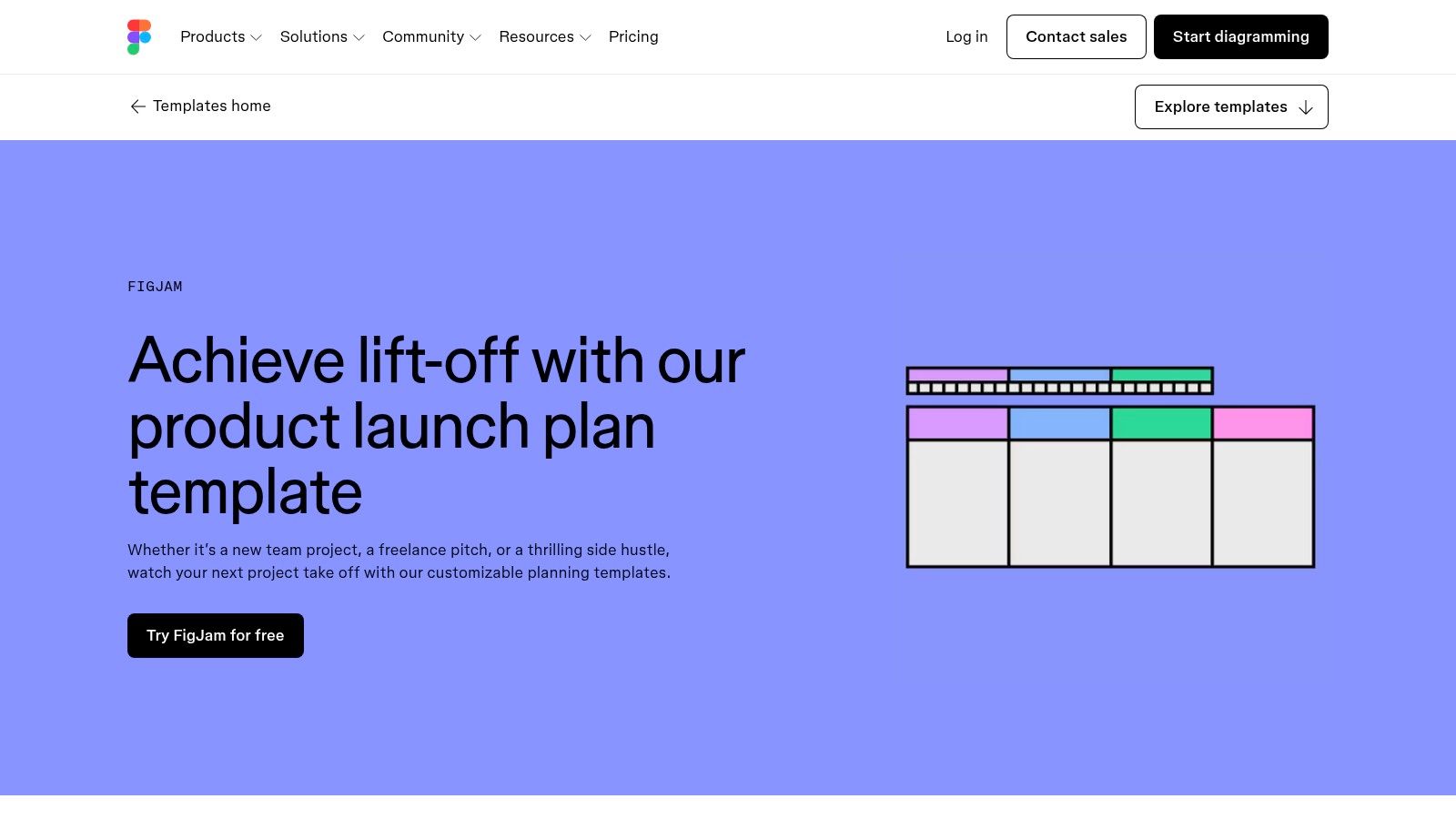
This template’s power comes from its function as a live, collaborative artifact. It’s designed for the kickoff meeting where the core launch narrative and high-level timing are decided. By bringing all stakeholders into one visual environment, it fosters real-time input and accelerates consensus on the foundational elements of the launch.
Strategic Analysis & Actionable Takeaways
The FigJam template should be viewed as a collaborative planning hub, not a final project management tool. Its purpose is to facilitate group ideation and turn a chaotic brainstorming session into a structured, visual plan.
- Core Function: Host a launch kickoff workshop where all cross-functional team leads join the FigJam board. Use the pre-built sections to guide the conversation, allowing participants to add their ideas on sticky notes simultaneously. This transforms a typically passive meeting into an active co-creation session.
- Key Sections: The canvas is organized for a comprehensive planning flow:
- 90/60/30 Day Planning: A high-level timeline for teams to visually map major milestones and dependencies leading up to launch day.
- Audience & Messaging: Sections dedicated to defining user personas, their pain points, and the core value proposition.
- Goals & KPIs: A space to align on what success looks like and how it will be measured.
- Post-Launch Review: Prompts for planning a retrospective to analyze performance and gather learnings.
- Practical Tip: After the workshop, designate a product marketing manager or project lead to synthesize the contents of the board. The decisions made in FigJam must be translated into actionable tasks within a project management tool like Asana or Jira to ensure execution and accountability.
Key Insight: The main benefit of this template is its ability to break down functional silos during the critical early planning stage. Seeing sales, support, and engineering add their perspectives to the same visual canvas ensures the resulting plan is holistic and accounts for the needs of the entire organization.
While it lacks the detailed task tracking of a dedicated project management system, its strength lies in fast, visual alignment. It’s the perfect starting point for getting everyone on the same page before diving into the granular details of execution. Its native integration with Figma also makes it easy to link directly to final designs and prototypes, keeping the plan connected to the product itself.
Access the Template:
- Link: Figma Product Launch Plan Template
- Pricing: Free to use for anyone with a Figma account.
- Formats: FigJam board (accessible within the Figma platform).
6. Airtable: The Database-Driven Launch Checklist
For teams graduating from static spreadsheets but not yet ready for a heavy-duty project management suite, Airtable offers a powerful middle ground. Its product launch plan sample is presented as a flexible, step-by-step checklist base that combines the familiarity of a spreadsheet with the power of a relational database. This makes it perfect for managing the dozens of interconnected tasks involved in a launch while providing clear visibility to cross-functional partners.
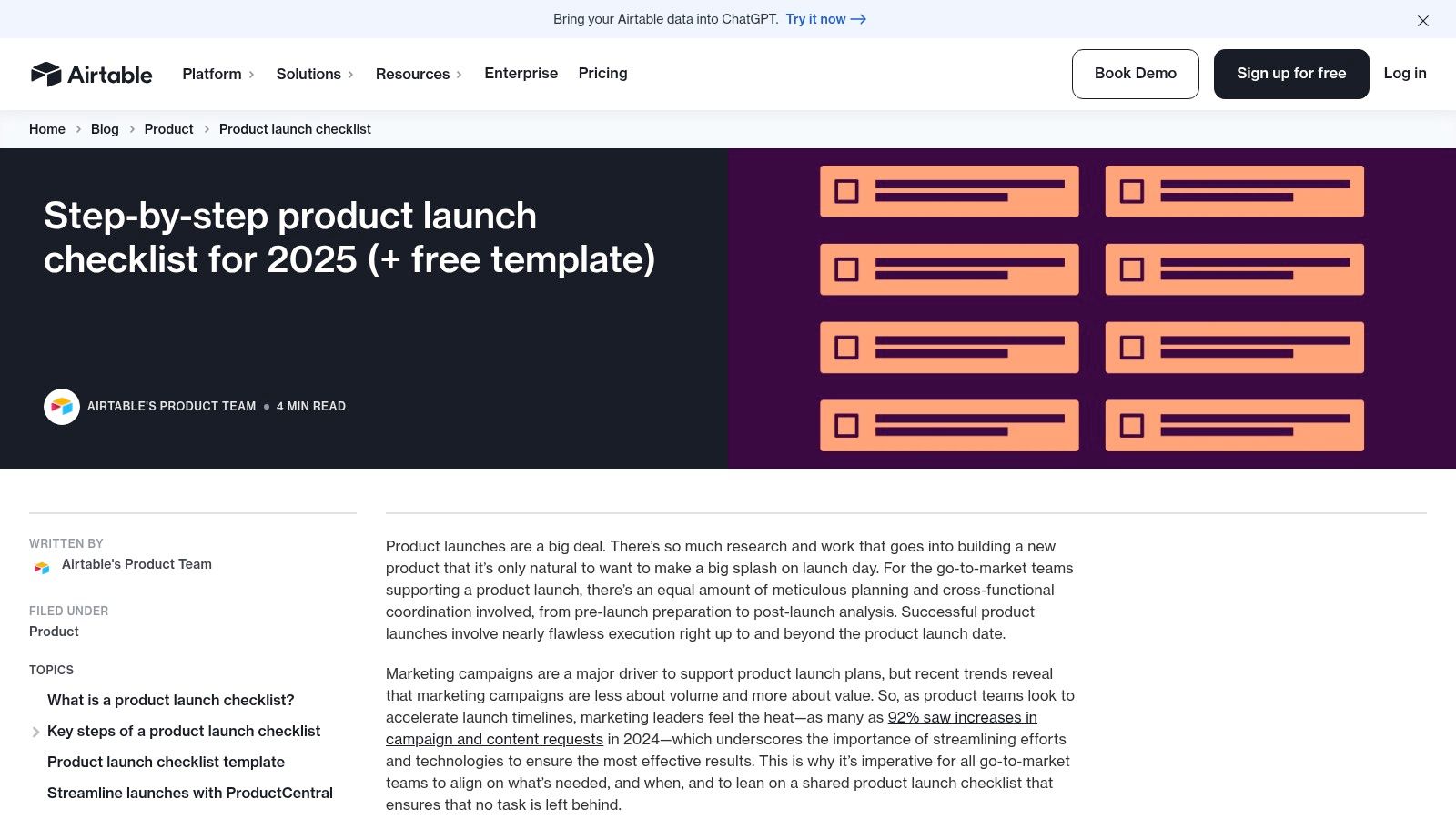
This template isn’t just a list; it’s a dynamic workspace. It allows teams to create different views of the same data, such as a Kanban board for tracking task progress, a calendar for deadlines, and a gallery for creative assets. Its strength is turning a simple checklist into an interactive and collaborative launch command center.
Strategic Analysis & Actionable Takeaways
Airtable’s template functions as an operational hub, moving beyond static planning into active task management and status reporting.
- Core Function: Use this template as a central, living document for tracking all launch-related activities. It bridges the gap between strategic alignment (like a HubSpot doc) and day-to-day execution. It's especially effective for giving stakeholders from different departments a view tailored to their needs.
- Key Sections: The template is built around a detailed task list with customizable fields:
- Task & Subtask: Break down large deliverables into manageable pieces.
- Owner: Assign clear responsibility using linked user fields.
- Status: Track progress from "To Do" to "Done."
- Due Date: Manage timelines and dependencies visually.
- Phase: Group tasks by launch stage (e.g., Pre-Launch, Launch Day, Post-Launch).
- Practical Tip: Create custom "Interface" dashboards for different audiences. Build a high-level executive view showing only major milestone progress and key metrics. For the marketing team, create a view that filters for content and campaign-specific tasks. This prevents information overload and keeps everyone focused on what matters to them.
Key Insight: The template’s relational nature is its main advantage. You can link your launch tasks directly to other bases, such as a marketing content calendar, a user feedback repository, or a sales enablement asset library. This creates a single, interconnected system rather than a series of siloed documents.
While it lacks the advanced resource allocation and Gantt chart dependency logic of dedicated tools like Jira or Asana, its flexibility and ease of use are ideal for fast-moving teams. The ability to build custom forms for intake (like bug reports or feature requests) and simple automations (like notifying a channel when a task is complete) adds a layer of efficiency that spreadsheets can't match.
Access the Template:
- Link: Airtable Product Launch Checklist
- Pricing: The template can be used on the free plan. Advanced features like more automations, integrations, and Interface Designer customization require a paid plan.
- Formats: Airtable Base (can be exported to CSV).
7. Aha!: The Integrated Product Strategy & Launch Template
For product teams already operating within the Aha! ecosystem, their native product launch plan sample offers a powerful way to connect execution directly to strategy. This isn't a standalone file but a fully integrated feature within Aha! Roadmaps. It organizes launch activities into clear, predefined workstreams, making it ideal for mature product organizations that need to manage complex, multi-departmental launches while maintaining a direct line of sight to their strategic goals.
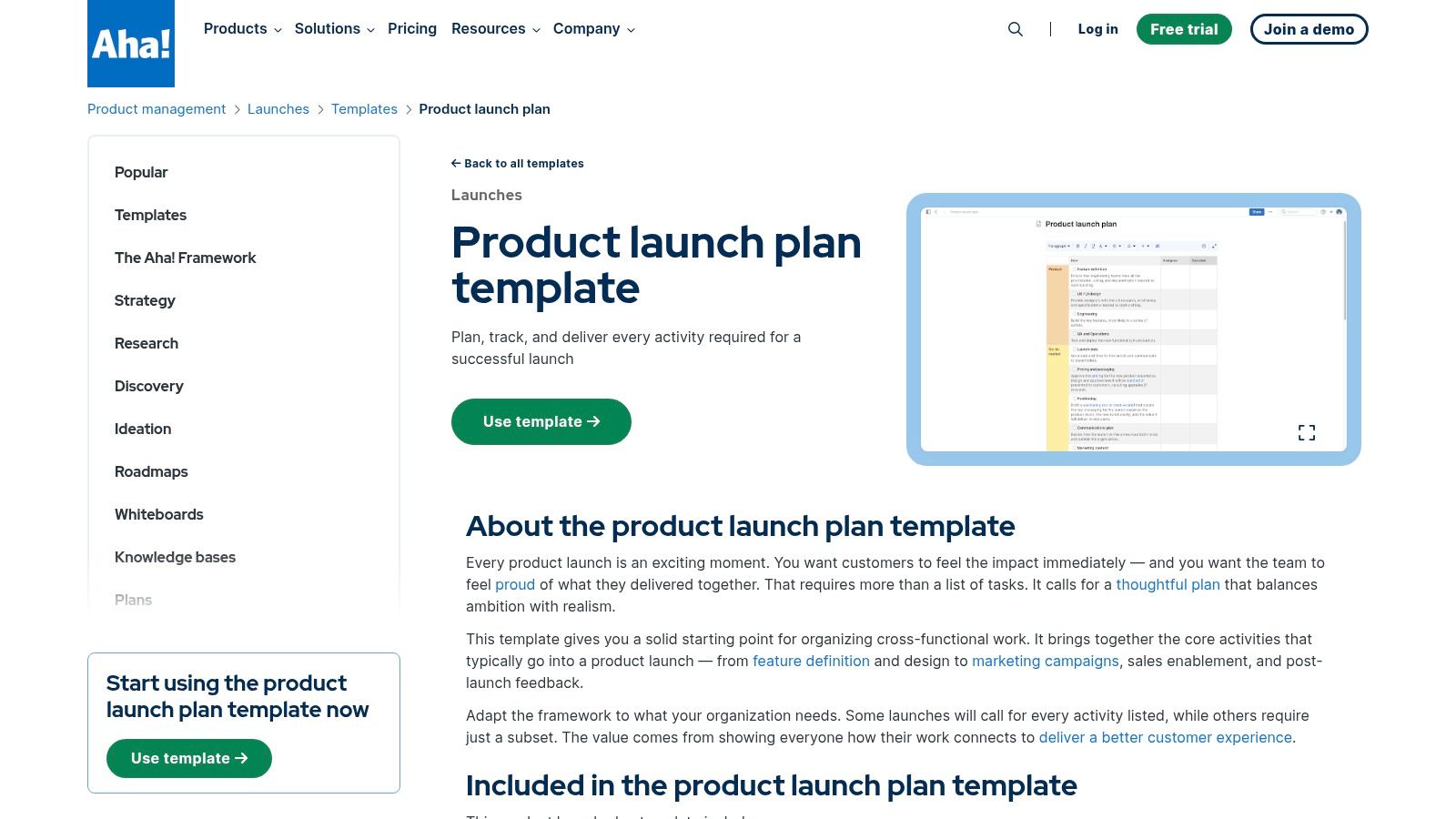
Unlike downloadable spreadsheets, Aha!'s template is a dynamic, living document. Its primary advantage is its deep integration with the rest of the product management lifecycle, from roadmapping and feature definition to feedback collection. This creates a single source of truth that aligns every launch task with the high-level business objectives it’s meant to support.
Strategic Analysis & Actionable Takeaways
Aha!'s template is purpose-built for operational excellence within an established product development framework. It’s designed for teams who need more than just a checklist; they need a system that tracks progress and holds cross-functional teams accountable.
- Core Function: Use this template to operationalize your go-to-market strategy inside the same tool where your product roadmap lives. The structure forces teams to think about all facets of a launch, from technical readiness to sales enablement.
- Key Sections: The plan is organized by five critical workstreams, ensuring no stone is unturned:
- Product: Is the feature or product built, tested, and ready for release?
- Go-to-Market: Are marketing campaigns, content, and PR activities planned and resourced?
- Systems: Is our internal tooling (Billing, CRM, etc.) updated to support the new product?
- Sales/Support: Are the customer-facing teams trained and equipped with the right materials?
- Feedback: How will we capture and analyze customer feedback post-launch?
- Practical Tip: Leverage the connection between the launch plan and your product roadmap. Link specific launch tasks directly to the features or initiatives they support. This provides anyone viewing the roadmap with immediate visibility into the go-to-market progress, answering the question "What's the status of the launch for this feature?" without needing a separate meeting. Deepening your team's understanding of what a product strategy is can further amplify the benefits of this integrated approach.
Key Insight: The main value is its ability to create a clear, traceable link from high-level company goals to individual launch tasks. When a sales enablement task is part of the same system as the strategic imperative it supports, it’s easier for everyone to understand the "why" behind their work.
While it can be too robust for a simple feature flag or minor update, its structured nature is a significant benefit for major releases. The built-in status tracking and assignee fields transform the plan from a static document into an active project management tool, keeping complex launches on track.
Access the Template:
- Link: Aha! Product Launch Plan Template
- Pricing: Requires an Aha! Roadmaps subscription (starts at $59/user/month).
- Formats: Integrated within the Aha! software platform.
Top 7 Product Launch Plan Tools
| Tool | 🔄 Implementation complexity | 💡 Resource requirements | 📊 Expected outcomes (⭐) | ⚡ Ideal use cases | ⭐ Key advantages |
|---|---|---|---|---|---|
| HubSpot | Low — fill-in template, no setup | Minimal — free Excel/Sheets/PDF download | ⭐⭐⭐ — baseline alignment on positioning and messaging | Quick alignment before moving to execution tools | Clear prompts for less-experienced teams; free to download |
| Asana | Medium — needs workspace setup and template adoption | Medium — Asana account; advanced automations may require paid plan | ⭐⭐⭐⭐ — operationalized task tracking, owners, milestones | Teams already running work in Asana; iterative SaaS launches | Single source of truth with task ownership and progress tracking |
| Smartsheet | Low–Medium — download and adapt multiple files | Minimal — free downloads; optionally import to tools | ⭐⭐⭐ — multiple artifact types (Gantt, comms, roadmaps) | When you want many editable artifacts stored in your drive | Broad template coverage for different audiences and formats |
| ProductPlan | Low (to view) / Medium (to maintain) — timeline-focused | Medium — best value with ProductPlan subscription | ⭐⭐⭐⭐ — executive-level roadmap clarity and sequencing | Exec/stakeholder alignment and cross-functional phase planning | Timeline swimlanes by workstream for big‑picture visibility |
| Figma FigJam | Low — quick to spin up for workshops | Minimal — Figma account for collaborators | ⭐⭐⭐⭐ — fast co-creation, shared narrative and timing | Remote kickoffs, workshops, cross-team ideation sessions | Visual, collaborative canvas that supports rapid iteration |
| Airtable | Medium — set up relational bases and views | Low–Medium — free tier usable; advanced automations paid | ⭐⭐⭐ — structured checklist with cross-functional visibility | Teams moving from spreadsheets to lightweight trackers | Relational flexibility with views, forms, and simple automations |
| Aha! | High — structured roadmap tooling with setup | High — requires Aha! subscription for full value | ⭐⭐⭐⭐ — deep alignment between launches and product strategy | Product orgs already using Aha! for roadmaps and strategy | Workstream checklists tied to strategy and feedback loops |
Your Next Step: Building a Dynamic, Intelligence-Driven Launch System
Throughout this guide, we've dissected several powerful product launch plan sample frameworks, each built within a different tool-from HubSpot’s go-to-market coordination to Aha!'s strategic roadmap integration. If there is one central lesson to draw from these examples, it's that the concept of a single, perfect launch template is a myth. The most effective launch plans are not static documents but living systems.
The real goal isn't just to find a template, download it, and fill in the blanks. The objective is to construct a flexible, adaptable process that evolves with your product and your market. You might begin with a simple framework in Figma's FigJam for initial brainstorming and collaborative alignment, then transition to a more structured operational tool like Asana or Smartsheet to manage the intricate web of dependencies and deadlines. This hybrid approach allows you to match the tool to the task at hand.
From Static Plans to Dynamic Intelligence
A traditional product launch plan is fundamentally a set of well-researched assumptions. You assume which features will resonate, which messaging will connect, and which customer segments will respond. But an assumption, no matter how educated, is a snapshot in time. The market, however, is a moving picture.
This is where the most critical shift in modern product launches occurs: moving from a static, assumption-based plan to a dynamic, intelligence-driven one. A truly effective system doesn't just execute a plan; it continuously validates and refines it using real-time signals from your customers and the market.
Strategic Insight: A launch plan should not be a fire-and-forget missile. It must be a guided system, capable of adjusting its trajectory based on continuous feedback from customer intelligence, support tickets, and revenue-impact data.
This means your launch process must have a feedback loop built directly into it. Instead of waiting for post-launch surveys, you need a constant stream of information that tells you what is actually happening.
How to Build Your Intelligence-Driven System
Creating this system involves more than just picking the right project management tool. It requires integrating sources of customer and business intelligence directly into your planning and execution workflow. Here are the actionable steps to get started:
- Choose Your Core Operational Tool: Select a primary platform like Asana, Smartsheet, or Aha! to serve as your single source of truth for timelines, tasks, and ownership (RACI). This is your execution engine.
- Integrate Product Intelligence: The real power comes from feeding this engine with data. A product intelligence platform like SigOS can connect disparate data sources-like support tickets, CRM data, and customer feedback-to quantify the business impact of issues and requests. This allows you to prioritize tasks not by "squeaky wheel" anecdotes but by measurable revenue impact. For instance, knowing that a specific bug is blocking 50,00 to 100,000 in potential deals gives you a clear mandate to fix it before launch.
- Refine Your Go-to-Market Strategy: This intelligence also sharpens your GTM messaging. When you know which features customers are clamoring for or what pain points generate the most support tickets, your marketing and sales teams can craft messaging that speaks directly to proven needs. It moves your value proposition from a hypothesis to an evidence-backed statement. To truly build an intelligence-driven launch system, understanding how to leverage advanced technologies like artificial intelligence for lead generation is key. As explained in this AI for lead generation guide, integrating AI can help you identify and nurture the right prospects from the very start.
- Establish a Continuous Rescoring Cadence: Your plan is not set in stone. Institute a weekly or bi-weekly "launch sync" where the team reviews new intelligence signals. Use this data to rescore priorities, adjust timelines, and make informed trade-offs. This agile approach ensures your launch remains aligned with reality, not just the initial plan.
Your next step is not simply to download another product launch plan sample. It's to build a system where customer intelligence actively informs every stage of your launch, from the first line of your strategy to the final post-launch retrospective. This is how you move from just launching products to consistently launching successful ones.
Ready to stop guessing and start building an intelligence-driven launch process? SigOS connects your customer feedback and support data to real business outcomes, giving you the clarity to prioritize what truly matters. See how you can use a product launch plan sample more effectively by visiting SigOS to turn customer signals into your most powerful strategic asset.
Keep Reading
More insights from our blog


Ready to find your hidden revenue leaks?
Start analyzing your customer feedback and discover insights that drive revenue.
Start Free Trial →