Mastering the Modern Customer Feedback Format for SaaS Growth
Discover the optimal customer feedback format to reduce churn and drive growth. Learn how to structure feedback from SaaS teams for powerful AI analysis.

A customer feedback format isn't just a survey or a form. Think of it as a specific, structured way to collect and organize customer opinions so you can actually analyze them and take action. It’s the framework that turns raw comments from support tickets, interviews, and in-app prompts into clear, measurable business insights.
Why Your Current Feedback Format Is Holding You Back

It's a frustratingly common story for SaaS leaders: you're staring at a dashboard of decent Net Promoter Scores, yet your churn rate is silently creeping up. What gives?
This happens when your customer feedback format acts like a broken compass. It gives you a reading, sure, but it’s pointing you in the completely wrong direction. The real problem is that traditional formats—like that annual survey—are just snapshots in time. They only capture what customers felt on one particular day.
But modern SaaS isn't a snapshot; it's a continuous movie. The truly valuable insights live in the messy, unstructured dialogue happening every single day across support tickets, sales calls, and chat logs. To really understand what your customers are thinking and feeling, you have to learn how to collect customer feedback that drives growth in a more dynamic way.
The Growing Silence of Unhappy Customers
This challenge is only getting harder. Customers are increasingly less willing to share feedback directly. We've all been bombarded with surveys, and the resulting "survey fatigue" is creating massive blind spots right where companies need the most clarity.
The data paints a stark picture: direct customer feedback has dropped sharply since 2021. Today, only 3 in 10 respondents will even bother to tell you why they churned. This shift is driven by a few key trends:
- 29% of consumers are just less likely to share feedback directly than they used to be.
- A staggering 30% will simply switch to a competitor without saying a word.
This guide redefines the 'customer feedback format.' We're moving away from simple questionnaires and toward a dynamic system for capturing and structuring these continuous, often unspoken, signals. We'll show you how to find the revenue-critical insights hiding in plain sight.
From Static Reports to Dynamic Signals
Rethinking your format means you stop relying on static, one-off reports and start building a system that captures the "why" behind every user action. It's about creating a structure that can handle the messy, high-value data from all those everyday interactions.
When you get the format right, you can:
- Capture Rich Context: Go beyond the what and understand the user’s specific situation, their goal, and what's causing their frustration.
- Identify Emerging Patterns: Spot recurring issues early, long before they snowball and impact a huge chunk of your user base.
- Connect Feedback to Revenue: Draw a direct line from a specific problem or feature request to its impact on account value, churn risk, and expansion opportunities.
This guide will walk you through how to turn that raw, unstructured data into your most powerful tool for growth and retention.
Comparing Traditional Snapshots to Modern Feedback Streams

Let's draw a clear line in the sand between the old way of gathering feedback and the new. For years, most of us leaned heavily on traditional formats like Net Promoter Score (NPS) and Customer Satisfaction (CSAT) surveys. It’s best to think of these as photographs taken on a long road trip. They capture a single, useful moment in time, but they completely miss the context of the journey itself.
These "snapshots" give you a high-level pulse check, which is great for benchmarking performance over time. The problem is, they almost never tell you why a customer gave a particular score. A high CSAT score might look great on a dashboard, but it could easily be hiding a critical usability issue that five of your highest-paying customers just complained about in support tickets this week.
This is where modern feedback formats come in. They're less like a single photo and more like a continuous dashcam, capturing the rich, unfiltered context of everyday user experiences. This is the world of unstructured data—the gold hidden in your support tickets, in-app chat logs, and customer interview notes.
The Shift from Static Scores to Dynamic Conversations
The real difference here comes down to depth and timing. A traditional customer feedback format is reactive; it asks for an opinion after an event has already happened. A modern approach, on the other hand, captures organic feedback as it happens, giving you a live stream of user sentiment and behavior.
This shift is becoming absolutely critical. Customer communication channels are exploding, and as a Gartner forecast points out, by 2025, any serious voice-of-the-customer strategy will need to pull in text and voice from all of those channels to paint a complete picture. This makes perfect sense when you realize that 52% of customers are more loyal to brands that offer live chat—a massive source of this unstructured feedback.
The stakes are high. Get it wrong, and 21% of customers will publicly blast poor support on social media, amplifying the damage from a single bad interaction. You can discover more insights about customer feedback analysis from Sprinklr.
The goal isn't to throw out the snapshots completely. The real win is integrating them into an intelligent, live stream that automatically surfaces the unstructured data where your biggest growth opportunities are hiding.
Customer Feedback Format Comparison
To make smart decisions, product and CX teams need to understand the strengths and weaknesses of each approach. The following table breaks down the core differences, helping you see where each format fits into a modern feedback strategy.
| Format Type | Primary Use Case | Key Advantage | Major Limitation |
|---|---|---|---|
| Traditional Snapshot | Benchmarking satisfaction and loyalty over time. | Provides a simple, quantifiable metric for tracking high-level trends. | Lacks context; it tells you what customers feel but not why. |
| Modern Stream | Identifying specific pain points and product opportunities. | Delivers detailed, unfiltered context directly from user interactions. | Can be overwhelming and difficult to analyze without proper structuring. |
Thinking about your feedback this way clarifies how the two work together. A dip in your NPS trend (the snapshot) can be directly explained by a sudden spike in support tickets about a confusing new feature (the stream). One gives you the score, and the other tells you the story behind it.
This integrated view is the key to making product decisions that actually solve user problems and drive real business growth.
Putting It All Together: Templates for High-Signal Feedback
Okay, so we've covered the difference between feedback "snapshots" and continuous "streams." But how do you actually put that into practice? The goal isn't just to ask for feedback, but to design a customer feedback format that practically forces high-signal information to the surface. It’s about building your collection points to pull out the user's context, goals, and struggles automatically.
Think of it like this: just asking "How was your experience?" is like asking a chef if a meal was "good." You'll get a simple yes or no. A well-designed feedback format, on the other hand, is like giving them a detailed recipe card to fill out—it asks about the ingredients (the problem), the cooking steps (the user's workflow), and the final taste (the desired outcome).
These templates are your recipe cards. They provide a clear structure for capturing feedback that’s rich with context, organized for easy analysis, and valuable from the second it hits your inbox.
The High-Signal Support Ticket
Believe it or not, your support desk is a goldmine of product insights just waiting to be excavated. The problem is, most tickets only describe a surface-level symptom ("I can't export my report") without ever touching on the customer's real goal ("I need to share our Q3 performance with my leadership team before this afternoon's board meeting").
A high-signal support ticket format creates a clear distinction between the two. By setting up custom fields in tools like Zendesk or Intercom, you can separate the immediate problem from what the user is truly trying to accomplish.
Here’s a simple but incredibly effective structure:
- Symptom: What the user says is happening. (e.g., "The main dashboard isn't loading for me.")
- User Goal (JTBD): What they are actually trying to achieve. (e.g., "I'm trying to pull our daily active user metrics for my weekly team report.")
- Business Impact: The real-world consequence of the problem. (e.g., "I'm totally blocked from reporting progress to my manager," or "This is a high-priority task for a major client.")
Just adding these fields can make each ticket 5x more valuable to your product team. You instantly shift the conversation from just fixing bugs to deeply understanding the "jobs" your customers are hiring your product to do.
The Contextual In-App Prompt
We’ve all been on the receiving end of a generic annual survey. They often miss the mark because they ask for feedback long after the actual experience is a distant memory. The absolute best time to ask a user about a feature is right after they've used it. Contextual in-app prompts are perfect for this, capturing sentiment right in the moment.
Forget the generic, full-screen pop-ups. Instead, trigger a simple, one-question prompt after a user completes a key action.
Example: Imagine a user successfully tries your new "AI Report Summary" feature for the first time. A small, non-intrusive prompt slides into view: "How helpful was this AI summary? (1-5 stars) What's one thing that would have made it even more useful?"
This approach works wonders because it's timely, requires minimal effort, and is directly tied to a specific workflow. That open-text follow-up question is critical—it’s where you’ll find the real gems and concrete suggestions for improvement.
The JTBD Customer Interview
Customer interviews can easily spiral into a simple list of feature requests if you're not careful. Using a Jobs-to-be-Done (JTBD) framework helps keep the conversation squarely focused on the customer's underlying motivations and struggles. Naturally, your note-taking format should reflect that. If you're looking to build out a more formal process, this customer research template is a great place to start.
When you're in an interview, structure your notes to capture these key elements:
- The "Job": What is the core outcome the customer is really trying to achieve?
- Struggling Moments: Pinpoint exactly where they hit a wall or got frustrated with their current process.
- Workarounds: What hacks or makeshift solutions did they rig up to get past those struggles?
- Verbatim Quotes: Always capture their exact words. These quotes are pure gold for communicating real user pain points to the rest of your company.
Following this format ensures your team walks away from every single interview with a deep understanding of customer problems, not just a shallow list of their proposed solutions.
How to Structure Feedback for AI-Powered Analysis
Getting real, automated insights from customer feedback means doing more than just collecting it—you have to get it ready for analysis. Think of your raw feedback as ingredients and your AI platform as a master chef. If you just dump a messy pile of unlabeled stuff on the counter, you're going to get a very unpredictable meal.
But if you give the chef neatly prepped and clearly labeled ingredients, they can work their magic. That's the secret: you need to structure your customer feedback format so an AI can actually understand what it's looking at. This means making your data clean, consistent, and full of context right from the start.
When you get this right, you transform all those scattered comments and tickets into a single, powerful dataset. That's what allows an AI to spot the trends and revenue-critical patterns you'd otherwise miss.
Creating an AI-Ready Tagging System
First things first, you need a simple and consistent tagging system across all your tools. This isn’t about creating hundreds of complicated tags. It’s about defining a handful of essential categories that actually line up with your product and business goals.
For instance, you could group your tags into a few core buckets:
- Product Area: Which part of your app is this about? (e.g.,
dashboard,integrations,billing) - Feedback Type: What kind of comment is this? (e.g.,
bug-report,feature-request,usability-issue) - Theme: What’s the core topic here? (e.g.,
slow-performance,confusing-ui,login-problems)
A disciplined tagging system is the foundation of automated analysis. By ensuring every piece of feedback is categorized consistently, you enable AI to connect the dots between a support ticket from one user and a sales call note from another, identifying widespread issues much faster.
Enriching Feedback with Metadata
Raw feedback is helpful, but feedback enriched with metadata is a total game-changer. Metadata adds the business context the AI needs to not just identify a problem, but to actually measure its impact. This is how you draw a straight line from a customer’s complaint to your bottom line.
The goal is to automatically attach key data points to every single piece of feedback that comes in. If you want to dive deeper into handling this kind of information, you can explore the fundamentals of what qualitative data analysis is and how it all works.
Here’s the key metadata you should be including:
- Customer Value: Attach financial data like Monthly Recurring Revenue (MRR) or total account value.
- Plan Type: Is the user on a
free,pro, orenterpriseplan? - User Role: Is this feedback from an
admin, apower-user, or anew-user? - Source: Where did this feedback come from? (
Zendesk,Gong,Intercom)
The flowchart below shows how different channels can all feed into one structured pipeline.
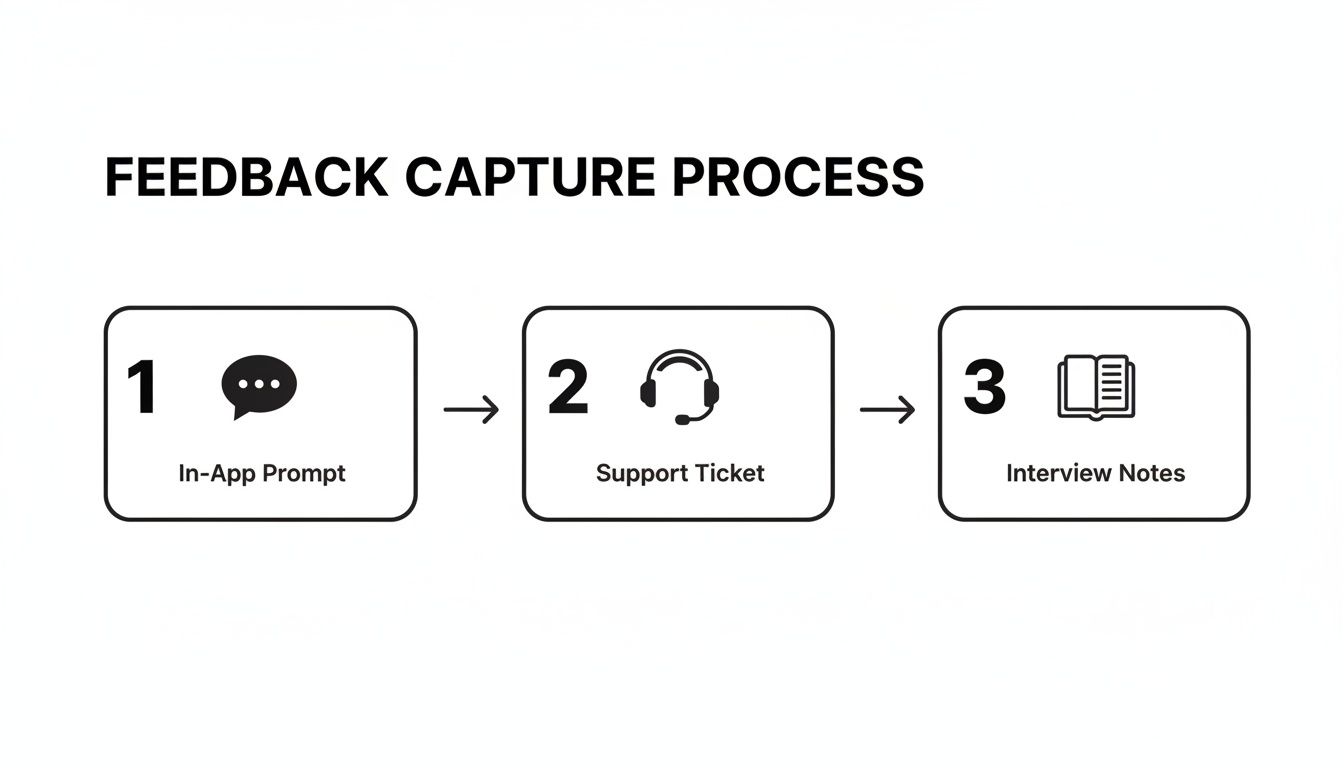
This flow makes it clear: whether feedback comes from an in-app prompt, a support ticket, or interview notes, it all needs to be structured for analysis.
Suddenly, when an AI sees that 15% of your enterprise plan users—representing $250k in ARR—are all submitting a bug-report about integrations, it doesn’t just see a bug. It sees a high-priority, revenue-impacting fire that needs to be put out immediately. That’s the real power of a well-structured customer feedback format.
Turning Raw Feedback into Revenue-Driving Insights

So, how do we connect the dots between a well-structured feedback template and your company's bottom line? It's one thing to collect clean data, but it's something else entirely to turn that data into a tool that protects revenue and drives real growth.
Let's walk through a common scenario. Imagine a B2B SaaS company that’s started using structured templates everywhere. Their support agents fill out a high-signal format in Zendesk for every ticket, while their sales team’s call notes from Gong are automatically transcribed and categorized. Now what?
From Raw Data to Actionable Signal
This is where the structured data really starts to work for you. An AI platform like SigOS can ingest all of this information in real-time. It doesn't just scan for keywords; it understands the context, sentiment, and metadata tied to every single piece of feedback. By adopting tools for Conversation Intelligence, companies move beyond just listening and start truly understanding what customers are saying.
Suddenly, the platform spots a pattern. Several high-value customers on the enterprise plan are all hitting the same wall with a critical integration workflow. This isn't just a coincidence found by a keyword search—it's a genuine trend identified across different teams and channels.
The system doesn't just flag a topic. It correlates the complaints with user accounts at high risk of churn, analyzes the negative sentiment, and quantifies the total revenue impact of the problem. This is the journey from a single, well-formatted piece of feedback to a proactive, data-driven decision.
Connecting Insights Directly to Revenue
Here’s where it gets interesting. The platform doesn’t just fire off a generic email alert. Instead, it calculates the "cost of inaction," showing that this specific issue is currently impacting 450,000 in Annual Recurring Revenue (ARR). On top of that, it’s blocking two potential expansion deals worth another ****80,000.
Armed with this information, the system automatically drafts a prioritized issue in Jira for the product team. This isn't just another vague feature request. It's a complete business case, fully loaded with:
- Problem Statement: A clear, concise summary of the integration failure.
- Customer Evidence: Direct, verbatim quotes from support tickets and call transcripts.
- Revenue at Risk: The total ARR of every single affected account.
- Business Impact Score: A quantified priority level calculated from the financial data.
This entire flow—from a structured note to a revenue-backed Jira ticket—is the real power of a smart customer feedback format. It changes your product roadmap from a list of opinions into a strategic plan that actively protects revenue and fuels sustainable growth.
If you're looking for more ways to uncover these hidden opportunities, you can learn how to effectively analyse customer feedback.
Common Questions About Customer Feedback Formats
Moving from basic surveys to a full-fledged feedback system always kicks up a few questions. I see product managers and CX leaders hit the same roadblocks all the time when they're trying to level up their process. Getting these fundamentals right from the start makes all the difference.
Here are the answers to the most common questions I hear about building a modern customer feedback format. The goal here is to get you thinking about structuring your data in a way that actually drives business decisions.
What Is the Best Format for B2B SaaS?
There's no silver bullet. The best approach for any B2B SaaS company is actually a mix—a hybrid model that blends high-level metrics with the deep, messy, contextual stuff. Think of NPS or CSAT as a quick pulse check, but the real gold is buried in the unstructured feedback you get every single day.
The most effective "format" isn't a single template; it's a system that pulls in and makes sense of data from:
- Support tickets in tools like Zendesk or Intercom.
- Sales call transcripts from conversation intelligence platforms like Gong.
- Customer interview notes that your product and research teams are already gathering.
These are the channels where customers tell you exactly what their pain points are, often linking them directly to their business goals. A smart system can ingest this multichannel data, making it readable for an AI platform to connect the dots between a feature request and churn risk, or a complaint and a new expansion opportunity.
How Can We Get More Customers to Respond?
Let's be honest: survey fatigue is real. The old way of sending out a massive annual survey just doesn't work anymore. The key is to shift from big, infrequent requests to small, perfectly timed "micro-interactions." For example, use a targeted in-app prompt to ask one simple question right after a user finishes a critical task.
When you do have to ask for feedback, make it personal and be transparent. If you're sending an email, keep it dead simple, use the customer's name, and tell them exactly how their input will make their experience better.
Ultimately, the best strategy is to rely less on asking for feedback and get much, much better at analyzing the feedback customers are already giving you organically in your support and success channels.
How Do We Standardize Feedback Across Teams?
Start small and go for a quick win. Don't try to boil the ocean. Pick one channel to start—customer support is usually the best bet—and work with that team's lead to build a simple, consistent template right inside your helpdesk software.
Focus on just three fields to begin with:
- Customer's Goal: What were they trying to do?
- Problem Faced: What got in their way?
- Business Impact: Jot down the account's MRR or describe the consequence (e.g., "blocked from upgrading").
Once that team has the process down and can see the value, create a simple one-pager to document it. Then, you can take that success story to other teams like Sales and Success and help them adapt the core idea to their own tools, like your CRM. The trick is to show them how it makes their work more impactful, not just another box to check.
At SigOS, we help you turn scattered customer feedback into your most valuable asset. Our AI-driven platform ingests data from all your channels, identifies revenue-impacting issues, and helps you prioritize the work that will truly move the needle on churn and growth. Discover how SigOS can quantify the dollar value of your feedback.
Keep Reading
More insights from our blog



Ready to find your hidden revenue leaks?
Start analyzing your customer feedback and discover insights that drive revenue.
Start Free Trial →