Build a Template Product Backlog That Drives Revenue
Ditch the guesswork. Learn to build a data-driven template product backlog that connects development efforts directly to revenue growth and customer retention.
Let's be honest: a messy product backlog is more than just a disorganized list. It's a major source of friction that pulls your team's focus away from what customers actually need. A template product backlog fixes this by creating a structured, repeatable system that prioritizes work based on tangible goals—like revenue and churn reduction—instead of just opinions. It’s how you turn a pile of scattered ideas into a clear, strategic roadmap.
Moving Beyond the Guesswork in Product Prioritization

If you're a product manager, you know the feeling of staring at a chaotic backlog. Feature requests flood in from every direction—sales calls, support tickets, stakeholder meetings—and trying to prioritize them feels like a high-stakes guessing game. This traditional, gut-feel approach often leads to feature bloat and missed opportunities, leaving development teams busy but not necessarily impactful.
Too often, the loudest voice in the room or the most recent customer complaint ends up dictating the next sprint. While everyone means well, this reactive method rarely aligns with the core business objectives. It just creates a cycle where engineering burns calories on low-value tasks while critical, revenue-driving initiatives get buried. The result? A product that gets more complex, but not more valuable.
The Shift to Signal-Driven Prioritization
A signal-driven template turns this old model on its head. Instead of relying on guesswork, it gives you a structured system designed to connect every ounce of development effort directly to measurable business outcomes. This is where you finally get to turn all that qualitative feedback into quantitative, actionable data.
The whole approach centers on creating a standardized template for every single backlog item. It captures not just the "what," but the "why" in clear business terms. The most important parts of this system are:
- Direct Revenue Impact: A field to quantify how a feature could boost Monthly Recurring Revenue (MRR) or unlock new expansion deals.
- Churn Reduction Potential: A score derived from support tickets and customer feedback that shows how a feature could help retain at-risk accounts.
- Strategic Alignment: A way to confirm that every item clearly supports broader company goals, shutting down detours into pet projects.
By standardizing how you capture and evaluate requests, you create a single source of truth. This makes it possible to defend your prioritization decisions with data, aligning engineering, sales, and success teams around a common understanding of what truly matters.
Why This Approach Works
This structured methodology forces a critical shift in mindset. The conversation moves from "what should we build next?" to "which problem, if we solve it, will deliver the most value?" To truly get beyond guesswork, it's vital to pull in insights from wider business strategies; understanding frameworks like Sales and Operations Planning can provide an excellent foundation for this.
Ultimately, a signal-driven backlog template isn't just about getting organized. It's about building a more resilient, customer-focused, and profitable product. Think of it as your first step toward creating a backlog that actually works for your business, not against it.
Designing Your Signal-Driven Backlog Template
Let's be honest: a product backlog with just a "user story" and a "priority" field isn't cutting it anymore. To build something truly powerful, we need to think beyond a simple to-do list. The foundation of a signal-driven system is a standardized, data-rich structure for every single item that lands in your backlog. This blueprint is what ensures every request comes with the business context you need to make objective, defensible prioritization calls.
The whole point is to create a template that tells a complete story at a glance. When you or another product manager looks at an item, you should immediately understand who it's for, its potential business impact, and how it aligns with your company's strategic goals. No more hunting down information or relying on "I think I remember someone mentioning this."
Core Fields for Business Context
To make smarter trade-offs, you need more than just a feature description. I always start by adding fields that directly connect development work to financial outcomes. This simple step forces a crucial conversation about value long before a single line of code gets written.
Here's a breakdown of the fields I've found to be non-negotiable for building a backlog template that truly works.
Core Fields for a Signal-Driven Backlog Template
A breakdown of the essential fields, their purpose, and example data points to include in your product backlog template.
| Field Name | Data Type | Purpose & Rationale | Example |
|---|---|---|---|
| Potential MRR Impact | Currency ($) | Estimates the potential new or expansion monthly recurring revenue. Forces a direct link between effort and financial gain. | $1,500 MRR |
| Churn Reduction Score | Numerical (1-5) | Quantifies how strongly the item addresses known drivers of customer churn. A high score means it solves a major pain point for at-risk accounts. | 4 |
| Expansion Opportunity | Tag / Dropdown | Identifies features that could help upgrade existing customers to higher-tier plans, directly supporting expansion revenue goals. | Upsell to Pro Plan |
| Customer Segment | Tag / Dropdown | Specifies which user persona or market segment benefits most. Crucial for aligning work with strategic market focus. | Enterprise |
This structure completely changes the game. Your backlog transforms from a wish list into a strategic weapon. Imagine seeing two features with similar development effort. One has a high Churn Reduction Score for your Enterprise segment, while the other has a moderate MRR Impact for SMBs. Suddenly, the trade-off is clear and backed by data.
Mapping Signals to Backlog Items
The next layer of your template is all about linking each item back to its origin. This creates a rock-solid audit trail and helps you actually quantify the "voice of the customer." Without this connection, requests can feel abstract and subjective.
A truly effective backlog template doesn't just list ideas; it aggregates evidence. By linking each feature request to the specific support tickets, sales calls, or usage data that inspired it, you build a powerful, evidence-based case for prioritization.
I recommend adding a "Signal Source" field where you can tag or link directly to the raw feedback. For example, a single backlog item might be linked to 15 Zendesk tickets, a specific Gong call recording, and a Pendo usage report showing low adoption of a related feature. This makes the customer pain tangible and measurable. Our guide on creating a feature prioritization matrix dives deeper into methods for weighing these different inputs effectively.
The Bigger Picture in a Growing Market
Adopting a structured backlog is more than just good practice; it’s a competitive necessity. The global product lifecycle management (PLM) market is projected to surge to USD 54.36 billion by 2030, according to a Grand View Research report.
This growth is fueled by the intense need for better product management in complex sectors like electronics and automotive. In these industries, exploding feature backlogs have already created massive amounts of uncompleted work and significant delays. The stakes are high. By using a templated, signal-driven approach, teams can finally gain the clarity needed to navigate this complexity and focus on what truly drives growth.
Turning Your Backlog into a Living System
A great template is a fantastic starting point, but it's still just a static document. The real power comes when you automate the flow of customer signals directly into that backlog. This is how you stop guessing and start building what the market is telling you it needs.
Think about it: you want your backlog to be a living, breathing reflection of your customers. That means plugging it directly into the places where they're talking to you. We're talking about hooking it up to your support desk—like Zendesk or Intercom—or your CRM. This way, every customer conversation, support ticket, and sales call note gets piped in automatically. No more valuable insights getting lost in a spreadsheet somewhere.
If you're looking for structured ways to gather this data, using well-designed customer feedback form templates can make a huge difference in streamlining the process.
How to Quantify Value with a Scoring Model
Once you have a steady stream of feedback, you need a way to make sense of it all. A simple, effective scoring model is the key to translating all that qualitative feedback into hard numbers. This is what makes your prioritization objective instead of just based on who shouts the loudest.
An AI-powered platform can be a game-changer here, digging into user behavior to spot patterns that are tied directly to churn or expansion.
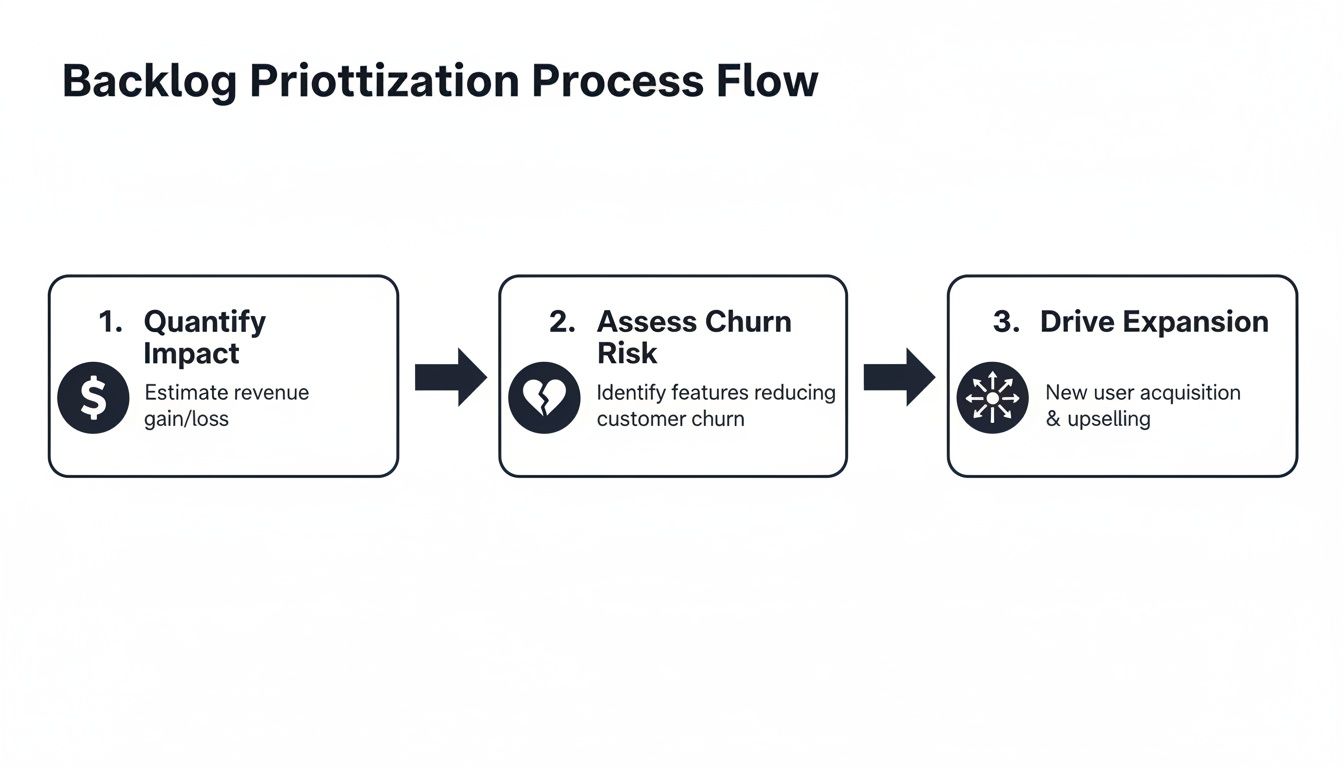
This diagram shows a straightforward way to think about scoring. By mapping backlog items to core business drivers like revenue, churn risk, and expansion potential, your team gets an instant visual on which initiatives will actually move the needle.
Let AI Do the Heavy Lifting
This is where a tool like SigOS really shines. Instead of a product manager spending hours manually sifting through every ticket, AI can analyze behavioral patterns across thousands of customer interactions to assign a revenue impact score on its own.
For example, the system might discover that customers who bring up "reporting limitations" are 3x more likely to churn in the next 90 days. Suddenly, a seemingly minor feature request becomes a top priority. You can learn more about AI for product development and how it uncovers these kinds of mission-critical insights.
This level of automation eliminates the tedious manual triage and keeps your backlog prioritized based on what truly matters to your bottom line, in real-time.
By automatically connecting what customers say in their feedback with what they do inside your product, you get a much clearer picture. This is how you proactively stop churn before it happens and spot high-value expansion opportunities your competitors will miss.
The need for this kind of data-driven decision-making is why the product analytics market is projected to hit USD 25.73 billion by 2031. With the SaaS market itself on track to reach USD 408.21 billion by 2025, you can't afford to be slow. Templated backlogs powered by fast AI analysis ensure your new features don't just add to the noise—they drive real growth. It's what separates the good product teams from the great ones.
Bringing Your Template Into Jira, Linear, and GitHub
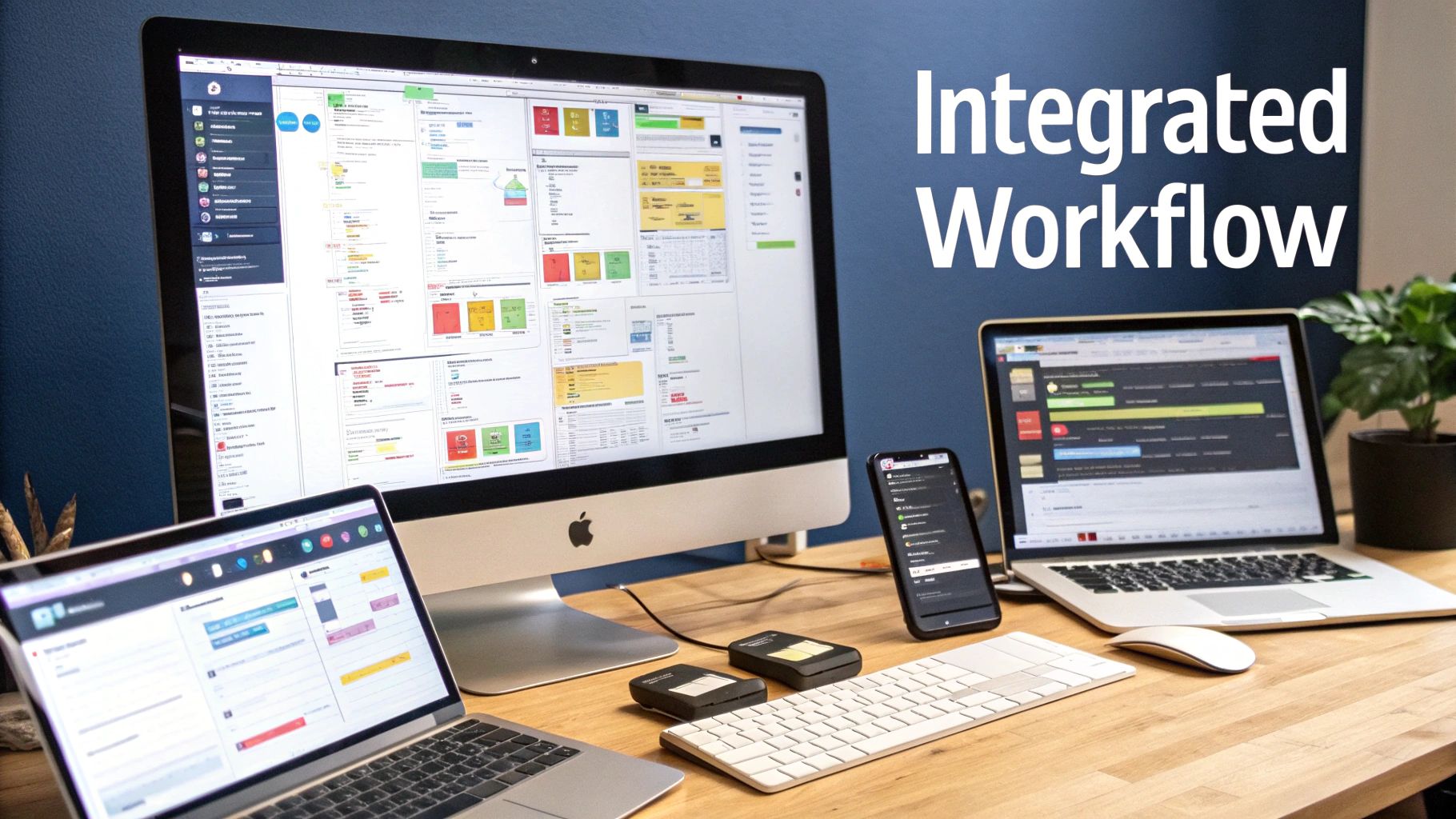
A great template product backlog is useless if it just sits in a spreadsheet. To make it work, it has to live where your team lives—right inside their daily development tools. The goal here isn't to add another layer of administrative work. It's about weaving your signal-driven fields directly into the engineering workflow.
When you do this right, the business context—the revenue impact, the churn score, and the customer signals—becomes visible right where the real work of sprint planning and coding happens. It bridges the gap between high-level strategy and day-to-day execution.
Setting Up Your Template in Jira
Jira is a powerhouse of customization, which makes it perfect for implementing a detailed, signal-driven backlog. The trick is to use a mix of custom fields and dedicated issue types to mirror the structure you’ve already designed.
First, let's create custom fields for your most important metrics:
- Potential MRR Impact: A simple "Number" field works best.
- Churn Reduction Score: This can also be a "Number" field, maybe set to a 1-5 scale for consistency.
- Signal Source: Use a "Labels" or "Text" field so you can drop in links to Zendesk tickets or Gong calls.
To make this seamless, you can create a new issue type—let's call it "Signal-Driven Feature"—that automatically includes these fields. This way, every new item added to your backlog follows the same format, and you never miss crucial data.
The real magic of Jira is JQL (Jira Query Language). Once your custom fields are in place and populated, you can create incredibly useful dashboards and filters. Imagine running a query like
issuetype = "Signal-Driven Feature" AND "Churn Reduction Score" >= 4 ORDER BY "Potential MRR Impact" DESC. It instantly pulls up the most critical items your team should be looking at for the next sprint.
Adapting the Template for Linear and GitHub
Tools like Linear and GitHub Projects are built for speed and a developer-first experience. They might not have Jira's endless custom fields, but you can get the same results with a bit of cleverness using labels and metadata.
In Linear: Labels are your best friend here. Create a standardized system that’s easy for everyone to understand.
Impact: $5k MRRChurn Score: 5Segment: Enterprise
From there, you can build custom "Views" that filter and sort your backlog based on these labels. You’re essentially creating dynamic, real-time reports that show your team what to focus on next.
In GitHub: Use a combination of labels and the custom metadata fields available in your project boards. You can easily add fields for "Impact Score" and "Customer Signals" to your project items. To take it a step further, set up some automation with GitHub Actions. For instance, you could create a workflow that automatically tags any issue linked to multiple customer-reported problems.
No matter which tool you use, the core idea is the same: push your strategic data into the engineering workflow. This makes every prioritization meeting more productive and ensures every task is tied to a clear business outcome. Having a well-structured system, like we've discussed in our guide to designing a data architecture diagram, is what makes these integrations truly effective.
Keeping Your Backlog Healthy and Actionable
Look, creating a brilliant template is a fantastic start, but it's only half the battle. The real work—and where most teams stumble—is in the day-to-day discipline of keeping it clean and relevant. An unmanaged backlog, no matter how well-structured, will inevitably turn back into a noisy, overwhelming list of "stuff."
Think of your backlog not as a static document but as a living system. It needs regular care and feeding to remain a powerful strategic tool.
The best way to do this is to get a regular review and grooming session on the calendar. This isn't just about shuffling priorities around. It's dedicated time to kick the tires on your assumptions for each entry. Is that revenue impact still realistic? Did a wave of new customer feedback just blow up our churn score for that feature request?
For most teams, a bi-weekly grooming session hits the sweet spot. It’s frequent enough to keep the backlog fresh but not so often that it feels like just another meeting on the calendar.
Taming the Backlog Bloat
One of the most common traps I see is product teams using their backlog as a dumping ground for every single idea that comes up. This is a recipe for disaster. Before you know it, you have a bloated, unmanageable list where truly valuable signals are completely buried.
To fight this, you need a clear, non-negotiable policy for closing out items that just aren't getting any traction.
Here’s a simple rule that works wonders: if an item has a consistently low signal score (maybe it's only linked to one or two old support tickets) and it hasn’t been prioritized for three sprints in a row, close it. This forces a culture of focusing on what has real, measurable demand, not just on what sounds like a good idea in a meeting. This is absolutely critical in the SaaS world, where feature backlogs can grow to terrifying lengths.
It turns out, this isn't just a software problem. The ISM Manufacturing Business Survey showed the backlog of orders hit an all-time high of 70.6% in May 2021. This is a perfect mirror for what we see in SaaS, where product teams are drowning in feature requests while user adoption stagnates. For product managers, this number should be a warning sign. Without a solid system to separate signal from noise, your development efforts get scattered and your impact shrinks. You can dig into the full survey findings to see how this plays out across industries.
Communicating Decisions with Confidence
Once you've made a tough prioritization call, you have to communicate it. This is where your data-rich backlog becomes your best friend. Instead of just giving a stakeholder a flat "no," you can now show them the why.
Your backlog empowers you to tell a story backed by evidence. You can frame your roadmap conversations around the hard numbers: "We're focusing on these three features next quarter because our data shows they have the potential to cut churn by 15% in our enterprise segment."
This completely changes the dynamic. The conversation shifts from a battle of opinions to a collaborative discussion about strategic trade-offs. It builds trust and gets everyone pointing in the same direction.
Common Questions About Product Backlog Templates
Even with a great plan, actually putting a new system like this into practice will always surface some real-world questions. Getting ahead of these concerns is the best way to make sure your team is bought in and the new process actually sticks. Let's walk through some of the most common hurdles I've seen product managers run into.
How Do I Get My Engineering Team On Board?
This is a big one. The trick is to frame the new template product backlog as something that helps them, not just another layer of administrative work. At the end of the day, engineers want to solve interesting problems and build things that people actually use. This template is the tool that guarantees they're working on the right stuff.
Explain how this system is designed to protect their time and focus. When you have clear, data-driven scores for things like revenue impact or churn reduction, you can finally shield them from those random, "urgent" requests that derail sprints. Show them how connecting their tickets directly to customer signals gives them a powerful "why" behind their work.
In my experience, the best way to get started is with a small pilot. Pick one feature or a single, well-defined initiative and run it through the new process. Once the team sees for themselves how it cuts through the noise and clarifies what truly matters, they'll become its biggest champions.
What Is the Biggest Mistake to Avoid?
The most common trap I see is people over-engineering the scoring model right out of the gate. It's so tempting to build a super-complex algorithm with a dozen variables, trying to account for every possible edge case. But this almost always backfires and leads to analysis paralysis. The system becomes so clunky that nobody uses it.
Start simple. Your first version really only needs three core inputs:
- Impact: A simple 1-5 score on how it affects revenue, churn, or a key strategic goal.
- Confidence: A 1-3 score for how certain you are about that impact.
- Effort: A rough t-shirt size estimate from the engineering team.
That's it. This is more than enough to start making smarter, data-informed decisions right away. You can always add more nuance later as you get more comfortable and collect more data. The goal here is progress, not perfection.
How Often Should We Review the Backlog?
With a living, signal-driven backlog, consistency is everything. For most teams, a bi-weekly grooming session hits the sweet spot. It’s frequent enough to keep up with new customer signals and usage data without feeling like you're just stuck in meetings all day.
Make sure these sessions have a tight agenda. You'll want to focus on reviewing new items, re-scoring existing ones if new data has come in, and archiving requests that have stayed at the bottom of the list for months. Treat this as a non-negotiable team ritual. It’s the single most important habit for keeping your backlog lean, healthy, and genuinely strategic.
Ready to stop guessing and start building a backlog that drives real business results? SigOS uses AI to automatically analyze customer feedback and usage data, assigning revenue-impact scores to every feature request and bug report. See how it can transform your prioritization process. Explore the SigOS platform today.
Keep Reading
More insights from our blog


Ready to find your hidden revenue leaks?
Start analyzing your customer feedback and discover insights that drive revenue.
Start Free Trial →