Decision Log Template: A Guide for Product Teams
Download our free decision log template and learn how to customize and use it to drive accountability, track impact, and make better product decisions.

You're probably dealing with this right now.
A stakeholder asks why the team chose a certain pricing test, paused a feature, or shipped a workflow that changed onboarding. The decision happened months ago. The PM remembers part of it. Engineering recalls a constraint. Sales insists the original request came from a high-value account. Analytics has the dashboard, but not the reasoning. Everyone has fragments. No one has the full chain of thought.
That's when teams discover the difference between documentation and decision memory. Meeting notes capture conversation. A decision log captures commitment, trade-offs, and the expected business result. For product teams, that difference matters. If you can't reconstruct why a choice was made, you can't judge whether it was smart, repeat it when it worked, or reverse it cleanly when it didn't.
Why Your Team Needs a Decision Log
The failure mode is familiar. A roadmap item slips. A launch underperforms. A customer escalates. Someone asks, “Why did we decide this in the first place?” The room goes quiet, then people start piecing together Slack messages, deck screenshots, Jira comments, and half-remembered meeting notes.
That's decision amnesia. It slows teams down and creates unnecessary conflict because people start debating history instead of evaluating outcomes.
A good decision log template fixes that by creating one place where the team records what was decided, who approved it, what alternatives were considered, and what result the team expected. Decision logs became more prominent as teams looked for something lighter than ad hoc notes but more accountable than scattered documentation. Guidance summarized by monday.com's overview of decision logs highlights a common pattern across modern practice: teams document the rationale or justification, alternatives considered, and decision impact, while also tracking decisions chronologically and noting stakeholders. That shift matters because the log is no longer just an archive. It functions as a governance artifact for post-project analysis, compliance, and repeatable decision-making.
What changes when a team logs decisions
A shared log does three things that meeting notes usually don't:
- Preserves rationale: People can see why Option B beat Option A, not just that the team picked B.
- Clarifies authority: There's less confusion about who made the call and who owns follow-through.
- Creates a review point: The team can come back later and compare expected outcome with actual outcome.
Practical rule: If a decision changes roadmap priority, customer experience, implementation scope, or business expectations, it deserves more than a passing mention in notes.
Teams that want stronger operational discipline usually discover that the log also improves adjacent habits. If you're working on improving your team's documentation, decision records are one of the most effective places to start because they force clarity where ambiguity is most expensive.
Why product teams feel the pain first
Product teams sit at the intersection of strategy, delivery, customer feedback, and revenue pressure. That means product decisions are rarely isolated. A change in packaging affects sales conversations. A UX shortcut creates support load. A technical compromise delays analytics quality. Without a durable record, every future discussion starts from scratch.
The teams that work fastest over time aren't the ones that talk the most. They're the ones that can quickly answer, “What did we decide, why did we decide it, and did it work?”
Anatomy of an Effective Decision Log Template
Most weak decision logs fail for one of two reasons. They're either too thin to be useful, or so detailed that nobody keeps them up to date. The right template sits in the middle. It captures enough structure to preserve logic without turning each entry into a miniature report.
Elium's template shows the core structure clearly in its decision log template example. The common fields include decision title, date, decision maker, category, status, and impact level. It also formalizes status values such as proposed, approved, superseded, reversed, and impact levels such as high, medium, low. The actual decision record then captures context, options considered, final decision and rationale, owner and timeline, plus the expected outcome with measurable success criteria. That's the backbone worth keeping.
The fields that belong in every template
Here's a practical baseline.
| Field | Purpose | Example |
|---|---|---|
| Decision title | Gives the choice a short, searchable name | Change onboarding from sales-assisted to self-serve trial |
| Reference number | Creates a stable ID for linking across tools | DEC-014 |
| Decision date | Shows when the choice became official | 2026-05-12 |
| Decision maker or body | Clarifies who had final authority | VP Product and Growth Lead |
| Category | Helps with filtering and review | Pricing, onboarding, infrastructure, retention |
| Status | Shows whether the decision is active or historical | Approved |
| Impact level | Signals how much attention the decision needs | High |
| Context | Explains the problem or trigger | Trial conversion was stalling because setup required manual support |
| Options considered | Preserves trade-offs | Keep sales-assisted flow, hybrid flow, fully self-serve |
| Final decision | States the actual call | Move new SMB trials to self-serve onboarding |
| Rationale | Explains why this option won | Faster activation mattered more than white-glove setup for this segment |
| Owner | Names the person responsible for execution | Growth PM |
| Timeline | Sets implementation timing | Launch in next release cycle, review after initial rollout |
| Expected outcome and success criteria | Defines what “worked” should look like | Improved activation quality, reduced friction, clear milestone for review |
Good entries vs bad entries
A bad entry says: “Decided to change onboarding. Team aligned.”
That tells future readers almost nothing.
A strong entry says what changed, why the previous approach was insufficient, what other options were rejected, who approved the choice, and how the team will judge success. It should read clearly to a new hire with zero context.
Write for the person who joins the company next quarter, inherits the work, and has no access to the original conversation.
What not to include
You don't need a transcript. You don't need every opinion voiced in a meeting. You don't need every minor tactical adjustment either.
Skip the noise:
- Raw meeting narration: Save that for notes or transcripts.
- Open-ended brainstorming: A decision log records committed choices, not every idea.
- Unowned conclusions: If no one owns the next step, it's not ready to log as an approved decision.
A simple template format that works
For most product organizations, a row-based tracker in Notion, Airtable, Confluence, Coda, or Google Sheets is enough to start. The important part isn't the software. It's the consistency.
If you want a broader operating system around recurring product artifacts, this product management template guide is a useful companion because it helps teams connect decision logging to the rest of their planning cadence.
The best template is the one your team will maintain. But it still needs enough structure to answer the hard question later: why did we make this call?
How to Customize Your Template for Product Teams
A generic template is a starting point. Product teams need more than a generic archive because product decisions sit closer to market response, roadmap trade-offs, and commercial impact than most project decisions do.
That means your version should reflect how your team works. A PM team deciding packaging changes needs different context than a platform team choosing an internal integration pattern. If both use the exact same fields, one of them will end up with a bloated log or a thin one.
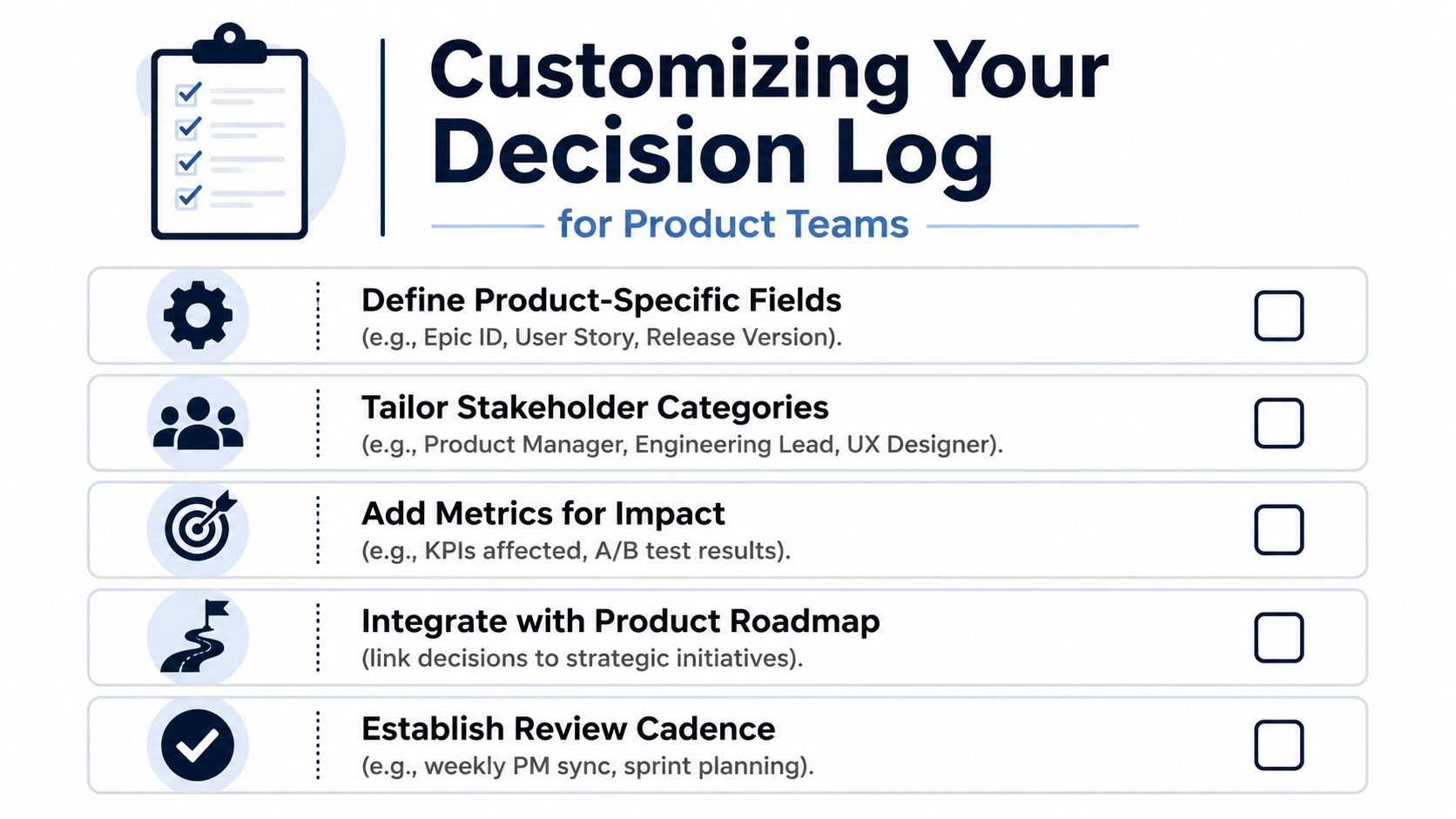
Fields worth adding for product work
For SaaS product teams, I'd usually add a small set of business-facing fields:
- Associated feature or epic: Link the decision to the relevant roadmap object in Jira, Linear, or ClickUp.
- Customer feedback source: Reference the signal that triggered the discussion, such as support themes, sales objections, churn interviews, or usage patterns.
- Hypothesis: State what the team believes will change because of the decision.
- Expected business impact: Keep it qualitative if you don't have a defensible estimate. Examples include activation quality, retention risk, sales friction, or expansion potential.
- Review date: Force a return to the decision after implementation.
Different teams should customize differently
A growth team may care about experiment name, audience segment, and release channel. A core product team may care more about affected journey, dependency risk, and stakeholder approvals. A technical product team may want links to system docs, incident themes, or architecture references.
That's why one-size-fits-all templates usually fail after a few months. They don't map to real work.
A decision log should feel lightweight at entry time and powerful at review time.
Keep the custom layer small
The mistake isn't under-documenting. It's adding every field anyone requests. Once the form feels heavy, teams stop using it and go back to Slack archaeology.
A better pattern is this:
- Start with the standard fields.
- Add only the fields your reviews use.
- Remove anything that doesn't improve future understanding.
If your product org already uses a prioritization framework, align the log with it. This feature prioritization matrix article is a good reference point because it helps teams decide which trade-off criteria deserve a permanent place in the record and which should stay inside a one-off planning discussion.
Best Practices for Accountability and Impact Tracking
A clean template won't save you if the process around it is weak. Most abandoned decision logs die the same way. The team creates a nice database, fills it out for two weeks, then forgets it exists because nobody owns the habit.
The fix is operational, not cosmetic.
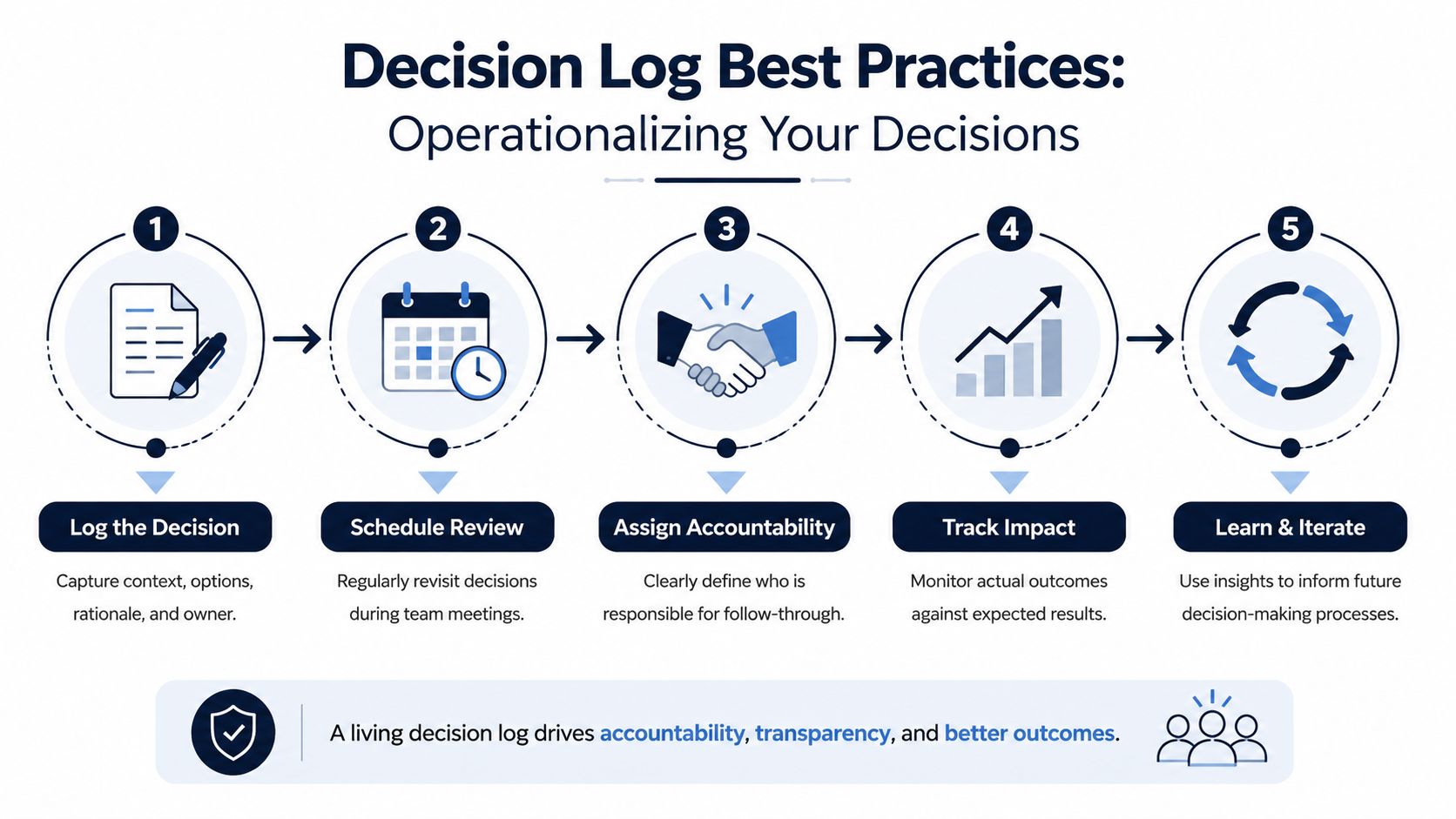
Assign one owner, not many
Every decision needs a record owner. Not a vague “team responsibility.” One person.
In product orgs, that's often the PM for business and roadmap decisions, the engineering lead for technical implementation decisions, or the program manager for cross-functional rollouts. The owner doesn't need to have made the decision. They need to ensure the record is accurate, complete, and updated when the status changes.
Define when logging is mandatory
Teams get into trouble when they leave this to judgment every time. Set clear triggers.
Use prompts like:
- Cross-functional impact: Log any decision that affects more than one team.
- Customer-facing change: Log changes to pricing, packaging, onboarding, lifecycle messaging, or major workflows.
- Hard-to-reverse choice: Log decisions that create lock-in, technical debt, or contract implications.
- Strategic trade-off: Log any choice where the team knowingly sacrificed one objective for another.
These rules work better than trying to log everything. Not every choice deserves a record. Every consequential choice does.
Review the log on a real cadence
Decision logs only become valuable when teams revisit them. A lightweight cadence is enough if it's consistent.
A practical rhythm looks like this:
- Weekly or sprint review: Check newly approved decisions and open follow-through items.
- Monthly leadership sync: Review high-impact items and anything blocked, delayed, or controversial.
- Quarterly retrospective: Compare expected outcomes with actual outcomes and note reversals or lessons learned.
Here's a walkthrough that pairs well with the operating cadence:
Handle reversals without rewriting history
Teams often make the log useless by editing old decisions until the past looks cleaner than it was. Don't do that.
If a decision changes, mark it superseded or reversed and create the new entry linked to the original. That preserves the audit trail and keeps future reviews honest.
The point isn't to prove the team was always right. The point is to show how the team learned.
Track impact after the choice
Teams often stop too early. They log the rationale, then never come back to see whether the rationale held up.
Add a simple follow-up field:
- Actual outcome
- Observed impact
- Next decision triggered
That turns the log from a static record into a learning system. Over time, you start seeing patterns in how your team decides, where assumptions were strong, and where judgment repeatedly drifted.
Integrating the Decision Log into Your Workflow
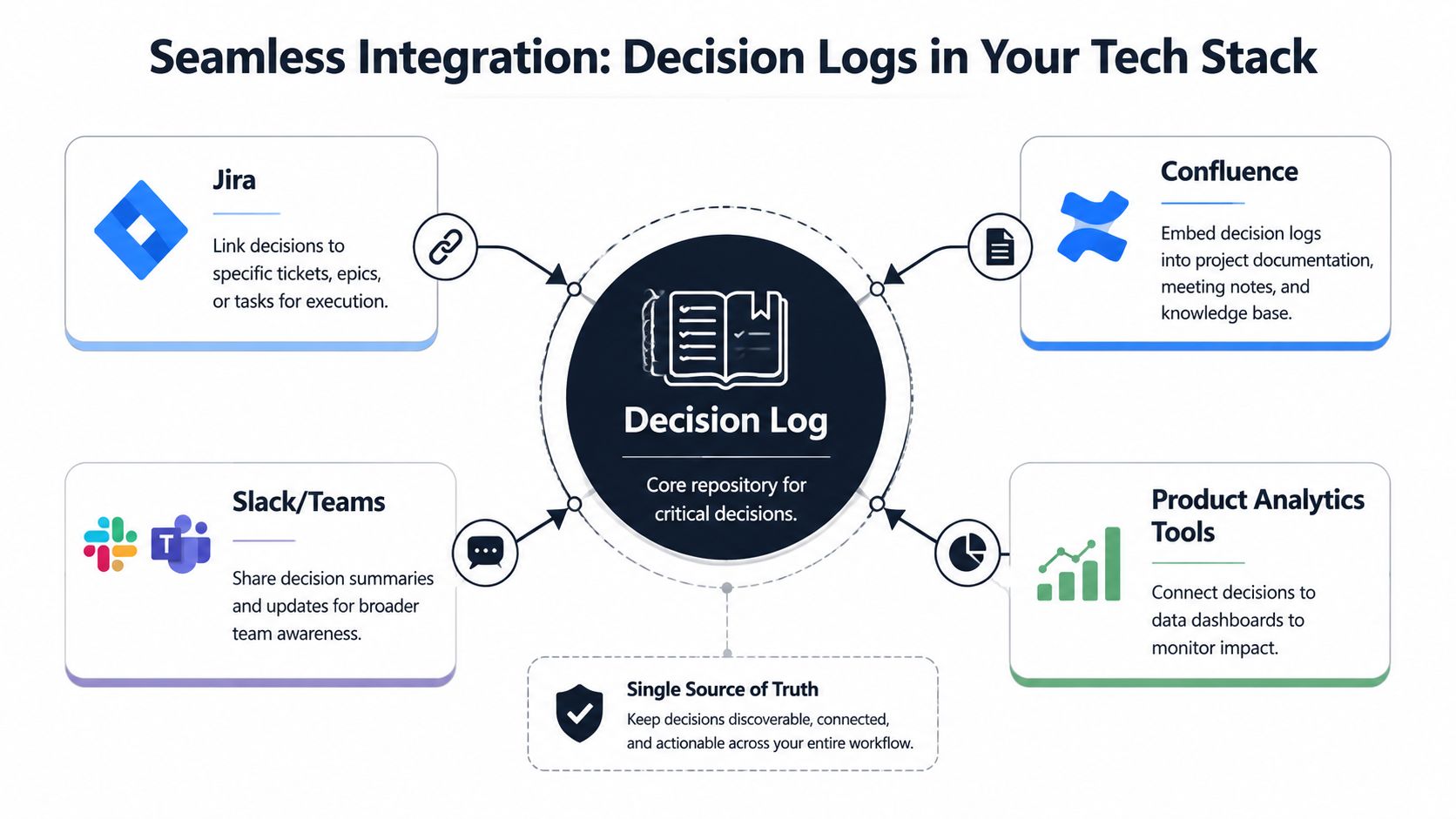
A decision log shouldn't compete with Jira, Confluence, Linear, Slack, or ADRs. It should sit above them as the searchable index of meaningful choices.
That distinction matters. Teams often reject decision logging because they assume it duplicates existing systems. It doesn't have to. Used well, it reduces fragmentation by pointing people to the right layer of detail.
Miro's framing is useful here in its decision log template discussion. It positions decision logs as a way to prevent issues like decision amnesia and scope creep, while Microsoft's engineering playbook treats the log as a Markdown summary layer on top of ADRs. That highlights the core value for many teams: lightweight indexing and traceability rather than verbose documentation.
When the decision log is enough
Use the decision log alone when the decision is important but doesn't require a long technical narrative. Product packaging changes, launch sequencing, roadmap shifts, or process changes often fit here.
The log should answer:
- what changed
- why it changed
- who approved it
- what outcome the team expects
- where execution is happening
When to pair it with ADRs or RAID logs
Use an ADR when engineers need to preserve implementation trade-offs in detail. The decision log can hold the summary and link out to the ADR.
Use a RAID log when the issue is project control: risks, assumptions, issues, and dependencies. The decision log can still capture the final choice that resolved a major RAID item, but it shouldn't replace active delivery management.
Integration patterns that work in practice
The best workflow is boring and automatic.
A few practical patterns:
- Slack or Teams notification: Post a short summary whenever a decision moves to approved.
- Jira or Linear linkage: Add the decision ID to the epic or initiative so execution stays connected to rationale.
- Confluence embed: Surface recent or high-impact decisions inside project pages and launch docs.
- Analytics reference: Link the decision entry to the dashboard or metric view that will be used later in review.
This is what keeps the log from becoming “one more place to update.” The log becomes the reference layer. The tools below it hold execution, discussion, and analysis.
From Record-Keeping to Revenue-Driven Decisions
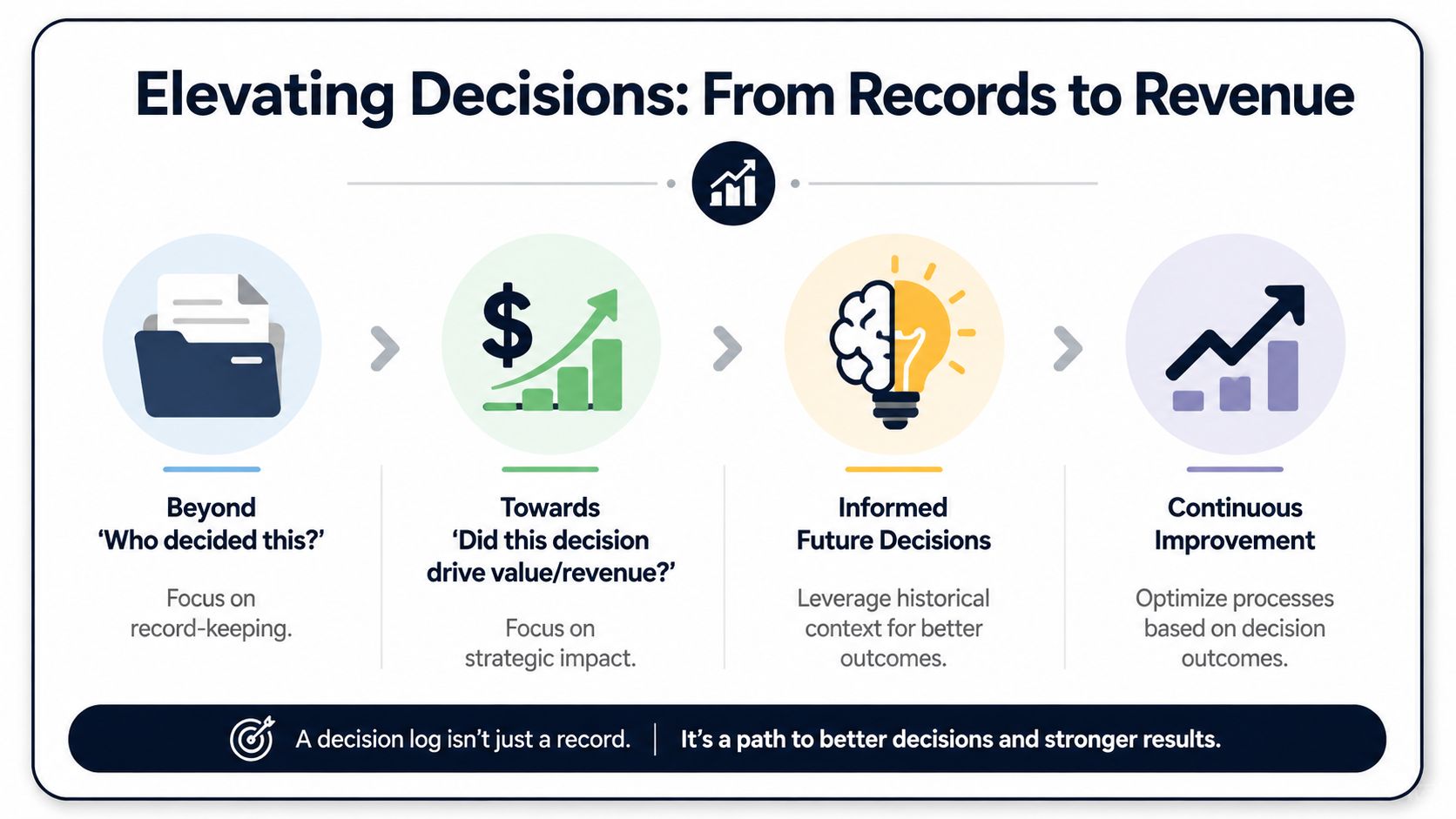
A mature decision log does more than answer, “Who approved this?” It answers a harder question. Did this choice create value?
That's where many product teams fail to maximize their potential. They document the decision, maybe the rationale, then stop before linking the choice to business effect. But product work is resource allocation. Every meaningful decision competes for time, attention, and opportunity cost. If your log doesn't capture intended business impact, it can't help you improve allocation quality.
Add the fields most teams skip
The two fields I'd insist on are:
- Expected outcome
- Actual outcome
Those sound obvious, but they change the quality of decision-making fast. They force the team to state the business logic before shipping and assess it after reality shows up. Sometimes the decision was sound and execution failed. Sometimes execution was fine and the hypothesis was weak. Without those fields, both situations get blurred together.
Why this matters for product leadership
When you review decisions quarterly, patterns emerge. You see where the team consistently overweights loud customer requests, underestimates implementation drag, or chooses short-term delivery speed over long-term maintainability. That's not just governance. That's strategic learning.
If your team also models business cases or initiative value, a disciplined template for return on investment planning pairs naturally with the decision log because it gives you a cleaner bridge between assumptions made at decision time and results observed later.
The best decision log is not a museum of old choices. It's a working record of how your team turns judgment into outcomes.
A product team that logs decisions well gets faster, calmer, and sharper. Not because it documents more. Because it learns which choices move the business.
If your team wants to connect product decisions to real customer behavior and revenue impact, SigOS can help. It turns support conversations, sales feedback, and usage signals into prioritized product intelligence so teams can spot which issues are tied to churn risk, expansion opportunities, and meaningful business outcomes. That makes your decision log far more useful because the rationale behind each product choice is grounded in measurable signals, not just the loudest opinion in the room.
Keep Reading
More insights from our blog


Ready to find your hidden revenue leaks?
Start analyzing your customer feedback and discover insights that drive revenue.
Start Free Trial →