Top Feature Flagging Best Practices for 2026
Master feature flagging best practices for 2026. Reduce risk, accelerate releases, and connect flags to revenue impact with our actionable guide.
You shipped a feature on Friday. By Monday morning, support is flooded, a key conversion path looks worse, and engineering is debating whether the problem sits in the UI, the API, or a segment rule nobody reviewed closely enough. The painful part isn't just the bug. It's that the release reached too many users before anyone had enough evidence to stop it.
That's the moment feature flags stop being a convenience and start looking like core operating infrastructure. Used casually, they're just toggles. Used well, they let teams contain risk, test assumptions in production, and connect releases to real business outcomes instead of gut feel. A bad launch doesn't have to become a company-wide incident. It can stay a small, measurable, reversible event.
The strongest feature flagging best practices all share the same idea. Release control only matters if it sits next to product intelligence. You need to know not only whether a feature works technically, but whether it changes behavior in ways that affect retention, support burden, expansion, and revenue. That's where platforms like SigOS fit well. A flag turns exposure on or off. Product intelligence tells you whether that exposure is helping or hurting.
Teams that treat feature flags as part of their decision system ship faster with less drama. They don't just ask, "Did error rate go up?" They ask, "Did this rollout change activation, create churn risk in a high-value segment, or trigger the kind of support complaints that usually precede contraction?" That shift matters.
Below are 10 feature flagging best practices that turn flags from simple release switches into a strategic engine for safer delivery, sharper experimentation, and better growth decisions.
1. Gradual Rollout with Percentage-Based Targeting
Most rollout mistakes happen because teams move from internal confidence to full exposure too quickly. The fix is boring and disciplined. Roll out in stages, watch the right signals, then expand only when the evidence is good enough.
The clearest version of this is the percentage-based canary sequence recommended in Statsig's feature flag best practices: 0% → 2% → 10% → 50% → 100%. That progression isn't arbitrary. The early step catches obvious failures with limited customer impact, the middle step gives you enough data to judge system behavior with more confidence, and the later step lets you validate whether the feature still behaves under broader exposure.
Watch business signals, not just service health
Engineering teams usually monitor error rates first. That's necessary, but it isn't enough. A rollout can be technically healthy and still damage onboarding, reduce adoption, or increase frustration for an important customer segment.
Netflix, Slack, and GitHub are all known for incremental release habits because gradual exposure gives teams room to verify behavior before they commit to everyone. In practice, that means defining success before launch. Decide which user actions, revenue paths, and support signals count as "safe to expand."
- Set release gates up front: Pick the business and system metrics that must stay healthy before moving from one cohort to the next.
- Use product intelligence during each step: Review SigOS dashboards for churn signals, support patterns, and revenue-impacting behavior while the feature is still limited.
- Treat support feedback as an early warning system: Ticket themes often surface edge cases before aggregate metrics become obvious.
Practical rule: If you can't explain why you're moving from one rollout stage to the next, you're not doing a controlled release. You're doing a slower version of a big bang launch.
What works is a deliberate ramp with clear decision points. What doesn't work is choosing percentages casually, then arguing after the fact about whether the rollout was successful.
2. User Segmentation and Targeting Rules
Effective feature flagging requires treating customer groups differently, because value, risk, and rollout cost change by segment. A workflow improvement that helps an enterprise account may confuse a new self-serve user. A UI change that looks harmless in one region can create support load in another.
Targeting rules turn flags into release controls with business intent behind them.
Start with segments you can explain
Teams usually get into trouble when they model every possible audience from day one. Keep the first version small enough that product, engineering, support, and sales can all understand who is included and why. If nobody can explain the rule without opening three dashboards and a data dictionary, the rule is too complex to trust during a live rollout.
The first useful segments are usually the ones tied to commercial exposure or user readiness:
- Revenue-sensitive accounts: High-value customers, accounts nearing renewal, or customers with clear expansion potential.
- Lifecycle cohorts: Users in onboarding, recently activated accounts, or mature teams with established usage patterns.
- Commercial tiers: Free, self-serve paid, and enterprise plans often need different release paths.
- Regional constraints: Geography matters when compliance, language, or infrastructure differences affect the experience.
Teams get better results when those segments come from actual customer behavior, not guesswork. Pairing flag rules with customer analysis segmentation gives product and engineering a shared view of which accounts show churn risk, which ones are ready for expansion, and which ones should be protected from change until the rollout proves safe.
Good targeting protects both adoption and accounts
Random exposure is useful for some experiments. It is weak release strategy for product changes with uneven risk.
I have seen teams ship a feature to 10 percent of traffic and call that controlled. In practice, that 10 percent included brand-new users, a few large accounts, and customers in a regulated region with edge-case requirements. The rollout looked clean on error dashboards, but support tickets rose and adoption dropped in the accounts that mattered most. The problem was not the feature alone. The problem was who got it.
That is why every targeting rule should answer a business question. Which users are the best fit for early exposure? Which users create outsized downside if the experience goes wrong? Which segment should be excluded until the team confirms the feature improves activation, retention, expansion, or support volume?
Revisit rules before they become stale
Targeting logic ages quickly. Account metadata drifts. Customers change plans. A beta cohort that was safe three months ago may now include strategic accounts or users with very different behavior.
Review segment rules on a schedule, especially for long-lived flags. SigOS can help here by tying exposure cohorts to product usage, churn patterns, and account health, so teams can see whether the original targeting logic still matches current business risk. That is how feature flags stop being just release plumbing and start acting like revenue controls.
If a rule no longer maps to a clear customer outcome, remove complexity until it does.
3. Kill Switch and Circuit Breaker Patterns

Every serious flagging system needs a fast way to shut something off. Not after a patch. Not after a hotfix build clears CI. Immediately.
A kill switch is the manual version. A circuit breaker is the automated one. Both exist for the same reason. When a feature starts hurting customers, speed matters more than elegance.
Build for failure paths before you need them
Amazon- and Stripe-style operational discipline shows up here. Teams that protect checkout, billing, search, messaging, or account access don't rely on engineers typing perfect rollback commands under pressure. They predefine what can be disabled, who can disable it, and what signals justify that move.
The best setups tie technical symptoms to business review. If SigOS shows a support surge tied to one release cohort, or a churn-risk pattern starts clustering around a newly exposed feature, the on-call team should have a clear path to freeze or disable that functionality while they investigate.
A good kill switch pattern includes:
- Named ownership: The on-call engineer needs to know which flag controls the failing path.
- Safe fallback behavior: Turning a feature off should return users to a known-good state, not a half-broken one.
- Runbook clarity: The rollback procedure should live somewhere obvious and be tested regularly.
- Business awareness: Incident review should include customer impact, not only logs and traces.
Manual and automatic controls serve different jobs
Manual kill switches are best when the problem is nuanced. Maybe support is reporting confusion that metrics haven't captured cleanly yet. Maybe only a high-value segment is affected. Human judgment matters there.
Circuit breakers make more sense when a failure pattern is obvious and repeatable. If a new dashboard query path starts pushing latency or generating visible errors, automation can protect the system faster than a person can.
The best kill switch is the one your team has already practiced using.
What doesn't work is discovering during an incident that your "off" state still leaves background jobs, API calls, or UI fragments running. That's not a kill switch. That's wishful thinking.
4. Infrastructure-Level Feature Flags vs Application-Level Flags
Many teams think about flags only in the UI or application logic. That's useful for experiments and staged releases, but it's incomplete. Some of the highest-risk changes happen lower in the stack.
An infrastructure-level flag might control traffic routing, a new cache strategy, a database migration path, or which service version receives a subset of requests. An application-level flag might control a screen, a workflow, a recommendation module, or a premium capability.
Use the right layer for the right problem
Uber-style routing control and Twitch-style shard migration illustrate why this distinction matters. If the dangerous part of a change sits in infrastructure, an application toggle won't protect you. The UI may disappear while the risky backend path keeps running.
Revenue-critical systems need both layers mapped clearly. A checkout redesign might use application-level flags for the buyer experience and infrastructure flags for the payment service path, queue behavior, or read model. Netflix-like teams do this well because they know the failure modes differ across layers.
A practical way to consider this:
- Application flags fit customer-facing behavior: UI releases, onboarding changes, pricing page variants, workflow experiments.
- Infrastructure flags fit operational risk: Routing decisions, storage migrations, cache changes, service-level algorithm swaps.
- Combined flags fit sensitive paths: Billing, search relevance, recommendation systems, and anything tied directly to retention or revenue.
Avoid conflicting controls
The trap is layering flags without a clear model. One team turns a frontend experience on while another team still has the backend path in partial rollout. Now users see a feature that works only some of the time.
Map your critical journeys and mark where each flag sits. SigOS can help identify which behaviors correlate most strongly with churn or expansion, which tells you where stronger infrastructure controls are worth the complexity.
Good teams don't ask, "Can we put a flag on it?" They ask, "At which layer does this change create risk, and which rollback path protects the customer?"
5. Feature Flag Hygiene and Technical Debt Management
A team ships a feature behind a flag, rollout goes well, everyone moves on, and six months later that flag is still sitting in the hottest code path in the product. At that point it is no longer a release tool. It is a maintenance cost attached to every future change.
Flag debt shows up in places leaders care about. Engineers spend longer tracing behavior. QA has to test more branches. Incident response gets slower because nobody knows which state is live. Product teams lose confidence in experiment readouts because stale conditions keep affecting behavior long after the original decision was made. That cost reaches revenue quickly on flows tied to conversion, retention, or support load.
Create every flag with a removal decision already defined
Good flag hygiene starts before the flag exists in production.
Every new flag should carry enough metadata for someone else to clean it up without hunting through old Slack threads or Jira tickets. In practice, that means a clear name, one owner, a reason for existence, a flag category, and a review date. Release flags, experiment flags, operational controls, and permission flags serve different jobs. Treating them as one generic bucket is how temporary controls turn into permanent clutter.
The minimum fields worth enforcing are:
- Business reason: What decision this flag supports, and which business metric it can affect.
- Owner: One accountable team or engineering manager.
- Flag type: Release, experiment, ops, or permission.
- Expected end state: Remove it, keep it as a standing operational control, or move it into configuration.
- Review date: The point when the owner must confirm the flag still belongs.
That last field matters more than teams expect.
Without a review date, cleanup depends on memory. Memory is unreliable during reorgs, handoffs, and fast release cycles.
Cleanup should be tied to evidence, not good intentions
Teams often say they will remove the flag after launch. That rarely survives the next sprint unless the removal criteria are explicit.
Set those criteria early. For a release flag, cleanup should start once rollout is complete, error rates are stable, and the team has enough confidence that rollback can happen through normal deployment rather than runtime control. For an experiment flag, cleanup should start once the decision is made and documented. If you need help defining decision thresholds, use a hypothesis testing framework for product experiments so the team knows what result ends the test instead of letting it drift.
Product intelligence makes this easier to enforce. SigOS can show when a flagged experience has stopped producing unusual churn signals, support friction, or cohort-specific behavior. That turns cleanup into an operating rule tied to business outcomes, not a vague engineering hygiene task that keeps slipping.
Old flags distort product decisions
The code debt is obvious. The decision debt is worse.
A stale flag can pollute analytics, confuse support, and split the product into unofficial versions that nobody intended to maintain. One team thinks a feature is fully launched. Another team is still excluding a high-value segment through an old targeting rule. Finance sees conversion movement, but nobody can cleanly attribute the cause because the control surface was never retired.
That is how a simple release mechanism starts hurting revenue analysis.
Make retirement part of the delivery checklist
Teams with strong flag discipline do not treat cleanup as optional maintenance. They put removal work in the original ticket, review open flags in release meetings, and alert on flags that outlive their expected window. If a flag remains active past its review date, it should need an explicit decision from the owner.
The standard is simple. If a team is trusted to add runtime control to production, that team should also be responsible for removing it once the decision is made.
6. Contextual and Multi-Dimensional Experimentation
A basic A/B test tells you whether variation A outperformed variation B on average. That's useful, but average results often hide the most important truth. A feature can help one cohort, do nothing for another, and actively hurt a third.
That's why mature teams move beyond simple binary tests and add context.
Learn across segments, not just across variants
Airbnb, Lyft, and Pinterest all represent the kind of product environment where geography, device, timing, intent, and user maturity can materially change outcomes. A feature that helps mobile users in one market may frustrate desktop-heavy enterprise teams elsewhere.
That doesn't mean you should create an explosion of dimensions with no discipline. Start with a hypothesis. Then use how to do hypothesis testing to define what you're trying to prove, which cohorts matter, and which business outcome should carry the most weight.
Good contextual experimentation often looks like this:
- Segment by meaningful differences: Tier, lifecycle stage, geography, and behavioral profile are usually more useful than novelty variables.
- Measure outcomes tied to the business: Activation, conversion movement, support burden, retention signals, and expansion potential matter more than vanity engagement.
- Watch for asymmetric harm: If one high-value cohort gets worse while everyone else looks flat, that still matters.
Keep the model understandable
A common failure mode is stacking so many conditions that nobody trusts the result. Multi-dimensional experiments should increase understanding, not create statistical theater.
SigOS can help by scoring which customer cohorts appear linked to revenue impact or churn risk, giving product teams a better way to prioritize the dimensions worth testing. That matters because not every segment deserves equal analytical effort.
What works is a small number of meaningful dimensions with a clear decision rule. What doesn't work is a giant matrix that produces lots of charts and very little confidence.
7. Flag State Persistence and Consistency Across Services
A customer starts checkout on the web app, the pricing service sees the new flow, the billing service still sees the old one, and support gets the ticket. That is what inconsistent flag state looks like in production. It rarely fails as a clean outage. It fails as partial behavior that hurts conversion, creates refund risk, and erodes trust.
Distributed systems make this problem easy to underestimate. Web clients cache old values. Background workers process jobs with stale config. Mobile apps go offline and reconnect later. Edge layers can serve a different state than the origin. If those paths do not agree closely enough, one feature flag can split a single user journey into conflicting versions.
Design persistence, propagation, and fallback as one system
Fast flag evaluation matters, especially on hot paths, but speed alone is not the goal. The goal is predictable behavior across service boundaries. Local evaluation often works well because it removes a network hop, but it only stays safe if you define how state is refreshed, how long stale values are tolerated, and what happens when the control plane is unavailable.
Teams usually get better results when they document flag flow explicitly. A system diagram should show where flags are evaluated, where they are cached, how updates propagate, and which service is the source of truth. In practice, data architecture diagrams help engineering teams find the hidden failure points before customers do.
Persistence also has a security angle. If flag state is stored in shared caches, replicated databases, or client-visible config, treat it as production data with real access and integrity requirements. The same operational discipline described in database security best practices applies here, especially for flags tied to entitlements, pricing, or compliance behavior.
Match consistency to business risk
Every flag does not need the same consistency model. The mistake is treating a cosmetic experiment and a billing control as if they belong on the same path.
- Use stronger consistency for revenue and trust paths: Checkout, billing, permissions, entitlements, and regulated workflows need a single answer across services.
- Use eventual consistency where drift is acceptable: UI polish, low-risk betas, and non-critical experiments can tolerate short propagation delays.
- Use explicit fallback rules: If a service cannot refresh flag state, define whether it should fail closed, fail open, or pin to a last-known-good value.
That choice affects business outcomes. If a stale cache shows the wrong plan limits, revenue leakage follows. If one service grants access and another denies it, churn risk goes up because the product feels unreliable. Good flag design protects both system behavior and customer confidence.
If a user crosses one service boundary and lands in a different feature state, the release path is unstable.
Make consistency failures observable in business terms
Engineers often first see this problem as a technical issue. Customers experience it as a broken promise. That is why flag consistency should be traced through request IDs, rollout timestamps, cache age, and downstream events, then tied back to product outcomes.
SigOS is useful here because it connects rollout behavior to signals product teams already care about, such as conversion drops, support volume, and churn risk by cohort. If only some users stall in a new flow after a rollout, that pattern often points to state drift between services rather than a bad feature decision.
The practical rule is simple. Store flag state deliberately, propagate it predictably, and choose consistency levels based on business impact, not engineering convenience.
8. Permission Models and Access Control for Flag Management
Feature flags can reduce release risk, but they also create a new control surface. If too many people can change production flags freely, you've moved risk, not removed it.
Access control stops being a compliance checkbox and becomes operational discipline.
Separate insight access from change authority
Product managers, growth leaders, and support teams often need visibility into flag status. They don't all need the power to flip a production control tied to billing, entitlements, or core system behavior.
The Unleash feature flag security guide discusses security basics like least privilege and warns against trusting the client. That's the right baseline. For compliance-heavy environments, access patterns around contextual flagging matter even more because the flag itself may influence who sees what data and where.
A workable model usually separates permissions into layers:
- View access: Teams can inspect flag state, rollout history, and business impact.
- Experiment access: Product or growth teams can manage low-risk tests within approved boundaries.
- Production toggle access: A smaller set of engineers or on-call operators can change critical flags.
- Approval paths: High-impact changes require another reviewer, especially when they affect revenue or customer trust.
Log the business reason, not just the technical event
Every production flag change should leave an audit trail that explains why it happened. "Enabled at 14:02" isn't enough. The log should capture the justification, the actor, and the expected outcome.
That matters for engineering review, and it matters for adjacent controls like database security best practices, where operational access needs clear boundaries and traceability.
For teams using SigOS, a strong pattern is giving product or revenue stakeholders read access to impact dashboards while reserving production control to the people carrying operational responsibility. That keeps decision quality high without turning every commercial team into a release operator.
9. Dynamic Configuration and Behavioral Refresh Patterns
A flag isn't very useful if users don't receive the updated state until they log out, restart the app, or wait for a long cache expiry. Refresh strategy matters because rollback speed is part of the safety model.
The right pattern depends on the feature. Some controls need near-immediate propagation. Others are fine with periodic refresh.
Match refresh speed to customer impact
LaunchDarkly-style streaming and Firebase-style remote config patterns exist because some changes can't wait for a lazy sync cycle. If a feature is creating visible breakage in a revenue path, teams want the updated state to reach users fast.
For lower-risk behavior, polling is often simpler and more reliable. It reduces connection overhead and keeps client architecture easier to reason about. The key is not to use the same refresh pattern for every class of flag.
A practical split looks like this:
- Push-based refresh for critical controls: Payment, signup, checkout, entitlement, or incident-response flags.
- Pull-based refresh for lower-stakes behavior: Cosmetic changes, secondary experiences, and non-urgent experiments.
- Webhook or event-driven refresh for coordinated systems: Useful when one alert should trigger fast re-evaluation across several services.
Refresh logic should support product intelligence loops
SigOS becomes more valuable when flag state changes and customer behavior update on roughly the same timeline. If a churn-risk alert appears but half the clients still haven't received the rollback state, you're analyzing a mixed reality.
That doesn't mean every client needs sub-second updates. It means your refresh model should reflect the business importance of the feature. Twilio-style intelligent caching and webhook-based invalidation are good examples of this balance.
What doesn't work is forgetting refresh entirely during design. Teams focus on targeting, then discover too late that rollback speed in production is far slower than rollback speed in the flag dashboard.
10. Observability and Monitoring for Feature Flag Systems
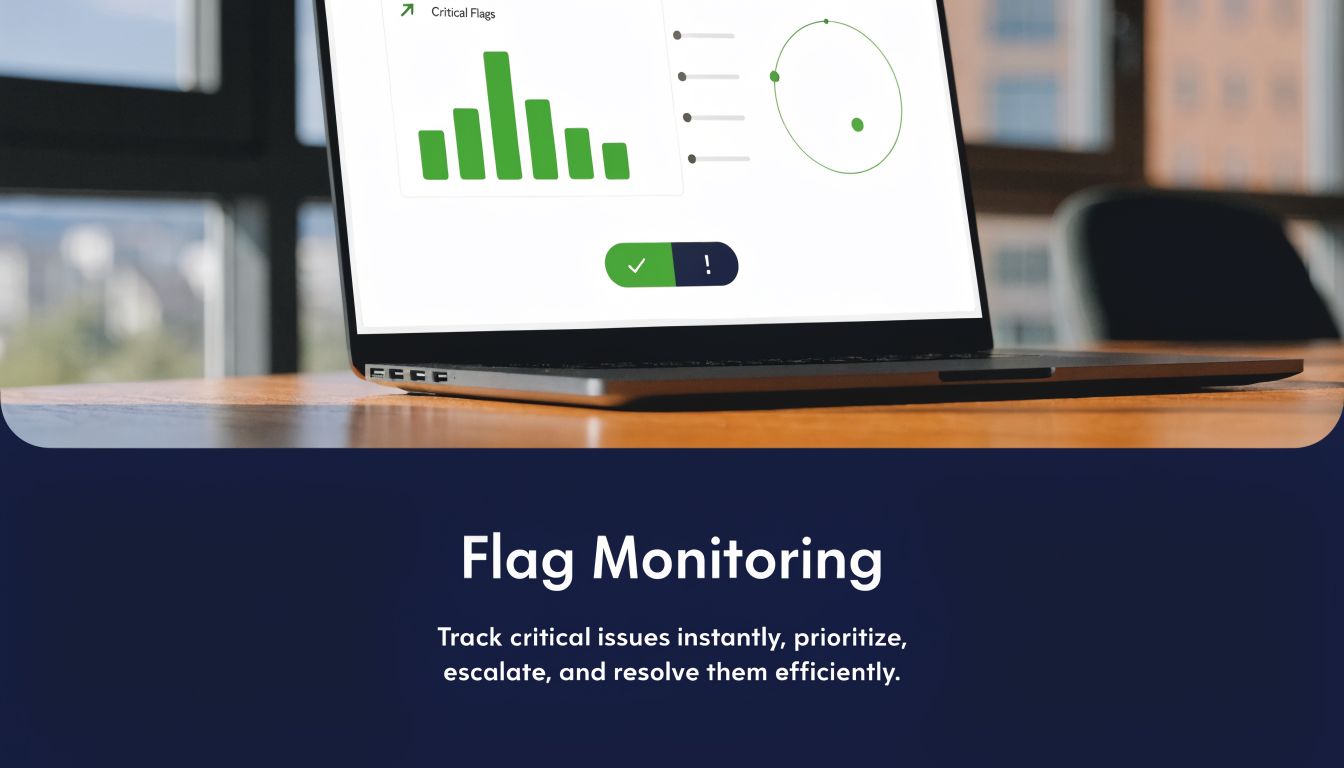
A canary rollout without monitoring is theater. You changed exposure, but you don't know whether the change improved or damaged anything important.
Monitoring is one of the strongest feature flagging best practices because it turns a flag from a control into a decision system. The Swetrix guide to feature flagging best practices describes monitoring and alerting as foundational, with five-star importance, and puts the point well: "a canary release is only as good as your ability to detect when the canary has stopped singing".
Build evidence before you need it
Good flag observability starts before rollout. Establish baselines for the metrics that matter. That includes user metrics like active use, retention, and conversion for key actions, plus system metrics like error responses, crash rates, and latency. If you don't know the pre-flag baseline, you'll argue about interpretation later.
Datadog, New Relic, and Honeycomb are all useful models here because they let teams correlate state changes with traces, errors, and behavior across complex systems. Teams should be able to answer basic questions quickly:
- Which flags changed recently
- Which services are evaluating them
- Whether evaluation latency or staleness has changed
- What happened to product and revenue metrics after exposure changed
Tie technical telemetry to business decisions
Observability becomes more strategic. Engineering dashboards tell you whether the system is healthy. SigOS tells you whether customers are responding in ways that affect churn, expansion, or support burden.
That combination matters. A release can look technically fine while eroding a high-value workflow. Pairing flag telemetry with Observability tools like Datadog and Grafana and product intelligence gives teams a much better read on causation.
Monitor the flag itself, the services that evaluate it, and the customer behavior that follows. If one of those layers is missing, your rollout decisions will be weaker than they look.
10-Point Feature Flagging Best Practices Comparison
| Strategy | Implementation Complexity 🔄 | Resource Requirements ⚡ | Expected Outcomes 📊⭐ | Ideal Use Cases 💡 | Key Advantages ⭐ |
|---|---|---|---|---|---|
| Gradual Rollout with Percentage-Based Targeting | Medium, requires rollout orchestration and analytics | Moderate–High, feature flags + real-time metrics | Controlled risk reduction; early detection of negative signals | Large user bases or high-impact releases | Minimizes blast radius; enables data-driven expansion |
| User Segmentation and Targeting Rules | High, complex rule logic and maintenance | High, clean customer data, CDP integration | Personalized impact on revenue and retention | Tiered products, targeted monetization tests | Targets high-impact segments; reduces feature waste |
| Kill Switch and Circuit Breaker Patterns | Low–Medium, simple toggles; circuit breakers need thresholds | Low–Medium, monitoring, on-call processes, audit logs | Immediate mitigation of incidents; reduced MTTR | Emergency response and revenue-protecting failures | Fast shutdown without deploys; protects revenue and trust |
| Infrastructure-Level vs Application-Level Flags | High, cross-layer coordination and consistency concerns | High, platform expertise, multi-team coordination | Safer system-level protection and fast app rollbacks | Systems with critical infra dependencies (DBs, caches) | Multiple safety layers; prevents cascading failures |
| Feature Flag Hygiene and Technical Debt Management | Low–Medium, process and automation focused | Moderate, flag inventory tooling, cleanup automation | Lower technical debt; improved developer velocity | High-velocity teams, long-lived experiments | Reduces code complexity; prevents ghost signals |
| Contextual and Multi-Dimensional Experimentation | Very High, factorial designs and stats expertise needed | High, data science resources and larger sample sizes | Rich insights into interactions; cohort-specific revenue impact | Complex products needing deep optimization | Maximizes learning; uncovers segment interactions |
| Flag State Persistence and Consistency Across Services | High, distributed consistency and reconciliation | High, centralized state, propagation infra, caching | Consistent UX; avoids split-brain and revenue leakage | Microservices and multi-client platforms | Ensures coordinated rollouts; simplifies debugging |
| Permission Models and Access Control for Flag Management | Medium, RBAC and approval workflows required | Moderate, IAM, audit logging, governance processes | Fewer misconfigs; accountability and compliance | Large orgs, regulated environments, billing-affecting flags | Prevents accidental changes; creates audit trails |
| Dynamic Configuration and Behavioral Refresh Patterns | Medium–High, push/pull systems and cache strategies | Moderate–High, streaming, polling, edge caches | Near-instant feature availability or rollback | Revenue-critical flags and real-time responses | Fast propagation; minimizes user friction during incidents |
| Observability and Monitoring for Feature Flag Systems | Medium, observability integration and tracing | Moderate, APM, logging, dashboards, correlation tools | Detects degradations; validates causation with metrics | Any production flagging system at scale | Correlates flag changes to business impact; aids RCA |
From Code Toggles to Revenue Levers
A team ships a high-visibility feature on Tuesday. By Wednesday, conversion is down for one customer segment, support tickets are climbing, and sales wants to know whether the release put a renewal at risk. The engineering question changes fast. It is no longer just about rollback. It is about identifying who was affected, what behavior changed, and how quickly the team can limit revenue and retention damage.
Teams that use feature flags well treat them as business controls, not just release controls. The mechanics still matter, but the payoff comes from linking rollout decisions to outcomes leaders care about: fewer failed launches, lower churn risk, faster incident response, and clearer evidence about which changes deserve wider adoption.
That is why the ten practices in this guide matter. Percentage rollouts reduce blast radius before a bad release reaches high-value accounts. Segmentation keeps workflow, pricing, and UX changes away from the wrong customers. Kill switches cut the cost of mistakes. State consistency, access control, and observability prevent the quieter failures that create user confusion, support load, and avoidable revenue loss.
A flag platform shows exposure. It tells the team which users saw a feature and when. That is useful, but it is only part of the picture. Good release decisions depend on seeing whether a flagged change added friction to a core workflow, triggered more support conversations from an important segment, or created early churn signals in accounts the business cannot afford to lose.
SigOS adds that missing layer. It analyzes support tickets, chats, sales calls, and usage patterns around releases so teams can connect feature exposure to customer pain, expansion signals, and retention risk. That changes rollout reviews from opinion-driven debates into operating decisions. Teams can tighten targeting, pause exposure, expand safely, or prioritize follow-up work based on likely business impact.
Start with the failure mode that costs the team the most.
For some teams, the highest-return fix is disciplined percentage rollouts with tighter monitoring because incidents surface too late. For others, it is stale-flag cleanup because engineers no longer trust the code path. In larger organizations, approval workflows and stricter permissions often deliver the fastest risk reduction because a single bad flag change can hit billing, entitlements, or enterprise accounts.
The pattern is straightforward. Add controls where they reduce real business risk. Then connect those controls to product intelligence so every release produces signal, not just status. Engineering gets safer rollouts. Product gets better evidence. Support gets faster context during incidents. Leadership gets a clearer view of which launches deserve more investment and which ones need containment.
That is how flags move from code toggles into revenue levers. Releases become measurable business events. Teams that build this loop well do more than avoid outages. They identify the feature requests most likely to win large deals, catch churn signals earlier, and make rollout decisions with a clearer view of customer and commercial impact.
If you want to strengthen the operational side of release safety around your platform stack, it's also worth reviewing related guidance on Kubernetes monitoring best practices.
SigOS helps teams connect feature releases to what matters: churn risk, support pain, expansion potential, and revenue impact. If your team already uses feature flags but still struggles to understand which launches help or hurt the business, SigOS gives you the missing layer by analyzing support tickets, chats, sales calls, and usage data to surface the issues and opportunities worth acting on first.
Keep Reading
More insights from our blog



Ready to find your hidden revenue leaks?
Start analyzing your customer feedback and discover insights that drive revenue.
Start Free Trial →