How to Prioritize Bugs with Revenue Impact in Mind
Learn how to prioritize bugs by revenue, churn risk, and usage signals. A practical playbook with scoring models, SLAs, and real triage examples.
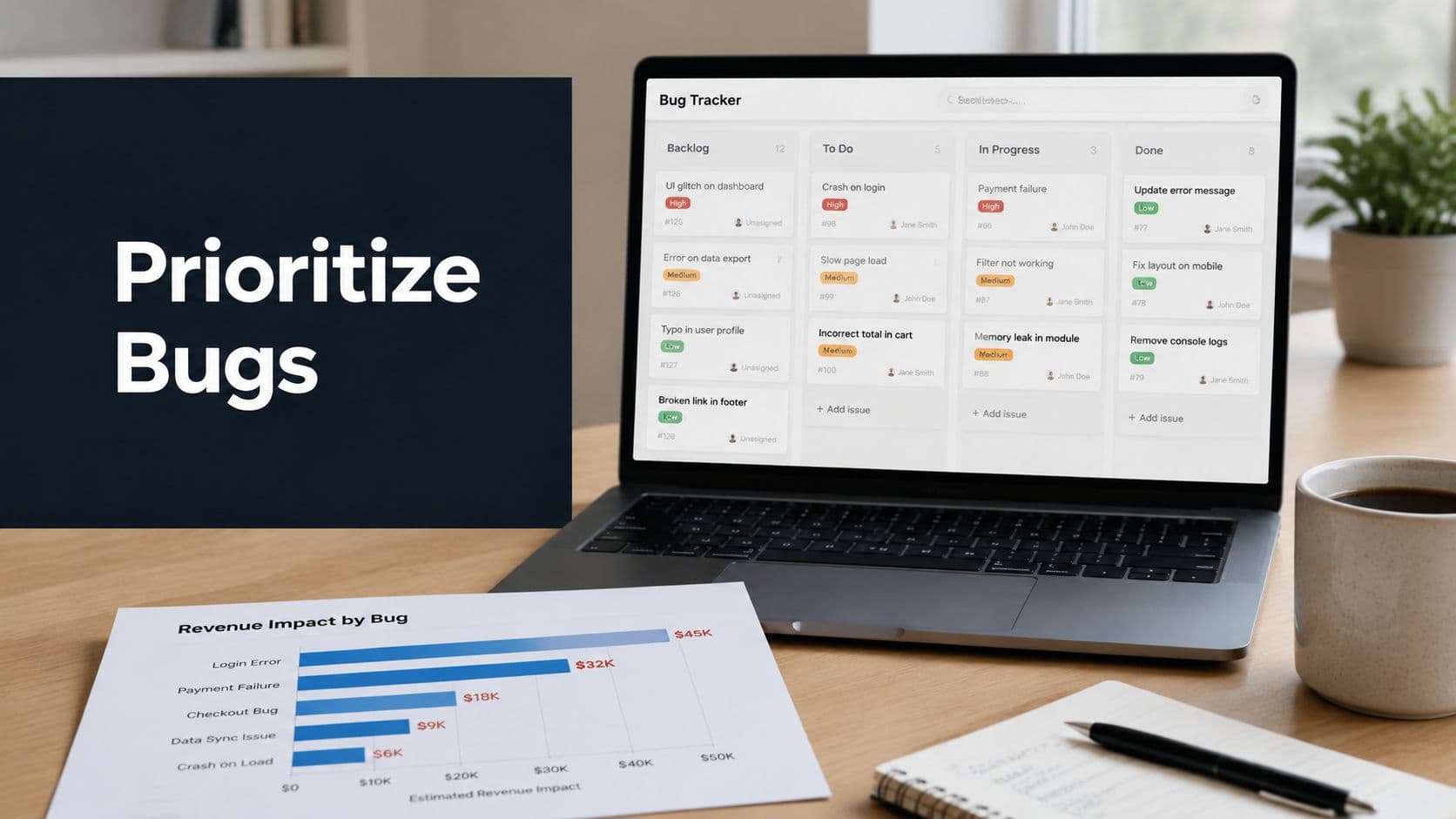
Your triage meeting is already costing you money. The bug that sounds ugly gets the loudest airtime, the checkout glitch that blocks renewals gets pushed aside, and three weeks later someone in sales is asking why accounts are slipping away for a problem that sat in the backlog with a cheerful label like “medium.” That's the failure in many teams, they're not short on bug reports, they're short on a way to rank them against revenue.
The fix is blunt. How to prioritize bugs isn't a debate about who complains hardest, it's a decision system that ties defect fixing to customer reach, engineering effort, and revenue risk. The best teams separate severity from priority, score bugs with a repeatable model, and push that score into the tools where work happens.
The Triage Trap Most Product Teams Fall Into
A bug that looks dramatic in the room can still be a cheap fix to ignore, while a quiet workflow break can bleed revenue every day it stays open. I see the failure in product teams without a revenue-linked scoring model. They are not short on bug reports, they are short on a way to rank them against customer reach, engineering effort, and revenue exposure.
That mistake shows up fast in triage. Support flags a checkout issue that touches a narrow slice of users, engineering argues for a crash that looks severe on the dashboard, and product is left guessing which one protects the business. A fix that looks urgent on a screen can be the wrong use of scarce engineering time if it affects a tiny cohort, and a mild-looking defect in a high-traffic path can drain money every day.
The right question is simple. What does this bug cost if it stays open? That is the shift most triage guides miss. They spend too much time sorting defects by how ugly they look and too little time tying each one to churn, usage, support load, and revenue risk.
Practical rule: if a bug affects money, onboarding, renewals, or support load, it gets treated as a business problem, even when the technical failure looks minor.
The teams that stop losing triage arguments do one thing well. They force every bug discussion to answer for dollars, not vibes. Once PMs, engineers, and support leads have to justify a fix with evidence, the conversation gets sharper, the backlog gets cleaner, and the work starts lining up with the outcomes the business cares about.
Severity, Priority, and Why They Are Not the Same Thing
A checkout bug that stops payment is a different problem from a typo in a settings label, even before anyone argues about urgency. Severity measures the technical blast radius, how badly the defect breaks the product, how far the failure spreads, and how much engineering risk sits behind it. Priority measures business urgency, how soon the bug should be fixed based on customer context, deadlines, revenue exposure, and roadmap timing. GitLab's handbook treats triage as more than a defect list and folds in age, severity, missed milestones, customer-reported issues, support efficiency, and roadmap fit.
The practical test is simple. Ask what the bug does to the business if it stays open. A defect can be highly severe and still wait if it lives in a narrow admin path with little customer exposure. A defect can look minor in engineering terms and still deserve immediate attention if it blocks buying, onboarding, renewals, or support resolution. That is the part triage guides usually miss, because they stop at technical damage and ignore the money tied to the failure.
A Severity × User Impact matrix gives the team a shared language. High severity with high user impact goes to the top immediately. High severity with low user impact often waits, because a rare crash in an admin screen does not carry the same weight as a checkout blocker in a high-traffic flow. Low severity with high user impact can still move fast if it lands in a visible customer journey. Low severity with low user impact usually stays where it is unless the pattern changes or the issue starts spreading.
| Quadrant | Severity | User Impact | Example Bug | Priority |
|---|---|---|---|---|
| Critical and widespread | High | High | Checkout fails for active buyers | Highest |
| Critical but narrow | High | Low | Crash in a rarely used admin screen | Lower than the row above |
| Annoying but visible | Low | High | Search results render oddly for many users | High if it hits a core flow |
| Minor and isolated | Low | Low | Misaligned icon in a settings page | Lowest |
The matrix works because it kills the lazy claim that every severe bug deserves the same slot in the sprint. It does not. The bug that blocks revenue or drives support load deserves attention before the one that only looks ugly in a demo. Teams that want cleaner triage need to stop treating severity as the final answer and start using it as one input in a business decision, not a substitute for one. For a broader method that turns this into a repeatable process, see SigOS's backlog prioritization techniques, then connect the same thinking to a complete app risk assessment so engineering and product are judging the same exposure.
A Five-Factor Scoring Model You Can Use Today
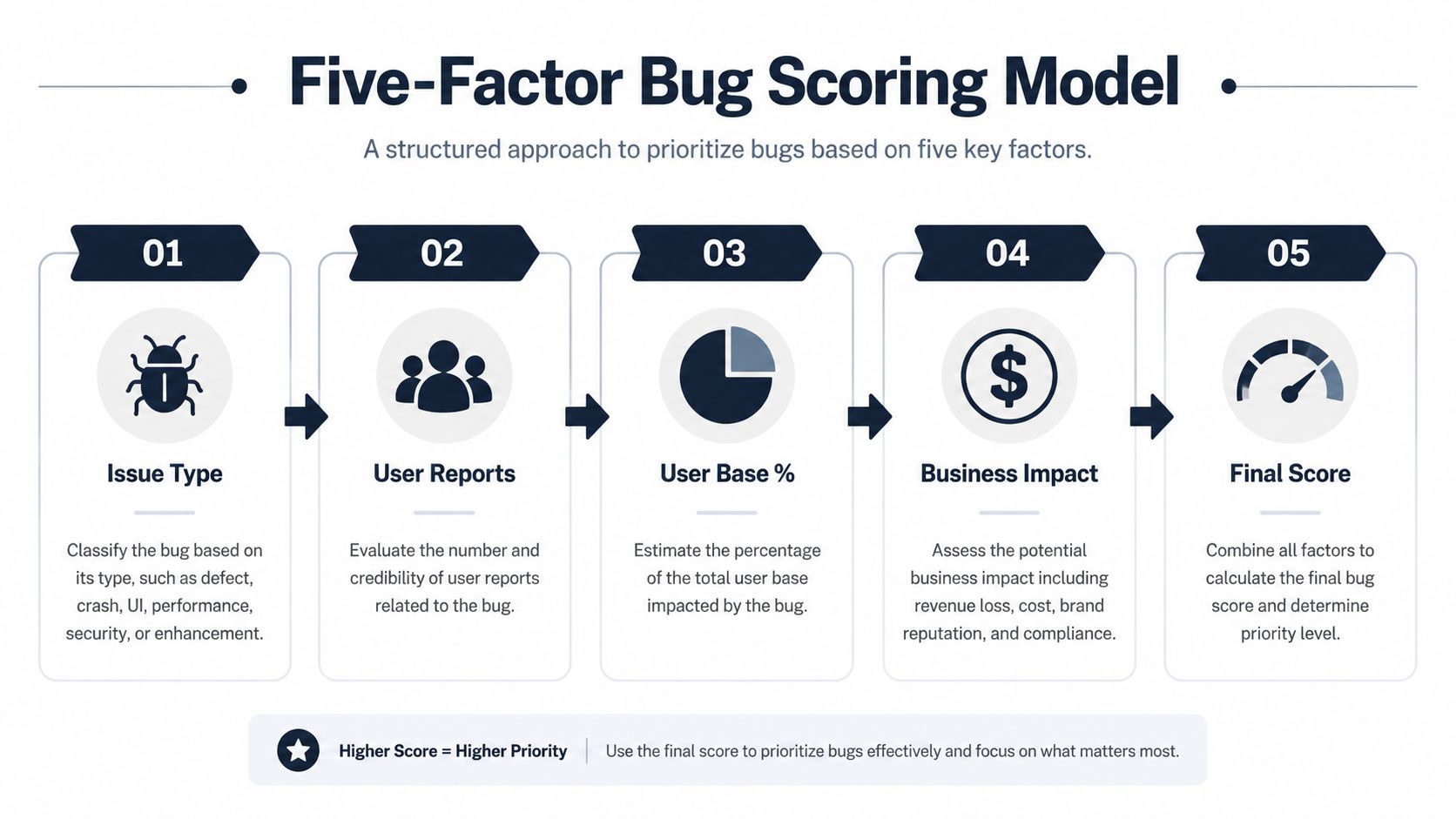
Scoring is how you stop “important” from meaning whatever the last person in the room said it meant. A practical model can score bugs across five factors, issue type, number of users reporting it, percentage of the user base affected, business impact, and estimated implementation time. That structure shows up in real prioritization guidance because it ties the bug to customer reach and engineering cost instead of relying on intuition alone, and the resulting bands can map work into sprint-now, next-sprint, backlog, or no-action buckets, as outlined in Sigos's backlog prioritization techniques.
Here's the operating logic. A bug with broad reach, strong business impact, and a quick fix should rise fast. A bug with limited reach, weak business consequences, and a long implementation path should fall unless it threatens a critical customer segment. That's the kind of trade-off a head of product can defend in a planning meeting.
How to score the five factors
- Issue Type: Rate the defect's class. A break in checkout, billing, authentication, or data integrity deserves more weight than a visual inconsistency.
- Number of Users Reporting It: A bug reported by multiple customers deserves more attention than a single isolated complaint, because it signals repeatability and likely scale.
- Percent of User Base Affected: If the issue touches a meaningful slice of active users, push it up even if the symptom looks mild.
- Business Impact: Ask whether the bug blocks revenue, support efficiency, renewal activity, or compliance-sensitive workflows.
- Estimated Implementation Time: Prefer bugs that can be fixed quickly when impact is similar, because long fixes tie up capacity and delay resolution.
A useful reference point from one real-time prioritization framework is a 70 to 100 band for current sprint, 40 to 70 for next sprint, 20 to 40 for backlog, and 0 to 20 for no action. That framework also makes the scoring explicit, because teams have to weigh issue type, number of users, percentage affected, business impact, and implementation time before a bug moves into a priority band. If you want a broader safety lens alongside this, complete app risk assessment is a useful companion read for teams that need to balance defect urgency against product risk.
A score only works if the team trusts the inputs. If support, engineering, and product can't agree on the fields, the number becomes decoration.
Translating Bugs Into Revenue Impact
Most scoring systems stop too early. They tell you the bug is important, but not how expensive it is, and that's where product teams lose the argument with finance and revenue owners. If you want executives to care, attach the defect to churn risk, usage loss, and blocked expansion.
The simplest version is to calculate revenue at risk from the affected accounts and their churn exposure. A workable formula is: revenue at risk equals affected accounts times annual contract value times churn probability. You can extend that logic by adding the expansion revenue blocked by the broken path, because a bug in onboarding, upgrades, or payments can suppress future spend even if the current account doesn't churn today.
Take a payment retry bug. If it interrupts payment recovery for accounts already at risk, the issue is not just technical noise, it's direct revenue leakage. The ticket should show the affected segment, the behavior that's breaking, and the estimated dollar exposure in plain language so the engineer, PM, and support lead are looking at the same business fact instead of different interpretations of the same symptom.
Put the number where people actually read it
Use ticket fields, not side conversations. In Jira, GitHub, or Zendesk, the defect should carry a revenue-impact field, a churn-risk note, and a customer-segment tag. That way the person opening the ticket sees the money on the screen before they see the stack trace.
A few teams treat this as a separate finance exercise, then wonder why nobody uses the output. Don't do that. Put the business number directly into the bug record and connect it to customer feedback analysis, because the organization needs one shared language for priority and loss. If you need a template for connecting defect scoring to economic logic, the return on investment template is the right kind of worksheet to adapt.
The important shift is cultural. You're no longer asking whether a bug is ugly. You're asking whether it is costing retention, expansion, or payments right now. That's the question that gets budget approval.
Triage Workflow, SLAs, and Capacity Planning
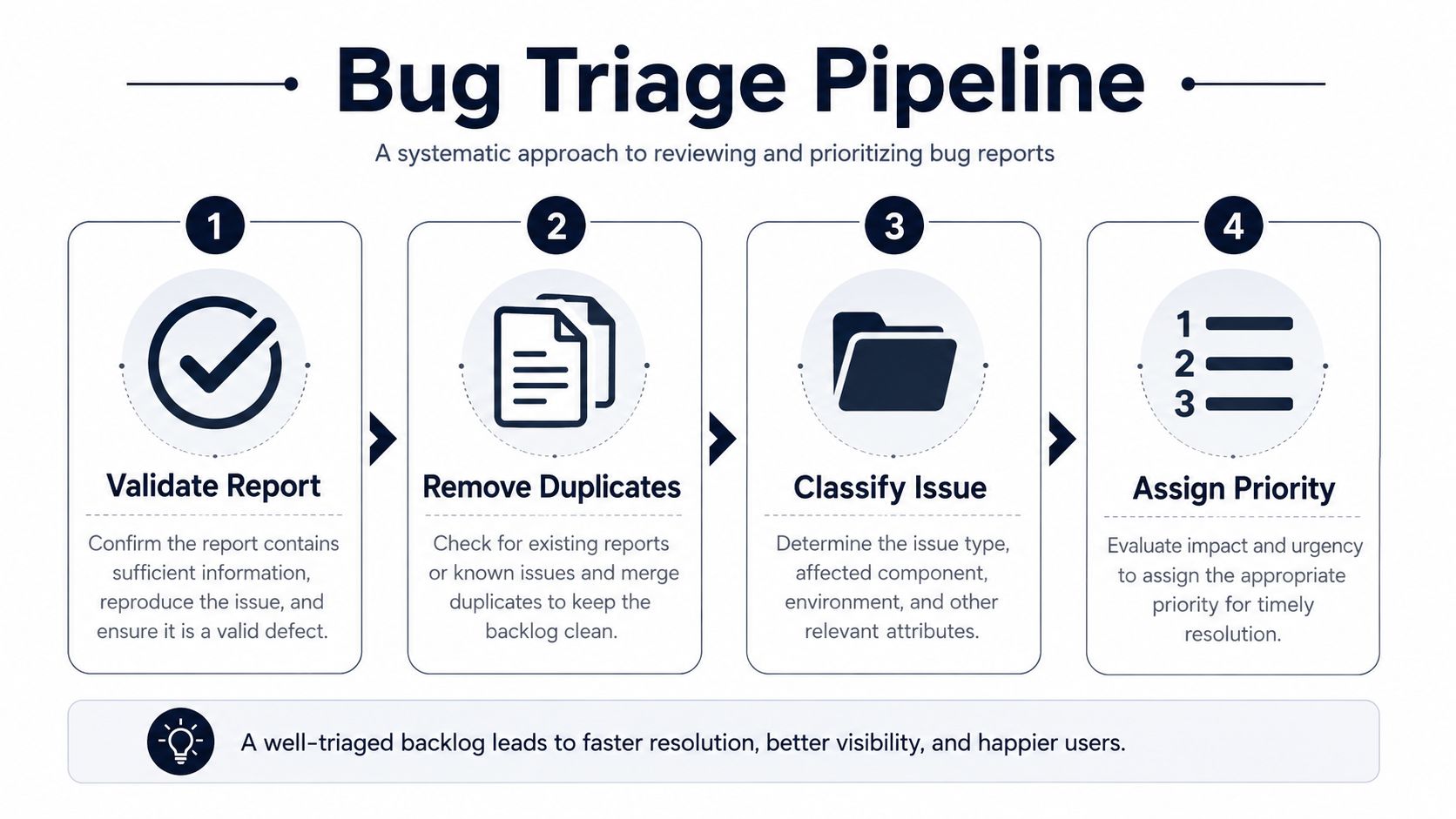
A scoring model without a workflow is just a spreadsheet with opinions in it. The triage process should move in a fixed order. First validate that the report is a real defect, then remove duplicates, then classify the issue, then assign severity, and only after that assign priority and ownership. If the bug leaves the meeting without a named owner and a scheduled timeframe, the process is already failing.
GitLab's handbook makes the same underlying point in broader terms, bug priority changes with age, severity, customer pressure, and roadmap timing, so the workflow has to reflect current reality, not a stale label. A healthy defect process also needs a capacity rule. Some teams reserve about 20% of sprint capacity for bug fixes and tech debt, because if you assign zero explicit capacity, the backlog just hides the cost until release pressure makes it visible. The other signal to watch is the ratio of bugs closed to bugs opened, and if it stays below 1.0, the backlog is growing faster than you're reducing it.
Use SLA bands that force action
- P0: Acknowledge within two hours, fix within 24 when the issue blocks revenue, security, or core product operation.
- P1: Acknowledge same day, fix within the current sprint when the defect hits an important customer flow or support load.
- P2: Acknowledge quickly, fix next sprint when the issue is real but not destabilizing.
- P3: Log it with a review date when the bug is low impact, low reach, and low urgency.
The agenda should be boring in the best way. Validate, dedupe, classify, score, assign, and set the follow-up date. Every missing step creates room for politics, and politics is what makes product teams ship the wrong fix.
Prioritizing When the Data Is Incomplete
A lot of bug reports arrive half-baked. The issue is intermittent, reproduction steps are missing, telemetry is thin, or nobody knows how many users touched the flow. That's normal, and it's exactly where most prioritization advice falls apart, because the clean matrix only works when the inputs are clean.
Start with a temporary priority, not a final verdict. If the bug touches a revenue-bearing flow, mark it as evidence pending and assign provisional urgency until usage data or support patterns clarify the blast radius. If the defect sits in a low-traffic corner, keep it visible with a review date instead of pretending it can be ignored forever. The point is to make a defensible call today without lying about what you know.
Decision rule: when the evidence is partial, prioritize the path that can hurt revenue fastest, then revisit the score as new signals arrive.
Trend checks matter here. A sudden rise in related tickets is a signal even when each individual report looks weak, because the pattern can reveal a growing failure before analytics catch up. That's where support tooling and customer-feedback analysis become part of triage, not an afterthought. A practical reference for modern support workflows is Headset Army on modern support tools, especially if your team is trying to connect ticket volume, context, and escalation behavior in one place.
How to handle incomplete reports
- Intermittent bugs: Give them provisional urgency if they touch revenue, log them for re-triage, and watch for ticket spikes.
- Missing repro steps: Don't bury them. Tag them as evidence pending and route them to the owner who can collect context.
- Unclear user count: Use support patterns, account value, and flow criticality to decide whether the bug waits or moves now.
For teams that need a richer way to organize support signals before they hit engineering, analyse customer feedback is a useful companion approach. The key idea is simple, don't confuse incomplete data with low priority.
Tooling, Integrations, and Your 30-Day Rollout
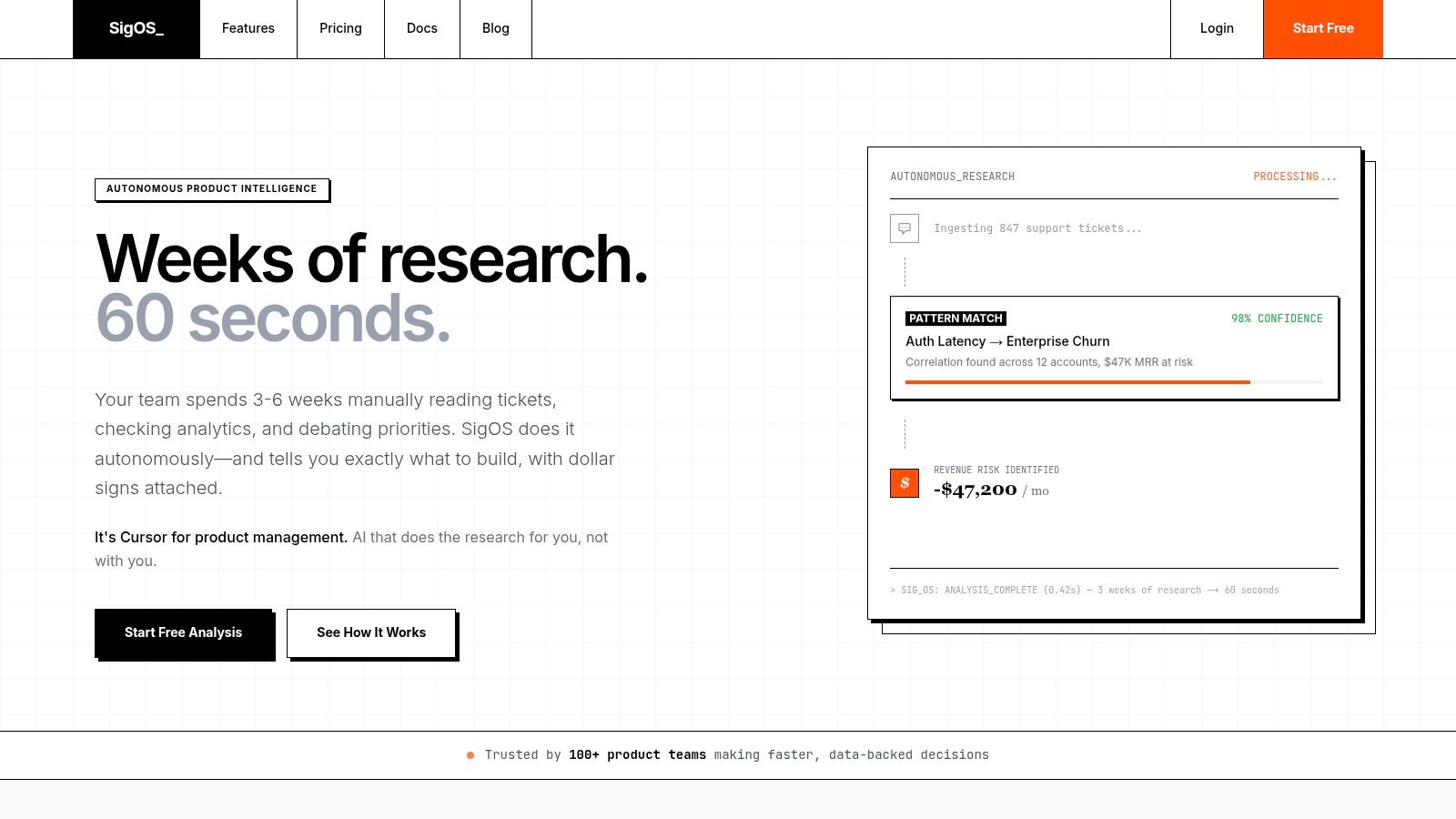
If your bug data lives in one tool and your revenue context lives in another, triage will stay political. Wire the same score into Jira, GitHub, Zendesk, Linear, or Intercom through fields that teams already read, then automate status changes so tickets move from new to triaged to in-sprint without a manual chase. SigOS is one option for that kind of workflow, since it ingests support tickets, chat transcripts, sales calls, and usage metrics to assign revenue-impact scores and surface the issues costing real money.
Use a stakeholder checklist before rollout. Product owns the scoring rules, engineering owns implementation time and fixability, support owns customer context, and one revenue owner should validate the churn or expansion implications. Without that cross-functional agreement, the score will drift the moment the first escalated customer lands in the queue.
A practical 30-day rollout
- Week one: Define severity and priority language, then agree on what counts as revenue risk.
- Week two: Pilot the scoring model on ten live bugs and compare the outcome against team intuition.
- Week three: Map the score and revenue field into your ticketing system and automate routing.
- Week four: Review bugs closed versus opened, then tune the bands that are too noisy or too lenient.
The rollout should end with one board view that everyone trusts. If support, engineering, and product can all see the same priority, the same owner, and the same revenue exposure, triage stops being a meeting and becomes a system. That's the standard you want.
If you want a bug-prioritization system that connects customer signals to revenue impact instead of letting the loudest ticket win, visit SigOS. It surfaces the issues that are costing money, routes them into the tools your team already uses, and gives product, support, and revenue leaders a shared score they can act on without another guessing game.
Keep Reading
More insights from our blog



Ready to find your hidden revenue leaks?
Start analyzing your customer feedback and discover insights that drive revenue.
Start Free Trial →