A Modern Technical Requirement Document Template for SaaS
Download our proven technical requirement document template. Learn to write TRDs that align engineering with revenue goals and eliminate scope creep for good.

Think of a technical requirement document template as more than just a form to fill out. It's the blueprint that transforms a vague idea into a concrete, buildable plan for your engineering team. This document is the crucial bridge that defines everything—from functional requirements to performance benchmarks and security rules—before anyone writes a single line of code. Get it right, and you prevent a world of expensive rework.
Why Most Technical Requirement Documents Fail in SaaS

You've been there. That high-priority feature request from a major customer lands on your desk. The pressure is on, but the request itself is frustratingly ambiguous. Turning that kind of feedback into crystal-clear instructions for your engineering team is one of the biggest challenges in any fast-moving SaaS company.
The old-school approach to requirements documents just doesn't cut it anymore. They often become these massive, rigid artifacts that are either too generic to be useful or too inflexible for agile development. The result? They get ignored, gathering digital dust in a forgotten Confluence space.
This disconnect between the product vision and the technical execution is a recipe for disaster. It leads directly to project delays, blown budgets, and features that completely miss the mark. A lot of this comes down to a simple lack of clarity, which is why mastering some core technical writing best practices can fundamentally change how your team builds products.
The Real Cost of Vague Requirements
When requirements are fuzzy, the consequences aren't just frustrating—they're expensive. Developers are forced to make assumptions, and those assumptions almost always lead to rework. It’s a painful cycle: build, test, realize it's wrong, and then build it all over again.
The numbers don't lie. A 2023 IEEE study looked at 1,200 software projects and found that teams using structured TRD templates cut scope creep by 42%. For a mid-sized project, that translated to an average savings of $450,000 in rework costs.
Think about a real-world SaaS scenario. A product owner hears feedback like "the dashboard is too slow." A good TRD translates that into a concrete, testable spec: "The primary dashboard must load in under 2 seconds for users with up to 10,000 records, maintaining 99.9% uptime." That's the difference between a complaint and a buildable requirement.
A modern technical requirement document template is your best defense against this kind of chaos. It's a living document, not a static one, designed to keep everyone on the same page.
To give you a better idea of how these components fit together, here's a quick breakdown of what a solid TRD should include.
TRD Template Key Sections Breakdown
| Section Name | Purpose | Example Focus |
|---|---|---|
| Purpose & Goals | Explain the why behind the project and define the business outcome. | "Increase user retention by 15% by simplifying the onboarding workflow." |
| Assumptions & Scope | Clearly state what's assumed and what's explicitly out of scope. | "Assumes users have an existing SSO provider. Out of scope: mobile-specific UI." |
| Functional Requirements | Detail the specific user stories and system behaviors (the what). | "As a user, I can reset my password via a secure email link." |
| Non-Functional Requirements | Define performance, security, and usability standards (the how well). | "API endpoints must respond in <200ms under 500 concurrent requests." |
| Acceptance Criteria | Create a checklist to confirm the feature is complete and correct. | "Given a user clicks 'Forgot Password', then they receive an email within 60 seconds." |
This structure ensures nothing critical is left to interpretation.
The point of a TRD isn't to create more bureaucracy; it's to create shared understanding. It's the contract between the product team and the engineering team that says, "This is what we agree we're building, and this is how we'll know we've succeeded."
By adopting a structured yet flexible approach, you can stop the cycle of endless revisions and start shipping features that solve real problems. Let's walk through how to build one.
Crafting Functional Requirements That Drive Revenue

This is where your product vision gets real. Functional requirements are the core of your technical doc, turning high-level goals into concrete, buildable tasks for your engineering team. It’s all about moving past vague user stories and defining exactly what the system must do—and tying that action directly to a business outcome.
Think about this real-world scenario: a massive enterprise customer is ready to sign a six-figure deal, but they have one make-or-break request. They need to export user activity data from your platform to their own business intelligence tool. A fuzzy requirement like "add data export" isn't going to cut it. It leaves too much to interpretation and invites scope creep.
From Vague Request to Testable Requirement
To make this request something an engineer can actually build and QA can test, you need to break it down. Walk through the entire user journey and map out the system's expected behavior step-by-step. This is how you bridge the gap between a customer's need and the technical work required.
Instead of a one-liner, your requirements should look more like this:
- User Action: An admin-level user navigates to the 'Reports' dashboard and clicks a new "Export Data" button.
- System Response: The system displays a modal window with selectors for a date range and a dropdown menu to choose a file format (e.g., CSV, JSON).
- Data Processing: Upon clicking "Generate," the system queries the database for user IDs, timestamps, action types, and IP addresses within the selected period and compiles the file.
- Delivery Method: The system sends an in-app notification with a secure download link that expires in 24 hours.
This level of detail leaves no room for guesswork. It creates a clear blueprint for what "done" looks like, which is the cornerstone of any effective TRD. For a deeper dive into structuring these requirements, our guide on how to write product requirements has some great additional examples.
Prioritizing Work with the MoSCoW Method
Let's be honest: not all functional requirements are equally important. When you're staring down a long backlog of feature requests, bug fixes, and "great ideas," you need a solid framework to decide what to tackle first. I’ve found the MoSCoW method to be incredibly effective for this. It’s a simple but powerful technique for categorizing tasks to align development effort with actual business impact.
Here's how it breaks down:
- Must-Have: These are non-negotiable for the release. The product simply cannot launch without them. In our example, the basic CSV export functionality is a 'Must-Have' to land that big contract.
- Should-Have: Important, but not critical for the immediate release. They add serious value but can be pushed to a fast-follow if needed. Maybe adding JSON as an export format is a 'Should-Have'.
- Could-Have: These are the "nice-to-have" features you’ll tackle if you have extra time and resources. A feature to schedule recurring exports could easily fall into this 'Could-Have' category.
- Won't-Have (This Time): This is just as important for managing stakeholder expectations. These are features you are explicitly de-scoping for the current release. For now, a direct, native integration with a specific BI tool might be a 'Won't-Have'.
Prioritization isn't about killing good ideas; it's about saying 'not now' so you can focus on what delivers the most immediate value. The MoSCoW method forces you to make those tough but necessary trade-offs tied directly to revenue and customer happiness.
This framework brings a ton of clarity to the process. In fact, benchmark data shows that teams using a technical requirement document template that incorporates the MoSCoW method have increased their on-time delivery by 39% in US-based SaaS companies. For a customer success manager triaging support tickets, this translates into crystal-clear specs for integrations, such as: "Real-time API sync with Jira, handling 5,000 tickets/hour with <1% latency." You can find more practical advice on how to structure a technical requirements document on docuwriter.ai.
By defining your functional requirements with this kind of precision and prioritizing them against your business goals, you ensure your engineering team is always building what matters most. Your TRD becomes less of a static spec sheet and more of a strategic tool that actively drives revenue and growth.
Defining Non-Functional Requirements Your CTO Will Love
Functional requirements tell you what a feature does. That's the easy part. The real magic—and the part that keeps your CTO happy—is in the non-functional requirements (NFRs). These define how well the feature does its job.
Anyone can build a feature that works. But can it scale? Is it secure? Does it perform under pressure? Answering these questions is the difference between a product that’s just okay and one that gives you a genuine competitive edge.
Ignoring NFRs is a classic mistake, and it's a direct path to accumulating massive technical debt. That shiny new feature might look fantastic in a demo with five test users, but it will crumble under the weight of real-world traffic. Defining these quality attributes upfront isn't just a "nice-to-have"; it's crucial for your product's long-term health and your ability to keep customers.
Moving Beyond Vague Quality Goals
It’s tempting to say a system should be "fast" or "secure," but those words are essentially meaningless to an engineer without numbers attached. The trick to writing good NFRs is making them measurable and testable. This turns a subjective wish into a concrete engineering target.
For example, instead of just saying the new dashboard should be fast, you need to get specific.
- Vague Goal: "The reporting dashboard should load quickly."
- Measurable NFR: "The reporting dashboard must render all data visualizations in under 3 seconds for users with up to 50,000 data points, with the 95th percentile of requests completing in under 2.5 seconds."
See the difference? This level of precision gives your engineering team a clear finish line. It also hands your QA team an exact benchmark to test against. It's a non-negotiable part of a solid technical requirement document template.
A Checklist of NFRs for Modern SaaS
To help you get started, I’ve put together a checklist of the NFRs I always consider for any modern SaaS product. These are battle-tested and cover the areas that often cause the biggest headaches down the road.
1. Performance and Latency This is all about the speed and responsiveness of your app from the user's point of view. Let's face it, slow software is a huge reason for churn.
- API Response Time: A good rule of thumb is that public-facing API endpoints must return a response in under 200ms under normal load.
- Page Load Time: For critical pages like the login screen or main dashboard, you should aim for a First Contentful Paint (FCP) of less than 1.8 seconds.
- Query Execution: Database queries that pull primary user lists shouldn't take more than 500ms to execute.
2. Scalability and Concurrency Scalability is about how well your system handles growth. Will it support your next 10,000 users as smoothly as it supports your first 100?
Scalability isn't a problem you can just "fix" later. It has to be designed into the architecture from day one. If you don't define these requirements early, you're basically building a system that's destined to be rebuilt, which costs a fortune in time and money.
- Concurrent Users: The system must support 25,000 concurrent users without performance degrading by more than 15% from the baseline.
- Data Volume: Your application has to maintain its performance standards even as the database grows by 20% month-over-month.
- Horizontal Scaling: The app must be deployable across multiple server instances to handle traffic spikes, with new instances becoming fully operational within 5 minutes.
3. Security and Compliance In the SaaS world, security is everything. A single breach can destroy customer trust and tank your business overnight. Depending on your market, compliance with regulations like GDPR or HIPAA is just as critical.
- Data Encryption: All sensitive customer data must be encrypted at rest using AES-256 encryption. Data in transit must use TLS 1.2 or higher.
- Authentication: User sessions should automatically time out after 30 minutes of inactivity.
- Compliance: The feature must follow GDPR data anonymization protocols, allowing for the complete removal of a user's personally identifiable information when they request it.
4. Reliability and Availability This is the "uptime" of your service—how consistently it's available and working for your users.
- Uptime SLA: The service must maintain an uptime of 99.9% (often called "three nines"), which translates to no more than 8.77 hours of downtime per year.
- Fault Tolerance: The system has to stay operational even if a key component, like a database replica, fails.
- Backup and Recovery: If a disaster strikes, you need to be able to restore data from backups within 2 hours, with a maximum data loss of 15 minutes (this is your Recovery Point Objective).
By weaving these specific, quantifiable NFRs into your technical requirements document, you’re setting your team up to build a product that’s not only functional but truly enterprise-ready. This kind of proactive thinking prevents fires later and builds a foundation for a product that can actually grow with you.
Charting Dependencies and Getting Ahead of Risks
Nothing gets built in a bubble. That’s especially true for SaaS products, where any new feature has to play nice with a complex network of microservices, third-party APIs, and sometimes, that one piece of legacy code nobody wants to touch. This is where your technical requirements document transforms from a simple spec sheet into a powerful strategic tool.
Mapping out every single dependency isn't just a suggestion; it's a must-do. You need a complete inventory of every system, service, or team your project touches. If you miss something here, you’re basically scheduling a future roadblock that will bring a sprint to a screeching halt.
Let’s take a new in-app payment feature as an example. Your dependency list isn't just "Stripe." It's much deeper than that.
- External API: We need the Stripe Payments API (specifically Version X.Y.Z) to handle the actual transactions.
- Internal Service: The user authentication service is needed to confirm who the customer is.
- Internal Service: The invoicing microservice has to generate the receipt after a successful payment.
- Team Dependency: We need the data analytics team to set up new tracking events for this flow.
Getting this specific forces you to have critical conversations about things like service-level agreements (SLAs), API rate limits, and version compatibility before a single line of code is written. It's the difference between a smooth integration and a last-minute fire drill.
Why You Should Run a "Pre-Mortem"
Once your dependencies are on paper, it's time to actively hunt for what could go wrong. I'm a huge fan of running a "pre-mortem" workshop. Instead of waiting for a project to fail and then figuring out why, you get the team together and assume it's already a complete disaster.
The core question is simple but incredibly effective: "Let's imagine it's six months from now, and this project failed miserably. What happened?" This exercise creates a safe space for everyone to voice their biggest worries without sounding like a pessimist.
This process is fantastic for uncovering risks that are often hiding in plain sight. From there, you can group these potential failures and—most importantly—map out concrete plans to prevent them.
Turning Risks Into Actionable Plans
Let's say your pre-mortem for the payment feature flagged a few big risks. Now you can document them right in your TRD.
| Risk Category | Potential Risk Identified | Mitigation Strategy |
|---|---|---|
| Technical | The Stripe API might have a stricter rate limit than we realize, causing payments to fail during our busiest hours. | Action: We'll conduct load testing against a sandbox to confirm the API limits. Contingency: We'll implement an exponential backoff retry mechanism for any failed API calls. |
| Resource | Our lead backend engineer, the only one who truly understands the invoicing service, is taking a long vacation. | Action: Schedule knowledge-transfer sessions and have a second engineer pair-program on the integration work. Contingency: Earmark budget for an external contractor if a critical bug pops up. |
| Timeline | The data analytics team is swamped and can’t implement our new tracking events for another two sprints. | Action: We’ll negotiate to prioritize the single most critical event ("Payment Success") for the initial launch. Contingency: We'll push less critical analytics to a fast-follow release. |
This proactive planning turns your technical document into a living risk register. It shows stakeholders that you haven't just thought about the happy path to success; you've also considered what could go wrong and exactly how you'll handle it. Your project instantly becomes more credible. To see how this fits into the bigger picture, check out our guide on creating a technology roadmap format.
Taking this structured approach has a real-world payoff. A recent McKinsey study found that teams using modern TRD templates saw 56% higher customer satisfaction, mainly because their specs were directly linked to revenue impact. And in the EU, SaaS companies using similar templates to manage dependencies and risks cut churn-related bugs by 41%, saving an average of €2.5M per year. You can explore the full research on modern requirements documentation on inflectra.com to dig deeper into these findings.
Executing a Handoff Your Engineering Team Actually Wants
You’ve poured blood, sweat, and tears into this technical requirements document. Now what? A great handoff is more than just dropping a link in a Slack channel and walking away. It’s the critical moment where your meticulous planning becomes a shared mission, and it can set the entire tone for the project.
The stakes are higher than most people realize. According to the Project Management Institute’s 2024 Pulse of the Profession report, a shocking 47% of failed tech projects blame "inadequate requirements gathering" as a primary reason. This isn’t just about poor planning—it’s about a breakdown in communication as the project moves from paper to production.
Running a Kickoff That Actually Creates Clarity
First things first: schedule a dedicated kickoff meeting. Get every single engineer assigned to the project in the room (virtual or otherwise), along with a QA representative. This isn't a lecture; it's a working session. The goal is to walk through the document together and smoke out any hidden assumptions before they cause problems.
Start by grounding everyone in the why. Briefly touch on the business goals and, more importantly, the customer problem this project solves. From there, get into the nitty-gritty:
- Walk Through Functional Requirements: Go through each user story one by one. Explain the intended behavior from the end user's point of view.
- Drill Down on Non-Functional Requirements: This is where you need to be specific. Don't just say "the feature needs to be fast." Say, "This API endpoint must have a response time under 200ms for 95% of requests."
- Unpack Dependencies and Risks: Show them the dependency map you've built and talk through the mitigation strategies. This demonstrates foresight and builds their confidence that you've thought through the tough spots.
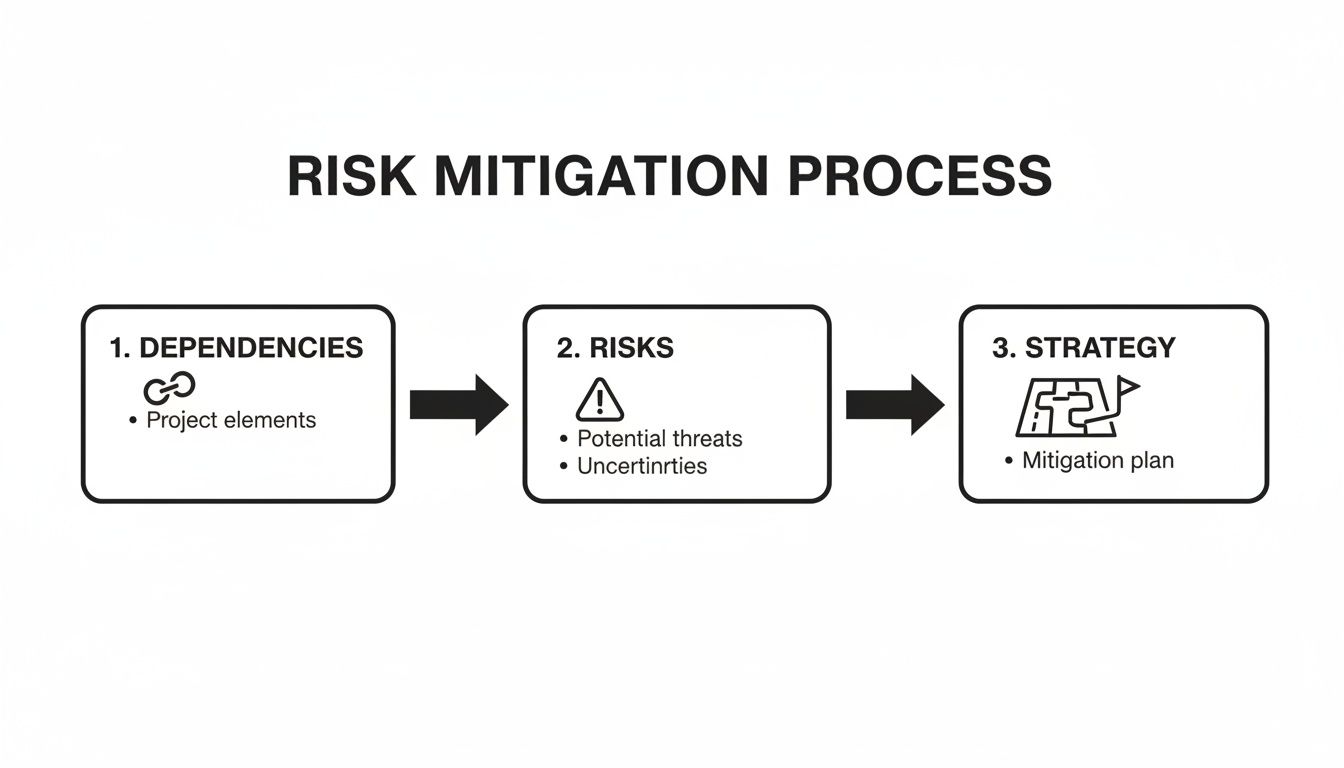
Thinking through risks ahead of time, as shown above, turns the kickoff from a simple presentation into a strategic alignment session.
Your job in the handoff meeting isn't to read the document aloud. It's to spark a conversation. Listen more than you talk, clarify every ambiguity, and make sure every person leaves with the exact same picture of success in their head.
Turning the TRD into a Living Document
A successful handoff doesn't stop when the Zoom call ends. The TRD can't be a "write once, never read again" artifact. It needs to become the living, breathing single source of truth for the entire project.
Here’s how to make that happen:
- Integrate It with Your Project Tools: For every major requirement, create a corresponding ticket in your team's system, whether it’s Jira, Linear, or Asana. The most important part? Link back to the TRD from every single ticket.
- Create a Clear Feedback Loop: Set up a dedicated Slack channel or use the commenting features in your documentation tool for ongoing questions. When a good question leads to a clarification, update the TRD immediately and let the team know.
- Embrace Version Control: Use a platform like Confluence, Notion, or Git for your documentation. Every change should be tracked, creating a transparent history of how and why requirements evolved. This mirrors the best practices for managing a Product Requirements Document (PRD), which you can learn more about in our guide on how to write a PRD.
By treating your TRD as a dynamic guide, you're not just preventing misunderstandings; you're actively fighting scope creep and expensive rework. You’re giving your engineering team the clarity they need to build the right thing, the right way, the first time.
Your Pre-Launch TRD Sanity Check
Alright, you've done the hard work of building out your technical requirements. Before you fire off that email to engineering and other stakeholders, let's do a final sanity check. This isn't about rewriting the whole thing; it's a quick, final pass to catch anything that could cause confusion or delays down the line. Think of it as the last once-over before a big presentation.
Taking this extra step is more than just good practice—it's a massive factor in project success. Data from the Standish Group’s CHAOS Reports between 1994 and 2020 is pretty telling: projects with solid, comprehensive requirements were 3.2 times more likely to succeed. We're talking a 52% success rate for documented projects versus a meager 16% for those without. If you want to dig into that data, you can read the full analysis of requirement documentation on timelytext.com.
The Final Review Checklist
Scan your technical requirement document template one last time and ask yourself these questions. This is all about ensuring clarity and preventing those "Wait, what does this mean?" moments.
The "Must-Have" Dos:
- Quantify Everything: Did you kill vague words like "fast" or "user-friendly"? Turn "fast" into "API response under 200ms."
- Define "Done" Clearly: Every functional requirement needs a testable acceptance criterion. Your engineer needs to know precisely what a win looks like.
- Prioritize Ruthlessly: Is your MoSCoW prioritization (Must, Should, Could, Won't) crystal clear? This is how you manage scope and keep the team focused on what will actually move the needle.
- Map All Dependencies: Have you called out every internal team, third-party API, or external service you're counting on? This is your best shot at spotting blockers before they happen.
A great TRD doesn't just list what to build; it anticipates the questions engineers will ask and answers them in advance. It’s a tool for proactive problem-solving, not reactive clarification.
The "Don't You Dare" Don'ts:
- Leave Room for Interpretation: Hunt down and destroy ambiguity. "The user should find it easy" is a project-killer. "The workflow must be completable in 3 clicks" is a real requirement.
- Forget the 'Why': Does the doc tie everything back to the business goal or the customer's pain point? Without context, technical work just feels like a list of chores.
- Ignore Risks: Did you think through what could go wrong? Documenting potential risks and your plans to handle them shows you've done your homework and builds a ton of confidence.
- Bury the Scope: Make what's out of scope just as clear as what's in. This is your number one defense against scope creep.
This last look-over makes sure your document is more than just a task list—it's a strategic tool that aligns your team and drives the project toward a successful launch.
Frequently Asked Questions
Even with a solid plan, a few questions always pop up, especially when you're moving fast in a SaaS environment. Here are some of the most common ones I hear from product managers and technical leads I work with.
How Does a TRD Differ from a Product Requirements Document (PRD)?
I always tell people to think of it like building a house. The PRD is the conversation with the future homeowner. It's all about the "what" and the "why"—what the family needs, why they need a three-car garage, and who will be using the space. It defines the vision, the core features, and the user experience.
A TRD, on the other hand, is the detailed blueprint for the construction crew. It gets into the "how." It specifies the type of foundation, the load-bearing walls, the electrical wiring diagrams, and the plumbing schematics. It translates the homeowner's vision into a concrete plan the engineers can actually build.
Can a Technical Requirement Document Be Too Detailed?
Yes, absolutely. This is a trap I've seen teams fall into many times. In an agile setup, your TRD needs to be a guiding North Star, not a rigid, prescriptive manual that stifles your developers' problem-solving skills. The aim is to provide clarity, not to micromanage.
Focus on defining the outcomes and constraints, not the specific implementation. A great TRD says, "the API must respond in under 200ms," not "you must use this exact caching strategy to achieve that response time." Give your engineering team the destination and the guardrails, then trust them to find the best path.
How Often Should We Update a TRD?
Think of your TRD as a living document. It’s never truly "done." It needs to be updated anytime the scope shifts, a technical discovery throws a wrench in the original plan, or the business changes its priorities. Make sure you're using a version control system like Git or a collaboration tool that provides a clear revision history.
The most critical part? Communicate every single change to all stakeholders immediately. This simple habit prevents the costly misalignments that can completely derail a sprint and ensures everyone is working from the same source of truth. If you're looking for more structured approaches, exploring different technical documentation templates can offer some really effective strategies.
Who Is Responsible for Writing and Owning the TRD?
It's a team sport, but ultimately, the Product Manager or Product Owner owns the TRD. They are the ones responsible for ensuring the business needs are clearly translated into actionable requirements.
That said, they can't do it alone. The PM must work hand-in-glove with a Technical Lead or a Senior Engineer. The tech lead is essential for validating feasibility, defining the technical specs, and outlining all those critical non-functional requirements. A simple way to look at it is: the PM owns the "what" and "why," while the Tech Lead is the expert on the "how."
Ready to stop guessing what your customers want and start building features that directly impact revenue? SigOS uses AI to analyze your customer feedback—from support tickets to sales calls—and identifies the high-impact issues and feature requests that matter most. Learn how SigOS can help you prioritize your roadmap with confidence.
Keep Reading
More insights from our blog



Ready to find your hidden revenue leaks?
Start analyzing your customer feedback and discover insights that drive revenue.
Start Free Trial →