Behavior data collection software: Turn Customer Signals Into Revenue
Discover how behavior data collection software turns customer signals into revenue. Compare features, choose the right tool, and real-world use cases.

Your customers are talking, but are you really listening? They’re telling you what they love, what they hate, and what they need through every support ticket, chat message, and product interaction. For most companies, this constant stream of feedback is just noise—a chaotic flood of information that’s impossible to connect to the bottom line.
This is where behavior data collection software comes in. Think of it less as a tool and more as a translator for your business. It's designed to take all those scattered, messy customer interactions and turn them into clear, actionable signals that directly point to revenue.
From Customer Noise to Revenue Signal
In the SaaS world, you’re drowning in data. Support tickets pile up in Zendesk, conversations flow through Intercom, and product usage metrics pour in from tools like Amplitude. But connecting a specific bug report to a churn risk, or a feature request to a potential upsell, is often a gut-feel exercise. Teams are left guessing which fires to put out first.
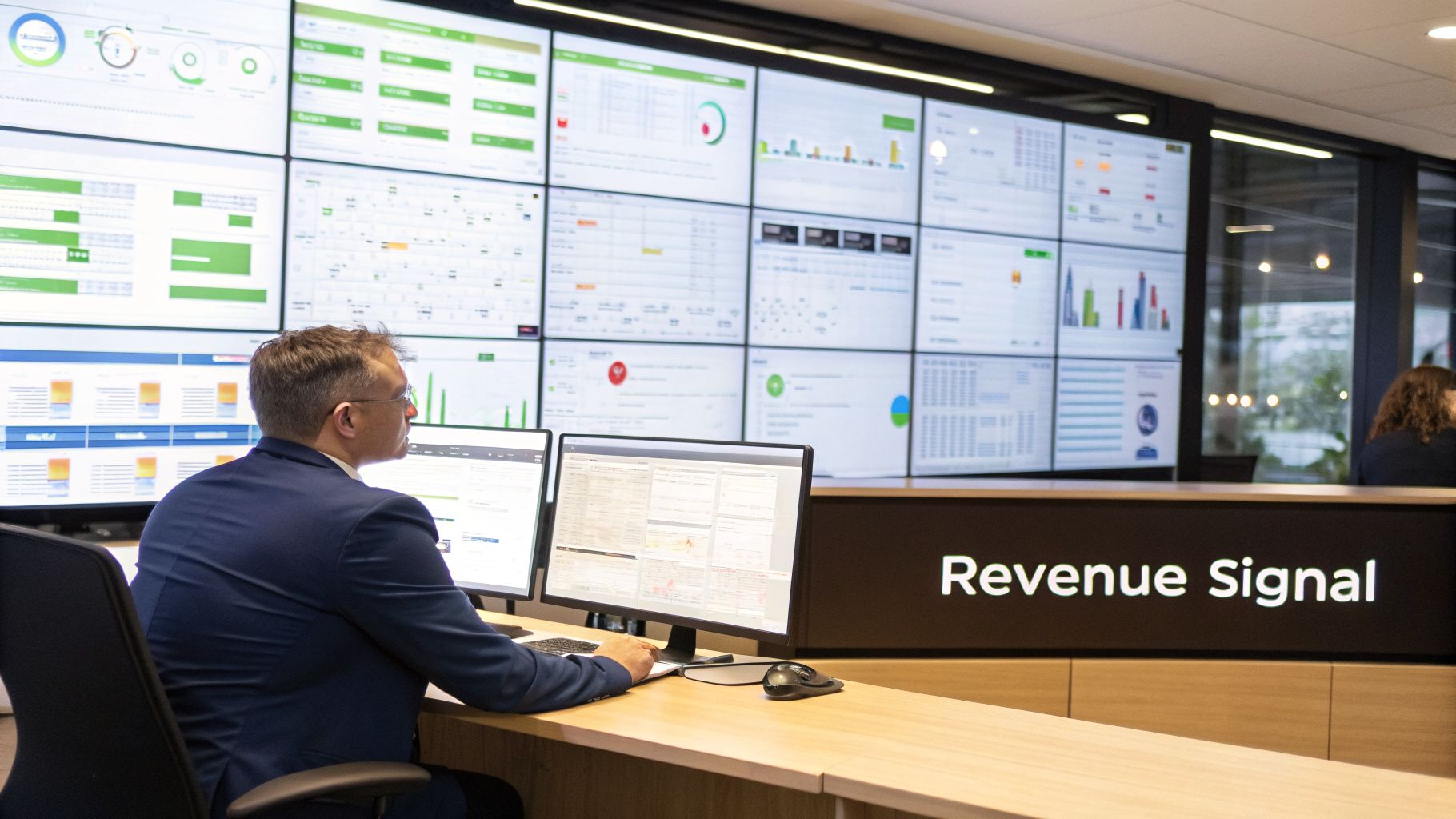
Behavior data collection software is built to solve this exact problem. It sifts through all that unstructured feedback and automatically connects the dots between what customers say and what they do, tying it all back to financial outcomes. It finds the signal in the noise.
Turning Qualitative Feedback into Quantifiable Insights
The real magic here is moving beyond manual, anecdotal analysis. A human can read a few dozen support tickets, but they can't possibly spot the subtle patterns across thousands of customer interactions that predict a major churn event. This software uses AI to do just that.
It provides concrete answers to the most important business questions:
- Churn Prediction: Are certain bugs or usability issues causing customers to leave? The software can identify patterns in support requests that consistently show up right before an account cancels.
- Expansion Signals: Which feature requests are holding back six-figure expansion deals? You can instantly see what your highest-value customers are asking for, allowing you to prioritize development that unlocks new revenue.
- Product Prioritization: How do in-app behaviors correlate with feedback? By linking what users do with what they say, you can see which features drive real engagement versus those that just cause frustration.
By quantifying the financial impact of qualitative feedback, behavior data collection software empowers teams to make decisions based on revenue, not just volume. It reveals that a bug affecting three enterprise clients might be more costly than one affecting 50 small accounts.
The Competitive Advantage of Behavioral Analysis
In the end, relying on spreadsheets and manual tagging is no longer enough. While traditional analytics tell you what users did, behavior data collection software explains why—and what that "why" is costing you.
This deeper level of understanding is a huge competitive advantage. It helps product, growth, and customer success teams stop reacting to problems and start anticipating customer needs. You're no longer just solving support tickets; you're proactively protecting revenue and identifying growth opportunities before they slip away.
What Exactly Is Behavior Data Collection Software?
Let's get straight to it. Behavior data collection software is a system that pulls together all the scattered, messy signals your customers send you and turns them into a single, clear picture of what they actually want and need. This goes way beyond old-school analytics that just count clicks and page views.
Think of it like this: traditional tools give you a basic map of the roads your users took. You see which pages they visited and what they clicked—the what of their journey. Behavior data software, on the other hand, is more like a live traffic report. It doesn't just show the roads; it shows you the traffic jams, the detours people are taking, and even why they're trying to get from Point A to Point B. It helps you understand the why behind their actions and anticipate their next move.
Beyond Simple Metrics
This isn't just about counting events. This software is built to handle the tricky, qualitative feedback that usually gets lost in translation. It takes conversations from all over the place and distills them into real, quantifiable business insights. It’s a huge leap from tracking isolated metrics to understanding the full customer story. In many ways, you can think of it as a highly specialized type of knowledge management system software focused entirely on capturing and making sense of customer interactions.
So, what kind of data are we talking about? The software typically pulls from sources like:
- Support Tickets: Every conversation from platforms like Zendesk or Help Scout.
- Chat Transcripts: Live messages from tools such as Intercom.
- Sales and CS Calls: Recordings and transcriptions from platforms like Gong or Chorus.
- Product Usage Metrics: The clicks, features used, and engagement patterns inside your app.
Using sophisticated AI, the system sifts through this ocean of information to spot recurring themes, shifts in sentiment, and signs of urgency. This constant analysis transforms what was once subjective feedback into hard, objective data points you can act on. It's no wonder the market for this technology is booming. Valued at USD 5.43 billion in 2024, the global behavior analytics market is expected to skyrocket to USD 32.98 billion by 2034, as more companies realize they need this level of insight. You can dive deeper into these numbers over at Polaris Market Research.
From Qualitative Feedback to Revenue Impact
Here’s where it gets really powerful. This software doesn't just collect data; it connects customer behavior directly to your bottom line. It finally provides concrete answers to critical business questions that used to be pure guesswork.
Instead of just telling you that "15 users complained about the new dashboard," it can reveal that "the dashboard bug is currently impacting $75,000 in annual recurring revenue and is a leading indicator of churn for enterprise accounts."
This completely changes how teams decide what to work on. Product managers can stop listening to only the loudest customers and start focusing on the issues that put the most revenue at risk or present the biggest expansion opportunities. When you can put a dollar figure on qualitative feedback, you can build a roadmap based on solid data, not just a hunch.
Manual vs Automated Behavioral Data Analysis
Let's look at how this new approach stacks up against the old way of doing things—manually tagging feedback in spreadsheets or helpdesks. The difference is night and day.
| Aspect | Manual Analysis (Spreadsheets, Tags) | Behavior Data Collection Software |
|---|---|---|
| Speed | Extremely slow. Weeks or months to gather and synthesize meaningful data. | Near real-time. Insights are generated automatically and continuously. |
| Accuracy | Prone to human error, bias, and inconsistent tagging. | Highly accurate. AI models analyze 100% of feedback with objective consistency. |
| Scalability | Breaks down as feedback volume grows. Impossible to keep up. | Infinitely scalable. Handles millions of data points without a drop in performance. |
| Depth of Insight | Surface-level. Identifies broad themes but misses subtle correlations. | Deep and predictive. Uncovers hidden patterns and links behavior to revenue. |
| Business Impact | Reactive. By the time a problem is identified, it's often too late. | Proactive. Flags at-risk revenue and expansion opportunities before they're missed. |
Ultimately, relying on manual analysis in today's world is like trying to navigate a highway with a hand-drawn map. It’s slow, unreliable, and you're bound to miss your exit. Automated software gives you the GPS, live traffic updates, and suggested detours you need to get ahead.
Core Features Every Modern Platform Should Have
When you're looking at different behavior data collection platforms, it's easy to get bogged down in the technical weeds. But a great platform does more than just suck in data; it turns that raw information into clear, revenue-focused actions. Think of it like a world-class kitchen. You need the best ingredients, a skilled chef to put them together, and a system to get the final dish out to the right table.
This is where a central software system acts as the brain, processing all the behavioral signals coming in from different customer touchpoints.
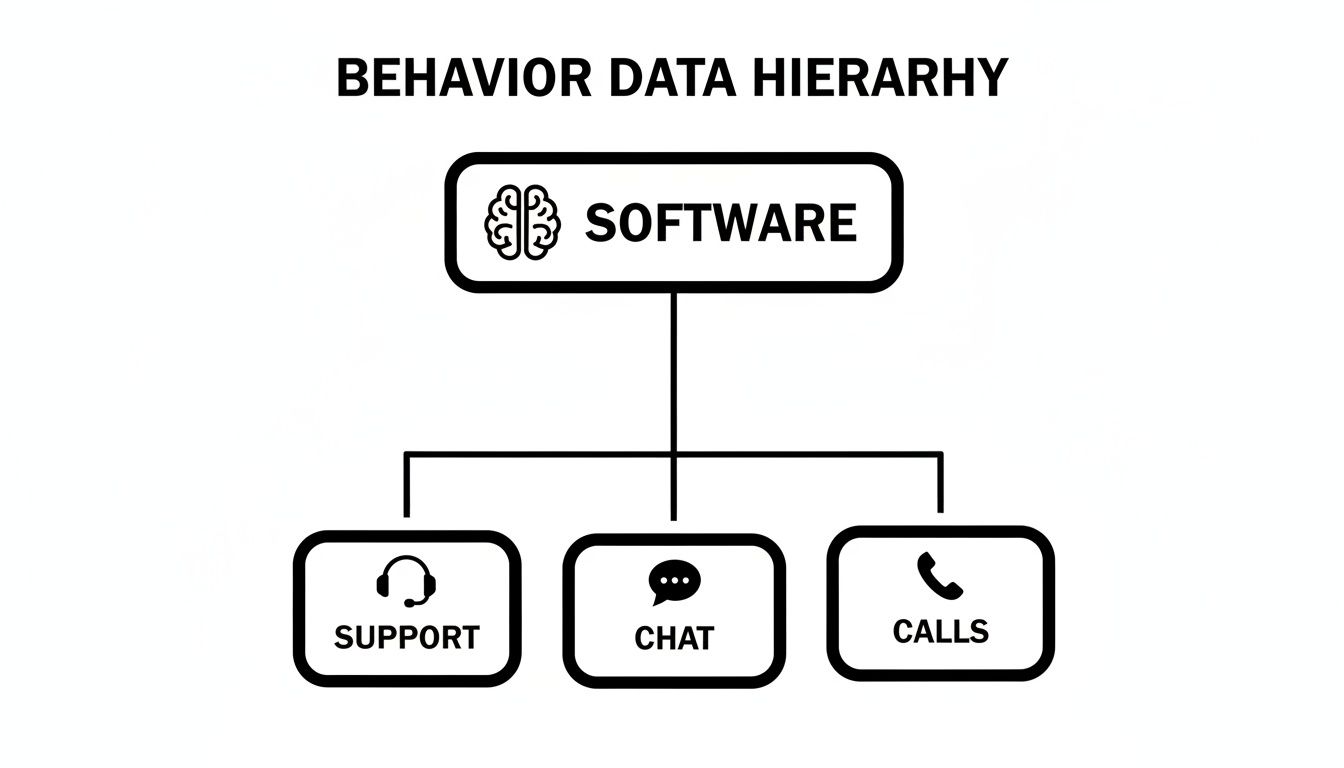
As you can see, the software’s intelligence comes from pulling in data from support, chat, and call systems. It’s all about creating one unified view of what customers are actually doing and saying.
Multi-Source Data Ingestion
The foundation of any worthwhile platform is its ability to gather all the "raw ingredients." This means it has to connect seamlessly to the tools your teams already live in every day. If it can't, you're only ever getting part of the story.
Look for platforms with native, no-code integrations for your core systems:
- Help Desks: Zendesk, Intercom, Help Scout
- CRM & Sales: Salesforce, HubSpot, Gong
- Project Management: Jira, Linear, Asana
- Communication: Slack
Pulling everything together like this ensures every support ticket, chat transcript, sales call, and customer email feeds into a single source of truth.
AI-Powered Pattern Recognition
With all the data collected, the "master chef"—the AI engine—gets to work. This is really where the magic happens. The software uses Natural Language Processing (NLP) to read and actually understand the intent, sentiment, and urgency behind all that unstructured text.
The real job of the AI here is to go way beyond simple keyword matching. It spots emerging themes and subtle connections that a human analyst, buried under thousands of data points, would almost certainly miss.
For instance, the AI can figure out that customer complaints about "slow loading times" and "dashboard errors" are really part of the same underlying "performance issue" theme, even when customers use different words. This is how you turn a ton of noise into a clear signal. If you want to go deeper on this, you can learn more about how real-time data analytics works and what it can do.
Revenue Impact Scoring
This feature is the "plating" stage, where insights are made not just presentable, but truly valuable. Any modern platform has to connect behavioral patterns directly to financial outcomes. It has to answer the most important question of all: "How much is this problem actually costing us?"
By hooking into your CRM and billing systems, the software can assign a dollar value to every bug report, feature request, or complaint. It can tell you that a specific API bug is affecting 250,000 in ARR, or that a single feature request is holding up a ****1.2 million expansion deal. This changes product prioritization from a guessing game into a rock-solid business decision.
Automated Workflow Integration
Finally, that perfectly plated dish needs to be served. The best behavior data collection software doesn't just show you insights on a dashboard and call it a day; it pushes those findings directly into your team's existing workflows.
This means when a high-impact issue is identified, the system can automatically create a ticket in Jira or Linear. And that ticket isn't just a blank slate. It comes pre-filled with all the context your team needs: the revenue impact score, direct links to the customer conversations, and a clear summary of the problem. This alone can save your engineers hours of digging around for information.
How to Choose the Right Software for Your Business
Choosing the right behavior data collection software is a high-stakes decision, and for good reason. The platform you pick will directly shape your ability to connect what customers are saying and doing with real revenue outcomes. To make a smart choice, you need a solid evaluation framework that cuts through the marketing fluff and gets to what actually matters.
We can break down the evaluation process into five key pillars. If you measure potential vendors against these criteria, you'll end up with a solution that delivers measurable value, not just another pretty dashboard.
Accuracy and Correlation
This is the most important question to ask: how well do the platform's insights actually line up with reality? A tool is only useful if you can trust its predictions. When it flags a bug as a high-impact issue, your team needs to be confident it’s actually costing you money.
When you're talking to vendors, get straight to the point:
- What’s your typical accuracy when correlating predicted churn with actual churn?
- Show me a case study where your software found a problem that, once fixed, led to a measurable drop in support tickets or cancellations.
- How does your system check its own work over time? How do you ensure the AI models stay accurate as our business changes?
Integration Ecosystem
A platform that can't talk to your existing tech stack is a dead end. The entire point is to centralize data, not create another information silo. You need seamless, no-code integrations to get the full picture of customer behavior and automate your team’s workflows.
Your software has to come with strong, pre-built connections to the tools your teams live in every day. Think of things like:
- Support & CX: Zendesk, Intercom, Help Scout
- Engineering & Product: Jira, Linear, GitHub
- Sales & Revenue: Salesforce, Gong, HubSpot
When a system is deeply integrated, insights flow effortlessly from the analysis platform straight into actionable tickets and alerts. It closes the loop between customer feedback and getting things done.
A strong integration ecosystem isn't just a convenience; it's a force multiplier. It ensures that every team, from engineering to customer success, is operating from the same unified source of customer truth.
Speed to Insight
In today's market, the value of an insight has a short shelf life. A problem you spot today becomes a churn risk tomorrow. The speed at which your software can take in raw data, make sense of it, and serve up actionable insights is a critical metric. Waiting weeks for a report just doesn't cut it anymore.
Ask potential vendors about their processing latency. A modern behavior data collection software should be able to analyze new data and update its findings in near real-time—often within minutes. This speed allows your team to get ahead of issues before they blow up into major problems that hurt your bottom line.
Security and Compliance
You’re about to hand over some of your most sensitive customer data—private conversations, direct feedback, and usage patterns. Because of this, ironclad security isn't a feature, it's a non-negotiable requirement.
You need to dig into the vendor’s security architecture and get clear answers on how they protect your information. A critical point to confirm is that their AI models are not retrained on your proprietary customer data; this prevents your sensitive information from leaking out. Look for compliance certifications like SOC 2, which prove they take security seriously.
Demonstrable ROI
At the end of the day, any software investment has to show a clear path to a positive return. The platform should empower you to directly connect its insights to financial metrics. The goal is to stop guessing what to build or fix and start knowing what will drive the most revenue.
Ask the vendor to walk you through exactly how their platform quantifies the dollar value of a bug or prioritizes a feature roadmap based on revenue impact. If they can’t show you a clear, logical way to measure ROI, you'll have a tough time justifying the investment to your leadership.
To help you stay organized during your evaluation, we've put together a simple checklist.
Key Evaluation Criteria for Behavior Data Software
This table summarizes the core factors to weigh when you're comparing solutions. Keep these points in mind during demos and vendor conversations to ensure you're making a truly informed decision.
| Evaluation Criterion | What to Look For | Why It Matters |
|---|---|---|
| Accuracy & Correlation | Proven accuracy rates and case studies linking insights to business outcomes (e.g., reduced churn). | You need to trust the data. If the insights aren't reliable, your teams won't act on them. |
| Integration Ecosystem | Native, no-code integrations with your core tools (Zendesk, Jira, Salesforce, etc.). | Prevents data silos and ensures insights are embedded directly into your existing workflows. |
| Speed to Insight | Near real-time data processing and analysis (minutes, not days). | Allows your teams to be proactive and address emerging customer issues before they escalate. |
| Security & Compliance | SOC 2 compliance, clear data privacy policies, and confirmation that AI models aren't trained on your data. | Protects your customers' sensitive information and your company's reputation. |
| Demonstrable ROI | A clear methodology for connecting insights to revenue impact (e.g., "Fixing this bug saves $X in churn"). | You must be able to prove the software's financial value to justify the investment. |
By using this framework, you move beyond features and focus on the outcomes that will truly move the needle for your business. It's about finding a partner, not just a tool.
Real-World Use Cases That Drive Growth
It’s one thing to talk theory, but seeing how behavior data collection actually makes a difference for real businesses is what matters. This is where the magic happens—turning scattered customer signals into concrete, revenue-driving decisions. Let's walk through three common scenarios where this technology completely changes the game.
Each of these examples shows what’s possible when you bridge the gap between qualitative feedback and hard quantitative data.
Proactive Churn Prediction
Picture this: a B2B SaaS company, let's call them "ConnectSphere," sees a slow but steady rise in support tickets from one of their most valuable customer groups. On the surface, the complaints seem random and unrelated—a slow API here, a minor dashboard glitch there. Treated individually, they’re just low-priority annoyances.
But their behavior data collection software sees the bigger picture. It connects the dots between the increase in these "minor" technical tickets and a simultaneous 15% drop in product usage from those same accounts. The AI immediately flags this combination as a high-risk churn signal, alerting the customer success team months before the renewal is even on the table.
This early warning gives ConnectSphere a chance to be proactive. Instead of getting blindsided by a cancellation notice, their engineers can ship a performance patch while their CSMs reach out to the at-risk clients. The result? They save $300,000 in ARR that would have otherwise walked out the door.
Identifying High-Value Expansion Opportunities
Over at another company, "InnovateHub," the sales team is hitting a wall. They’ve been trying to close a major six-figure expansion deal with an enterprise client for months, but the deal is completely stalled. The client’s feedback is frustratingly vague, just that the platform "doesn't meet all their needs."
This is where the product team steps in with behavior analysis. They point the software at months of the client's support chats and call transcripts. The AI cuts through the noise and finds a clear, recurring request hidden in dozens of different conversations: the client desperately needs a specific third-party integration.
Suddenly, the product manager has the data to make a business case. This isn't just a random feature request anymore; it's the one thing holding back a $150,000 upsell. That insight immediately moves the integration from the bottom of the backlog to the top of the priority list, and the deal gets closed. This is a perfect example of effective behavioral segmentation—knowing what your customers truly need to grow with you.
Data-Driven Product Prioritization
Now consider "BuildRight," a project management tool facing a classic product dilemma. Should they fix a nagging bug that’s impacting 10% of their users? Or should they build a brand-new feature requested by a single, massive enterprise prospect? The bug is creating a lot of noise, but the new feature could land a whale.
With revenue-impact scoring, the choice becomes crystal clear. The software analyzes the accounts reporting the bug and discovers they are mostly on free or low-tier plans, representing only 5,000 in total revenue at risk. That new feature, on the other hand, is the final blocker to closing a ****200,000 annual contract. The decision makes itself.
This kind of advanced analysis is quickly becoming the norm. AI-powered behavioral models are getting smarter, with deep learning algorithms boosting predictive accuracy by up to 40% over older methods. It’s no surprise we’re seeing a surge in adoption—a 28% increase among Fortune 500 companies last year alone. You can find more data on how predictive analytics are changing the market on intelmarketresearch.com.
Putting Behavioral Data Into Action
So you've seen what this kind of software can do, but the thought of a big implementation project might feel a bit overwhelming. The good news is that modern platforms are built to get you up and running fast. The whole point is to skip the theory and get right to the results, giving your team real, actionable insights from the get-go. This isn't about some six-month IT project; it's about plugging in your tools and letting the AI get to work.

You can think of the entire journey in three simple steps. Each one is designed to move you from connection to your first "aha!" moment in the shortest time possible.
Step 1: Connect Your Data Sources
First things first, you need to give the software its raw ingredients. This means linking it to the tools your teams already use every day. A well-built platform makes this dead simple with a no-code process, usually just a few clicks to grant API access.
You'll connect systems like:
- Customer Support Platforms: Hook up your Zendesk or Intercom to pull in every support ticket and chat conversation.
- Project Management Tools: Connect to Jira or Linear so the software can send insights straight into your engineering team's queue.
- CRM Systems: Integrate with a platform like Salesforce to get the crucial revenue and account context.
Honestly, this part should only take a few minutes. Once connected, the platform immediately starts pulling in both historical and real-time data, building the rich foundation it needs for analysis.
Step 2: Calibrate the AI Engine
With the data flowing in, the AI engine starts its calibration. Think of it like a new hire learning the ropes of your business. The platform spends this initial period learning the unique language, patterns, and quirks of your customers and product.
This phase usually takes anywhere from a few hours to a couple of days. During this time, the AI is:
- Finding recurring themes in all that customer feedback.
- Connecting the dots between certain behaviors and key outcomes like churn or expansion.
- Figuring out a baseline for what "normal" activity looks like.
This automated learning is what makes the final insights so sharp and specific to your business. To get a better feel for what this looks like in practice, check out our guide on how to use behavior analytics to improve your product.
Step 3: Receive Your First Insights Dashboard
This is where it all comes together. The final step is getting that first daily brief or insights dashboard—the moment all that messy, qualitative data gets turned into a clean, prioritized list of opportunities and risks.
Your very first dashboard could show you things like:
- A "top issues impacting revenue" report, highlighting the bugs that are silently draining your bank account.
- Real-time alerts flagging accounts that are showing early warning signs of churn.
- A ranked list of feature requests that are directly tied to high-value expansion deals.
This isn't just another report to file away. It's a strategic roadmap for your product and growth teams. It gives you a clear, data-driven answer to the daily question, "What should we work on today to actually move the needle?"
Of course, once you have these insights, making sure they lead to action is the next critical step. For instance, tracking action items with AI can help close the loop and ensure nothing falls through the cracks. By following these three steps, you can quickly go from data overload to clear, revenue-focused decisions.
Frequently Asked Questions
Got questions about behavior data collection software? You're not alone. Let's walk through some of the most common ones to give you a clearer picture of how this technology works and where it fits in.
How Is This Different from Tools Like Hotjar or FullStory?
That's a great question, as they seem similar on the surface. Tools like Hotjar and FullStory are fantastic for watching individual user sessions. They show you exactly what one person did on your website or app—the clicks, the scrolls, the rage-clicks. They're all about the "what" and "how" of a single user's journey.
Behavior data collection software, on the other hand, zooms out to see the bigger picture. Instead of watching one user, it analyzes all your customer interactions—support tickets, chats, sales calls, usage data—at once. It connects the dots across thousands of conversations to uncover the collective "why."
Think of it this way: Hotjar is like watching a single car drive down a street. Behavior data software is like looking at a live traffic map of the entire city, seeing where the bottlenecks are forming, and predicting where the next big jam will happen before it even starts.
How Does This Software Handle Sensitive Customer Data?
Security is non-negotiable, especially when you're dealing with customer conversations. Any platform worth its salt is built with a security-first mindset. This means end-to-end encryption for all data, whether it's being sent over the network (in transit) or sitting on a server (at rest). Your customer data stays private, period.
But here’s a crucial detail to look for:
Make sure the vendor explicitly states that their AI models are never retrained on your specific customer data. This is a hard line that prevents your proprietary information from ever bleeding into the models used for other customers. Always ask for proof of compliance with standards like SOC 2 and read their security policies carefully.
How Much Manual Setup Is Required to Get Insights?
The best tools are designed to deliver value fast, without a massive setup headache. You shouldn't need a team of engineers to get going. Typically, implementation is a simple, no-code process. You'll just need to authorize API access to connect your existing systems, like Zendesk or Jira.
Once you've plugged in your data sources, the AI gets to work right away, sifting through the noise to find meaningful patterns. You can obviously fine-tune reports and set up custom alerts later, but you should start seeing initial insights within hours or days, not weeks or months. The whole point is to find the signal in your data almost immediately.
Can This Software Really Predict Customer Churn?
Yes, it absolutely can. It's not magic, it's just smart pattern recognition. The software correlates what customers do and say (leading indicators) with what they eventually do (lagging outcomes like churning).
For example, the AI might analyze your historical data and learn that when customers in a certain segment experience a 30% spike in tickets about "billing errors" and their login frequency drops by 15%, there's an 87% probability they will churn in the next 45 days.
It’s not a crystal ball. It’s a data-driven forecast based on what's happened before. The accuracy of these predictions is one of the most important things to evaluate when you’re looking at different vendors, because that’s what allows your team to step in and save an account before it's too late.
Ready to turn customer feedback into your most valuable revenue-driving asset? SigOS analyzes every support ticket, chat, and call to pinpoint the bugs costing you money and the features that will unlock your next big deal. Get a demo today and see how much revenue is hidden in your data.
Keep Reading
More insights from our blog



Ready to find your hidden revenue leaks?
Start analyzing your customer feedback and discover insights that drive revenue.
Start Free Trial →