Customer Feedback Analysis Using NLP: A Practical Guide
Learn customer feedback analysis using NLP with a practical, end-to-end pipeline for SaaS teams. Covers ingestion, modeling, scoring, and deployment tips.
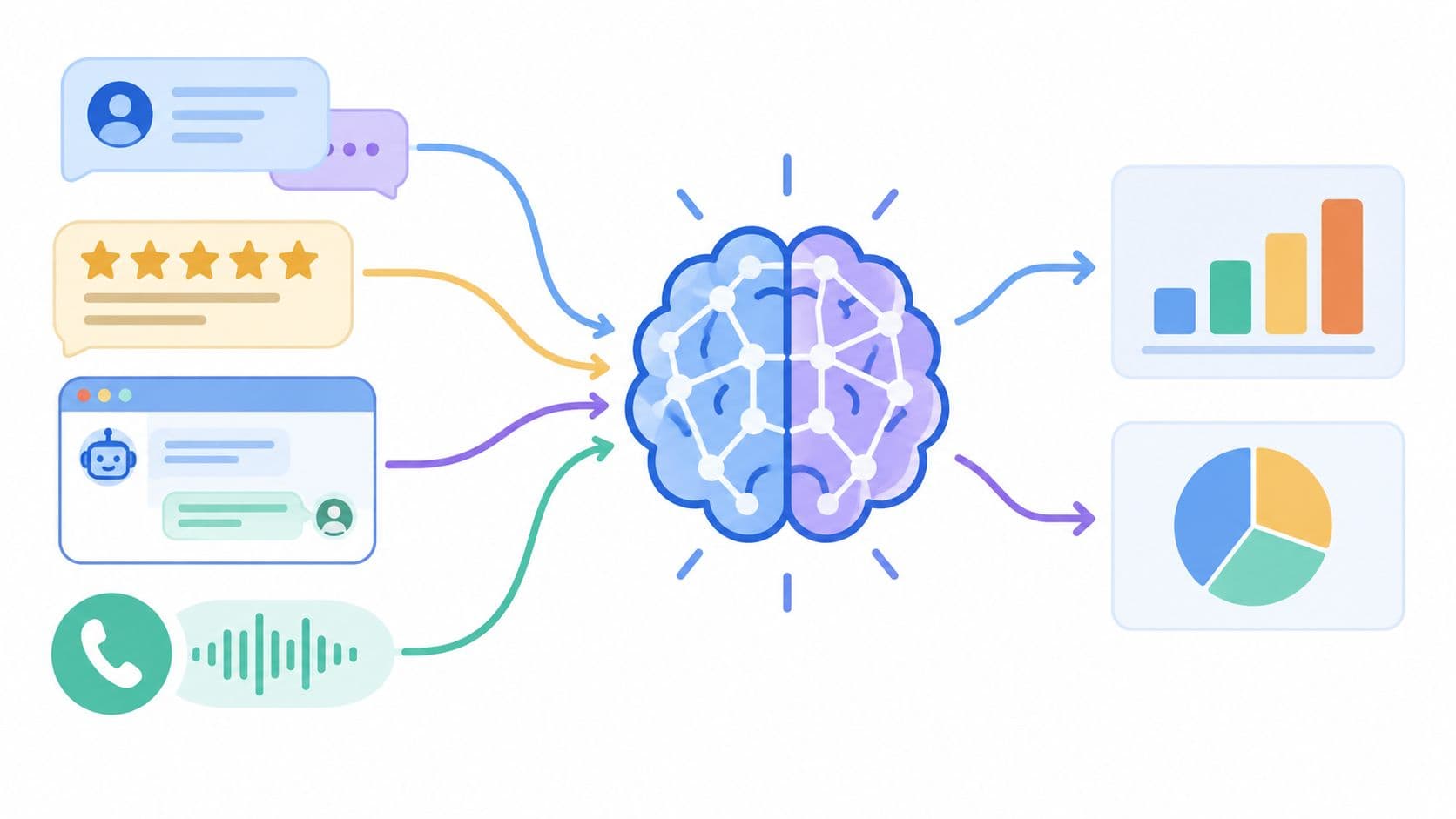
On Monday morning, the problem rarely looks like “we need NLP.” It looks like a product manager staring at a support queue, a customer success lead forwarding screenshots from Slack, and an NPS export that nobody has time to read end to end. By Friday, the team remembers the loudest complaint, not the recurring one. That's how retention issues stay buried until renewals get tense.
That's where customer feedback analysis using NLP earns its place. Not as a data science demo. As an operating layer that turns raw language into decisions about churn risk, roadmap priority, and expansion timing.
Why NLP Belongs in Your Feedback Stack
A feedback stack breaks when the volume of text outruns the team's memory. Tickets pile up. Call notes live in Gong. Reviews sit in App Store pages and G2. Slack channels collect one-off customer comments that feel urgent in the moment and vanish by the next sprint. Human review still matters, but manual triage doesn't scale across all of that noise.
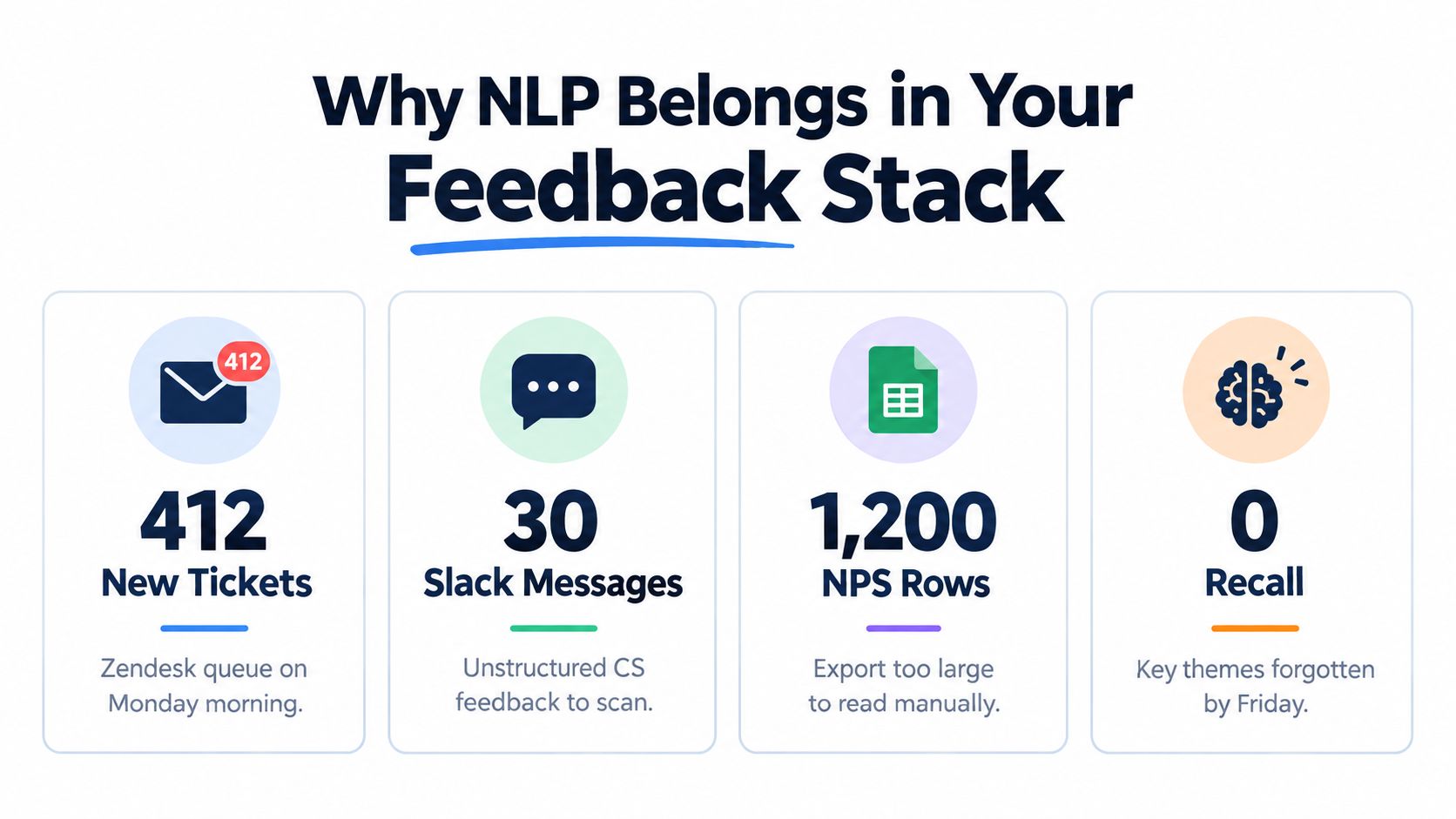
The core shift is that NLP for feedback is no longer just sentiment scoring. A 2024 systematic review found the literature now clusters into five application areas: sentiment analysis and opinion mining, review analysis and management, customer experience and satisfaction, user profiling, and marketing and reputation management. That same review describes a field that has matured from simple polarity detection into broader decision support for business workflows, not just text labeling (2024 systematic review of NLP for online customer feedback).
What changes when you treat feedback as an operating system
In practice, a decent pipeline gives teams three immediate advantages:
- Theme visibility: Product managers can see recurring issues grouped into themes instead of reading raw text one row at a time.
- Earlier retention signals: Sentiment and topic changes can show pain around a feature before the CRM reflects a renewal problem.
- Better routing: Competitor mentions, pricing concerns, and support escalations can go to the right owner fast.
Practical rule: If feedback doesn't end in an owner and a decision, it's just annotated text.
The best teams don't ask, “How accurate is the model?” first. They ask, “What business decision will this output improve?” That's the right frame for customer feedback analysis using NLP. If a classifier helps support spot account risk sooner, it has value. If a topic model creates pretty clusters nobody acts on, it doesn't.
For teams thinking beyond sentiment alone, it helps to look at systems designed to route customer issues smarter, because routing is usually where text analysis starts paying for itself operationally. If you also want a broader view of how AI can structure product and customer signals, this piece on AI for customer insights is a useful companion.
Ingesting and Cleaning Feedback Across Channels
Most failed feedback programs don't fail in modeling. They fail in ingestion. The team builds a clever classifier, then feeds it half a ticket, a bad transcript, and six duplicate comments copied across tools.
The practical approach is boring on purpose. Pull everything into one feedback table with a stable schema. At minimum, keep customer_id, account_id if you have it, timestamp, source, raw_text, and a source-native record ID so you can trace any result back to the original verbatim.
What to ingest first
The six sources that usually matter most are:
- Support systems: Zendesk and Intercom tickets carry issue detail, escalation language, and workflow metadata.
- Call transcripts: Gong and Zoom transcripts are messy, but they contain objection language and renewal risk that never shows up in surveys.
- In-app surveys: Short answers from NPS, CES, or onboarding prompts often reveal friction in the customer's own words.
- Review sites and app stores: G2, Capterra, and App Store reviews are public and often blunt.
- Public communities: Reddit threads and forum posts expose language customers use when they're not talking to your team.
- Internal customer channels: Slack Connect or Teams channels often hold the highest-signal enterprise feedback.
A lightweight pattern works well for most SaaS teams. Use webhooks where the source supports them, then run a nightly batch pull for anything slower-moving or transcript-based. If your stack already spans too many systems, centralizing first is more important than perfect freshness. This is the same problem category discussed in multi-source data integration, where consistency matters more than architectural elegance.
Cleaning rules that actually matter
A 2025 study on intelligent customer feedback analysis highlights a common NLP pipeline with tokenization, stopword removal, and lemmatization as foundational steps for turning messy feedback into machine-readable structure. The same study also frames modern analysis around three layers: sentiment analysis, topic analysis, and syntactic analysis (2025 study on intelligent customer feedback analysis using NLP).
That sounds standard until you apply it to real support text. Then the trade-offs show up fast.
- Normalize Unicode: Curly quotes, pasted symbols, and odd whitespace break matching more often than people expect.
- Strip signatures and reply chains: “Best regards” and quoted email history drown out the actual complaint.
- Collapse repeated whitespace: This cleans logs and copied chat transcripts with almost no downside.
- Expand contractions selectively: It helps some models, but it can also flatten tone if you overdo it.
- Keep emojis: In customer feedback, emojis often carry sentiment that the sentence softens or masks.
- Redact PII before storage: Names, phone numbers, and email addresses shouldn't be hanging around in raw text tables.
Messy feedback is not benchmark text. Support language includes misspellings, abbreviations, templated phrases, and multi-topic comments that break generic NLP packages unless you adapt them to the channel and taxonomy (why NLP often fails on feedback text).
A simple before and after example
Take a raw ticket like this:
“Hi team!!! still can't export invoices from admin 😕pls fix asap. we tried chrome + safari.On Tue, Support wrote: can you clear cache?Sent from my iPhone”
After cleaning, the useful record looks more like this:
- source: Zendesk
- clean_text: “still cannot export invoice from admin sad_face please fix as soon as possible tried chrome safari”
- channel_tags: support, billing, admin
- pii_redacted: true if any personal details were removed
- reply_chain_removed: true
That cleaned text still isn't perfect English. Good. It doesn't need to be. It needs to preserve the customer's problem in a format your models can score consistently.
Choosing the Right NLP Models for Each Job
Teams waste months by asking one model to do five jobs. Sentiment is not topic discovery. Topic discovery is not account routing. Named entity recognition is not churn prediction. The fastest path is to map each model to a business question, then ignore the rest until the first layer proves useful.
The model should answer a business question
Here's the lens I use. If a PM asks, “What's breaking trust?” that's usually sentiment plus aspect extraction. If a CS leader asks, “Which issue should we escalate first?” that needs account context and routing, not just polarity. If sales asks, “Where are competitors coming up?” that's entity extraction.
For adjacent operational workflows, the logic is similar to how AI lead scoring models map model output to downstream action. The model matters less than the route it triggers.
NLP model selection for customer feedback
| Model Type | Business Question Answered | Labels Required | Relative Cost | Typical F1 Range |
|---|---|---|---|---|
| Sentiment analysis | Are customers reacting positively, negatively, or neutrally to this interaction or feature? | Sometimes | Low to medium | Qualitatively varies by domain |
| Topic modeling | What themes keep recurring in feedback we haven't labeled yet? | No | Medium | Not typically judged by F1 alone |
| Supervised classification or clustering | Which known issue category does this feedback belong to? | Yes | Medium to high | Qualitatively stronger when taxonomy is stable |
| Aspect-based sentiment | What specifically is the customer unhappy or happy about, such as pricing, speed, or support? | Usually | High | Qualitatively useful but sensitive to phrasing |
| Named entity recognition | Which products, features, competitors, or workflows are being mentioned? | Sometimes | Low to medium | Qualitatively varies by vocabulary and training data |
The reason the last column stays qualitative is simple. Real-world performance depends heavily on your own taxonomy, channel mix, and label quality. Publishing fake precision would be easy and useless.
What each approach is good for
- Sentiment analysis: The quickest win on tickets, surveys, and reviews. It's useful for broad monitoring, but generic models often misread product jargon.
- Topic modeling: BERTopic and LDA are useful when you need to discover themes before your team has a clean label set.
- Supervised classification: This becomes more valuable once support or product has a stable taxonomy like billing, onboarding, performance, integrations, and permissions.
- Aspect-based sentiment: Product insight gets more actionable here, because “negative” alone isn't enough. You want “negative about export speed” or “positive about support responsiveness.”
- Named entity recognition: This pulls out competitor names, product modules, feature names, and integration references into structured fields.
One useful compromise is to start with sentiment plus lightweight entity extraction, then add topics only after you've cleaned your data. Another is to use a platform that already groups feedback and ranks themes by business relevance. SigOS is one example in that category. It ingests customer feedback sources and surfaces patterns tied to churn, expansion, and revenue impact rather than stopping at raw text classification.
“Run the smallest set of models that answers the next decision your team needs to make.”
That discipline matters. If you launch all five model types on day one, you'll spend most of your time explaining conflicting outputs instead of improving decisions.
Evaluating Models on Messy Real-World Text
Benchmark scores are comforting. They're also a poor proxy for how your model will behave on support tickets, chat logs, and transcripts full of half-sentences.
The most practical evaluation pattern I've seen comes from production feedback work, not academia. Start with a recent sample of about 1,000 items, run a broad first pass, and narrow deeper review only where it matters. Statsig describes a useful version of this workflow: begin with roughly 1,000 feedback items, use sentiment scoring to isolate the angriest ~20%, and then perform context extraction on that negative subset to surface the top fixes quickly (practical NLP workflow for user feedback analysis).
Two-stage model evaluation funnel
| Stage | Sample Size | Metric Focus | Decision Output |
|---|---|---|---|
| Broad screen | About 1,000 real feedback items | Coverage, obvious failure modes, rough precision and recall by class | Decide which models are worth deeper review |
| Targeted human review | Negative or high-priority subset from the first pass | Error cost, edge-case handling, business usefulness | Choose the model or prompt setup to ship |
What to look for in human review
Two analysts should label the same sample wherever possible. Not because consensus is magical, but because disagreement reveals taxonomy problems early. If one analyst calls a comment “billing” and another calls it “permissions,” the model isn't the only thing that needs work.
Watch for these edge cases:
- Sarcasm: “Amazing, the export crashed again.”
- Mixed sentiment: “Support was great, but the setup flow is still confusing.”
- Disguised feature requests: “Bug: there's no bulk edit option.”
The cost of a mistake should shape your threshold. Missing a billing complaint is usually worse than over-tagging a minor UI gripe.
Track precision, recall, and F1 if you have the discipline to maintain them, but don't stop there. Add a business review column: “Would this output change what we do next?” A model can score well statistically and still fail operationally if the categories are too vague to assign ownership.
Also, reevaluate on a regular cadence. Feedback language drifts. Product launches create new jargon. Support macros change how tickets are phrased. If you don't log edge cases and compare them over time, performance degrades.
Scoring Feedback by Revenue and Churn Impact
This is the part many teams skip. They count comments, rank themes by frequency, and call that prioritization. It isn't. A hundred complaints from low-value accounts don't automatically outrank a small set of issues from customers who are up for renewal or expansion.
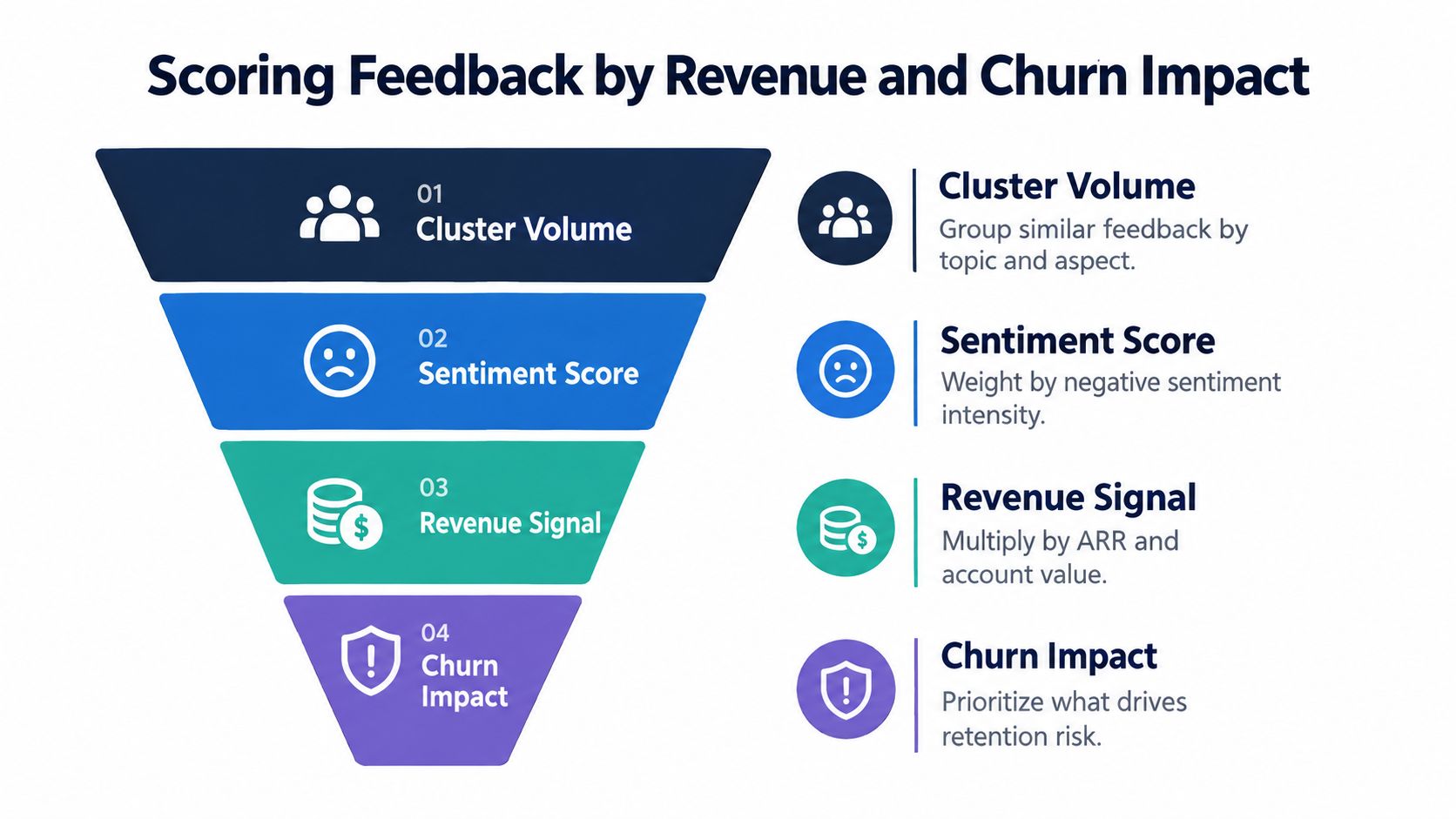
A practical scoring frame
Start with the feedback object itself: topic, sentiment, aspect, timestamp, and source. Then enrich it with account context from your CRM or CS platform.
A useful score usually combines:
- Cluster volume: How often this issue appears.
- Sentiment severity: Whether the language signals irritation, confusion, or active frustration.
- Revenue context: Which accounts are attached to the issue and how valuable they are commercially.
- Churn or expansion context: Whether those accounts show risk or upside elsewhere in your systems.
The exact formula will vary by business model, but the structure shouldn't. You are not ranking text. You are ranking the likely commercial impact of the problem behind the text.
One page template for prioritization
Use a simple scoring sheet that your PM and CS lead can both understand:
| Field | What to capture | Why it matters |
|---|---|---|
| Theme or cluster | Billing export failure, onboarding confusion, SSO setup friction | Gives the issue a stable unit of analysis |
| Affected accounts | Linked account IDs or segments | Connects language to customer reality |
| Revenue weight | Account value tier or commercial importance | Prevents volume-only prioritization |
| Risk signal | Renewal stage, support escalation, or health flag | Surfaces what could turn into churn |
| Expansion signal | Usage maturity, feature fit, sales notes | Separates pain from opportunity |
| Owner | PM, engineering manager, CS leader, or sales lead | Forces action instead of reporting |
This is also where revenue analysis discipline matters. If your organization hasn't yet built a repeatable way to connect product signals to commercial outcomes, this guide to revenue impact analysis is worth borrowing from.
Common traps
Two mistakes show up constantly.
First, teams double-count one piece of feedback because a comment mentions multiple products or workflows. If a customer says onboarding was confusing and billing export failed, either split that feedback into multiple tagged records or choose a primary issue with explicit rules. Don't let one ticket inflate two dashboards by accident.
Second, teams treat silence as satisfaction. Some customers don't complain. They just stop engaging, or they wait until renewal to bring up months of friction. Feedback scoring should sit beside behavioral and account health signals, not replace them.
A small cluster from important accounts can matter more than a large cluster from casual users.
That's the revenue lens customer feedback analysis using NLP needs. Without it, you don't have prioritization. You have themed transcription.
Alerting, Integrations, and Privacy in Production
A model isn't in production because it runs on a schedule. It's in production when somebody changes what they do because an alert fired, a ticket got created, or an account brief arrived before a customer call.
Where outputs should land
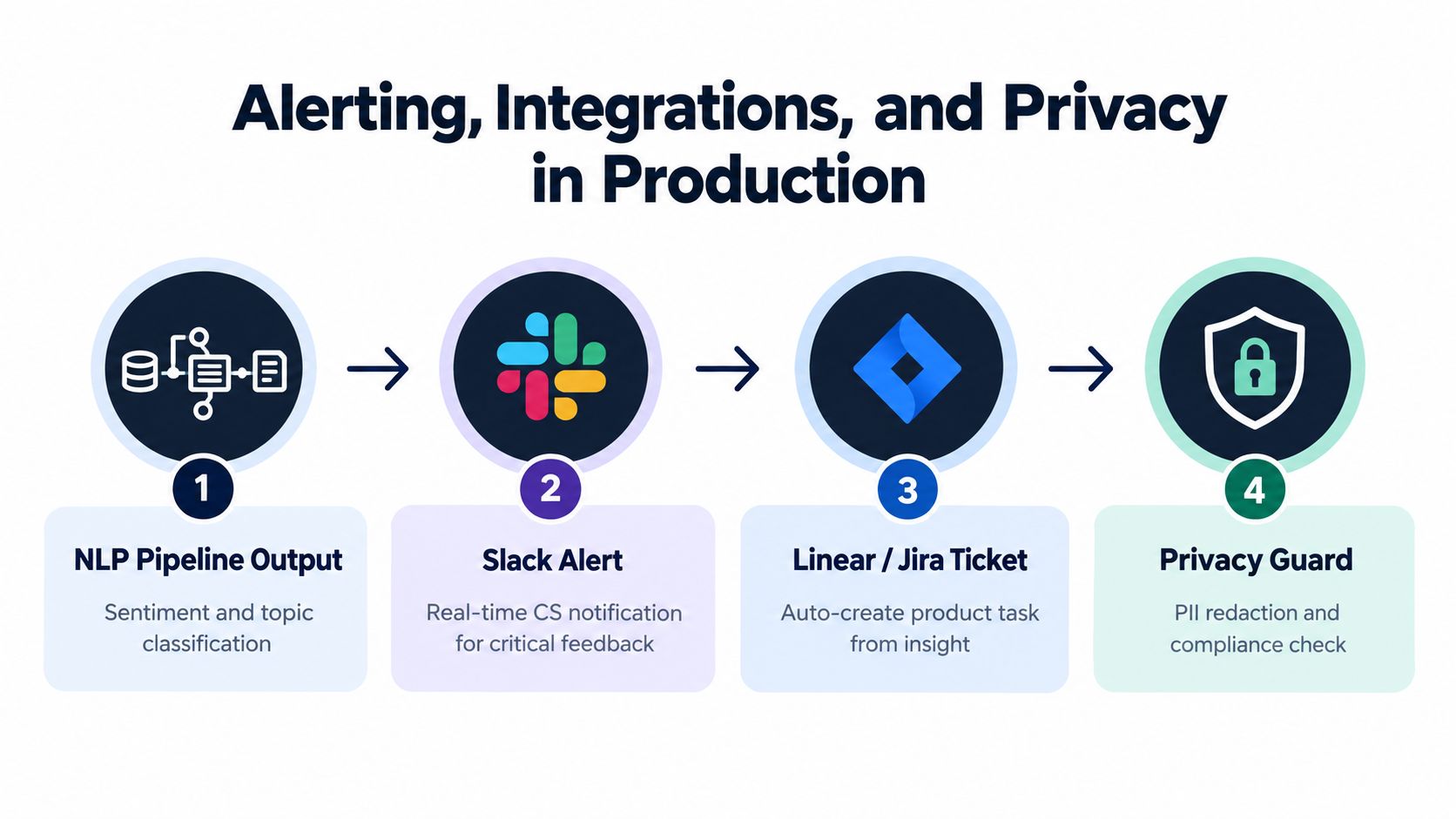
Push insights into the systems your teams already use:
- Slack: Good for urgent sentiment drops, churn language, or spikes in a known issue.
- Linear or Jira: Best when a recurring theme crosses the bar for product action.
- Salesforce or your CRM: Useful for account summaries before renewals, QBRs, or executive outreach.
- Zendesk macros or views: Support teams can route and respond faster when issue tags are already present.
Thresholds matter more than many expect. Alert on every negative ticket and people will mute the channel. Alert only on severe patterns and the system becomes credible.
A practical policy might page or notify when sentiment stays negative for a strategic account, when a cluster starts recurring across multiple channels, or when explicit churn language appears in feedback tied to a high-priority customer. Keep the rule set simple enough that a CS manager can explain it without opening your model notebook.
Privacy and governance are part of the pipeline
Recent practitioner coverage has emphasized full-coverage analysis across mixed sources and ranking by business impact, but the operational gap is still reliability across channels, domains, and languages, along with traceability back to original verbatims (cross-channel AI customer feedback analysis discussion).
That's why privacy and auditability belong in the core design:
- Redact PII at ingestion: A lightweight entity pass can remove names, phone numbers, and emails before storage.
- Keep traceability: Every model output should point back to the exact original text for review.
- Limit retention: Raw text should follow your retention policy, not live forever because it's “useful for analysis.”
- Treat outputs as guidance: Human review still matters for escalations, legal risk, and roadmap commitments.
Here's a practical walkthrough of what a productionized feedback workflow can look like in motion:
Log every alert. Log whether a person acted on it. Log whether it was useful. That feedback loop is how alerting gets sharper instead of noisier.
Deployment Lessons and a 7-Day Starter Plan
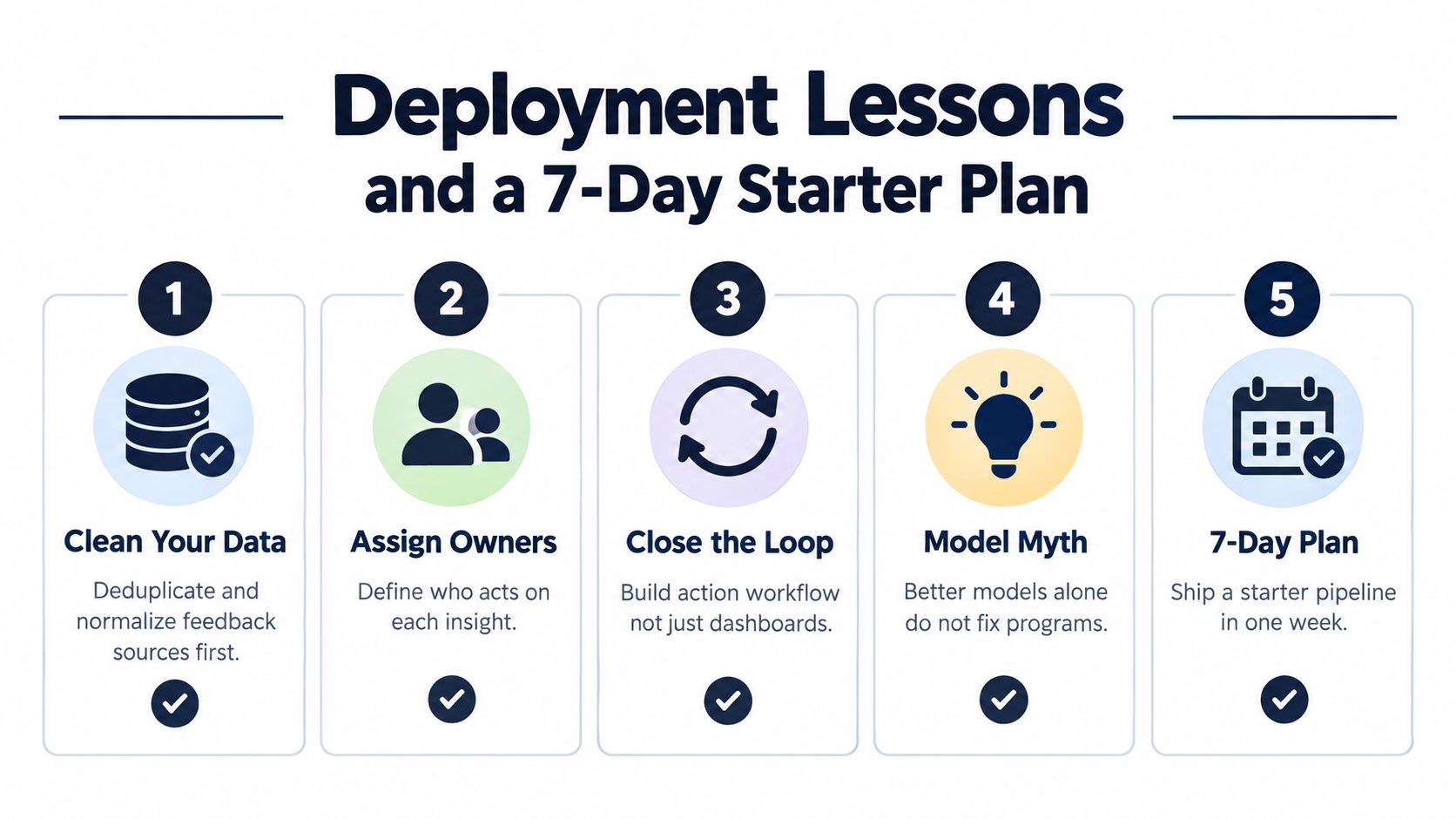
The common myth is that better models fix weak feedback programs. They don't. Clean data, clear ownership, and an action loop fix weak feedback programs. Better models help after that.
What actually holds up in deployment
A few lessons keep repeating:
- Start with one channel: Support tickets are usually the cleanest entry point.
- Instrument before optimizing: Get traceable records and owners in place before chasing fancier models.
- Freeze when drift appears: If labels stop meaning the same thing, stop tuning and fix the taxonomy first.
- Assign a human owner: Every high-priority cluster should belong to someone with a product, success, or revenue number attached to it.
The pipeline is only useful when a named person is responsible for acting on what it finds.
A seven-day plan that ships something visible
- Day 1: Inventory feedback sources and choose one channel to pilot.Deliverable: a source list with system owner and export method.
- Day 2: Pull a recent sample of about 1,000 comments or tickets.Deliverable: one raw dataset in a single table.
- Day 3: Clean the text, redact PII, and label a subset for sentiment and issue type.Deliverable: a reviewed sample with usable tags.
- Day 4: Run a baseline sentiment or classification model.Deliverable: first-pass outputs with obvious failure cases noted.
- Day 5: Cluster or group the highest-friction feedback and add account context.Deliverable: a ranked list of issues tied to business relevance.
- Day 6: Wire one alert into Slack or one auto-created issue into Jira or Linear.Deliverable: one live operational workflow.
- Day 7: Review with CS and product, then decide what to cut, fix, or expand next week.Deliverable: a short action list with owners.
That's enough to prove whether customer feedback analysis using NLP will change decisions in your team. If it does, expand carefully. If it doesn't, the answer usually isn't a larger model. It's a better connection between feedback, ownership, and commercial impact.
SigOS helps product, support, and growth teams turn scattered customer language into ranked issues tied to churn, expansion, and revenue impact. If you want a system that ingests feedback sources, clusters patterns, and pushes prioritized signals into the tools your team already uses, visit SigOS.
Keep Reading
More insights from our blog
Ready to find your hidden revenue leaks?
Start analyzing your customer feedback and discover insights that drive revenue.
Start Free Trial →