8 Customer Feedback Examples to Prioritize Your Roadmap
Explore 8 practical customer feedback examples from NPS, support tickets, and sales calls. Learn to analyze feedback and prioritize with confidence.
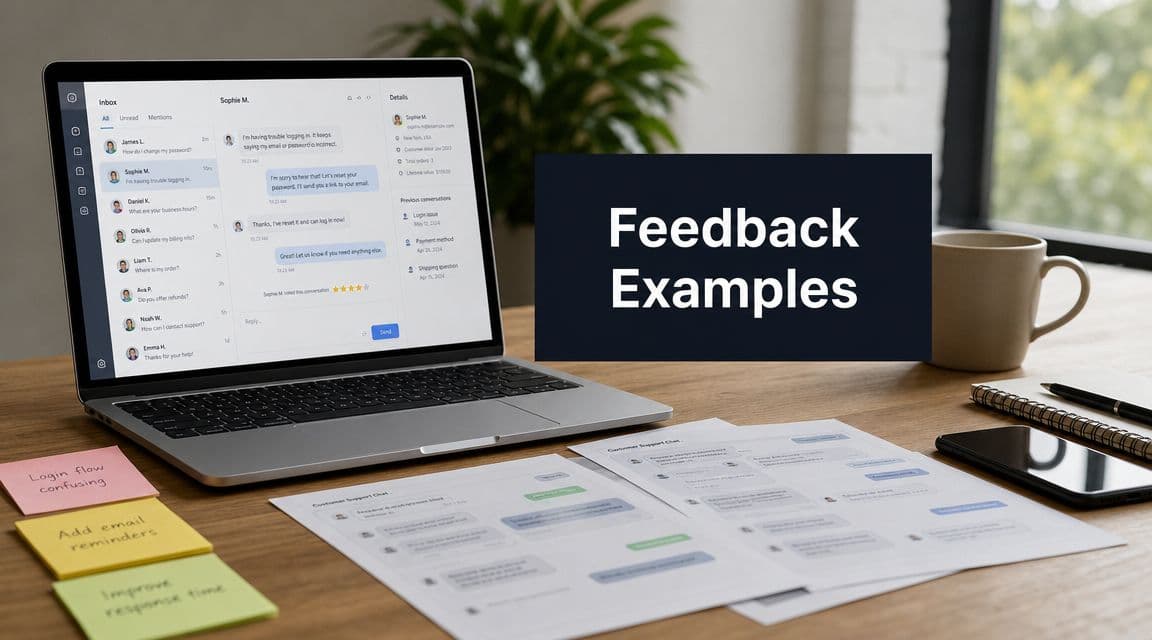
Your feedback stack probably looks familiar. Support tickets pile up in Zendesk. Success managers paste notes into Slack. Sales calls surface objections that never make it into Jira. NPS comments arrive in bursts, then disappear into a dashboard no one revisits. Every channel contains signal, but the signals compete with each other, and the loudest one often wins.
That's how teams end up prioritizing anecdotes instead of evidence. One enterprise account asks for SSO changes, five SMB users complain about onboarding, and a sales rep insists a competitor keeps beating you on integrations. All three might be true. Only one might matter most right now.
The hard part isn't collecting feedback anymore. Many already have more customer input than they can process. The hard part is deciding which customer feedback examples represent isolated frustration, which ones point to a broken workflow, and which ones predict churn, stalled expansion, or lost revenue.
A repeatable analysis model assists in this process. Rather than treating feedback as a set of quotes to react to, treat it as operational data. Capture it by type, code it into themes, connect it to account value and product behavior, then route the highest-impact patterns into the roadmap.
The eight customer feedback examples below are the ones I'd want instrumented in any SaaS company. For each one, I'll show what it's good for, where teams misread it, and how to turn it into decisions you can defend.
1. NPS Net Promoter Score Surveys
NPS is useful because it gives you a consistent loyalty signal across time. It becomes dangerous when teams treat the score itself as the insight. The score is only the headline. The value sits in the follow-up comments, the segment breakdown, and the behavior that surrounds each response.
Most product teams already know the respondent buckets: promoters, passives, and detractors. What matters in practice is whether detractors cluster around the same workflow, plan tier, onboarding stage, or missing capability. If they do, you have a roadmap signal. If they don't, you may just have broad dissatisfaction that belongs in service recovery first.
CustomerGauge's VoC examples are helpful here because they focus on operational follow-through, not vanity reporting. In the B2B case studies it cites, strong programs close the loop with every respondent within 48 hours, and some organizations resolved 97% of detractor cases within that window while reporting NPS scores between 81 and 97 (CustomerGauge VoC examples). That's the standard to learn from. Fast routing beats passive measurement.
How to make NPS roadmap-worthy
Pair each response with product usage and account context. If your enterprise detractors all struggled before activation, that points to onboarding friction. If power users give low scores after hitting admin limitations, that points to packaging or capability gaps.
Useful cuts include:
- By cohort: Separate new customers from mature accounts so onboarding pain doesn't get mixed with scale pain.
- By plan tier: Enterprise complaints and self-serve complaints rarely deserve equal priority.
- By usage pattern: Low engagement plus low NPS is a different problem from high engagement plus low NPS.
Practical rule: Don't prioritize from the NPS number alone. Prioritize from repeated detractor themes attached to meaningful customer segments.
Open-ended follow-ups are where the core diagnosis happens. Once you've collected enough comments, code them into themes and count frequency. Teams that need a concrete process can use this guide to improving NPS as the bridge between survey collection and action.
Real examples like Slack, HubSpot, and Zendesk are often discussed because they treat NPS as a system input, not a quarterly report. That's the right mindset. A low score should trigger investigation, ownership, and response. Otherwise you're just measuring disappointment.
2. Customer Support Ticket Analysis and Feedback
Support tickets are the closest thing most SaaS teams have to a live map of product friction. They arrive with urgency, context, and customer language. They also create a lot of noise, because support queues mix true defects with training gaps, one-off confusion, integration edge cases, and requests that aren't worth building.

This is one of the strongest customer feedback examples because customers submit tickets when the problem is blocking progress. That urgency matters. It's also why support data shouldn't stay trapped in the support team. Livesession points to the broader risk clearly: 70% of consumers say they'll switch companies if service is poor, and 60% say quick representative responses are the top factor for repeat purchases (Livesession customer feedback examples).
What works in ticket analysis
Start with disciplined tagging. If agents use five labels for the same problem, your analysis will be weak before it starts. Keep the taxonomy simple enough that people will use it. Bug, performance issue, integration issue, UX confusion, billing issue, and feature request usually get you far enough to begin.
Then move from individual tickets to clusters. Usersnap recommends splitting feedback into positive and negative sets, assigning short codes to issue types, and counting recurring themes in a spreadsheet or coded dataset to surface repeated pain points and requests (Usersnap customer feedback analysis guide).
A good operating pattern looks like this:
- Tag consistently: Align support, product, and engineering on one issue taxonomy.
- Weight by account value: A recurring issue from high-value accounts deserves visibility faster than a low-impact annoyance.
- Watch for spikes: Sudden growth in one tag usually means something changed in the product, docs, or infrastructure.
- Route ownership fast: Product should own product issues, not just review them later.
For teams using AI on conversations, tooling helps. AI for customer conversation insights is relevant because manual reading doesn't scale once your queue grows.
Support tickets are not a backlog. They're evidence. Treat them like a monitored sensor, not a suggestion box.
The common failure mode is overreacting to volume alone. Ten tickets from confused trial users may matter less than two tickets from expansion-ready customers blocked by a missing integration. Frequency matters. So does customer value.
3. In-App Feedback and Feedback Widgets
A user reaches the last step of setup, pauses, and closes the tab. If the team only sees the drop-off in analytics, they know what happened but not why. In-app feedback fills that gap because it captures intent at the exact point friction shows up.
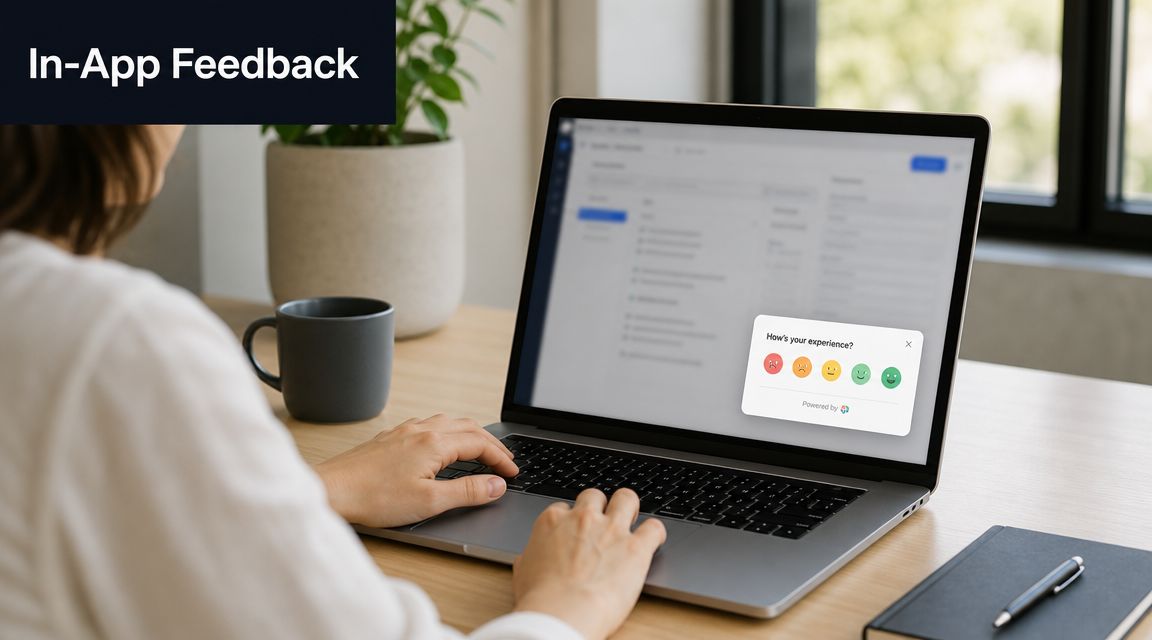
That context makes this feedback type useful for onboarding, feature adoption, and workflow design. A prompt shown after a failed import, an abandoned configuration, or repeated use of a new feature gives product teams something support tickets and broad surveys often miss. It ties a comment to a task, a screen, and a moment in the journey.
The trade-off is interruption. Poorly timed widgets annoy active users and skew the sample toward whoever is easiest to catch. Well-targeted prompts produce better signal because they are tied to a meaningful event, not sprayed across the product. For teams working on understanding mobile app feedback, the same rule applies. Context improves response quality.
Where in-app prompts help most
Use them where the business impact is measurable, not just where it is easy to add a widget.
Good trigger points usually include:
- Onboarding milestones: After setup, import, or first-time activation.
- Workflow abandonment: When users exit before completing a high-value task.
- Repeated feature use: After someone uses a feature enough times to judge its gaps.
- Trust-sensitive actions: Publishing, syncing, permissions, billing, or collaboration steps.
The method matters as much as the placement. Keep the first question short. Ask what blocked the task, what felt unclear, or what is still missing. Then connect responses to product behavior. Pendo's guide on in-app guides and feedback is useful here because it shows the practical trade-off between guidance, surveys, and prompt fatigue.
This is the analysis framework that turns widget feedback into roadmap input:
- Capture the event context: screen, feature, user segment, account, and action attempted.
- Code the response: confusion, bug, missing capability, trust concern, pricing friction, or praise.
- Measure the downstream effect: completion rate, activation, retention, expansion potential, or support load.
- Prioritize by business value: frequency alone is not enough. Weight by account value and strategic importance.
- Route the fix correctly: product flow, copy, onboarding, docs, or reliability.
Teams using SigOS or similar product analytics tooling can do this faster by combining prompt responses with session patterns and account data in one workflow. If users say a step is confusing and session data shows repeated abandonment there, that usually points to product or UX work. If users complain but still complete the task, clearer copy or guidance may solve it without a larger build.
Here's a short walkthrough worth embedding for teams designing that experience:
In-app feedback earns its place when it explains behavior and helps the team quantify what to fix first.
4. Customer Interview and Qualitative Research Feedback
Interviews are where you hear the language customers use when they're not constrained by a survey form. That matters more than many teams realize. A customer may request one feature, but the interview often reveals the job they're trying to get done, the workaround they've built, and the risk they're carrying if your product fails.
That's why interviews remain one of the best customer feedback examples for strategic decisions. They uncover motivations, hidden blockers, and economic context that ticket tags can't capture. Stripe, HubSpot, and Intercom-style research programs work because they don't only ask what users want. They ask what they were trying to achieve, what slowed them down, and what would have made the product indispensable.
How to avoid fluffy interview output
The weak version of interview research produces inspiring quotes and no roadmap clarity. The strong version creates coded themes that can be compared across cohorts.
Interview at least three groups consistently: at-risk customers, churned customers, and customers expanding successfully. The contrast is where your best insight sits. High-value healthy accounts often reveal what drives stickiness. Churned accounts reveal which friction points became intolerable.
Use a structured guide, but don't over-script it. Ask about a recent workflow, a recent frustration, a workaround, and a moment where they considered changing tools. Record and transcribe everything. Notes lose wording, and wording matters when you later code themes.
The most useful interview output isn't the best quote. It's the repeated pattern across many conversations.
Once you have transcripts, run them through the same coding discipline you use elsewhere. Group feature gaps, trust issues, onboarding confusion, performance concerns, and internal workflow blockers. Then compare those themes against actual behavior and account outcomes.
For mobile and app-heavy teams, understanding mobile app feedback is a useful related lens because app review language and interview language often reveal the same friction in different forms. One is compressed and public. The other is detailed and private.
Interviews take more effort than surveys. They're worth it when the problem is ambiguous, high stakes, or politically contested inside the company. If the team can't agree on why customers are struggling, interviews usually resolve the argument.
5. CSAT Customer Satisfaction Score and Post-Interaction Surveys
CSAT is narrower than NPS, and that's exactly why it's valuable. It tells you how a customer felt about a specific interaction, not the entire relationship. Used well, it shows whether support, onboarding, training, or documentation is making the product feel easier or harder to buy and keep.
This is one of the easiest customer feedback examples to operationalize because the trigger point is obvious. Send it after ticket resolution, after an onboarding call, after implementation support, or after a customer completes a guided setup. Keep it short, then ask one follow-up question only when the score is low.
What CSAT catches that NPS misses
NPS might stay steady while an onboarding process is subtly frustrating new customers. CSAT catches those moments sooner because it measures the experience right after it happened.
That speed matters. Oberlo's review statistics show that 65% of consumers had read an online review in the past week, and 74% left an online review for a local business in the past year (Oberlo online review statistics). The broader lesson for SaaS teams is simple. Experience gets documented quickly. If a post-interaction CSAT comment reveals a broken support handoff or onboarding issue, you want to fix that before frustration spreads into account risk, poor reviews, or renewal tension.
A strong CSAT workflow usually includes:
- Immediate follow-up for low scores: Ask what went wrong while the interaction is still fresh.
- Breakouts by interaction type: Separate support, onboarding, implementation, and education.
- Segment-level review: Enterprise buyers often evaluate responsiveness differently from SMB users.
- Direct team visibility: Agents and CSMs should see feedback quickly enough to learn from it.
CSAT is also a useful bridge metric. If the support interaction scores well but the account still shows churn behavior later, the issue may be product fit, not service quality. If support CSAT is consistently low for one product area, the product may be creating unnecessary support burden.
What doesn't work is aggregating all CSAT into one company average. That gives leadership a mood ring, not a diagnostic tool. Keep it tied to the exact interaction that generated it.
6. Feature Request Voting and Roadmap Feedback
Feature voting boards feel democratic, which is why teams love them. They also create false confidence if you treat vote count as roadmap truth. The loudest request is not always the most valuable request. Public boards overrepresent highly engaged users, vocal champions, and customers who understand your product well enough to articulate a solution.
That said, feature request systems are still one of the most useful customer feedback examples when handled with discipline. Tools like Productboard, Canny, Upvoty, Aha!, and public idea portals give you structured demand data that's easy to cluster.

How to read votes without getting fooled
A voting board should answer three questions. Who is asking? How often does the theme recur across other channels? What business outcome changes if you ship it?
Podium's discussion of review and feedback practice points to the bigger shift. Strong teams don't stop at testimonials or sentiment. They connect recurring pain points to retention and route high-value issues quickly into cross-functional decisions (Podium on good reviews and prioritization).
That's the frame to use here. Don't just count votes. Weight them.
Good product teams usually add at least four filters before prioritizing:
- Customer value: A request from a strategic account may matter more than many low-value votes.
- Segment fit: One feature can be essential for enterprise and irrelevant for self-serve.
- Adjacent evidence: If the same request appears in sales calls, support tickets, and churn interviews, confidence rises fast.
- Strategic alignment: Some popular requests pull the product away from the market you want.
If you need a more rigorous way to compare effort, value, and risk, use a feature prioritization matrix instead of relying on votes alone.
Votes indicate interest. They do not prove urgency, revenue impact, or strategic fit.
Slack, Linear, and HubSpot-style roadmap transparency works best when customers see that ideas are reviewed seriously, not blindly accepted. Closing the loop matters here too. If you ship a requested feature and never tell requesters, you lose part of the trust benefit that the feedback channel can create.
7. Sales Call Transcripts and Sales Feedback
Sales calls show you the future version of support and churn. The objections that stop a deal today often mirror the product gaps that frustrate customers later. That's why I like sales transcripts as an early-warning system, especially in B2B SaaS where prospects describe requirements in painful detail before they sign.
Gong, Chorus, Salesforce notes, and demo call recordings are rich customer feedback examples because they capture competitive language, procurement concerns, missing integrations, security objections, and workflow requirements in the buyer's own words. Product teams often ignore them because they sit in the revenue org. That's a mistake.
What to extract from sales conversations
Don't just look for feature requests. Look for patterns in why deals slow down, why champions lose confidence, and which competitor claims keep resurfacing.
A practical review process includes:
- Lost-deal objections: Group repeated reasons for non-purchase.
- Competitive mentions: Track where rivals are winning on capability or trust.
- Requirements by segment: Enterprise deals often expose roadmap gaps earlier than smaller accounts.
- Language alignment: Notice the jobs-to-be-done language prospects use naturally.
Cross-channel comparison gains power. If support tickets are full of integration complaints and sales calls repeatedly stall on integration questions, you're not looking at two separate issues. You're looking at one product weakness hitting two revenue moments.
For teams formalizing this kind of review, call recording for business is relevant because the operational challenge is consistent capture and searchable transcripts. Without recordings, sales feedback turns into selective memory.
Sales teams can also over-index on the last big opportunity they lost. Product should resist that pressure unless the same issue appears elsewhere. One giant prospect asking for a niche capability is not the same as a broad market signal. The right move is to compare transcript themes with product usage, support complaints, and expansion blockers before prioritizing.
When sales feedback aligns with existing customer pain, it becomes one of the highest-confidence roadmap inputs you have.
8. Churn and Win-Loss Analysis Feedback
A renewal is canceled on Friday. On Monday, the team says the customer left because of price. After a closer review, the account had low usage for months, filed repeated support tickets about implementation friction, and asked sales about one missing integration twice before the renewal. Price was the final line item. It was not the root cause.
That is why churn and win-loss feedback matters. It captures the clearest explanation of why revenue stopped growing, or never arrived in the first place. It also gives product teams a way to separate surface explanations from fixable product issues.
The mistake I see most often is sampling only strategic accounts and treating their feedback as the whole market. That usually pushes the roadmap toward enterprise edge cases while ignoring the onboarding, usability, and pricing-fit problems that underlie churn in the broader base. Use a standard interview template across segments, then analyze patterns by ARR, customer type, tenure, and product usage.
What to capture when customers leave
A useful exit review gets past the first answer. Ask for the stated reason, the event that triggered the decision, what alternatives they considered, and what would have changed the outcome. Those answers often point to different problems.
A customer can report "budget" while the actual chain of events was failed setup, weak adoption, low perceived value, and a competitor that looked easier to roll out. Product teams cannot fix budget. They can fix setup friction, missing integrations, reliability issues, and unclear time-to-value.
Use churn feedback as a structured analysis input, not a collection of anecdotes. A practical review process includes:
- Primary reason vs. root cause: Separate the customer's summary from the sequence of events that made renewal or purchase hard to justify.
- Behavior before the decision: Compare interview responses with usage drops, support volume, unresolved bugs, and stalled adoption.
- Segment weighting: A pattern in high-retention customer segments should carry more roadmap weight than one-off complaints from poor-fit accounts.
- Competitor pull: Record who won, what promise landed, and whether the loss came from missing capability, trust, implementation risk, or pricing model.
- Saveability: Mark whether the account was realistically recoverable. That helps teams distinguish product gaps from timing or budget cycles.
Tooling changes the quality of the analysis. If teams use SigOS to combine product usage, support history, account data, and renewal outcomes, they can score churn reasons by revenue impact instead of debating the loudest story in the room. For a more detailed operating model, start with this guide to client churn analysis.
Win-loss work follows the same logic, but the timing is earlier and the signal is often cleaner. Prospects will tell you what blocked trust, what requirement was missing, and which competitor narrative landed. If your team records those conversations with call recording for business, product and revenue teams can review exact language instead of relying on secondhand notes.
The highest-confidence decisions come from overlap. If churn interviews, lost deals, low adoption accounts, and support history all point to the same issue, that item belongs in a revenue-prioritized roadmap discussion. If only one large customer mentions it, treat it as a request, not a market truth.
8-Point Customer Feedback Comparison
| Method | Implementation Complexity 🔄 | Resource Requirements ⚡ | Expected Outcomes ⭐📊 | Ideal Use Cases 💡 | Key Advantages 📊 |
|---|---|---|---|---|---|
| NPS (Net Promoter Score) Surveys | Low, single-question deploys easily 🔄 | Low, minimal tooling, survey cadence ⚡ | ⭐⭐⭐, cohort-level loyalty trends; leading churn signal | Benchmarking, product-market fit, broad cohort tracking | Simple, low-friction, industry-standard benchmark; good for predictive churn models |
| Customer Support Ticket Analysis & Feedback | Medium, ingestion, tagging, and NLP setup 🔄 | Medium‑High, integrations, storage, analysis tools ⚡ | ⭐⭐⭐⭐, high-impact recurring issue detection, revenue-weighted insights | Prioritizing fixes, urgent bug detection for high-value customers | Rich, text‑based context; high-intent signals tied to ARR |
| In-App Feedback & Feedback Widgets | Low‑Medium, widget placement and targeting 🔄 | Low, lightweight SDKs and analytics ⚡ | ⭐⭐⭐, contextual, feature-level signals tied to usage | Real-time friction, onboarding improvements, UX bottlenecks | Captures moment-of-use feedback with high response rates |
| Customer Interview & Qualitative Research Feedback | High, scheduling, skilled moderators, structured protocols 🔄 | High, time, recruiting, transcription, analysis ⚡ | ⭐⭐⭐⭐⭐, deep motivations, nuanced "why" behind behavior | Validating hypotheses, complex user needs, strategic product decisions | Rich narrative context; uncovers root causes and customer goals |
| CSAT & Post-Interaction Surveys | Low, immediate post-interaction surveys 🔄 | Low, integrated into support/workflow tools ⚡ | ⭐⭐⭐, immediate interaction satisfaction; action triggers | Monitoring support quality, onboarding steps, transaction feedback | Fast, actionable feedback tied to specific interactions |
| Feature Request Voting & Roadmap Feedback | Medium, platform setup and moderation 🔄 | Medium, community management and platform costs ⚡ | ⭐⭐⭐, quantitative demand signals; visible priority trends | Roadmap prioritization, community-driven feature decisions | Reveals explicit demand; can be weighted by customer ARR |
| Sales Call Transcripts & Sales Feedback | Medium‑High, recording, transcription, compliance 🔄 | Medium‑High, conversation intelligence tooling, governance ⚡ | ⭐⭐⭐⭐, objections, competitive signals, deal drivers | Win‑loss analysis, competitive intelligence, retention risk signals | Forward-looking insights that link prospects' needs to retention risks |
| Churn & Win‑Loss Analysis Feedback | Medium, structured post‑departure interviews and synthesis 🔄 | Medium, targeted outreach and disciplined analysis ⚡ | ⭐⭐⭐⭐⭐, explicit reasons for departure; high-confidence signals | Validating predictive models, root-cause of churn, strategic fixes | Ground-truth causation; best for prioritizing high-impact interventions |
From Feedback to Revenue Your Action Plan
Monday's roadmap meeting starts with six loud opinions and twenty screenshots. One enterprise customer wants SSO changes. Support wants a billing fix. Sales keeps hearing the same competitor objection. Without a common scoring model, the team debates anecdotes instead of deciding where revenue is at risk or where expansion is being blocked.
A useful feedback program runs on one standard: every signal has to earn its place on the roadmap. That means turning comments into themes, themes into quantified impact, and impact into owned work with a deadline.
Start with one feedback source. Support tickets are usually the fastest option because they already contain customer language, frequency, severity, and affected workflows. If support data is messy but NPS is clean and consistent, start there instead. The right first channel is the one your team can code reliably this week, not the one that looks best in a strategy deck.
The analysis framework is straightforward:
- Collect one source of truth: Pull feedback from one channel into a shared system instead of leaving it spread across inboxes, spreadsheets, and point tools.
- Code the feedback: Tag each item by theme, product area, job to be done, and problem type.
- Add business context: Attach account tier, ARR, lifecycle stage, adoption level, open opportunities, and renewal timing.
- Score the impact: Rank each theme by recurrence, affected revenue, churn risk, expansion potential, and effort to address.
- Assign an action path: Route each theme to bug fix, UX improvement, documentation change, service recovery, or roadmap evaluation.
- Close the loop: Tell customers what changed, what is planned, and what will not be built.
Teams often fail in their approach to customer feedback. They collect broadly, but they do not normalize the inputs or tie them to commercial outcomes. A painful quote from one strategic customer can matter a lot. Ten low-value requests for the same edge case may not. The job is not to count noise. The job is to weigh signal by business consequence.
For example, if “confusing billing permissions” appears in support tickets, sales calls, and churn interviews from larger accounts, that is no longer a UX complaint. It is a revenue issue with cross-functional evidence. If a feature request gets heavy voting from free users but shows up nowhere in expansion deals, retention analysis, or high-value support conversations, it likely belongs lower on the list.
Speed matters too. Feedback loses value when it sits in dashboards until quarterly planning. High-performing teams review coded themes on a fixed cadence, assign owners quickly, and separate immediate fixes from deeper product bets. That operating rhythm is what turns voice-of-customer work into product execution.
If your team wants help operationalizing that process, a platform like SigOS is built around this workflow. It pulls in support tickets, chat transcripts, sales calls, and product signals, then helps teams spot patterns tied to churn, expansion, and account value. That is useful when the hard part is not gathering more feedback, but deciding which issues deserve immediate attention.
Do one thing this week. Choose a channel, code the last 50 to 100 items, add account value, and bring the top recurring theme to the next roadmap discussion with evidence attached. That is how customer feedback examples become a repeatable decision system that drives retention, expansion, and product focus.
Keep Reading
More insights from our blog



Ready to find your hidden revenue leaks?
Start analyzing your customer feedback and discover insights that drive revenue.
Start Free Trial →