How to Identify Upsell Opportunities: SaaS Playbook 2026
Discover how to identify upsell opportunities with our SaaS playbook. Find signals beyond usage data: support tickets, NPS, & feature requests.

Identifying upsell opportunities typically happens in a similar fashion. Watch for usage spikes, seat caps, storage limits, and renewal dates. That advice isn't wrong. It's just incomplete.
The best expansion signals often don't look like growth at first. They show up as frustration in support tickets, awkward workarounds in call notes, repeated feature requests in chat, and comments like "we still have to export this into a spreadsheet." Teams that only track clean product metrics miss what customers are trying to buy.
I've seen this mistake repeatedly in SaaS. A team builds a tidy dashboard for logins, seats, and feature adoption, then wonders why obvious upsell opportunities still slip through. The problem isn't lack of data. It's treating only structured data as revenue data.
Why Most Upsell Strategies Overlook True Customer Intent
The default upsell playbook is biased toward what software can count easily. Product analytics can tell us when an account is nearing a limit. CRM data can show contract size. Billing data can flag expansion history. Those signals matter, but they capture intent late.
A lot of customer intent lives in unstructured inputs long before it appears in dashboards. Customer feedback is often messy, narrative, and buried in day-to-day interactions. According to SigOS research on unstructured feedback and expansion signals, 60% of customer feedback is unstructured, and a 2025 McKinsey report cited there notes that companies using AI to analyze that unstructured data see a 20% higher conversion rate on upsells than teams relying only on transactional data.
Usage data shows behavior. Language shows motivation.
When a customer says, "We need approvals before publishing," that isn't just feedback. It may be a direct signal that governance features belong in a higher-tier plan.
When they say, "Our other team wants access too, but permissions are messy," that isn't only a support issue. It may point to multi-team rollout potential.
A frequent oversight by many teams involves failing to properly identify upsell opportunities. They track what happened in the product, but not why the customer is pushing against limits in the first place.
The most valuable upsell signal is often not a celebration of success. It's a complaint that reveals willingness to pay for a better workflow.
Behavioral segmentation needs both kinds of input
Structured signals tell us which accounts are active. Unstructured signals tell us what kind of value they want next. You need both.
If you already think in terms of segments, expand the model. Pair product behavior with support language, sales-call themes, and NPS comments. That's the missing layer in most behavioral models, and it's why behavioral segmentation in SaaS growth programs works better when it's connected to customer narrative, not just clickstream data.
A customer near a plan limit is interesting. A customer near a plan limit who also asked twice about permissions, audit logs, or advanced reporting is far more actionable. That account isn't just growing. It's telling you what to sell.
Tracking Qualitative and Quantitative Upsell Signals
You need a signal system, not a pile of dashboards. The cleanest way to build one is to separate quantitative signals from qualitative signals, then review where they overlap.
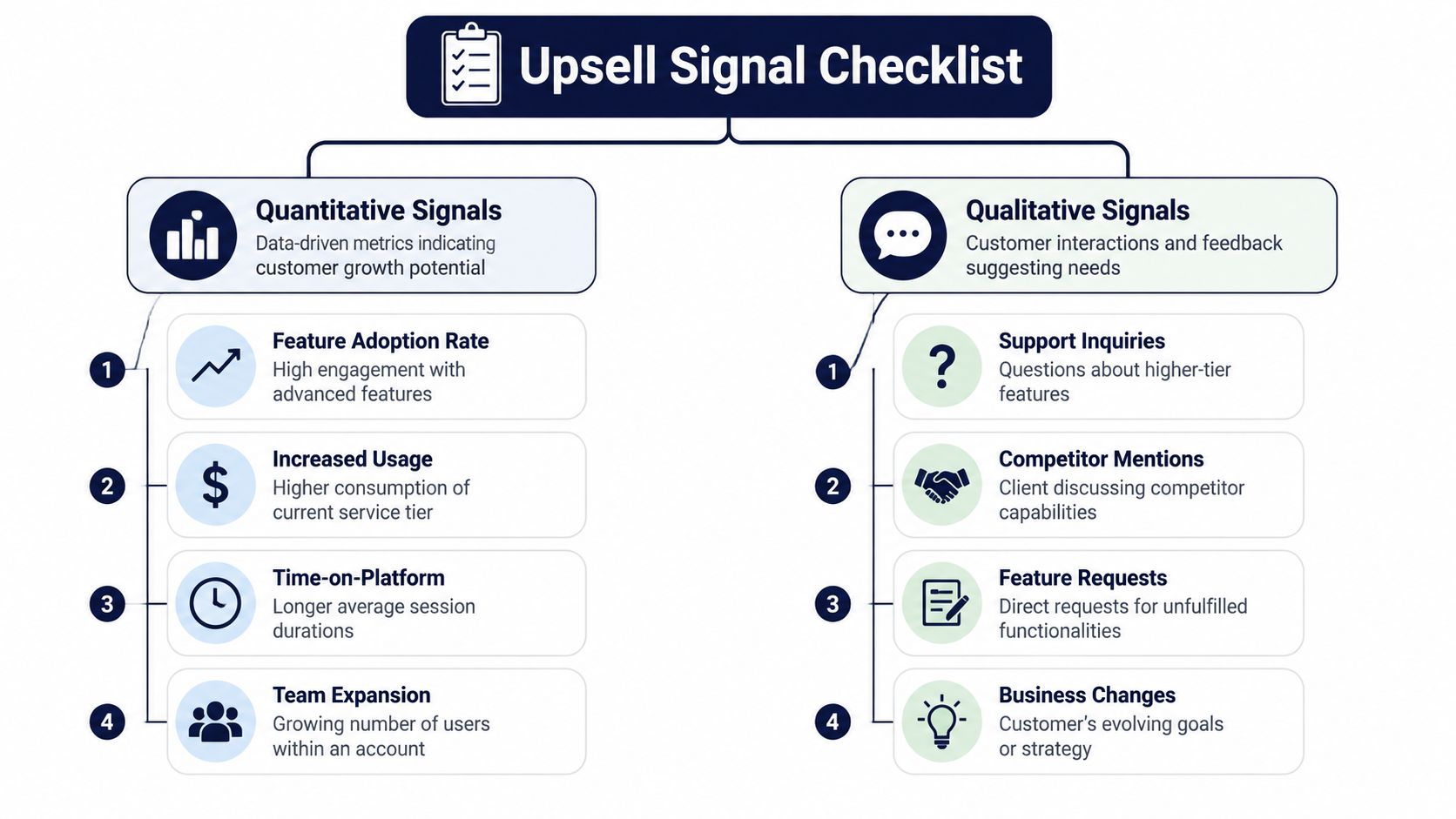
Quantitative signals that usually matter
These are the signals commonly tracked, and rightly so.
- Usage thresholds: Accounts approaching plan capacity often need more seats, volume, or access.
- Feature depth: Customers repeatedly using advanced workflows are often good candidates for premium modules.
- Team growth: New users, new departments, and expanding role coverage often signal broader rollout potential.
- Sustained engagement: Time-on-platform and repeated use across core workflows usually matter more than one-off bursts.
These are useful because they're objective. The downside is timing. By the time usage is obvious, the customer may already be evaluating alternatives or improvising with manual workarounds.
Qualitative signals that reveal buying intent earlier
Here, teams usually underinvest.
The biggest missed category is the churn-to-upsell paradox. According to the verified Gartner finding summarized in the source material, 45% of customers who cancel had previously expressed dissatisfaction through support channels that teams treated only as retention issues. That matters because not every complaint means "we're unhappy." Sometimes it means "we've outgrown the plan or product setup you sold us."
Watch for language like this:
- Workflow friction: "We can't do this without exporting data."
- Governance gaps: "We need approvals, controls, or permissions."
- Scale pain: "This works for one team, but not across departments."
- Operational drag: "Our team is doing this manually every week."
- Comparison language: "A competitor supports this natively."
A complaint becomes an upsell candidate when the pain maps cleanly to a paid capability, expanded package, or premium service tier.
Practical rule: Don't ask only, "Is this account at risk?" Ask, "Is this frustration actually demand for a more capable solution?"
Turn feedback into categories your teams can act on
Raw transcripts and ticket threads aren't usable until someone tags them consistently. Create a lightweight taxonomy.
A practical setup looks like this:
- Pain category such as reporting, permissions, onboarding, automation, integrations.
- Commercial relevance tied to plan tier, add-on, or services package.
- Urgency marker based on repeated mentions, executive visibility, or active project deadlines.
- Account context including usage trend, stakeholder role, and recent health signals.
Teams that need a more disciplined process for analyzing qualitative data should borrow methods from research and customer insight work. The goal isn't academic rigor. It's consistent pattern recognition.
For product and growth leaders, a useful operating habit is to centralize these themes instead of leaving them trapped in Zendesk macros, Gong snippets, or CSM notes. A system for analyzing customer feedback across channels makes it much easier to spot which complaints signal feature gaps, and which ones signal expansion readiness.
How to Score and Prioritize Expansion Opportunities
Once you collect the right signals, the next problem is volume. Every healthy SaaS company has more usage events, tickets, comments, and feature requests than a sales or success team can act on. You need an Expansion Score that ranks accounts by likelihood and relevance.
A solid starting point is simple. Start with trigger events, then layer in account quality. The verified methodology says teams should flag accounts hitting usage thresholds, then overlay NPS. In that model, accounts with NPS ≥7 and high engagement show a 140% higher propensity to expand, and teams using the trigger model achieve a 34% higher upsell conversion rate. Those figures are provided in the verified data set.
What a practical scoring model should include
Don't build a giant black box. Better results are achieved with a model that can be explained in one meeting.
Use four inputs:
- Behavioral momentum: Usage spikes, limit pressure, new-user onboarding, broader workflow adoption.
- Customer sentiment: NPS, recent support tone, success milestone feedback.
- Commercial fit: Is there a clear upgrade path, add-on, or enterprise package that matches the need?
- Intent clarity: Did the customer explicitly describe a problem your premium offering solves?
I usually weight intent clarity more heavily than generic activity. A busy account isn't automatically an expansion account. A busy account asking for governance controls or advanced analytics is.
Example Upsell Opportunity Scoring Model
| Signal Type | Specific Trigger Example | Weight (1-10) | Example Score Contribution |
|---|---|---|---|
| Behavioral | Account is nearing plan capacity | 6 | 6 |
| Behavioral | New users added across a second team | 7 | 7 |
| Sentiment | NPS is 7 or above with strong engagement | 8 | 8 |
| Qualitative | Support ticket requests a premium feature directly | 9 | 9 |
| Qualitative | Call notes mention manual workaround tied to higher tier | 8 | 8 |
| Commercial fit | Clear upgrade package exists and matches stated need | 9 | 9 |
| Risk filter | Budget freeze or low engagement | -8 | -8 |
This isn't universal. It gives you a framework you can tune.
Prioritization rules that keep the model honest
The scoring model should help teams decide what deserves human time this week. It shouldn't replace judgment.
Use rules like these:
- High score plus clear pain: Route to account owner quickly with context.
- High usage but vague need: Let CS validate before sales reaches out.
- Strong complaint but weak fit: Send to product review, not pipeline.
- High spend with low feature adoption: Treat as education-led expansion, not hard sell.
If you're evaluating tools that can support forecasting, clustering, and account-level prediction, DataTeams' predictive software review is a useful place to compare approaches. The key isn't sophistication for its own sake. The key is whether the output helps your team make better calls.
A lot of product teams also benefit from linking expansion scoring to roadmap decisions. If the same premium-gap theme appears across many strategic accounts, it should shape packaging and prioritization. A feature prioritization matrix for product teams becomes much more valuable when it includes revenue-linked customer demand instead of only internal opinions.
If a score can't tell a CSM what to do next, it isn't a useful score. It's just decorated reporting.
Strategic Segmentation and Timing for Upsell Plays
A high score tells you where to look. Segmentation tells you how to engage.

The mistake I see most often is treating all expansion-ready accounts the same. They aren't. A customer who loves the product and needs more capacity should get a different conversation from a customer who's frustrated because a premium capability is missing from their current setup.
The cleanest segmentation layer starts with relationship quality. NPS promoters spend 140% more than average customers, according to the verified data provided for this article. That makes satisfaction a useful filter for deciding both message and motion.
Three segments worth building first
Power users hitting real limits need a straightforward value conversation. Show where current usage is creating friction, what the upgrade removes, and how quickly the team can benefit.
Healthy but underexpanded accounts usually need education. They aren't blocked yet. They may not know a higher tier solves adjacent use cases for new teams or workflows.
Friction-heavy accounts with premium-fit pain need a consultative approach. Don't pitch an upgrade as a sales event. Diagnose the workflow issue, confirm the root cause, and frame the premium option as the shortest path to a cleaner process.
Timing should follow the trigger, not the calendar
Quarterly business reviews are useful, but they are not the main event. The best upsell timing usually comes right after a trigger.
The verified methodology in the source material states that interventions within 72 hours of a trigger event yield 45% higher success than delayed outreach. That aligns with what experienced teams already know. Relevance decays fast.
Use timing rules like these:
- After support escalation: Reach out when the pain is clear and the customer is still engaged in solving it.
- After milestone completion: Suggest the next layer of value while the team has momentum.
- After internal expansion signals: If another department joins or asks questions, engage before the rollout gets improvised.
- After positive sentiment from a champion: Use that energy to widen adoption.
A useful example of sales coaching on this kind of timing sits below.
"Good upsell timing feels like help. Bad upsell timing feels like opportunism."
If your team remembers only one rule, use this one: tie outreach to a customer event that changed their need. Don't force every expansion conversation into a renewal deck.
Tooling and Automating Your Upsell Detection Workflow
Manual upsell detection breaks as soon as the business grows. Support sees one piece of the story, product analytics sees another, and the CRM sees a third. Without automation, teams either miss opportunities or create noisy pipelines full of weak alerts.
The workflow should do two things well. First, collect signals from systems where intent appears. Second, filter aggressively so humans review only expansion-ready accounts.
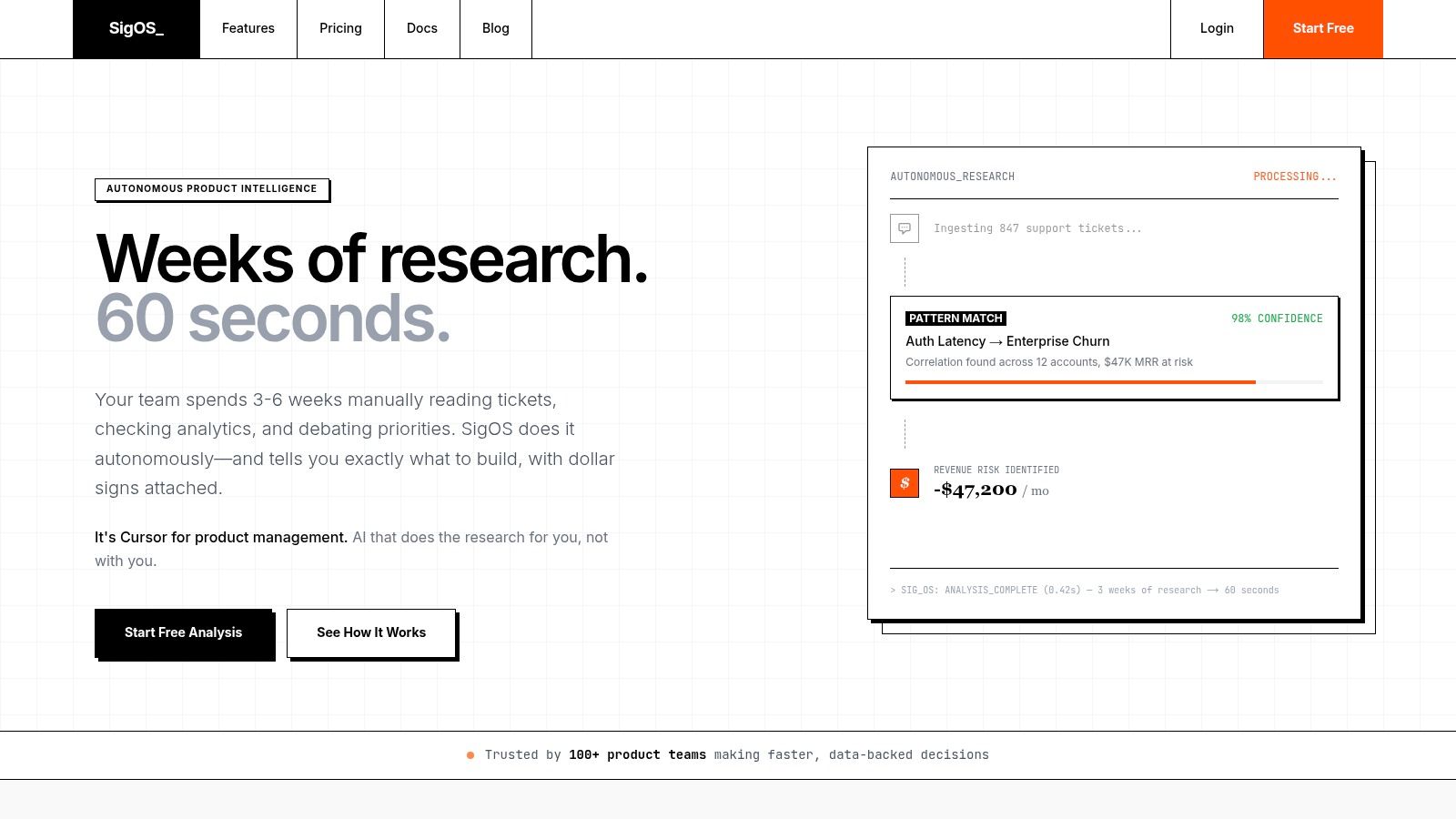
What the stack needs to connect
In practice, that usually means stitching together tools such as Salesforce, Zendesk, Intercom, product analytics, call-recording platforms, and your internal issue tracker.
A reliable workflow often looks like this:
- Ingest behavior: Pull usage thresholds, adoption milestones, and account activity.
- Ingest language: Parse support tickets, chat transcripts, call notes, and feature requests.
- Apply filters: Exclude low-propensity accounts, poor health signals, or obvious budget blockers.
- Create context-rich alerts: Push the account owner a short summary with the trigger, customer language, recommended offer, and relevant contacts.
- Require human review: Let sales or CS validate before opening or advancing an opportunity.
CRM rules matter more than most teams think
The technical side isn't glamorous, but it prevents chaos. The verified CRM specification in the source material recommends fields like Record Type = expansion, Source = auto-upsell, and Source Detail = usage spike. That sounds operational because it is. Clean source tracking is what lets revenue leaders trust the pipeline later.
The same verified data says automated trigger-based detection can reach 87% correlation accuracy in predicting expansion, and teams implementing these systems see a 38% increase in revenue per account. It also says human validation within 24 hours matters. That last part is the part teams often skip.
Automation should reduce clutter, not create it
A bad workflow spams account owners every time usage moves. A good workflow suppresses weak signals and highlights meaningful combinations.
Use exclusion logic for accounts that show poor fit. If the account is disengaged, clearly constrained, or unhappy for reasons unrelated to a paid solution, don't send it to sales yet. Route it to the right team first.
Field note: The fastest way to kill trust in an upsell program is to flood reps with alerts that don't map to real customer need.
This is why I prefer workflows that preserve prior opportunity contacts, attach supporting evidence from support or product data, and recommend a likely expansion path instead of just shouting "account changed." Teams act faster when the alert already contains the story.
Your First Upsell Experiments A Playbook for Sales and Success
You don't need a perfect system to start. You need a narrow experiment with clear signals, a defined owner, and a message that sounds useful to the customer.
The easiest way to begin is to run one play for friction-driven expansion and one for momentum-driven expansion. That gives both Sales and Customer Success something concrete to execute.
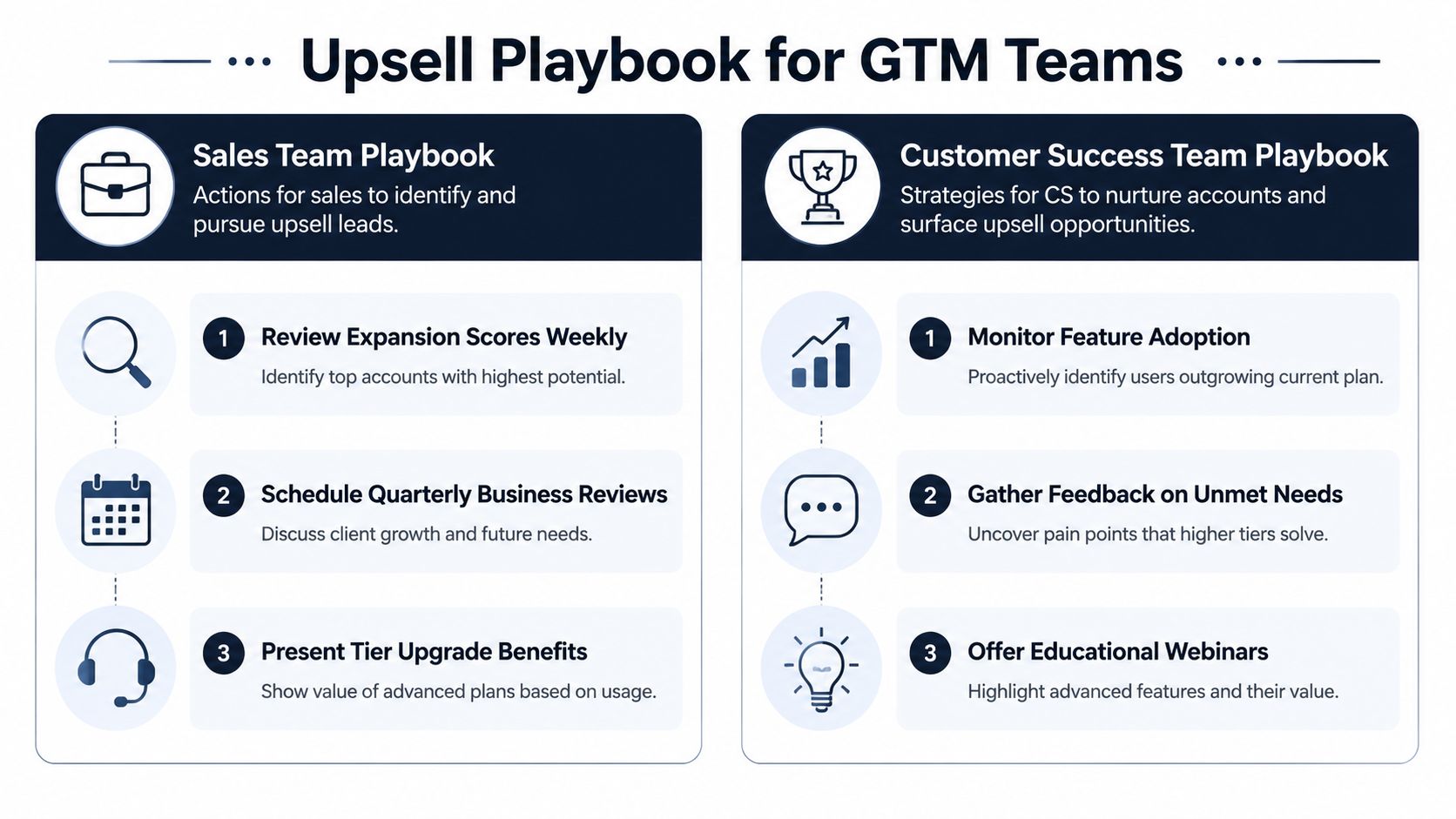
Play one for friction-led expansion
A support manager notices repeated complaints from one account: exports are manual, approval steps are missing, and multiple users are asking the same question.
That account goes to CS first, not directly to an AE. The outreach should sound like problem solving:
We've seen your team run into the same reporting and approval bottlenecks a few times. There may be a cleaner way to handle that in your current workflow. If helpful, we can walk you through an option designed for teams managing this at a larger scale.
Why this works: the message starts with the customer's operational pain, not your pricing page. If the pain maps to a premium capability, the upsell becomes a recommendation.
Play two for power-user expansion
A customer shows sustained engagement, broader team usage, and signs that more departments are involved. This is not a rescue motion. It's an expansion motion.
The AE or CSM can lead with progress:
- Acknowledge adoption: Point to the workflow the team already relies on.
- Show the next constraint: Explain what will become harder at their current tier.
- Recommend the next layer: Position the upgrade as support for growth already underway.
This play works best when the customer already trusts the product and has a clear champion internally.
A simple weekly operating cadence
Run the first version with a light process:
| Team | Weekly action | What to look for |
|---|---|---|
| Customer Success | Review flagged friction accounts | Repeated pain tied to paid capabilities |
| Sales | Review high-score expansion accounts | Clear need, strong fit, active stakeholder |
| Product | Review recurring premium-gap themes | Patterns that should influence packaging or roadmap |
| RevOps | Audit alert quality | False positives, missing fields, routing issues |
Keep the first experiment small. Pick one product area, one expansion path, and one owner per account.
If you're figuring out how to identify upsell opportunities at scale, that's the key lesson. Start where customer language and product behavior already agree. That's where the cleanest deals come from.
If your team wants a better way to turn support tickets, sales calls, chat logs, and product usage into clear expansion signals, SigOS is built for that job. It helps product, growth, and customer teams find the revenue signal hidden inside messy customer feedback, so you can spot upsell opportunities earlier and act with more confidence.
Keep Reading
More insights from our blog


Ready to find your hidden revenue leaks?
Start analyzing your customer feedback and discover insights that drive revenue.
Start Free Trial →