How to Prevent Data Leakage in SaaS
Learn how to prevent data leakage in SaaS with this complete framework covering IAM, DLP, training, and incident response for modern product teams.
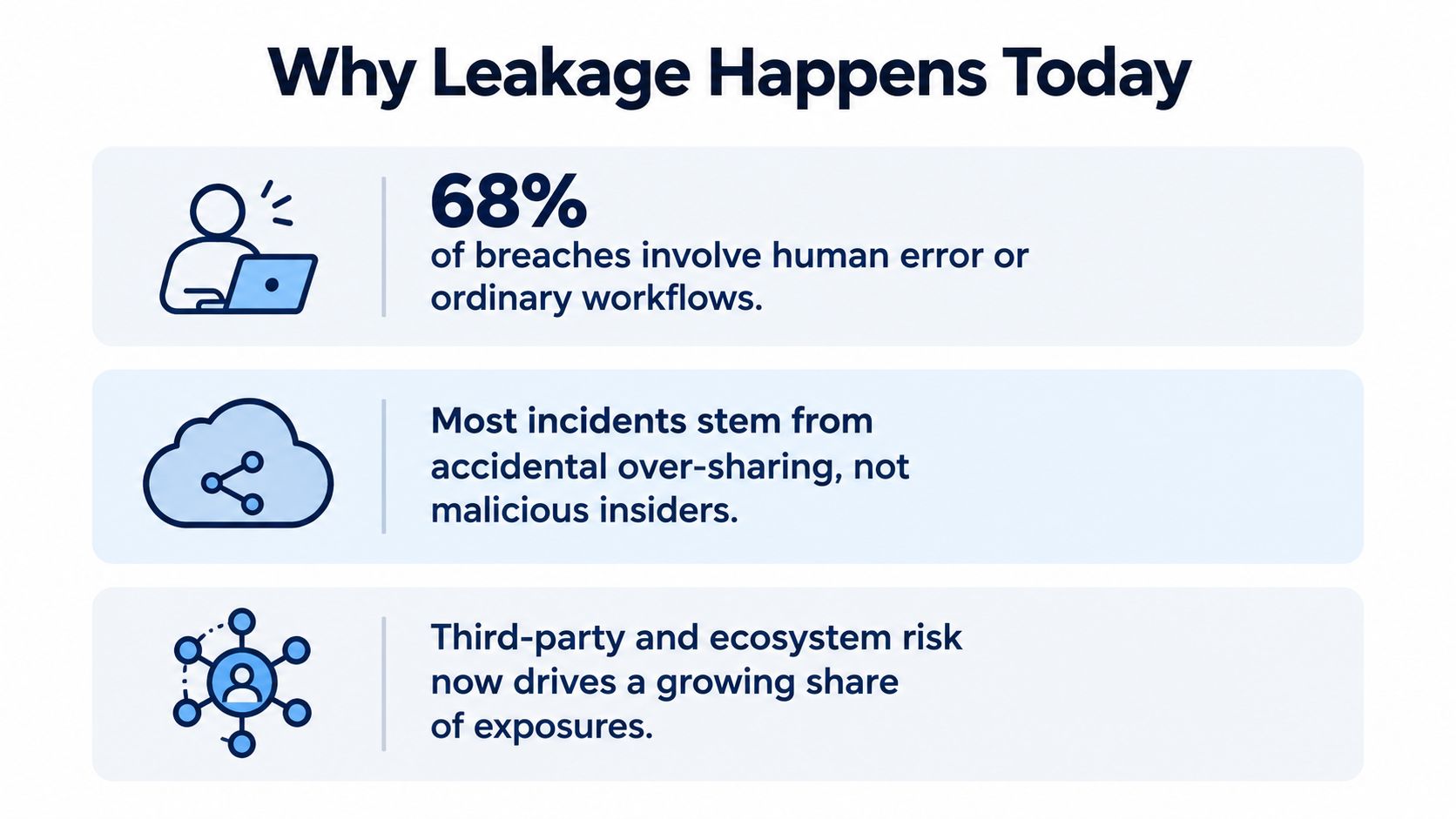
The human element remained involved in approximately 60% of breaches, while third-party involvement doubled from 15% to 30% year over year, according to Verizon's 2025 Data Breach Investigations Report. That changes the practical question. Data leakage usually isn't a dramatic attack that defeats every perimeter control. More often, an authorized person, account, integration, or workflow moves sensitive information somewhere it shouldn't go.
SaaS teams face this problem every day. A support agent copies a customer transcript into a ticket, a product manager exports usage data for analysis, a sales representative shares a screenshot, or an employee pastes a useful excerpt into an unmanaged AI tool. The person may have legitimate access, but the transfer still creates exposure. Learning how to prevent data leakage means designing controls around these ordinary actions, not only around malicious insiders.
Why Human Behavior and Ecosystem Risk Now Drive Most Leakage
Security programs often start with an attacker-at-the-perimeter model. Daily leakage usually has a different shape: an authorized person, account, integration, or partner moves information through a routine workflow under excessive permissions or unclear handling rules. The control problem is therefore operational. Teams need visibility into what users and connected systems do with data, not only protection against hostile entry.
Building on the human-element finding in Verizon breach research, the practical lesson is to govern the full ecosystem together. Employees, vendors, contractors, SaaS providers, and integrations can all create the same exposure when data crosses a boundary without enough context.
Authorized access can still create unauthorized exposure
An employee can select the wrong recipient, attach an incorrect export, publish a dashboard, or download more records than the task requires without intending harm. A compromised account creates a similar condition. The attacker inherits the user's permissions, so unusual activity can resemble legitimate work unless monitoring includes timing, destination, volume, and sequence.
SaaS products concentrate this risk because one environment may hold support conversations, sales calls, usage analytics, and product plans. Those records can contain personal details, credentials, pricing, contract terms, adoption weaknesses, or commercially sensitive patterns. Access review must therefore ask more than who can view a record. It should also identify who can export, copy, enrich, paste, or send it elsewhere, including into an AI service.
Practical rule: Treat every transfer path as a security boundary, including email, file sharing, browser sessions, exports, APIs, AI tools, and connected applications.
Controls that ignore workflow create false confidence. A firewall will not identify a legitimate user sending a sensitive spreadsheet to the wrong partner. A policy will not reveal that a vendor integration retained access after its project ended. Pair least privilege and phishing-resistant multifactor authentication with continuous behavioral analysis. Review user and application actions against normal patterns, then apply friction where the context warrants it. For routine email handling, email security tips for senders can reinforce recipient verification, attachment review, and safer sending habits.
Privacy and security answer different operational questions. Data privacy and data security overlap, but privacy governs appropriate collection and use, while security limits unauthorized access and movement. A prevention program needs both. Collecting less information reduces the number of risky workflows, and access controls limit the consequences when ordinary work goes wrong.
Assessing Risk and Classifying Data Before Buying Tools
Buying a DLP product before understanding the data creates expensive noise. The tool may detect obvious identifiers while missing sensitive business context, or it may block routine support work because nobody defined which transfers are acceptable. Classification gives every later control a target.
Start with an inventory that follows the data rather than the organizational chart. List the systems that create, store, transform, and export information across support, sales, product, finance, analytics, and engineering. Include integrations and temporary destinations. A transcript copied into a ticket is a different flow from a transcript sent to an analytics service, even if both begin in the same platform.
Build a working sensitivity map
Use categories that employees can apply without interpretation. A practical model might distinguish:
- Restricted data: Credentials, payment-related details, personal data, security tokens, and information that could directly harm a customer or account if exposed.
- Confidential data: Deal terms, customer-specific usage patterns, internal product plans, support transcripts, and operational reports.
- Internal data: Routine documentation, aggregate analysis, and working material that shouldn't be public but carries less risk.
- Shareable data: Approved public content and information explicitly cleared for external distribution.
The labels matter less than the handling rules attached to them. For each category, document who may view it, whether they may export it, which destinations are approved, how long it should remain available, and who owns the decision. A support lead may need to read a transcript but not download an entire customer history. An analyst may need aggregate usage trends but not raw identifiers.
Record the prediction and transfer context
For every important field, capture its source, owner, purpose, and movement. Note whether an integration receives raw values, masked values, or derived signals. Record the business justification for access and the event that should remove it. This map exposes unnecessary replication, forgotten connectors, and fields that appear in tools because an integration sends everything by default.
Classification should also cover generated data. A model output, dashboard, or summary can reveal sensitive facts even when it doesn't contain the original record. Teams working through customer data security practices should therefore classify derived insights as well as source data.
The first useful artifacts are simple: a data inventory, a sensitivity map, a flow diagram, and an owner for each critical domain. Don't wait for perfect discovery. Start with the workflows that combine customer identifiers, transcripts, credentials, usage records, or commercial information, then refine the map as monitoring reveals new paths.
Designing Access Controls That Block Unnecessary Exposure
Access control should answer two separate questions: who can see the data, and who can extract or redistribute it. Many SaaS environments answer the first question with broad roles and forget the second. A user may need to inspect one customer record, but that doesn't mean they need bulk export, API access, unrestricted downloads, or permission to share the record externally.
Least privilege works best when it follows the task. Create roles around actual responsibilities, then remove capabilities that don't support those responsibilities. A support agent may view assigned accounts, a manager may approve a larger scope, and a security administrator may investigate access events without receiving unrestricted business data. Teams unfamiliar with the model can use this explanation of what RBAC means for teams when defining role boundaries.
Reduce the blast radius without stopping work
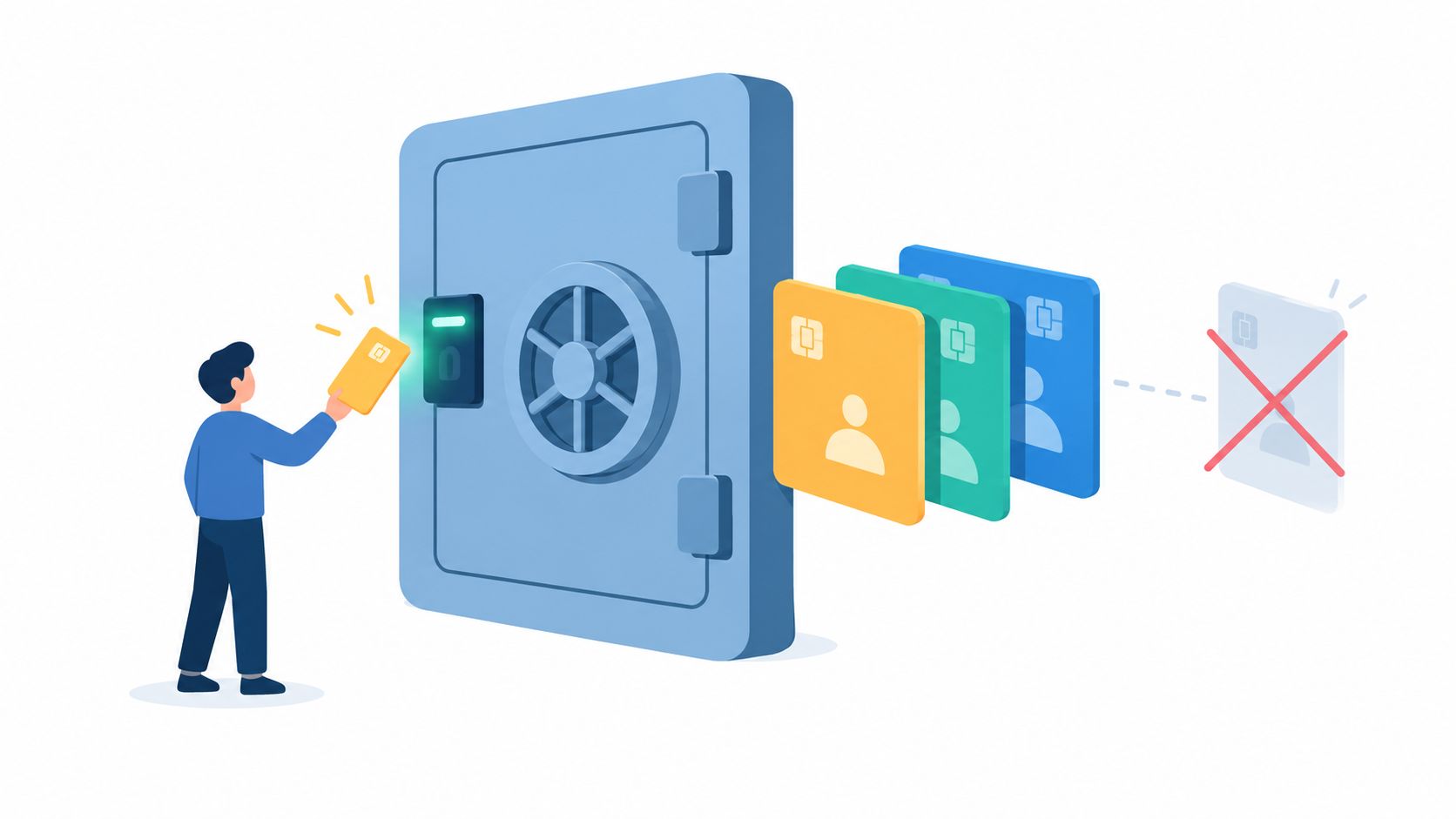
Field-level masking is often more effective than blanket denial. Mask credentials, personal identifiers, and sensitive deal fields unless the employee's task requires the original value. Preserve enough context for support and product work, but don't expose every field to every user or integration.
Bulk exports deserve a different control path from ordinary viewing. Require approval for large or unusual exports, record the requester and business reason, apply an expiry to the approval, and notify a responsible owner. Add restrictions for new destinations, unmanaged devices, and unusual API clients. These controls introduce friction at the moment the risk is highest rather than slowing every legitimate lookup.
Short-lived permissions also outperform permanent access. Grant temporary elevation for an investigation or migration, then revoke it automatically. Review service accounts and integrations continuously, not only during an annual audit. A dormant connector can retain broad access long after the original project has ended.
Protect the account and the integration
Require phishing-resistant multifactor authentication for privileged and sensitive workflows. Combine it with strong credential management, session monitoring, and rapid revocation when an account shows suspicious behavior. Encryption protects stored and transmitted information, but it won't stop an authorized user from exporting decrypted data, so encryption must support access controls rather than replace them.
For integrations, use narrowly scoped credentials, per-request authorization checks, encrypted transport, and explicit ownership. Log what each connector reads and sends. If an integration can't explain why it needs a field, don't transmit that field by default.
The safest permission is specific, temporary, observable, and easy to revoke.
Choosing and Tuning DLP Tools Without Blocking Work
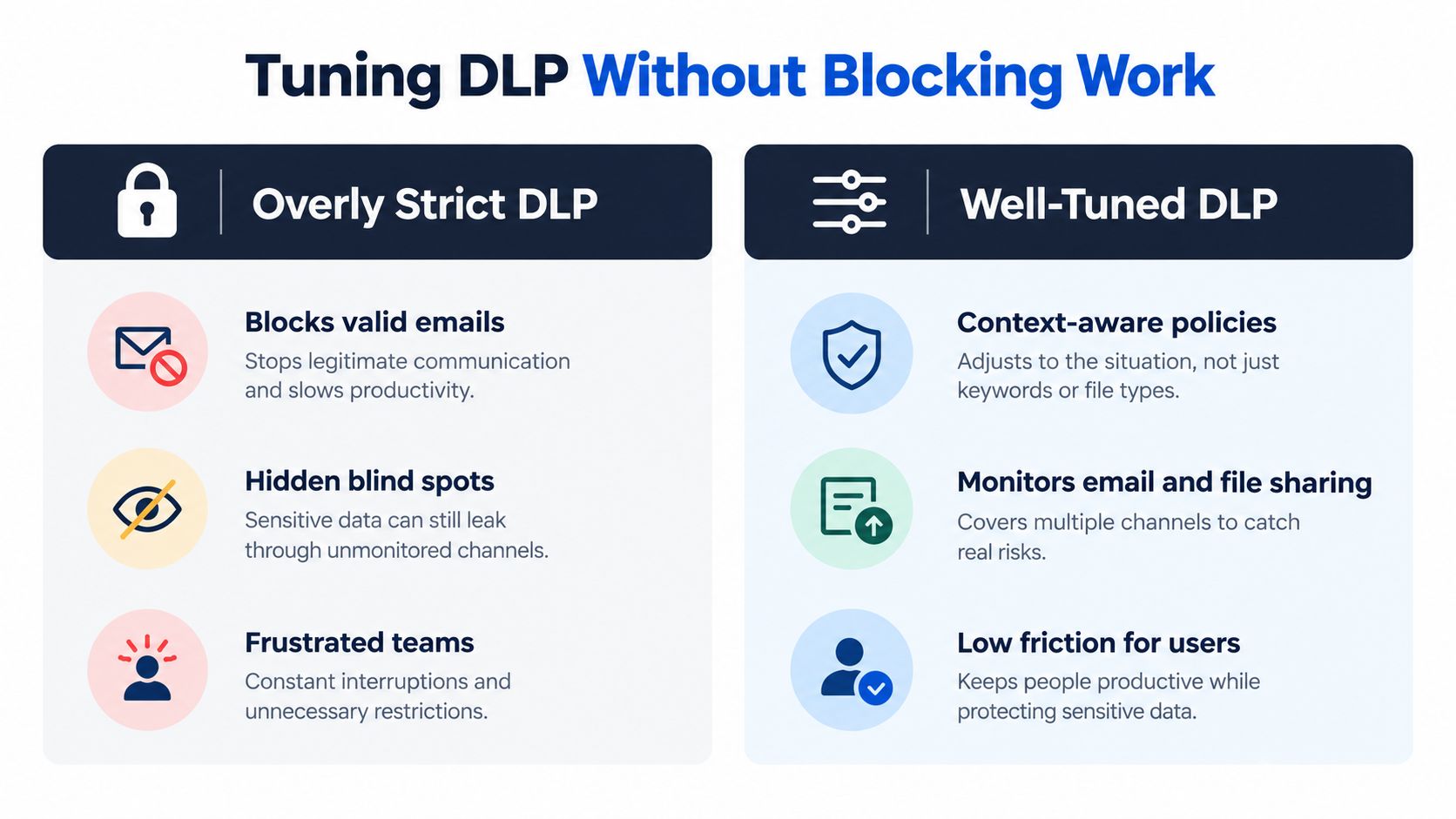
DLP tools fail in two predictable ways. Loose rules miss risky transfers. Strict rules block normal collaboration, train users to search for workarounds, and create alert fatigue that hides serious events. The practical objective isn't to stop every movement of data. It is to distinguish an expected workflow from a transfer whose context, volume, destination, or timing makes it dangerous.
Email and file-sharing controls are a useful first layer. They can inspect recipients, attachments, classifications, and external destinations before a message leaves. Endpoint controls add visibility into copying, printing, screenshots, removable media, and uploads. Cloud access security tools can identify risky applications and sharing configurations. Behavioral detection adds the context static content rules lack.
Compare the control layers
| Approach | Useful strength | Common failure |
|---|---|---|
| Content inspection | Finds known sensitive patterns and labels | Misses harmless-looking context and derived information |
| Email and file controls | Stops misdirected sharing at a common exit point | Creates friction if recipient and business purpose aren't considered |
| Endpoint monitoring | Shows copying, uploads, and local transfers | Can become invasive or noisy without clear risk thresholds |
| Cloud application controls | Governs unsanctioned services and external sharing | Needs accurate application inventory and ownership |
| Behavioral analysis | Detects unusual volume, destination, timing, or sequence | Requires quality telemetry and careful baseline tuning |
Fortinet's 2025 Insider Risk Report found that 77% of organizations experienced insider-driven data loss in the previous 18 months, while 62% of incidents involved negligent or compromised users and 16% involved confirmed malicious intent. Those figures, documented in Fortinet's insider risk research, support a workflow-first design. The most valuable signal may be an authorized user suddenly downloading an unusual volume to a new destination, not a keyword match in a routine ticket.
Start in monitor mode. Review alerts with support, sales, product, and engineering representatives. Exempt known workflows only when the destination, data class, and actor are all understood. Then move selected rules to warning, approval, quarantine, or block actions. Measure false positives and user workarounds, not just blocked transfers.
Govern generative AI as a data flow
A blanket ban on public AI tools is easy to write and difficult to enforce. It can also push usage into unmanaged browser sessions. Instead, maintain an AI-specific inventory covering approved tools, prompt content, attachments, browser extensions, provider retention, deletion settings, and training use.
Before transmission, classify and redact identifiers, credentials, raw transcripts, and commercially sensitive details. Give teams approved ways to extract themes from customer feedback without moving source records into an uncontrolled service. Guidance on self-serve analytics without leaks is useful when designing that balance.
Detecting Leakage Early Through Telemetry and Response Playbooks
Prevention controls reduce exposure, but they won't catch every failure. A user may approve a legitimate-looking transfer, a vendor may misconfigure an integration, or a compromised account may act within its assigned role. Detection must therefore show what happened, when it happened, which data moved, and what the organization did next.
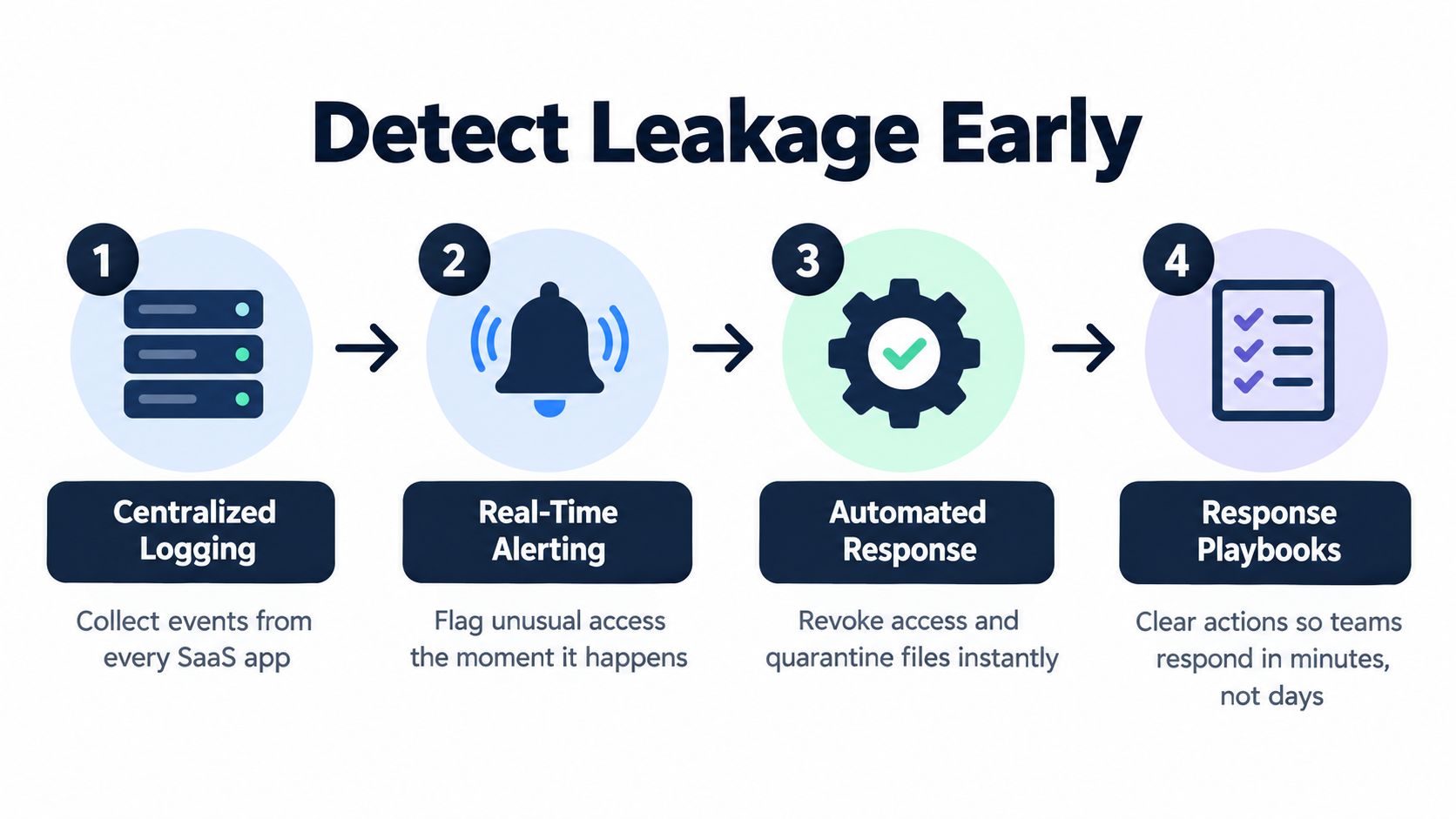
Centralize logs from the SaaS application, identity provider, email, file storage, endpoint tools, API gateway, and DLP layer. Capture access, export, download, sharing, permission changes, authentication, integration, and administrative events. Normalize identities and destinations so the security team can connect a browser session, API token, and service account to the same underlying activity.
Watch the signals that change risk
Static alerts generate too much noise. Prioritize changes in behavior:
- Volume: A user or integration accesses substantially more records than its normal task requires.
- Destination: Data moves to a new domain, storage location, application, or geographic context.
- Timing: Activity occurs outside the actor's normal working pattern or during a sensitive account event.
- Sequence: A permission change is followed by bulk access, export, or external sharing.
- Scope: An integration begins requesting fields outside its declared purpose.
Define operational metrics that security and business leaders can understand. Track mean time to detect, mean time to contain, blocked transfers, approved exceptions, exposed records, repeated policy violations, and unresolved high-risk permissions. These measures show whether the program is reducing exposure or merely generating alerts.
IBM's 2025 Cost of a Data Breach research reported a global average breach cost of USD 4.44 million. Breaches lasting more than 200 days averaged USD 5.01 million, while organizations using AI and automation extensively averaged USD 3.62 million, compared with USD 5.52 million for organizations that didn't use them, as documented in IBM's 2025 breach-cost research. Automation should accelerate investigation and containment, not make unsupervised decisions about sensitive customer data.
Make response actions executable
A SaaS leakage playbook should name the owner for each action. The first responder validates the event, identifies the data class, preserves relevant logs, and determines whether access is ongoing. The identity team can revoke sessions and credentials. The application owner can disable an integration or quarantine a file. Legal, privacy, communications, and customer teams then apply the organization's notification criteria.
Write the sequence before an incident:
- Triage the alert and assign severity.
- Freeze or revoke the suspected access path.
- Identify affected users, systems, destinations, and records.
- Preserve evidence and document decisions.
- Notify the required internal and external stakeholders.
- Remove residual copies where possible.
- Fix the permission, workflow, integration, or rule that allowed the exposure.
- Test the correction and record the lesson.
A playbook that requires a committee meeting before revoking a compromised token isn't a playbook. Give responders authority to contain first, then establish the review process for difficult decisions.
Embedding Security into Training, Integrations, and Compliance Rhythms
Leakage prevention decays when it exists only as a policy document or an annual audit exercise. Permissions drift, integrations change, people move teams, and new AI tools appear in normal workflows. The operating model has to make secure behavior easier than the shortcut.
Training should use the actions employees really perform. Show support teams how to verify recipients before sending transcripts, how to redact identifiers in screenshots, and when a ticket should contain a masked value instead of a raw one. Show analysts how to request an approved export and how to recognize a destination that hasn't been reviewed. Show sales teams how to handle call recordings, pricing information, and customer-specific usage data.
Short exercises are more useful than a long policy presentation. Ask employees to choose between a masked dashboard and a raw export, review a proposed AI prompt, or decide whether a vendor needs a field at all. Explain the reason behind the control. People follow rules more consistently when they understand which workflow risk the rule addresses.
Build security into development and integration work
Engineering teams should treat data movement as part of the product design, not as an integration detail. Define which event types may leave the application, remove identifiers that aren't needed for analysis, and require approval for new destinations. Telemetry gating can prevent unapproved event types from sending customer identifiers into analytics systems.
Protect integration credentials through managed secret storage, scoped permissions, rotation, and immediate revocation when ownership changes. Review third-party applications before connection, document their data requirements, and test failure behavior. A connector that retries indefinitely, logs raw payloads, or forwards more fields than the receiving service needs can create leakage without any attacker entering the system.
Continuous integration should fail when a change violates the data contract. Useful checks include:
- Schema checks: Reject new sensitive fields unless an owner and handling rule exist.
- Destination checks: Block unapproved endpoints and applications from receiving protected data.
- Secret checks: Prevent credentials and tokens from entering source code, logs, or build artifacts.
- Access checks: Detect broad role changes, missing authorization checks, and unexplained service-account scope.
- Telemetry checks: Verify that identifiers are masked or removed before events leave the product.
- Retention checks: Confirm that new datasets have an owner, purpose, and deletion behavior.
Model and analytics work needs the same discipline. Define the prediction timestamp, remove fields created after that point, and split behavioral data by customer or account rather than by individual events. Fit imputers, scalers, encoders, feature selectors, and dimensionality-reduction steps only on the training fold. The scikit-learn guidance on preventing data leakage recommends pipelines that enforce this ordering and prevent preprocessing from learning from validation or test data.
Use governance as a continuous control loop
Data governance should produce evidence that teams can use, not paperwork that nobody reads. Keep a feature-provenance or data-flow manifest for each important input. Record the source, event time, availability delay, transformation owner, and whether the value is observable at the moment of use. Automated “as-of” tests can reconstruct what the system knew at a historical scoring time and reject fields that arrived later.
Keep a final test set untouched. Don't use it for feature selection, threshold tuning, early stopping, or repeated model comparisons. CI checks should flag duplicate entities across folds, future timestamps, target-derived columns, unexplained train-test overlap, and distribution changes. NIST guidance also emphasizes verifying the provenance and integrity of training, testing, fine-tuning, and alignment data before use.
Retention deserves the same attention as access. Keeping every transcript, export, event, and attachment forever expands the amount of information that can leak and the number of systems that must protect it. A practical data retention policy should connect each data class to a purpose, owner, review point, deletion method, and documented exception.
AI governance now belongs in this rhythm. A 2025 survey of large U.S. enterprises found that 79% had experienced negative outcomes from sending corporate data to AI, with 44% reporting sensitive-data leakage into an AI tool, according to the New York State Office of Information Technology Services publication of the survey findings. Treat those results as a reason to inspect data flows, not as an argument for a policy that nobody can enforce.
Review access and integration inventories whenever a team, vendor, product feature, or AI service changes. Schedule recurring policy tuning, but don't wait for the calendar when telemetry reveals a new pattern. Compliance evidence should come from the same systems that protect the data: access logs, approval records, test results, exception reviews, incident timelines, and deletion records.
The durable approach is simple to state and demanding to operate. Classify what matters, grant only the access a task requires, observe how users and integrations handle data, respond quickly when behavior changes, and improve the workflow after every near miss. That keeps security aligned with productivity instead of forcing employees to choose between the two.
SigOS helps product and growth teams analyze support tickets, chat transcripts, sales calls, and usage metrics while applying controls such as encryption, tenant isolation, role-based access, and access logging. Visit SigOS to see how continuous behavioral analysis can turn customer feedback into actionable insight without making raw data handling an afterthought.

Ready to find your hidden revenue leaks?
Start analyzing your customer feedback and discover insights that drive revenue.
Start Free Trial →