10 Notification Best Practices for Product Teams
Apply notification best practices to improve relevance, timing, frequency, measurement, and privacy across in-product, email, and push alerts.
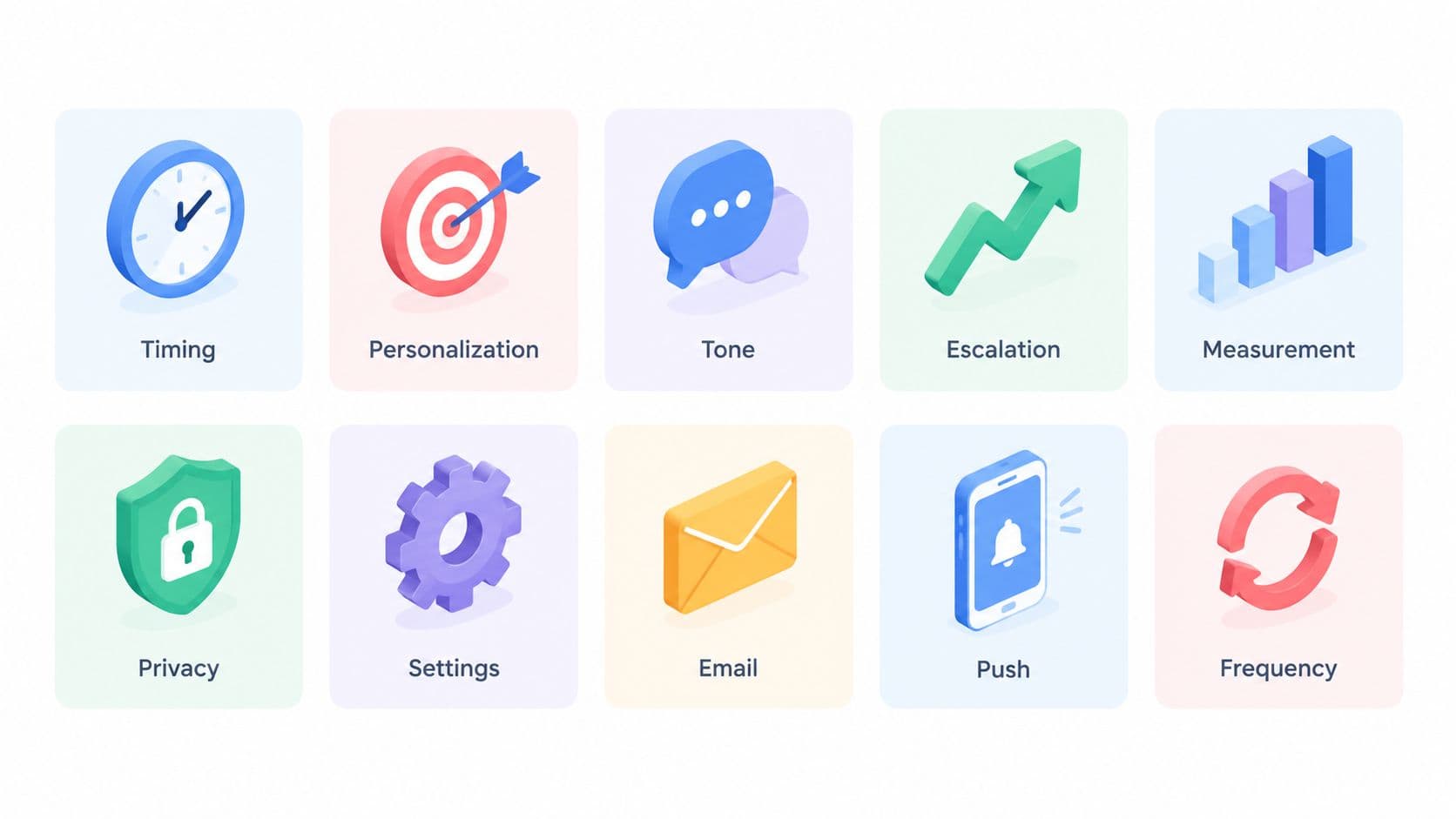
More notifications don't create more engagement. Poorly targeted alerts teach people to ignore the channel, mute the product, or treat every interruption as background noise. The best notification is the one worth interrupting for because it arrives for the right person, at the right moment, with enough context to support a decision.
That principle applies across in-product messages, email, Slack, push, SMS, phone calls, webhooks, and operational tools. A notification system isn't just a copywriting layer. It's a signal-management system that decides who should receive an alert, when it should arrive, how urgent it is, what context it contains, what action it requests, and how its value will be measured.
This matters for products such as SigOS, where behavioral signals and revenue impact can point to churn risks, product issues, or expansion opportunities. Those insights only create value when they reach the stakeholder who can act on them. The following notification best practices translate that idea into implementation decisions for product, success, revenue, and operations teams.
1. Behavioral Segmentation and Relevance-Based Targeting
A notification should answer a basic question before it is sent: why does this recipient need to know this now? User roles, product behavior, account ownership, feature usage, and decision-making authority provide a stronger basis than a single broad audience list.
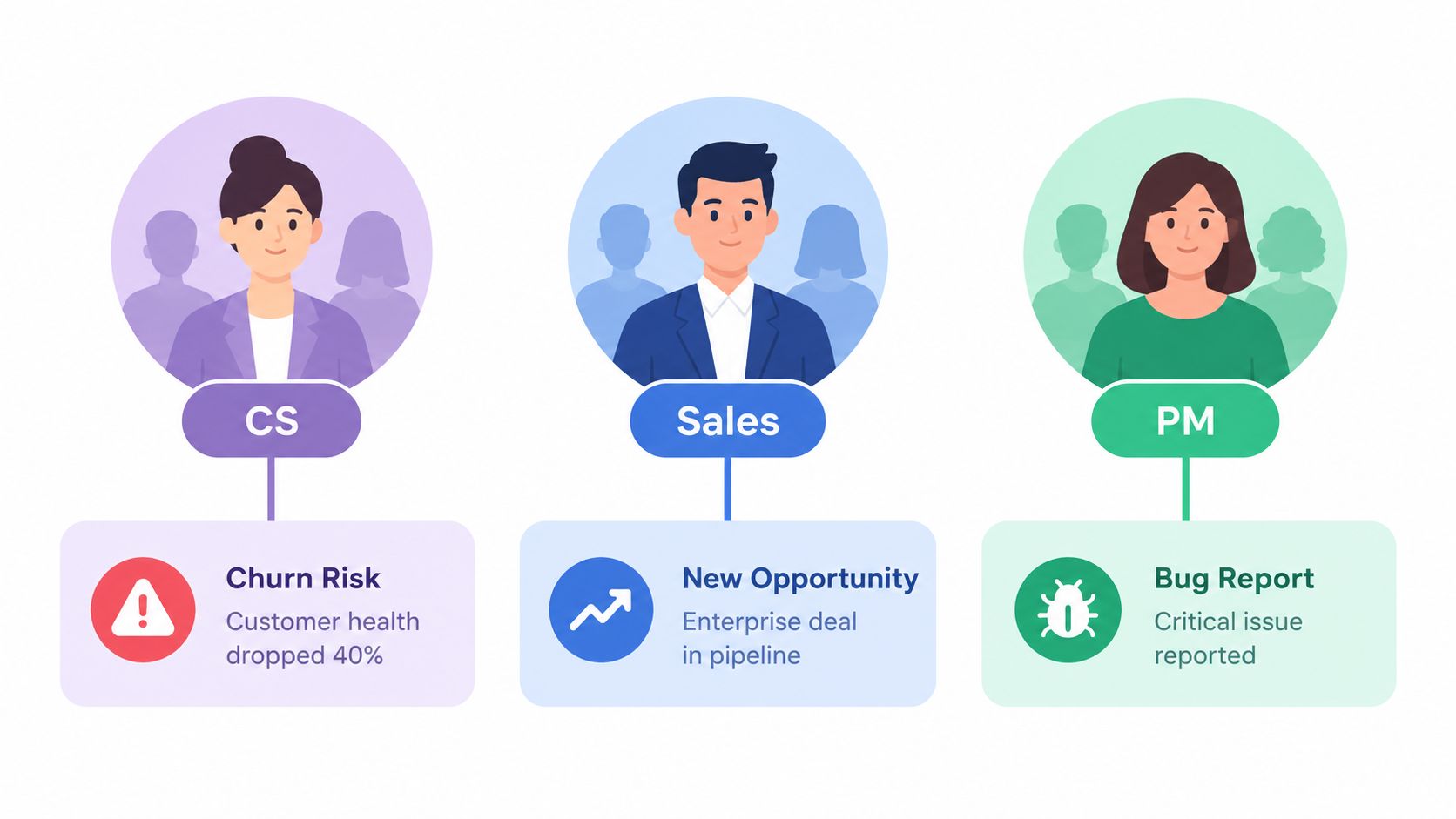
A customer success leader might need an alert about a deteriorating account signal. An account executive may need an expansion opportunity tied to an active deal. A product manager may need a pattern showing that several customers are struggling with the same workflow. Sending every alert to all three people creates noise and makes ownership unclear.
Behavioral segmentation should combine what a person does with what they are responsible for. A recipient who has never used a feature, opened a related report, or owned the affected account probably shouldn't receive the same notification as an active stakeholder.
Practical rule: Route notifications according to the action the recipient can take, not merely the data the system can produce.
Teams building a segmentation model should:
- Map alert types to roles: Send churn-risk signals to the people responsible for retention, and product-friction signals to the team that can investigate or fix them.
- Use live product behavior: Include recent visits, feature adoption, account ownership, and previous notification actions in the audience logic.
- Offer category controls: A preference center should let users choose alert types and channels without forcing an all-or-nothing opt-out.
- Pilot new segments: Test a new rule with a small cohort, review false positives, then expand the audience.
Research summarized by Business of Apps' push notification statistics reports that advanced targeting can improve reaction rates by 300%, while personalization can improve reaction rates by 400%. The same source reports that the average US smartphone user receives 46 app push notifications per day, which helps explain why relevance must come before reach.
For teams defining behavioral segmentation, the useful output isn't a larger audience. It's a smaller, more accountable audience with a clear next step.
2. Time-Zone-Aware Scheduling and Business Hours Optimization
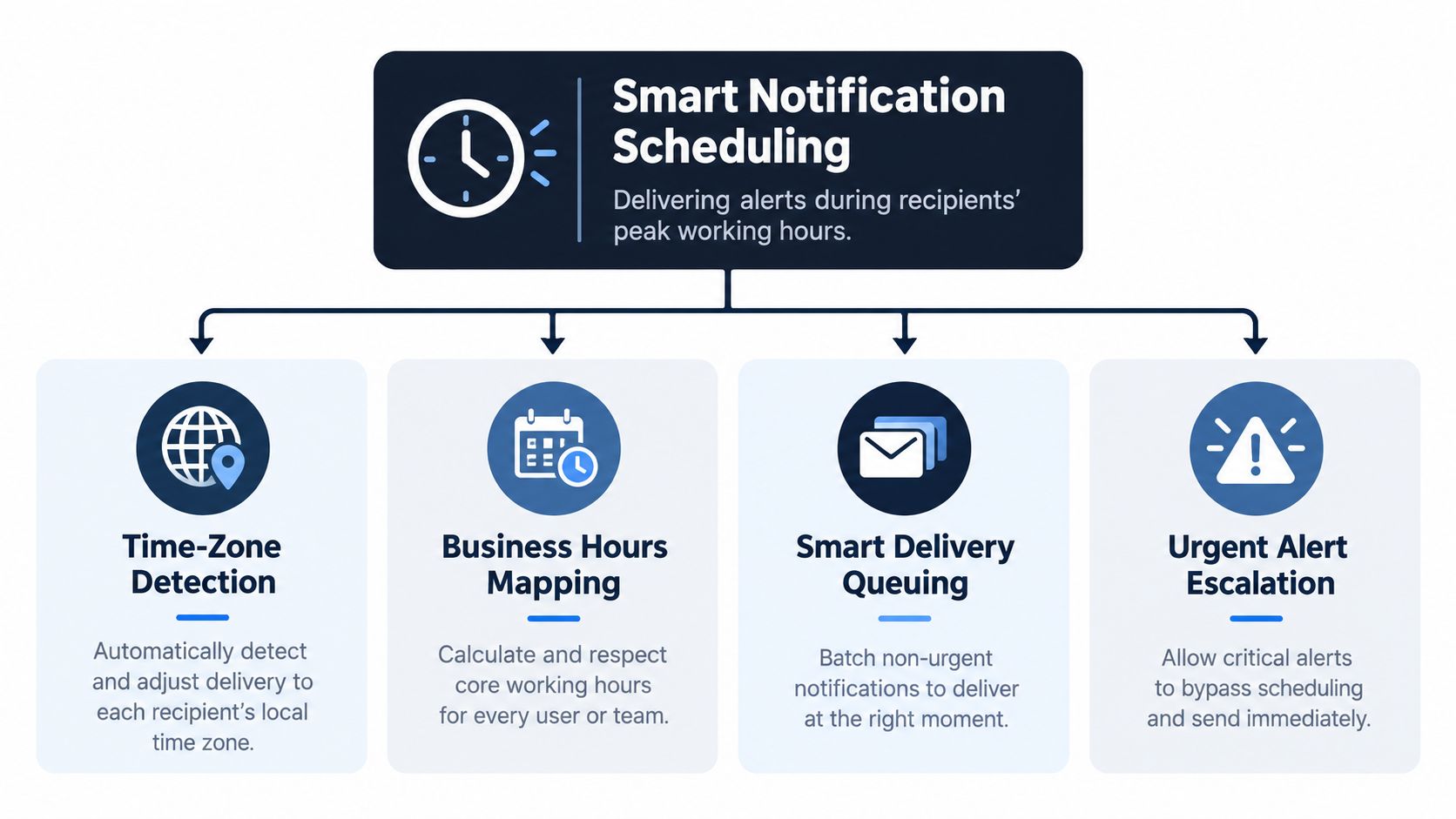
Timing affects whether a useful notification feels helpful or intrusive. A routine revenue summary delivered during someone's evening is still a routine summary, not an emergency. Distributed teams need scheduling rules that account for local time, working hours, meetings, leave, and the recipient's relationship with the product.
Start by separating event time from delivery time. A critical incident may need to arrive as soon as the system detects it. A trend identified overnight may be more useful in a morning digest. Treating both messages identically creates either unnecessary interruptions or delayed action.
A practical schedule might use three delivery states:
- Immediate: Deliver when delay could cause material harm, such as an active incident or a rapidly developing customer risk.
- Next available window: Hold a non-critical alert until the recipient's preferred work period.
- Digest: Combine related updates into a daily or weekly summary when no single item justifies an interruption.
Use local time as the baseline, then refine it with behavior. A morning dashboard summary may work before a team's regular standup, while a customer success alert may be more useful before account review meetings. Calendar integrations can suppress routine delivery during meetings, and user settings should override inferred preferences.
The trade-off is speed versus attention. Immediate delivery makes sense for a narrowly defined critical class. It doesn't make sense merely because the information is new. A product such as PagerDuty illustrates the distinction between escalating an incident and grouping routine operational updates, while a workspace product such as Notion provides a useful mental model for digest-style delivery.
For SigOS-style insights, a morning summary can present the most important revenue and customer signals before the team begins planning. A sudden, high-confidence churn signal may follow a different path, especially when a named owner and a specific intervention are available.
3. Priority-Based Alert Layering and Severity Classification
Users need to know what deserves attention before they read every word. Severity classification provides that hierarchy, but only if teams define it through business impact and required response rather than vague labels such as “important.”
A useful notification system has distinct layers. Critical alerts interrupt and escalate. Actionable alerts arrive promptly but may be grouped. Informational updates appear in a workspace feed, digest, or optional summary. The names can differ, but the delivery behavior must differ with them.
Severity should combine several signals:
- Business consequence: Could the issue affect retention, revenue, security, service availability, or a committed customer outcome?
- Time sensitivity: Does action lose value if the recipient waits?
- Confidence: Is the alert based on a strong signal or a weak indication that needs review?
- Ownership: Is there a clearly assigned person or team that can respond?
- Escalation path: What happens if the first recipient doesn't acknowledge it?
Avoid arbitrary thresholds that imply precision the system doesn't have. A revenue-impact estimate can inform prioritization, but it shouldn't turn an uncertain forecast into a false emergency. Let users customize lower-level preferences while protecting the meaning of the critical tier.
A New Relic-style severity model might distinguish critical, warning, and informational states. A Datadog-style anomaly workflow can add detection confidence, while an AWS Health Dashboard-style approach can separate service-wide events from account-specific notices. These are useful patterns, but each company still needs definitions tied to its own decisions.
A notification isn't critical because the sender feels urgency. It's critical because delay changes the outcome.
Every severity level should have a delivery rule, acknowledgment expectation, and review owner. If teams can't explain what a recipient should do differently for each level, the classification is decoration rather than governance.
4. Contextual Data Inclusion and Actionable Intelligence Pairing
A notification that says “high churn risk detected” transfers too much work to the recipient. They must open a dashboard, locate the account, identify the evidence, decide whether the signal is credible, and work out what to do next. That friction turns a potentially valuable alert into a reminder to investigate later.
Put the minimum useful context in the message itself. The recipient should understand the event, its significance, and the next available action without opening another system.
A context-rich alert might include:
- The affected object: Account, customer, workflow, incident, feature, or transaction.
- The change: What shifted, and compared with what prior state.
- The consequence: Why the change matters to this recipient.
- The evidence: The behavior, event, or metric that triggered the alert.
- The next actions: Options such as creating a ticket, assigning an owner, scheduling a call, or reviewing the full analysis.
The five-second test is useful here. Can a busy recipient explain the core issue after a quick glance? If not, shorten the headline, remove generic framing, and move secondary detail behind an expandable view or deep link.
A Stripe-style revenue alert could identify the affected transaction and customer. A GitHub security alert could name the vulnerable dependency and point to the remediation path. A Sentry-style error notification could identify the failing operation and affected user segment. These examples work because the alert gives the recipient a starting point, not just a destination.
Don't overload the first layer either. Too much detail can bury the decision. Use bold formatting for the affected account or consequence, then provide a concise explanation and a small set of action buttons. “Review account,” “Create task,” and “Dismiss as irrelevant” are more useful than a generic “View dashboard” link.
5. Frequency Capping and Notification Fatigue Prevention
Frequency caps are not a cosmetic setting. They're a protection mechanism for the trustworthiness of the entire notification channel. If users receive several low-value alerts, they may ignore the next one even when it contains a genuine operational risk.
Set limits by priority, audience, channel, and time window. A global cap can stop volume, but it may also block a critical event behind a queue of routine messages. A better system reserves interruption capacity for high-severity alerts, batches related updates, and suppresses duplicates from the same underlying incident.
Useful controls include:
- Duplicate suppression: Collapse repeated alerts about one unresolved problem into a single thread or updated event.
- Related-event aggregation: Summarize several account signals in one message when they require the same investigation.
- Quiet periods: Hold non-urgent alerts during user-defined hours or active work sessions.
- Escalation limits: Escalate only when the first recipient hasn't acknowledged or acted, rather than sending every update to everyone.
- Adaptive cooling: Reduce delivery when a recipient repeatedly dismisses, ignores, or marks a category irrelevant.
A message like “Five accounts have payment failures” may be more useful than five separate alerts, provided the recipient can open the account list and identify ownership. Aggregation should preserve actionability, not hide important differences.
Research summarized by Userpilot's comparison of push and in-app notifications says that sending fewer notifications improved user satisfaction and long-term product usage. The same source notes that a smartphone notification can disrupt concentration for roughly seven seconds, which makes every unnecessary interruption expensive in attention, even when it doesn't generate an explicit complaint.
Review ignored alerts by category. If people consistently dismiss a notification, the problem may be poor targeting, weak context, low urgency, or the absence of a realistic action. Don't solve every problem by increasing frequency.
6. Multi-Channel Delivery Strategy and Channel Preference Intelligence
Different channels support different kinds of attention. Slack is useful when a team needs to coordinate around a live issue. Email supports detail and later reference. In-app notifications preserve context inside the product. SMS or a phone call may be appropriate for a narrowly defined critical event, but using them for routine updates quickly undermines their value.
Build a routing matrix rather than a single “send everywhere” rule. For each notification class, define the primary channel, fallback channel, recipient preference, delivery window, and escalation condition.
Teams should let users choose channels at the category level. Someone may want account-risk alerts in Slack, product summaries by email, and low-priority updates only in-app. A preference center should expose those choices clearly and explain what happens when a user disables a channel.
The decision should also account for recipient behavior. If a user rarely responds in Slack but consistently reviews email summaries, the system can favor email for non-critical messages while preserving escalation rules for urgent events. Don't infer too much from open activity alone. A read doesn't prove that someone understood or acted.
A product team might route an urgent Linear-style issue to Slack, send the supporting analysis by email, and retain the full history in-app. For external channel design, teams working on multilingual voice AI for contact centers can also use the same principle, matching modality to urgency, audience, and required response.
7. Feedback Loop Integration and Notification Effectiveness Measurement
Delivery is not success. An opened notification may lead to action, confusion, dismissal, or an immediate search for the mute control. Measurement should follow the recipient's decision path, not stop at the first interaction.
For each notification type, define the job it is meant to perform. A churn-risk alert might aim to create an account task or schedule a customer conversation. A product issue alert might aim to create a ticket with an owner. A digest might aim to inform planning without requiring immediate action.
Track a sequence of signals:
- Delivery and visibility: Was the notification delivered, displayed, and opened?
- Comprehension and response: Did the recipient expand it, acknowledge it, or select an action?
- Business action: Was a ticket created, call scheduled, issue investigated, or opportunity advanced?
- Recipient judgment: Was it relevant, already known, not actionable, or incorrectly routed?
- Long-term effect: Did the alert category retain trust, or did dismissals and opt-outs increase?
A useful feedback control can sit directly inside the notification. “Not relevant,” “Already handled,” and “Send fewer like this” are more informative than a binary open signal. Those responses can update segmentation, suppression, and routing rules.
Measure the action the alert was designed to cause, not the interaction that's easiest to count.
Use SigOS's product feedback loop guidance as a reference point for connecting feedback to prioritization. Review results by alert type and recipient segment, not only by overall averages. A notification may work for customer success leaders and fail for sales representatives because the action, context, or ownership differs.
A monthly or quarterly review should retire low-value alerts, rewrite ambiguous templates, investigate repeated “already aware” responses, and compare notification outcomes with product and revenue workflows. The system improves when feedback changes delivery behavior.
8. Anomaly Detection and Predictive Alert Timing
Adaptive delivery should begin with reliable rules, not an ambitious machine-learning project. First establish local-time scheduling, severity routing, suppression, and clear event triggers. Once the system has enough history, it can learn when recipients are most likely to engage and identify unusual changes in notification quality.
Predictive timing can use signals such as prior opens, acknowledgments, action completion, active sessions, calendar state, and the type of alert. It should recommend a delivery window, not override a user's explicit preference or delay a critical event.
Anomaly detection can examine the notification system itself. A sudden increase in alerts from one rule may indicate a source-data problem. A rise in dismissals may indicate a relevance failure. A drop in acknowledgment may suggest that the routing logic has changed or that the recipient group is saturated.
Start with a small operating model:
- Establish a baseline: Compare engagement for each notification category across consistent recipient groups.
- Flag unusual behavior: Review spikes in false positives, duplicate alerts, delivery failures, or ignored critical messages.
- Test one variable: Change timing, audience, or template separately so the result remains interpretable.
- Preserve manual control: Let users pause adaptive timing and set hard delivery windows.
- Create a fallback: If the model lacks confidence, use the team's ordinary business-hours rule.
Gmail-style send optimization, Calendly-style scheduling recommendations, and Netflix-style recommendation timing illustrate the broader idea of matching delivery to observed behavior. They shouldn't be copied blindly into operational alerting, where urgency and accountability matter more than convenience.
This is also where real-time anomaly detection can support a more mature notification system. The useful outcome isn't “AI sent more alerts.” It's a smaller number of better-timed messages, with transparent reasons for delivery decisions.
The following video can provide additional context for teams exploring anomaly-based alerting:
9. Progressive Disclosure and Adaptive Notification Detail Levels
Not every recipient needs the same amount of information in the first layer. An executive may need the affected account and business consequence. An analyst may need the evidence behind the signal. An operator may need the exact command, ticket, or workflow that resolves it.
Progressive disclosure keeps the initial notification readable while preserving depth for people who need it. The first layer should answer what happened and why it matters. An expanded view can show evidence, history, related events, and supporting analysis. A deep link can open the full workflow without forcing every recipient through the same amount of detail.
A strong notification structure looks like this:
- Headline: State the decision-relevant change.
- Impact line: Explain the customer, revenue, product, or operational consequence.
- Evidence: Show the behavior or event that supports the signal.
- Action controls: Offer a few specific next steps.
- Details link: Open the full analysis, history, or ownership view.
Google Calendar uses a compact event reminder that can lead to fuller event details. GitHub notifications can summarize a change before the user opens the underlying work. Slack's thread model keeps the first message concise while allowing participants to inspect the surrounding discussion.
Don't hide the action behind a vague link. “Review account,” “Assign owner,” and “Open incident” tell the recipient what will happen. On mobile, put the affected object and action near the beginning because the rest of the message may be truncated.
Detail should also adapt to role and history. Someone who repeatedly expands evidence may benefit from a richer default. Someone who only needs a daily summary should receive less interruption and a clearer digest. The system should learn from behavior, but users must be able to change the default.
10. Governance and Notification Audit Trails for Compliance
A notification system needs an accountable record of what it decided, why it decided it, and what happened afterward. Auditability supports compliance, debugging, customer support, incident review, and internal trust. Without that record, a team cannot tell whether a missed alert was never generated, incorrectly routed, suppressed, delivered late, or left unacknowledged.
Record the decision path, not only the final send event. A useful audit trail includes:
- Notification identity: Alert type, version, severity, and triggering event.
- Audience decision: Recipient, role, account relationship, and routing rule.
- Delivery decision: Channel, timing, fallback, suppression, and escalation state.
- Message content: Template version, dynamic fields, and linked context.
- Outcome: Delivery status, opening, acknowledgment, action, dismissal, or escalation.
- Privacy controls: Data classification, access permissions, retention status, and deletion handling.
Document notification logic with clear guardrails for AI governance and risk so another team can reproduce the decision. “Sent to the account owner because the account entered the high-risk segment” gives reviewers more usable context than a model identifier without an explanation. Version templates, scoring rules, and routing logic so teams can compare behavior before and after a change.
For example, if a customer claims they never received a high-risk alert, the record should show whether it was generated, which recipient and channel were selected, whether quiet hours suppressed it, when escalation occurred, and whether someone acknowledged it. A timestamped sequence can resolve the dispute without relying on memory or screenshots.
Email systems, healthcare workflows, financial services platforms, and incident-response tools all show why message history matters. Compliance obligations vary by product and jurisdiction, so legal and security stakeholders should review the design. An audit log alone may not satisfy every applicable standard.
Create a delivery-health view for failed sends, latency, suppressed messages, escalation attempts, and stale recipients. Set retention rules according to the data's purpose and regulatory requirements. Restrict access to sensitive content, especially alerts containing customer behavior, support conversations, or revenue information.
A useful audit trail answers three questions quickly: What happened, who was supposed to act, and what did the system do next? That clarity protects recipients and gives product teams evidence for improving the signal-management system.
Notification Best Practices: 10-Point Comparison
| Approach | Implementation Complexity 🔄 | Resource & Data Requirements ⚡ | Expected Outcomes / Impact 📊 | Ideal Use Cases 💡 | Key Advantages ⭐ |
|---|---|---|---|---|---|
| Behavioral Segmentation & Relevance-Based Targeting | High, role & behavior mapping, dynamic segments | High, behavioral data platform, identity resolution | Higher engagement; fewer irrelevant alerts; improved ROI | Cross-functional orgs; churn/expansion workflows | Targets right stakeholders; reduces noise |
| Time-Zone Aware Scheduling with Business Hours Optimization | Medium, scheduling engine + calendar integration | Medium, timezone, calendar and user prefs | Increased open rates; fewer off-hours interruptions | Distributed/global teams; daily dashboards | Delivers at peak hours; improves response |
| Priority-Based Alert Layering & Severity Classification | High, impact scoring, escalation workflows | Medium–High, business-impact models, routing rules | Faster response to critical issues; less fatigue | Revenue/incident-critical monitoring | Ensures urgent alerts get immediate attention |
| Contextual Data Inclusion & Actionable Intelligence Pairing | Medium, message design and data aggregation | Medium, embed metrics, links to tools | Shorter time-to-action; higher action-on-alert rates | Alerts requiring immediate decisions without dashboard | Makes alerts actionable with recommended next steps |
| Frequency Capping & Notification Fatigue Prevention | Medium, rate limits, aggregation logic | Low–Medium, per-user counters, dedupe logic | Reduced alert fatigue; sustained attention to alerts | High-volume alert streams; large user bases | Preserves trust; improves signal-to-noise |
| Multi-Channel Delivery Strategy with Channel Preference Intelligence | High, multi-integrations and formatting | High, APIs for email/Slack/SMS/in-app, fallback logic | Higher delivery reliability and faster responses | Teams with varied channel habits; critical alerts | Reaches users where they are; redundant delivery |
| Feedback Loop Integration & Notification Effectiveness Measurement | High, tracking, attribution, A/B testing | High, instrumentation, analytics, feedback capture | Data-driven improvements; measurable ROI | Mature products optimizing notifications | Enables continuous refinement and validation |
| Anomaly Detection & Predictive Alert Timing | Very high, ML models and prediction infra | Very high, historical engagement data, compute | Maximized engagement; fewer false-positive storms | Platforms with rich history; personalization goals | Sends when users are most receptive; detects systemic issues |
| Progressive Disclosure & Adaptive Notification Detail Levels | Medium, templating and interactive elements | Medium, role rules, UI/channel support | Lower cognitive load; better cross-persona engagement | Mixed audiences (execs vs analysts) | Serves brief headlines and expandable detail effectively |
| Governance & Notification Audit Trails for Compliance | Medium–High, comprehensive logging + retention | High, storage, indexing, export and policy controls | Compliance evidence; forensic debugging; auditability | Regulated enterprises (SOC2/HIPAA/GDPR) | Provides legal/compliance proof and incident history |
Turn Notification Volume Into Decision Value
The strongest notification programs don't begin with templates or channel integrations. They begin by defining the decisions the product needs to support. For each notification job, identify the audience, the triggering condition, the expected action, the acceptable delay, and the cost of a false positive.
Then classify severity before choosing delivery. A critical alert should interrupt only when delay creates a meaningful risk. A routine insight should wait for a digest or appear in the product. An informational update may belong in a weekly summary or remain available in a workspace feed. If every message uses the same urgency, recipients lose the ability to distinguish signal from noise.
Next, write context-rich templates. Include the affected account, feature, incident, or workflow. Explain the change and its consequence. Give the recipient a specific action, such as creating an issue, assigning an owner, scheduling a call, or reviewing evidence. Keep the first layer concise, then use progressive disclosure for supporting detail.
Map each notification type to a channel and fallback. Email, Slack, in-app, SMS, phone calls, and webhooks serve different attention patterns. Let users configure category-level preferences, but preserve clear escalation rules for critical events. Use local time and business hours for routine delivery, then refine timing with observed engagement only after the basic rules work reliably.
Instrument the outcome, not just the send. Track delivery, visibility, acknowledgment, action completion, dismissals, relevance feedback, and downstream business activity. A churn alert should connect to an account intervention. A product signal should connect to an issue or investigation. An expansion signal should connect to a qualified opportunity or customer conversation. Those connections show whether the notification created decision value.
Privacy and compliance belong in the design from the start. Obtain explicit consent where required. Provide preference controls and an understandable way to change them. Minimize the data included in message content, protect access to sensitive context, apply retention rules, and document the logic that determines recipients and timing. Don't treat governance as a reporting feature added after the system is live.
Adoption should happen in stages:
- Define notification jobs and audiences.
- Classify severity and set timing and frequency rules.
- Create context-rich templates with clear actions.
- Map channels, fallbacks, and escalation paths.
- Measure actions and collect recipient feedback.
- Add adaptive timing, anomaly detection, and governance as the system matures.
Schedule a recurring review of the system. Remove alerts that no longer lead to action. Recalibrate thresholds when false positives rise. Look for segments that are saturated, channels that fail to reach owners, and messages that recipients mark as irrelevant. Then connect notification outcomes to business actions, including issues created, calls scheduled, churn risks addressed, and opportunities advanced.
SigOS is relevant for teams that need behavioral signals and revenue impact to decide which customer and product insights deserve attention. The broader lesson applies regardless of the tool: notifications should earn attention through relevance, urgency, context, control, and measurable impact.
SigOS helps product, success, and growth teams turn customer feedback and usage signals into prioritized insights with revenue context. Its alerts can support disciplined routing across channels, so the right stakeholder receives a signal with enough context to act. Visit SigOS to evaluate how it could fit into your notification and product intelligence workflow.


Ready to find your hidden revenue leaks?
Start analyzing your customer feedback and discover insights that drive revenue.
Start Free Trial →