Jobs to Be Done Templates: The Top 12 Canvases for Product Teams
Discover the top jobs to be done templates for product teams. Download free canvases and worksheets to map customer needs and prioritize features.

The Jobs to be Done (JTBD) framework is a powerful lens for product teams, shifting focus from building features to helping customers achieve specific outcomes. It reframes innovation by asking a fundamental question: What "job" is a customer hiring your product to do? This approach moves teams beyond user demographics and product attributes to understand the core motivations driving customer behavior, leading to more impactful and successful products.
However, translating JTBD theory into practice can be challenging. Without a structured approach, teams can get bogged down in abstract discussions instead of generating actionable insights. This is where jobs to be done templates become indispensable. They provide a clear, repeatable process for capturing, analyzing, and acting on customer needs.
This guide presents a curated collection of the best JTBD templates available, designed for various tools and use cases. You'll find everything from collaborative canvases for initial brainstorming in Miro and FigJam to strategic mapping tools in platforms like TheyDo and Aha!. We'll explore templates for every stage of your workflow, including interview scripts, survey builders, and job story formats. Each entry includes a preview, direct links, and practical guidance on when and how to use it, helping you quickly find the right template to turn customer struggles into a concrete product roadmap.
1. Miro: The Go-To for Collaborative JTBD Workshops
Miro’s Jobs to be Done Template is an essential starting point for teams new to the framework. It offers a structured, visual canvas perfect for defining core jobs, desired outcomes, and pain points in a real-time, collaborative setting. Its strength lies in facilitating live synthesis workshops, making it ideal for remote or hybrid teams.
The user interface is intuitive; team members can easily drag and drop sticky notes, add comments, and use voting features to align on priorities.
Real-World Use Case & Implementation
A remote product team can use this template directly after a series of customer interviews. They can import key quotes onto digital sticky notes, cluster them by emerging themes, and then use the voting feature to prioritize the most critical 'jobs.' The platform’s built-in timer keeps the synthesis session focused and efficient, preventing scope creep during brainstorming. The insights gathered here can then be used to inform a more structured analysis, like building a feature prioritization matrix to guide development roadmaps.
Limitations & Pricing
While excellent for initial synthesis and brainstorming, the output often requires manual transfer into a system of record like Jira or Aha! for ongoing tracking. The most powerful facilitation features, such as advanced voting and private breakout frames, are locked behind Miro’s paid plans, which start at $8 per member per month (billed annually).
2. Figma FigJam: For Integrated Design & Strategy Workflows
Figma FigJam's Jobs-to-be-Done template provides a free, dynamic whiteboard ideal for teams deeply embedded in the Figma ecosystem. It excels at bridging the gap between customer insight and design execution, allowing teams to capture motivations, barriers, and desired outcomes directly within their primary design environment. Its main advantage is the seamless integration with design files and prototypes.
The interface is clean and accessible, leveraging familiar Figma controls. Team members can use rich diagramming tools, expressive sticky notes with reactions, and community-powered widgets to customize their JTBD analysis.
Real-World Use Case & Implementation
A product design team can use this template to synthesize user research findings without ever leaving their design tool. After identifying key jobs, they can directly link specific JTBD statements to wireframes or high-fidelity mockups in a related Figma file. This creates a clear, traceable line from customer need to design solution. For example, a "help me monitor my spending without manual data entry" job can be linked directly to a new dashboard component, ensuring design decisions are grounded in validated customer problems.
Limitations & Pricing
While the core template is free, advanced collaboration features like audio chat, open sessions for external viewers, and enhanced security controls are part of paid plans, starting at $3 per editor per month. The template's full power is most realized when used alongside Figma design files; for teams that use other design tools like Sketch or Adobe XD, the integration benefits are diminished, making it more of a standalone whiteboard tool.
3. Lucid (Lucidspark / Lucidchart)
Lucid’s Jobs to be Done Template offers a unique advantage by combining a high-level JTBD canvas with a complementary Job Map template. This dual approach, available across both Lucidspark (for whiteboarding) and Lucidchart (for diagramming), allows teams to not only define the core job but also to meticulously break it down into sequential steps, making it one of the more comprehensive jobs to be done templates available.
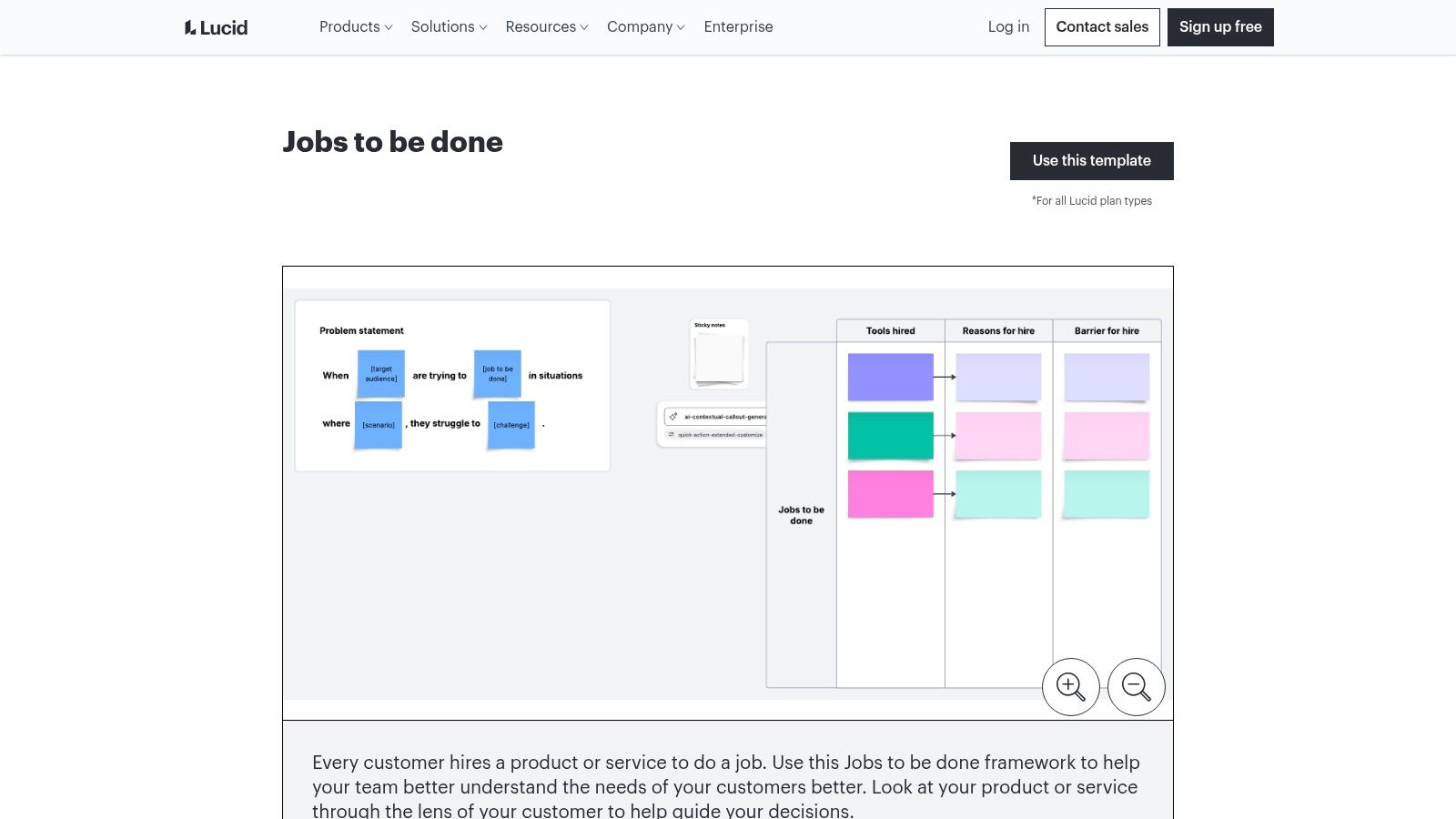
The platform is particularly useful for product managers already familiar with Lucid’s ecosystem, providing a seamless transition from brainstorming to structured diagramming.
Real-World Use Case & Implementation
A product team can use the Lucidspark JTBD canvas for initial collaborative discovery, identifying customer struggles and desired outcomes. Following that session, they can switch to the Lucidchart Job Map template to detail the execution phase of the job. When decomposing complex jobs into manageable steps, a well-structured user flow diagram can provide clarity and guide your mapping efforts. This granular breakdown helps pinpoint specific steps where the current solution fails, offering precise targets for feature improvement or innovation.
Limitations & Pricing
Lucid is powerful, but its free tier has notable limitations on collaboration and exporting capabilities, which can hinder team workflows. Gaining full functionality, including advanced sharing and integration features, requires upgrading to a paid plan. Team plans for Lucidspark and Lucidchart start at $9 per user per month (billed annually), and costs can accumulate if you require licenses for both products.
4. Mural: The Facilitator's Choice for Structured JTBD Analysis
Mural’s Jobs-to-be-Done worksheet template provides a more guided experience than other open-ended canvases. It is designed to methodically cluster individual customer tasks into higher-level core jobs, making it an excellent tool for teams that need a clear, action-biased workflow. The template excels at involving cross-functional, non-design stakeholders in a structured way.
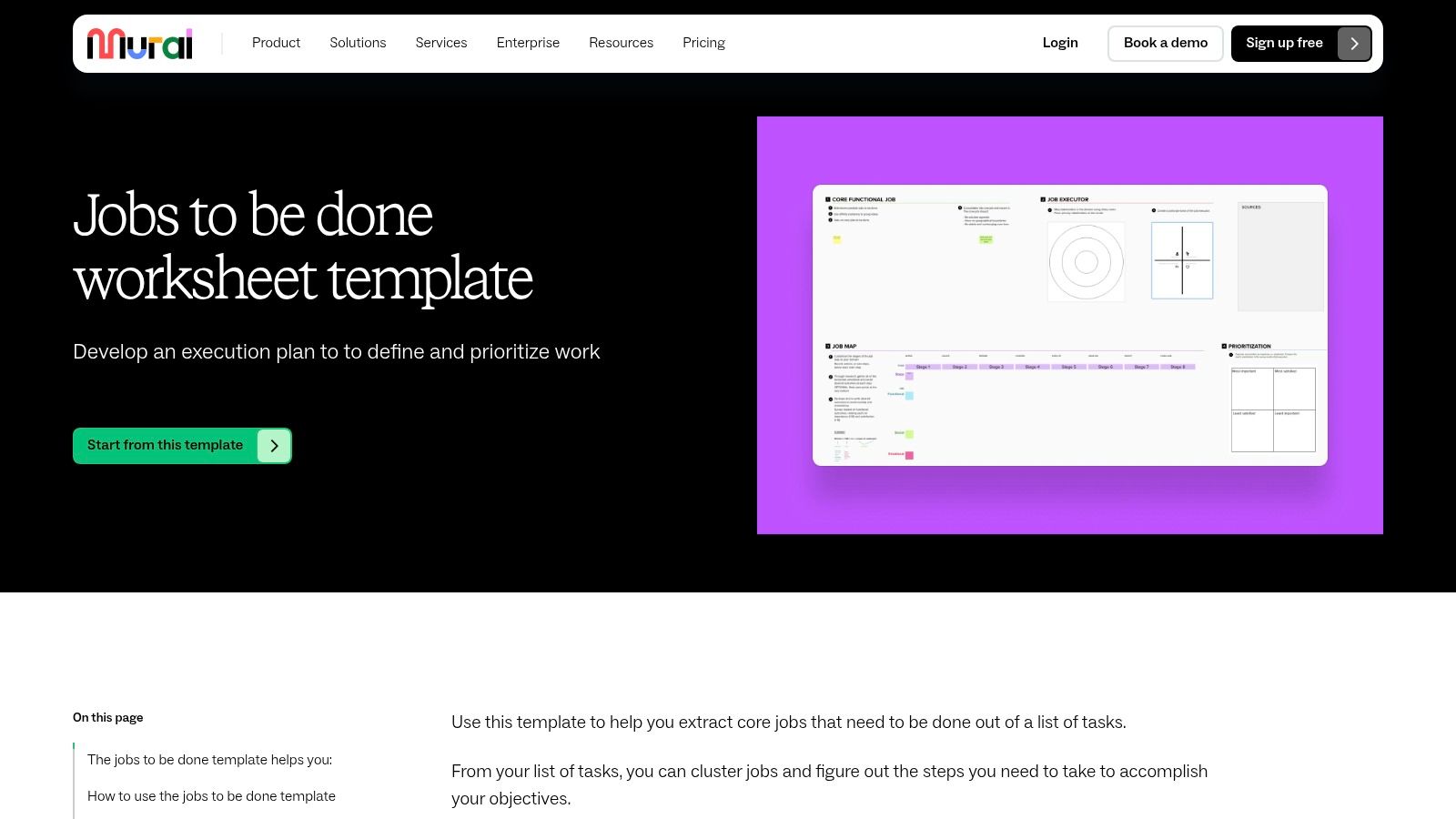
Its user interface is clean, and the built-in facilitator tools like timers and private voting are perfect for keeping remote workshops on track and ensuring all voices are heard equally.
Real-World Use Case & Implementation
A product marketing team can use this template to prepare for a new feature launch. They can populate the initial "Tasks" section with customer feedback and survey data, then collaboratively group these into distinct "Jobs" during a live workshop. Using the voting feature, the team can quickly align on the most impactful job to focus on for their messaging. The clear flow from tasks to jobs helps build consensus and ensures the marketing strategy is grounded in genuine customer needs, not just product features.
Limitations & Pricing
Mural is a powerful collaborative tool, but like its competitors, the most effective features for running a workshop are part of its paid plans. While it has a free tier, team facilitation and advanced permissions require a paid plan, starting at $9.99 per member per month (billed annually). Additionally, insights gathered in a Mural board often need to be manually transferred to a project management system or product roadmap for long-term tracking and execution.
5. Aha!: The Integrated Product Roadmap JTBD Template
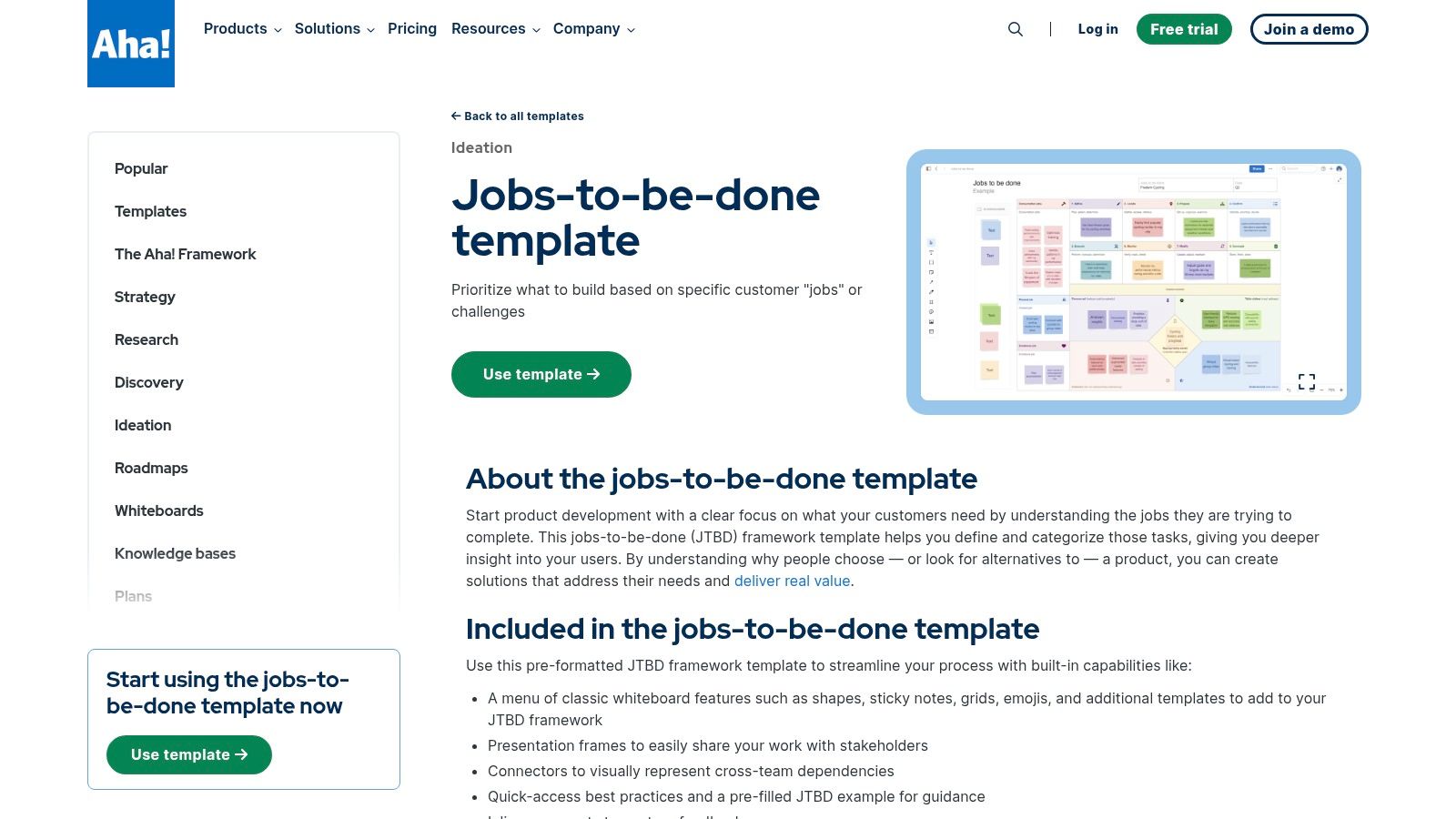
For teams looking to bridge the gap between customer discovery and strategic planning, Aha!’s Jobs-to-be-Done template offers a powerful solution. Embedded within its roadmapping suite, this template is designed to translate JTBD insights directly into actionable product initiatives. It excels at capturing functional, emotional, and social jobs alongside desired outcomes, all within a system built for product operations.
Its standout feature is the ability to link JTBD elements directly to features, epics, and strategic goals on your roadmap. This creates a clear, traceable line from customer needs to development priorities.
Real-World Use Case & Implementation
A product manager can use the Aha! template to document insights from customer interviews, defining the core jobs and desired outcomes. Using the connector feature, they can then link a specific high-value "job" to a new feature initiative on their Q3 roadmap. This provides immediate context for stakeholders, justifying the feature's priority by showing exactly which customer need it addresses, making it one of the most practical jobs to be done templates for portfolio alignment.
Limitations & Pricing
The template's greatest strength is also its main limitation: its deep integration with the Aha! ecosystem. To gain full value, you must be a subscriber to an Aha! Roadmaps or Aha! Whiteboards plan. While a free 30-day trial is available, ongoing access requires a paid plan, which starts at $59 per user per month (billed annually) for the Roadmaps product. This makes it a less accessible option for teams not already committed to the platform.
6. Notion Template Gallery: The Integrated Documentation Hub
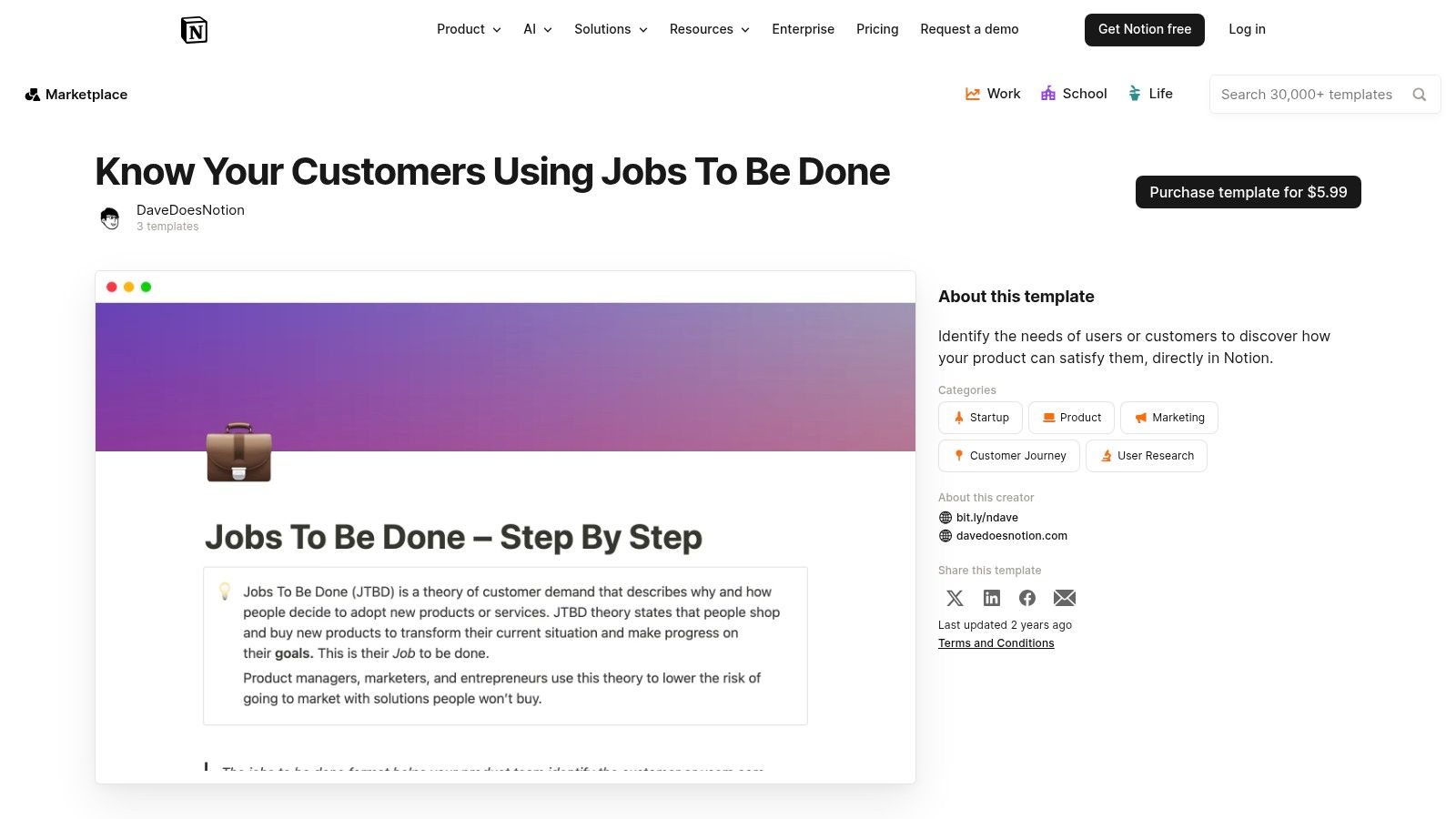
Notion’s Jobs to be Done Template collection offers a powerful way to integrate JTBD research directly into your team’s central knowledge base. Unlike standalone whiteboarding tools, these templates live within your existing documentation, making it easy to link interview insights directly to product requirement documents (PRDs), roadmaps, and project plans. This approach is ideal for async teams that prioritize documentation over live workshops.
The templates provide structured databases for capturing job stories, desired outcomes, and interview notes. Notion’s relational database features allow you to create dynamic links between customer problems and proposed solutions.
Real-World Use Case & Implementation
A product manager can duplicate a JTBD template into their team’s workspace to create a centralized research repository. As they conduct customer interviews, they can populate the database with quotes, pain points, and job stories. Using Notion's relational properties, they can link specific interview notes to features in their product roadmap database. This creates a clear, traceable line from customer need to development task, ensuring every feature is grounded in validated research without leaving the platform.
Limitations & Pricing
Notion is not designed for real-time, visual brainstorming like Miro; its strength is in structured, asynchronous documentation. Collaboration effectiveness and guest access are dependent on your Notion subscription plan, which can be restrictive for larger teams or when working with external consultants. While many community jobs to be done templates are free, more advanced or comprehensive ones may require a one-time purchase from creators. Paid plans start at $8 per user per month (billed annually).
7. Miroverse (Jobs-to-be-done Canvas by neueBeratung)
The Jobs-to-be-done Canvas by neueBeratung on Miroverse offers a battle-tested framework from a consulting firm, providing more structure than a blank canvas. It’s designed to identify, categorize, and rank customer jobs by importance, making it a powerful tool for discovery and prioritization workshops. Community ratings and usage stats offer social proof of its effectiveness.
Its strength lies in its pre-built structure and embedded step-by-step instructions, guiding teams through the process without requiring a JTBD expert to facilitate. The one-click integration into any Miro board makes it instantly accessible.
Real-World Use Case & Implementation
A product team preparing for a quarterly planning session can use this template to structure their thinking around customer needs. After collecting feedback, they can populate the canvas with job statements, then use the ranking fields to force-prioritize based on perceived importance and satisfaction. This provides a clear, visual artifact to present to stakeholders, justifying roadmap decisions with a customer-centric rationale. The template acts as a bridge between raw customer feedback and strategic planning.
Limitations & Pricing
This template’s value is almost entirely confined to the Miro ecosystem; exporting the structured canvas to other platforms is not a seamless process. While the template itself is free to use, it requires at least a free Miro account. Many of the collaborative features that make the workshop effective, such as advanced facilitation tools, are part of Miro’s paid plans, which start at $8 per member per month (billed annually).
8. Miroverse (Jobs To Be Done for Product Managers by Product School)
Created by Product School, the Jobs To Be Done for Product Managers template on Miroverse is specifically tailored to the PM workflow. It moves beyond a basic canvas, offering a structured flow from interview preparation and data gathering to crafting well-formed Job Stories. Its strength is in its prescriptive guidance, making it an excellent educational tool for product teams adopting the framework.
The template uses PM-centric language and provides scaffolding for common artifacts, translating raw interview insights into actionable development inputs. It’s highly validated by the Miro community, ensuring its practical utility.
Real-World Use Case & Implementation
A product manager can use this board to structure an entire JTBD research sprint. They would start in the interview prep section to define research goals, then capture notes directly onto the board during customer calls. Knowing how to effectively analyze interview data is critical at this stage. Afterward, the team can collaboratively use the "When… I want to… So I can…" format to build and refine job stories, ensuring everyone is aligned on the customer’s core motivations before prioritizing solutions.
Limitations & Pricing
As a community template, it is free to use but requires a Miro account. Its primary limitation is its platform dependency; exporting the structured findings to a different product management tool like Jira or Productboard will involve manual data transfer. The template is also prescriptive, which may feel restrictive for experienced teams who prefer a more flexible, open-ended canvas for their Jobs to be Done templates.
9. Maze: For Quantitatively Validating JTBD Hypotheses
Maze’s Jobs-to-be-Done Survey Template excels at moving teams from qualitative assumptions to quantitative validation. It provides a pre-built, structured survey designed specifically to test your JTBD hypotheses, measure the importance of desired outcomes, and identify the biggest pain points with real users. Its strength is in delivering hard data to confirm or deny what you learned in interviews.
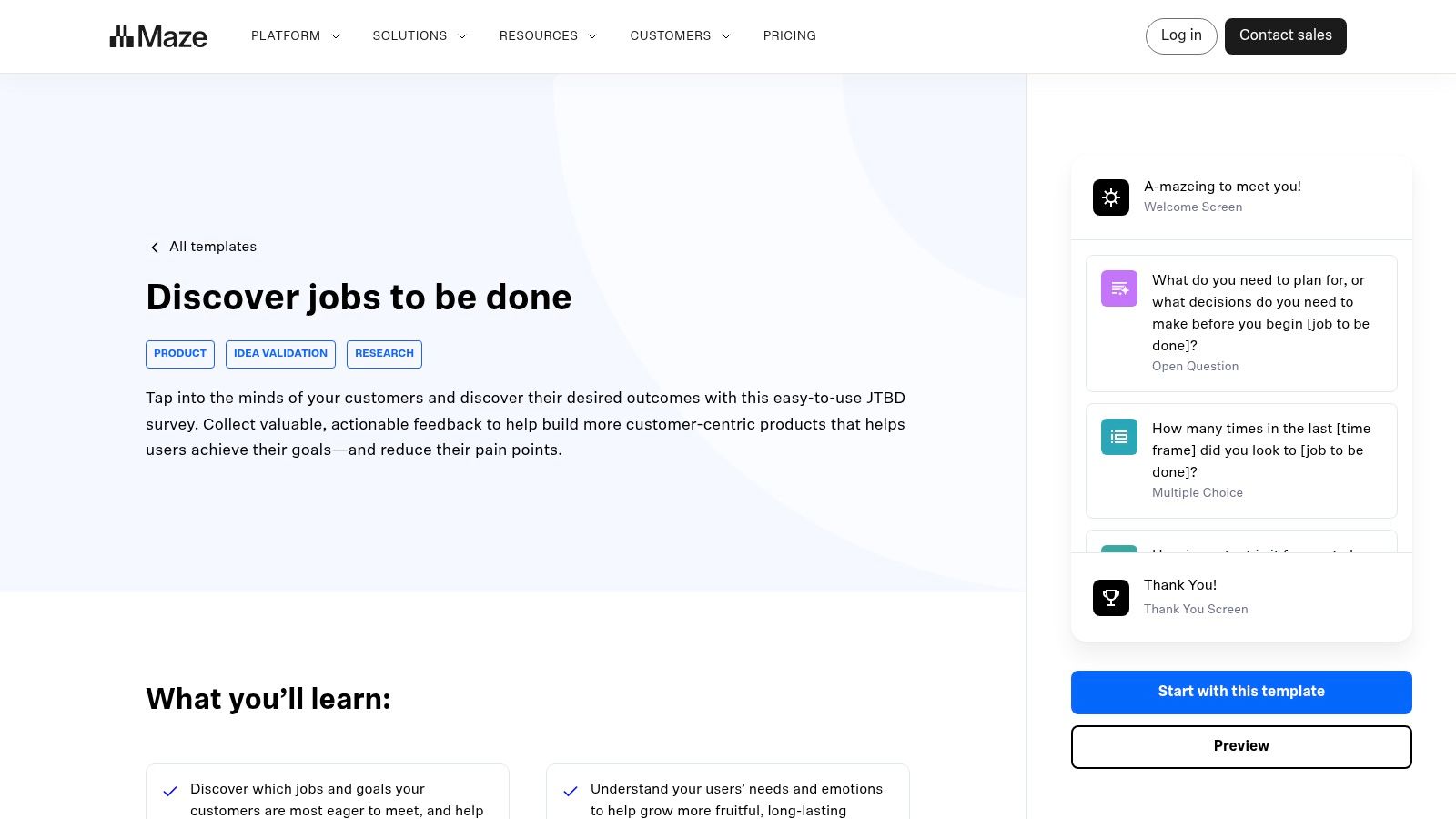
The platform is built for speed; you can deploy a survey and start collecting responses in minutes. The built-in analytics dashboard automatically visualizes trends, saving you hours of manual data processing in spreadsheets.
Real-World Use Case & Implementation
A product team, having just completed qualitative interviews and defined a core job, can use this template to validate their findings at scale. They can quickly adapt the survey questions to reflect their specific job statement and desired outcomes. By sending the survey to a larger user segment, they can generate statistical evidence showing which outcomes are most important and underserved, directly influencing their growth strategy framework and ensuring they prioritize features that solve proven problems.
Limitations & Pricing
While excellent for validation, this template is not designed for the initial discovery or synthesis phase of JTBD research. Accessing the template requires signing up for a Maze account. The free plan is great for getting started, but reaching a statistically significant sample size often requires sourcing your own audience or paying for Maze’s panel, which is part of their paid plans starting at $99 per month.
10. Attest: For Quantitative JTBD Survey Validation
Attest’s JTBD survey template shifts the focus from qualitative brainstorming to quantitative validation. It's designed for teams that have initial hypotheses about customer jobs and need to test them with a statistically significant audience. The platform’s core strength is its built-in consumer panel, allowing you to quickly survey specific demographics.
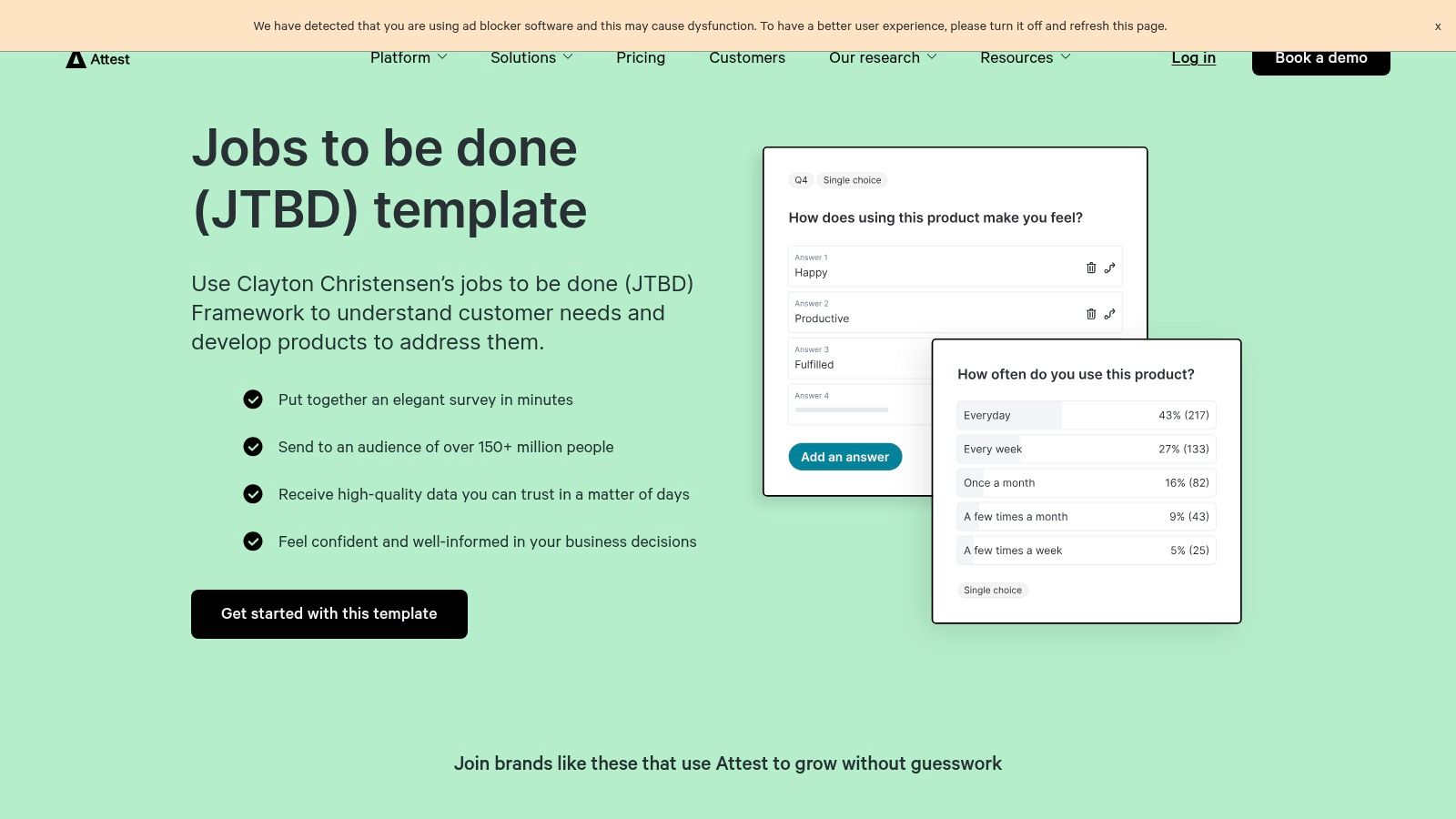
This makes it one of the few dedicated jobs to be done templates built for robust, data-driven validation rather than initial discovery.
Real-World Use Case & Implementation
A product marketing team, having identified a potential 'job' from customer interviews, can use Attest to confirm its prevalence. They can deploy the survey template to a panel of 1,000 consumers matching their target customer profile. The survey can measure the importance of the job and satisfaction with current solutions, providing quantitative data to justify prioritizing a new feature set. The resulting data provides a strong foundation for a deeper qualitative data analysis to understand the "why" behind the numbers.
Limitations & Pricing
Attest excels at validation, but it's not a discovery tool. You need to bring your own well-formed hypotheses to test. While a free plan exists for surveying your own contacts, accessing the powerful consumer panel and advanced demographic targeting requires a paid subscription. Pricing is tailored to research needs and often requires a sales consultation for the professional and enterprise tiers.
11. TheyDo: Mapping Jobs Across the Customer Journey
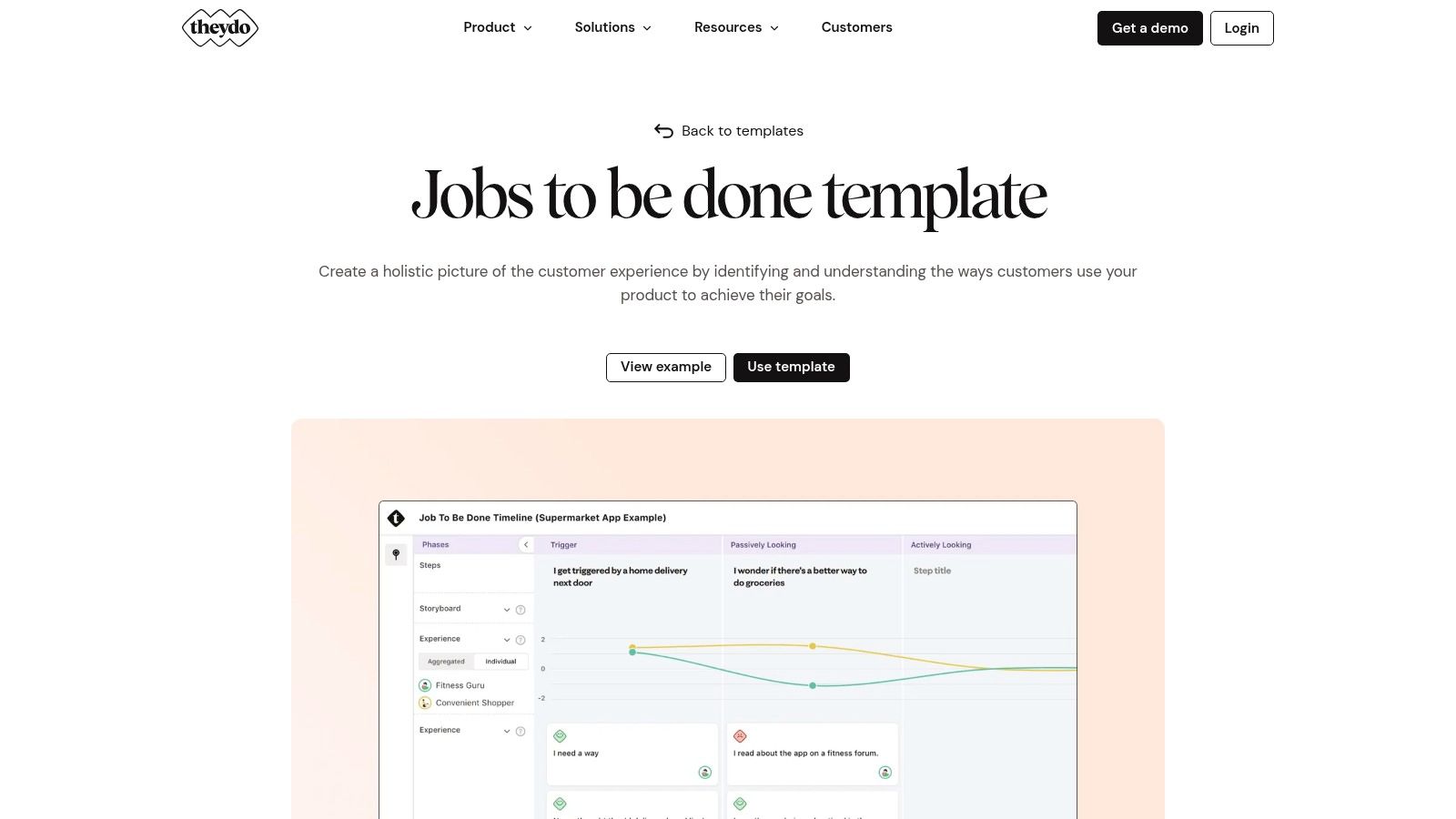
TheyDo’s Jobs to be Done Template excels at integrating the JTBD framework directly into the customer journey. It’s designed for teams who want to move beyond isolated job statements and map them to specific touchpoints, personas, and funnel stages. Its strength is providing a holistic view that connects customer jobs to business opportunities across the entire lifecycle.
The platform allows you to link specific customer quotes and insights to "job cards," which can then be scored and prioritized. This creates a clear, evidence-based link between research and strategic planning.
Real-World Use Case & Implementation
A cross-functional team of product, marketing, and CX leaders can use TheyDo to build a shared understanding of the customer experience. After identifying key jobs, they can place them along a journey map, attaching real customer feedback and scoring the experience at each stage. This visual representation quickly highlights where the current experience fails to address critical jobs, revealing the most impactful opportunities for improvement. The platform’s structure ensures that solutions are tied directly to validated customer needs and journey moments.
Limitations & Pricing
TheyDo is a powerful but comprehensive journey management platform, meaning you must adopt their entire ecosystem to use the template effectively; it’s not a standalone tool. This can be a significant barrier if your team already has established journey mapping tools. TheyDo is a paid product, with pricing for its "Journey" plan starting at €249 per month for up to 5 editors.
12. Strategyn: The Authoritative Source for Job Mapping
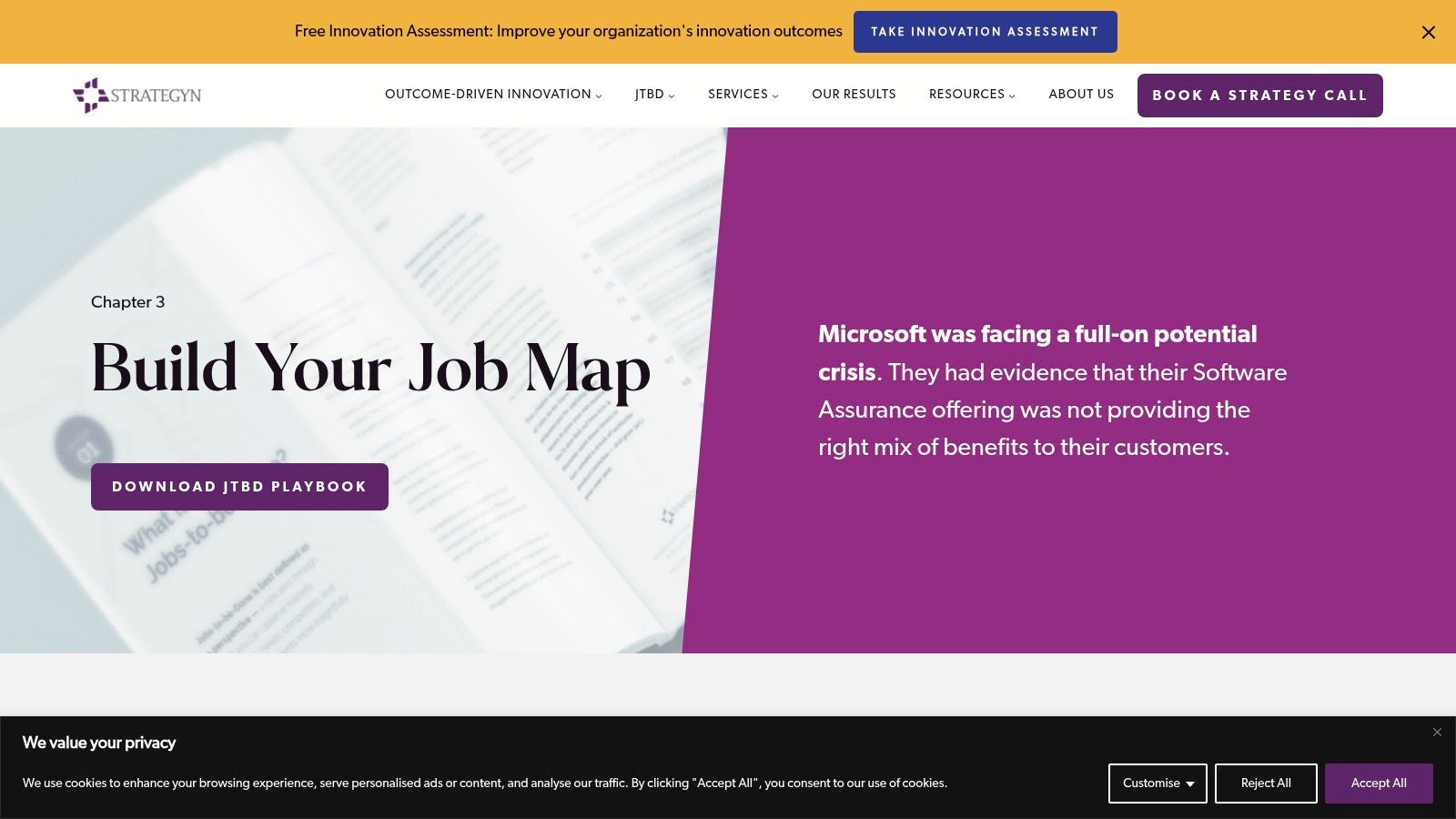
Strategyn's Job Map Template, part of their Outcome-Driven Innovation (ODI) resources, offers a practitioner-grade tool for deeply analyzing a core job. Grounded in decades of JTBD practice, this playbook and template combination provides a canonical structure for deconstructing a job into its distinct stages, from defining goals to concluding the task. It excels in bringing methodological rigor to the discovery process.
This resource is less of a collaborative canvas and more of an educational guide and structured template. It’s perfect for teams looking to move beyond initial brainstorming and into a detailed, systematic mapping of customer processes.
Real-World Use Case & Implementation
A product manager can download the playbook to prepare for in-depth customer interviews, using the provided guidance to frame questions around each stage of the job map. After the interviews, they can populate the template in Excel or import its structure into a tool like Miro. The structured format ensures no step in the customer's process is overlooked, revealing opportunities for innovation at the "prepare," "execute," or "monitor" stages that might otherwise be missed. This artifact becomes a foundational document for generating precise outcome statements.
Limitations & Pricing
The strength of Strategyn’s approach is its depth, which also makes it less suited for quick, collaborative workshops. The template is a static download, requiring you to bring it into your own tools for team interaction. Accessing the playbook and template requires providing a business email address. While the resources are free, they are a gateway into Strategyn's consulting and training services, so expect follow-up communications.
Jobs-to-Be-Done Templates — 12-Resource Comparison
| Tool | Core features / Characteristics | UX / Quality (★) | Value / Price (💰) | Target audience (👥) | Unique selling points (✨ / 🏆) |
|---|---|---|---|---|---|
| Miro | Pre-built JTBD canvas, real-time collaboration, facilitation (timers, voting) | ★★★★☆ | 💰 Free template; best experience on paid plans | 👥 cross-functional product & workshop teams | ✨ Strong workshop facilitation; 🏆 robust templates & voting |
| Figma FigJam | Free JTBD template, sticky notes, reactions, Figma ecosystem addons | ★★★★☆ | 💰 Free/paid features depending on team needs | 👥 designers & product teams | ✨ Seamless Figma integration; community add-ons |
| Lucid (Lucidspark/Chart) | JTBD canvas + Job Map, whiteboarding + diagramming, guest sharing | ★★★★☆ | 💰 Free tier; paid for full exports & enterprise features | 👥 PMs & analysts who need mapping + diagrams | ✨ Both high-level JTBD and stepwise job mapping |
| Mural | Pre-structured JTBD board, clustering/prioritization flow, facilitator tools | ★★★★☆ | 💰 Paid plans for best features; account required | 👥 remote workshops & cross-functional stakeholders | ✨ Action-biased flow from tasks → jobs; strong facilitator tools |
| Aha! | JTBD embedded in roadmapping, dependencies, prioritization links | ★★★★☆ | 💰 Paid (product/portfolio focus) | 👥 product ops, PMs, portfolio teams | 🏆 Direct line from JTBD discovery to roadmap/prioritization |
| Notion Template Gallery | Duplicable JTBD pages, research DBs, relations & multiple views | ★★★★☆ | 💰 Free templates; features depend on Notion plan | 👥 async product & research teams, doc-driven workflows | ✨ Tight integration with docs, PRDs, and async workflows |
| Miroverse (neueBeratung) | Community JTBD canvas, step-by-step usage notes, one-click import | ★★★★☆ | 💰 Free in Miro; Miro account required | 👥 workshop facilitators & consultants | ✨ Consultant-backed guide; community ratings/social proof |
| Miroverse (Product School) | PM-focused JTBD board, interview prep, job-story scaffolding | ★★★★☆ | 💰 Free in Miro; account required | 👥 product managers & PM teams | ✨ PM-oriented interview→synthesis flow; high engagement |
| Maze | JTBD survey template, analytics dashboards, recruiting integrations | ★★★★☆ | 💰 Free plan; paid for larger samples & audience access | 👥 UX researchers & product teams validating JTBD | 🏆 Quick path from qualitative JTBD to quantitative signals |
| Attest | End-to-end JTBD surveys with demographic targeting and large panel | ★★★★☆ | 💰 Paid for panel access/large samples; limited free options | 👥 market researchers & product teams needing representative samples | 🏆 Massive consumer panel for statistically robust validation |
| TheyDo | Journey management + JTBD cards, persona links, experience scoring | ★★★★☆ | 💰 Paid platform; part of broader journey tool | 👥 CX, marketing & product teams aligning journeys & jobs | ✨ Links jobs to personas, journey stages & opportunity scoring |
| Strategyn | Downloadable Job Map, Outcome-Driven Innovation playbook & interview guidance | ★★★★☆ | 💰 Playbooks/templates downloadable; email may be required | 👥 JTBD practitioners, researchers & Methodology-focused teams | 🏆 Authoritative OD I methodology and deep job-mapping guidance |
From Template to Action: Connecting JTBD with Real-Time Feedback
Throughout this guide, we've explored a comprehensive suite of jobs to be done templates, from collaborative whiteboards like Miro and FigJam to specialized journey mapping tools like TheyDo. We've seen how these resources provide the essential structure to capture customer struggles, motivations, and desired outcomes, moving JTBD from abstract theory to tangible artifact. Each template, whether it's a simple canvas or an integrated product management board, serves a crucial purpose: to build a shared understanding of why customers "hire" your product.
However, the true power of the Jobs-to-be-Done framework isn't unlocked by merely completing a template. The ultimate goal is to create a dynamic system where these defined jobs are continuously validated, prioritized, and informed by the daily reality of your customers. A JTBD canvas filled out six months ago is a snapshot in time; a living JTBD framework is a strategic compass.
Key Takeaways for Implementing JTBD Templates
As you move forward, keep these core principles in mind to maximize the impact of your chosen templates:
- Start with the Right Tool for the Job: Your selection should align with your team's current workflow and the specific JTBD task at hand. For initial brainstorming and collaborative interviews, visual tools like Miro or Mural are ideal. For integrating insights directly into your product roadmap, a platform like Aha! or TheyDo might be more suitable.
- Don't Confuse the Artifact with the Insight: The template is a container, not the destination. The real value comes from the difficult conversations, the "aha" moments during customer interviews, and the cross-functional alignment that filling out the template facilitates.
- Embrace Iteration: Your understanding of a customer's job will evolve. Revisit your jobs to be done templates regularly, especially after major product releases, market shifts, or new rounds of user research. Treat them as living documents, not static reports.
Bridging the Gap Between Research and Reality
The most significant challenge teams face is connecting the strategic insights from their JTBD research with the tactical, high-velocity stream of daily customer feedback. You've defined a critical job like "Collaborate with cross-functional teams to approve a marketing asset," but how do you measure the friction customers experience with that job today? How do you quantify the revenue impact of failing to help them achieve that outcome?
This is where the process breaks down for many organizations. Product managers have their JTBD canvases, while support teams are overwhelmed with tickets about UI bugs and feature requests. The two worlds rarely connect in a meaningful, data-driven way.
To make JTBD truly actionable, you must establish a feedback loop. Your templates define what matters, and your real-time customer data tells you how you're performing on what matters. By mapping incoming support tickets, sales call transcripts, and survey responses back to your defined jobs, you transform a qualitative framework into a quantitative prioritization engine. This integration ensures that your product roadmap isn't just based on well-researched jobs but is actively guided by the most urgent and impactful customer struggles related to those jobs, right now.
Ready to turn your completed jobs to be done templates into a dynamic, revenue-aware prioritization tool? SigOS uses AI to analyze your real-time customer feedback and automatically connects it to your defined jobs, quantifying the pain and opportunities. Stop guessing and start building what truly matters by booking a demo with SigOS today.
Keep Reading
More insights from our blog



Ready to find your hidden revenue leaks?
Start analyzing your customer feedback and discover insights that drive revenue.
Start Free Trial →