A Guide to Mobile App Events That Drive Growth
Unlock growth with our complete guide to mobile app events. Learn how to track, analyze, and leverage event data to reduce churn and boost user engagement.
Think of mobile app events as the digital breadcrumbs your users leave behind as they navigate your product. Every tap, swipe, and interaction is a specific, recordable action—a signal that tells you exactly how people are engaging with what you've built.
What Are Mobile App Events and Why Do They Matter
Trying to understand your users without tracking events is like only seeing their final destination without the map of their journey. You’d know they made a purchase, but you'd miss the whole story: what they browsed, where they got stuck, and which feature finally convinced them to convert. Mobile app events fill in these critical gaps, giving you a clear, moment-by-moment narrative of the user experience.
These recorded actions are the foundation of modern product analytics. They let you move beyond gut feelings and vague feedback, giving you hard evidence of what’s working and what isn’t. For any product team serious about building an intuitive, sticky, and profitable app, tracking these digital footprints is simply non-negotiable.
Transforming Data Into User Stories
Each event you track is a single word in the story of your user. When you string them together, they form sentences that answer your most pressing business questions:
- Feature Adoption: Did anyone even notice that new feature we spent a month building?
- Friction Points: Where are new users getting confused and giving up during onboarding?
- Conversion Paths: What’s the most common sequence of actions that leads to a subscription?
- User Engagement: Who are our power users, and what behaviors do they all have in common?
This kind of detailed insight is the core of any good data-driven design strategy. It allows you to make decisions based on what users actually do, not just what you think they do. For a deeper dive, check out our guide on how to https://www.sigos.io/blog/track-app-usage.
Understanding these behaviors has a direct and massive impact on the bottom line. Take e-commerce, for example. On Black Friday 2025, a staggering 70% of all sales came from mobile devices. Even more telling, shopping apps converted at 3.5%, nearly double the 2% rate seen on the mobile web. This shows just how powerfully a well-analyzed and optimized app experience can drive revenue.
Mobile app events are the building blocks of product intelligence. They are the raw material you need to understand behavior, diagnose problems, and identify opportunities for growth. Without them, you're flying blind.
To wrap your head around these core ideas, the table below breaks down the essentials of mobile app events in a nutshell.
Core Concepts Of Mobile App Events At a Glance
| Concept | Description | Business Impact |
|---|---|---|
| The "What" | Specific user actions recorded in your app, like button_clicked or level_completed. | Provides objective, quantitative data on real user behavior. |
| The "Why" | They translate abstract user activity into a clear language for analysis and decision-making. | Enables teams to spot friction, validate features, and improve the overall user experience. |
Ultimately, these events give your team a shared language to talk about user behavior, turning abstract concepts into concrete data points you can act on.
Understanding the Four Main Types of App Events
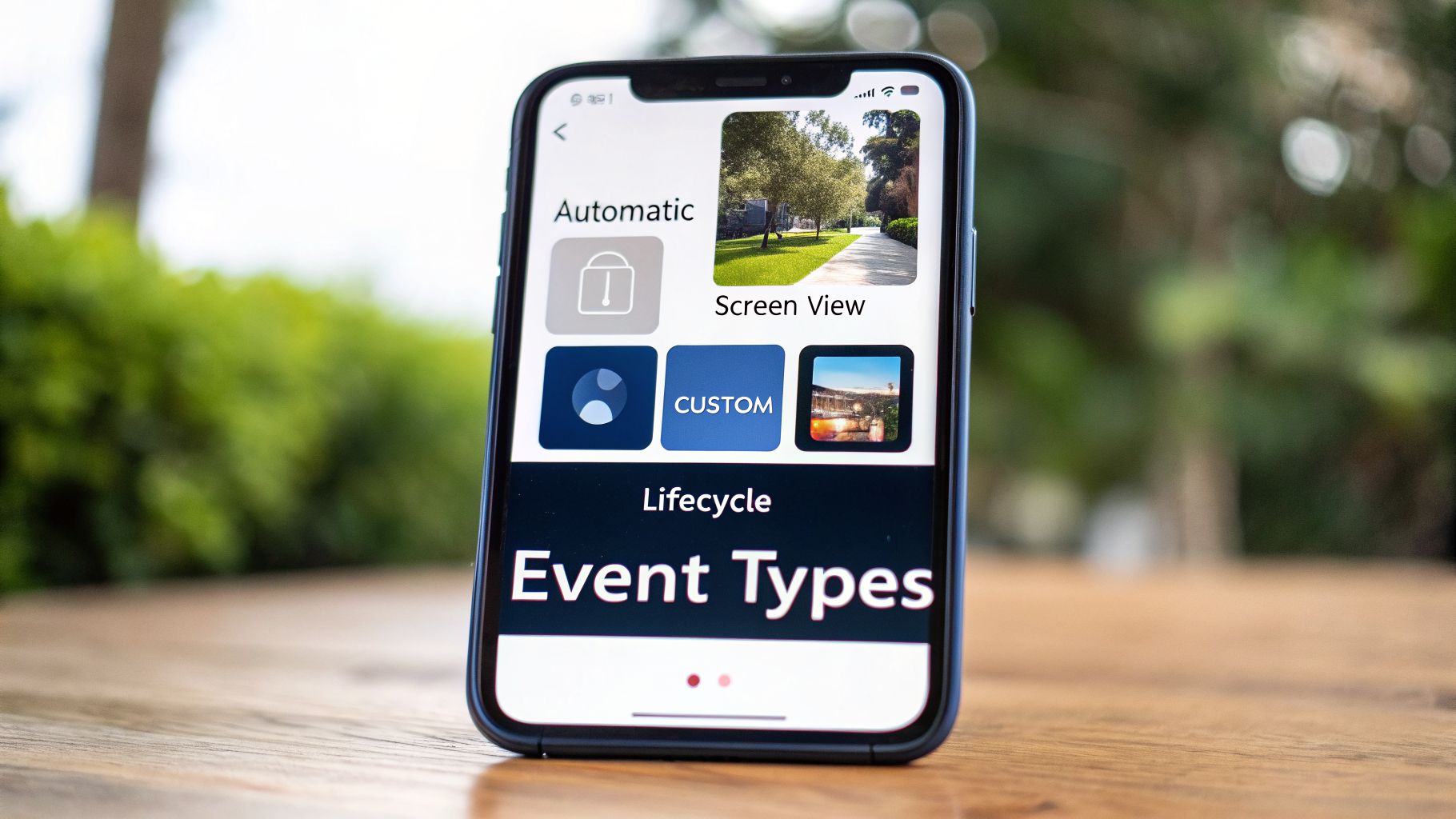
Not all user actions are created equal. Trying to track every single tap and swipe is just as useless as tracking nothing at all. To build a smart analytics strategy, you first need to understand the different kinds of mobile app events.
Think of it like sorting your mail. You instinctively group items into different piles—bills, personal letters, catalogs, and packages. Each category tells you something different and requires a different response. App events work the same way. They are typically organized into four main types, with each one giving you a unique lens to view the user journey and answer specific business questions.
1. Automatic Events
These are the foundational data points that most analytics SDKs collect right out of the box. As soon as you integrate the SDK, these events start getting captured automatically, no extra coding required from your team.
Automatic events give you a high-level, baseline understanding of app usage. They're essential for painting the big picture of your app's install base and initial user contact.
**first_open**: This fires only once—the very first time a person launches your app. It’s a crucial metric for measuring how well your user acquisition campaigns are actually performing.**app_update**: Triggers whenever a user installs a new version of your app. This helps you see how quickly your user base is adopting the latest release.**app_remove**: Captures the moment a user uninstalls your app. It's one of the most direct signals you can get for churn analysis.
2. Screen View Events
If automatic events mark the beginning and end of a user's story, screen view events are the chapters in between. These events simply track which screens or pages a user visits inside your app, effectively creating a map of their navigation path.
By analyzing screen view data, you can start to piece together user flows. You'll quickly spot the most popular sections, find confusing areas where people get stuck, and see exactly where they decide to leave. For example, tracking an event like viewed_settings_page tells you how many people are actively trying to customize their experience.
3. Custom Events
This is where the real magic happens. Custom events are the actions you define because they are critical to your app's specific purpose. They are, by far, the most powerful event type for understanding what users truly find valuable about your product.
A custom event is any user interaction you decide is important enough to track. It's how you measure engagement with your app's core value proposition, turning raw clicks into meaningful business insights.
For instance, a music streaming app would want to track playlist_created, while a task management app would absolutely need to track task_completed. These are the mobile app events that directly measure whether people are using the features you built to solve their problems.
4. Lifecycle Events
Finally, lifecycle events provide crucial context around a user's session. They act as a frame, helping you organize all the other event data within a distinct period of active use.
Key lifecycle events include **session_start** and **session_end**. Analyzing them helps you understand session duration, how often users return, and overall retention patterns. When you combine them with your custom events, you can see exactly what users tend to accomplish in a typical session.
How to Name Events for Clear and Scalable Analytics
Think of your analytics data like a library. If you don't have a clear cataloging system, you don't have a library—you just have a useless pile of books. The same is true for mobile app events. Without a smart naming convention, you're just piling up useless data.
Inconsistent, vague, or disorganized event names create a massive headache known as “data debt.” It's a tangled mess of analytics that becomes impossible for anyone on your team to interpret, turning your data into a source of confusion, not clarity.
To avoid this trap, you need a clear, consistent, and scalable event naming schema from the very beginning. This isn't a minor detail to leave to individual developers. It's a strategic product decision that requires a central "tracking plan" or data dictionary that everyone agrees on and sticks to. This document becomes your single source of truth for every event you track.
The Object-Action Naming Convention
One of the most effective and widely used best practices is the Object-Action format. It’s a simple framework that makes every event name instantly understandable and easy to find later. The structure is always object_action.
- Object: This is the noun—the specific part of your app the user interacted with (e.g.,
article,video,profile). - Action: This is the verb—what the user actually did (e.g.,
shared,played,edited).
This simple pairing immediately tells a clear story. An event named article_shared is infinitely more useful than just shared. A generic shared event forces you to ask: what was shared? An article? A video link? A user's profile? Ambiguity is the enemy of good analytics.
Adopting a strict naming convention like Object-Action is the single most important step you can take to ensure your analytics are scalable and your insights are reliable. It forces discipline and prevents the accumulation of confusing, unusable data.
Adding Rich Context with Event Properties
While a great event name tells you what happened, event properties are what tell you the crucial details. Properties are key-value pairs that add rich, descriptive context to your events. They turn a simple data point into a powerful piece of intelligence.
Think of them as the adjectives and adverbs that bring your user's story to life.
For instance, a video_played event is helpful, but it becomes exponentially more valuable when you add properties:
**video_played**video_category: "Product Tutorial"duration_watched: 180 (seconds)source: "Onboarding Checklist"
Suddenly, you know the user watched a 3-minute product tutorial that they found via the onboarding checklist. This is the kind of detail that allows you to truly understand user behavior and make smart decisions to improve your app. Well-defined properties are also the foundation of a flexible data architecture diagram that can support much deeper analysis.
Seeing how this works in practice makes it click. Let's look at a few examples of how small changes in naming conventions lead to huge gains in clarity.
Event Naming Convention Good vs Bad Examples
| User Action | Bad Naming (Vague & Inconsistent) | Good Naming (Object_Action & Specific) |
|---|---|---|
| User shares an article | Share, ArticleShare, user_shared_something | article_shared |
| User starts a free trial | Trial, start-trial, converted | trial_started |
| User completes onboarding | Onboarding, finished_tutorial, onboarding-done | onboarding_completed |
As you can see, the "Good Naming" column is predictable, clean, and easy to query.
By investing a little time in a disciplined naming system upfront, you will save your team countless hours of confusion and wasted engineering cycles down the road. You’ll ensure your mobile app events generate actionable insights instead of data chaos.
Of all the mistakes I see teams make, this is the biggest: collecting data just for the sake of it. An analytics platform stuffed with random events is just noise. It’s a resource-drainer that tells you nothing about what’s actually happening with your business.
The real power of mobile app events comes from connecting them directly to your goals. You have to work backward. Don't start by asking, "What can we track?" Instead, ask, "What do we need to know to hit our targets?" Every single event you implement should help answer a real question about your app’s health, whether it’s about engagement, churn, or revenue.
How to Measure and Boost User Engagement
A highly engaged user base is the foundation of any successful app. To measure it, you need to pinpoint the "aha moments"—the core actions that make a user think, "Wow, this is useful."
Think about the events that signal someone is getting real value:
**feature_used**: This is a great one, especially with a property likefeature_name. It shows you which parts of your app people care about and which they ignore.**content_shared**: When a user shares something from your app, they're giving you a stamp of approval. It’s a powerful sign of genuine value.**profile_completed**: In a social or community app, this is a huge indicator of investment. It means a user plans to stick around.
Once you start tracking these, you can see what separates your power users from everyone else and figure out which features create that all-important stickiness.
How to Spot and Reduce Customer Churn
Churn is sneaky. It doesn't usually happen with a big, dramatic exit. By the time a user hits "uninstall," the battle was already lost weeks or even months ago. Your best defense is an early warning system built on tracking negative signals or, just as importantly, the absence of positive ones.
Churn isn't just an event; it's a story told through a pattern of user behavior. Monitoring for the end of positive actions is as important as tracking explicitly negative ones.
To get ahead of churn, consider tracking events like these:
**subscription_cancelled**: This is the most obvious one, but it’s a lagging indicator. The damage is already done.**notification_settings_updated**: If a user turns off push notifications, they might be starting to tune you out. It's a quiet step toward disengagement.- The absence of core events is a game-changer. For example, if a user in a project management app hasn't triggered
project_createdin 30 days, they are a high churn risk.
How to Track and Drive Revenue
Ultimately, for most apps, it all comes down to revenue. Tracking financial events is a no-brainer, but just as critical are the events that lead up to a purchase. Understanding that entire journey is how you optimize your funnel.
This is more important than ever. With over 8.9 billion mobile subscriptions worldwide, the market is massive. The event app space alone is projected to hit $3,676.71 billion by 2030, a trend you can read more about in this market analysis report. For companies like SigOS, this growth means app events are directly tied to the bottom line.
To get a clear picture of your revenue funnel, focus your instrumentation here:
**trial_started**: This measures the top of your conversion funnel and how well you're attracting potential customers.**item_added_to_cart**: A clear signal of purchase intent. Analyzing what happens after this event is key to understanding cart abandonment.**purchase_completed**: The final conversion. Be sure to include properties likeitem_valueandcurrencyto make this data truly actionable.
When you align your events with these three pillars—engagement, churn, and revenue—you’re no longer just collecting data. You’re building a strategic asset that will guide your product roadmap and fuel real, sustainable growth.
A Practical Guide to Implementing Event Tracking
Knowing what events are is one thing, but putting that knowledge into practice is where a great strategy really takes shape. Implementing mobile app events isn’t just a matter of dropping some code into your app. It's a disciplined, collaborative process that brings product managers and developers together to make sure the data you collect is clean, trustworthy, and actually helps your business grow.
This is about more than just coding. A solid implementation roadmap starts with clear goals. It ensures your team isn't just tracking random actions, but measuring progress toward specific outcomes, like boosting user retention or improving your trial-to-paid conversion rate. Getting this right from the start helps you avoid "data debt" and keeps your analytics a reliable source of truth.
The best teams connect every event to a larger business goal. Think of it like this:
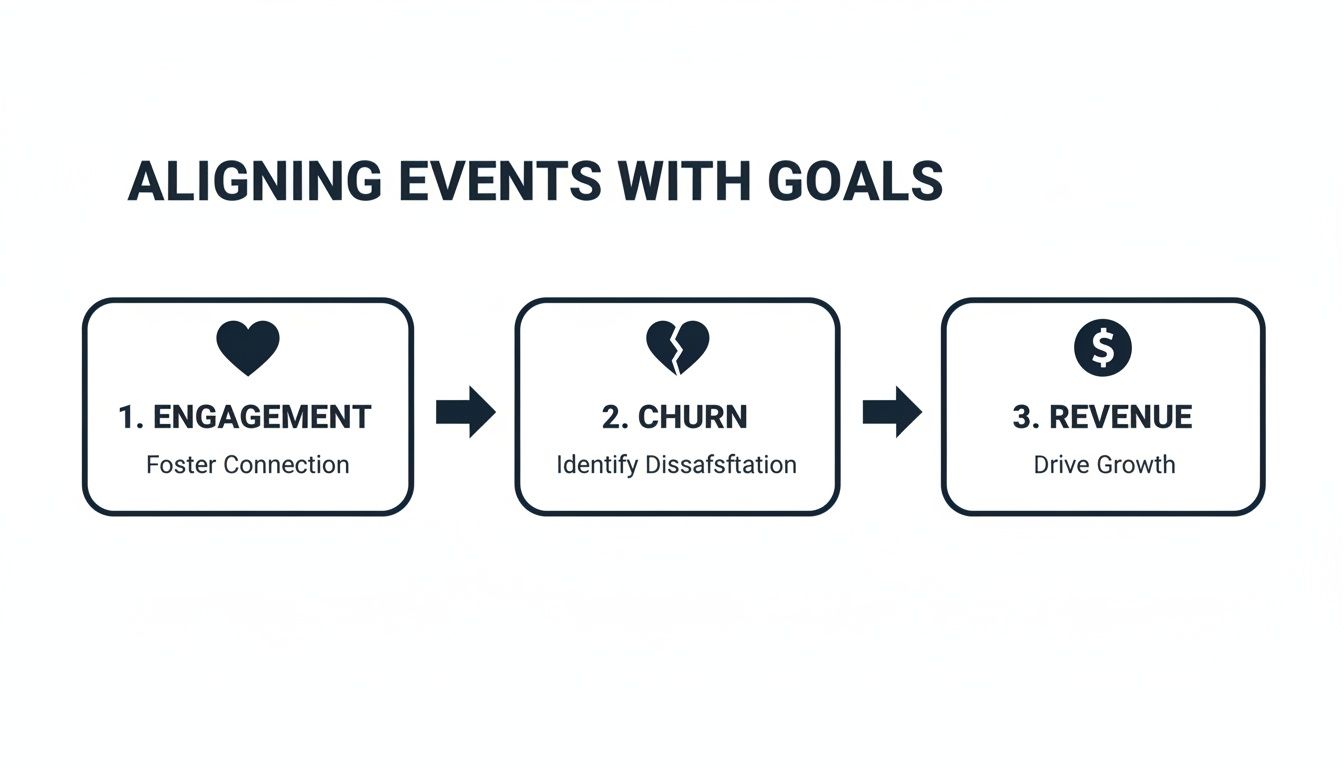
As you can see, a good plan starts by mapping specific user actions directly to the big-picture metrics that define success for your app—whether that's engagement, churn, or revenue.
From Goal to Go-Live: An Implementation Checklist
To build a tracking system you can count on, it helps to follow a structured process. This checklist closes the gap between product strategy and technical execution, making sure everyone is on the same page from day one.
- Define Business Goals: Always start with the "why." What question are you trying to answer? For example, "Why are so many users dropping off right after they sign up?"
- Identify Key Events & Properties: Based on your goal, list the specific user actions and the contextual details (properties) that will give you the answer.
- Create a Tracking Plan: This is your blueprint. Document every event in a shared data dictionary, clearly defining its name, trigger, and all its properties.
- Developer Implementation: With the tracking plan in hand, engineers can now integrate the events into the app using an analytics SDK.
- Quality Assurance (QA) Testing: Before going live, test every event rigorously in a development environment. Confirm it fires at the right moment with the correct properties.
- Release and Monitor: Deploy your changes and keep a close eye on your analytics platform to make sure data is flowing in as expected. To see this in action, check out our guide to real-time data analytics.
Following a framework like this ensures every single event you track has a purpose. In a mobile app market that's projected to hit $378 billion in 2026, this isn't just a nice-to-have; it's essential. For a SaaS company like SigOS, this behavioral data is gold. Our own analysis shows that patterns in low engagement can predict churn with up to 87% accuracy. You can dig deeper into how app data informs business strategy with these mobile application statistics.
Example: An Event Schema in Action
Let's make this feel a bit more real. Imagine your team works on a document collaboration app. You want to understand how people are using the core creation features. Here’s what a small piece of your tracking plan—an event schema—might look like:
Event Name:
document_createdTrigger: Fires when a user successfully creates a new document. Properties:
This simple but clear schema gives developers everything they need to implement the event perfectly. No guesswork, just precision.
Turning Event Data Into Actionable Product Intelligence
Collecting millions of mobile app events is one thing, but making sense of it all is a completely different challenge. A dashboard full of raw data can tell you what happened, but it almost never explains why.
Imagine you're looking at your analytics and see a sudden, steep drop in your feature_X_used event. That's a red flag, for sure, but it's an incomplete story. Now, what if you could instantly see that this drop coincided with a flood of support tickets from users complaining about that exact feature crashing? That’s where the real insights are found.
Connecting those two worlds—quantitative event data and qualitative user feedback—is the essence of modern product intelligence.
Connecting Behavior to Feedback
This is where a product intelligence platform like SigOS really shines, moving well beyond the limits of a simple analytics dashboard. It doesn't just process your app's event stream; it also pulls in and analyzes unstructured feedback from all over the place—support tickets, customer service chats, and even sales call transcripts.
The goal is to create one single, unified picture of the entire customer experience.
Using AI, the platform starts connecting the dots for you. It spots the dip in feature usage, automatically flags the corresponding bug reports, and then does something incredibly powerful: it quantifies the business impact of the problem.
By assigning a real-time revenue impact score to technical issues and feature requests, product intelligence transforms qualitative feedback from a cost center into a strategic asset for growth and retention.
This gives your product and growth teams daily, concrete intelligence. You'll know exactly which bugs are actively costing you money and which feature requests are tied to the biggest revenue opportunities. It allows you to stop guessing and start prioritizing your roadmap based on direct financial outcomes.
To truly master this, you need a firm grasp of the key performance indicators that matter most. For a deeper look at what to measure, check out this guide on crucial mobile app metrics.
Frequently Asked Questions About Mobile App Events
Once you start getting into the weeds of event tracking, you’re bound to have some questions. It’s totally normal. Getting the practical side of mobile app events right can feel a little tricky at first, but a few key ideas will help clear things up.
Let's walk through some of the most common questions we hear from teams just like yours.
How Many Custom Events Should We Track?
This is a big one, and the answer is always: start small. Resist the urge to track every single tap and swipe. Instead, focus on the 5-10 core actions that tell you if you're hitting your main business goals, like improving engagement, retention, and revenue.
For a brand-new app, that might mean just tracking events like signup_completed, onboarding_step_finished, and core_feature_used. Get these right, make sure the data is clean and useful, and then you can start adding more. When it comes to event tracking, quality will always beat quantity.
User Properties vs. Event Properties: What Is the Difference?
Imagine you’re people-watching at a coffee shop.
- User Properties are like the permanent traits of a person you're observing. Are they a
regular_customer? Is theirloyalty_statusset to "Gold"? These are details about who they are that don't change very often. - Event Properties describe a single, specific action they take. When they perform a
purchase_madeevent, the properties might beitem: "Latte"andcost: 4.50. These details are tied to that one moment in time.
So, user properties give you context on the person, while event properties tell you the specifics of what they just did. You need both to get the full picture.
How Do We Update Our Tracking Plan Without Breaking Analytics?
Your tracking plan will—and should—evolve over time. The trick is to manage those changes without blowing up all your historical data. The secret is simple: versioning and communication.
Never, ever rename or delete an existing event. If you do, you'll corrupt your historical data and make it impossible to analyze trends over time. The right way is to deprecate the old event and create a new, better one to replace it.
Keep a shared document, like a spreadsheet or a tool built for this, as your single source of truth for all events. When you need to make a change, mark the old event as "deprecated" in your doc, then create the new one. This keeps your data clean and ensures everyone on the team knows what’s going on.
Ready to turn your user feedback and mobile app events into revenue-driving insights? SigOS uses AI to connect user behavior with support tickets and sales calls, showing you exactly which issues are costing you money. Prioritize your roadmap with confidence. Explore how at SigOS.
Keep Reading
More insights from our blog



Ready to find your hidden revenue leaks?
Start analyzing your customer feedback and discover insights that drive revenue.
Start Free Trial →