A Revenue-First Playbook for Reducing Churn Rate
Stop guessing and start reducing churn rate with a data-driven playbook. Learn how to diagnose, prioritize, and fix the issues impacting your SaaS revenue.

Stop treating your churn rate like a single, scary number. It’s a symptom, not the disease. When we only look at that top-level percentage, we're missing the real story—the product frustrations, the confusing onboarding flows, or the support tickets that went unanswered for too long. These are the silent revenue killers.
The real shift happens when you reframe churn not as a failure, but as a clear signal of a value gap. Once you see it that way, you can stop guessing and start building a precise, prioritized plan to protect your bottom line.
Why Traditional Churn Metrics Hide The Real Problem

Many SaaS companies get obsessed with their overall churn percentage. The problem? It's a lagging indicator. By the time a customer shows up in that metric, they're already out the door, and your chance to save them is long gone.
That single number also masks critical details. It doesn’t tell you why customers left or, just as importantly, which customers left. Losing a small account that barely used your product is a completely different problem than losing a high-value enterprise client who was on the verge of a major expansion.
A single churn percentage is like a smoke alarm without a map. It tells you there's a fire, but it doesn't tell you where it is, how big it is, or what's fueling it.
This old-school approach leads to reactive, scattershot retention efforts. Teams end up chasing the loudest complaints or throwing features at the wall to see what sticks, instead of fixing the root causes that are quietly draining their revenue. To really cut down your churn rate, you need to adopt a revenue-first mindset.
Differentiating Between Voluntary And Involuntary Churn
First things first, you have to split your churn into two buckets: voluntary and involuntary. Each one tells a totally different story and requires its own playbook.
A quick look at the two main types of churn, their common causes, and where to focus your retention efforts for the biggest impact.
Voluntary vs Involuntary Churn Breakdown
| Churn Type | Common Causes | Primary Solution Focus |
|---|---|---|
| Voluntary Churn | Product gaps, poor onboarding, competitor switching, lack of perceived value, bad customer support experiences. | Product improvements, better user education, proactive customer success, competitive analysis. |
| Involuntary Churn | Expired credit cards, failed payments, outdated billing information, bank processing errors. | Automated dunning emails, in-app payment update prompts, payment gateway optimizations. |
This distinction is crucial. Voluntary churn is a direct signal that something is wrong with the value you’re delivering. Involuntary churn, on the other hand, is usually a simple billing or payments issue. You could spend months building a new feature to combat voluntary churn when a simple dunning email sequence could have saved a huge chunk of your revenue from involuntary churn.
Consider this: in the B2B SaaS world, the average monthly churn rate is around 3.5%. That breaks down into 2.6% voluntary churn (people actively canceling) and 0.8% involuntary churn (accidental billing failures). Knowing these benchmarks helps you focus. You can use qualitative feedback from tools like Zendesk or Intercom to understand the "why" behind voluntary churn and then quantify its revenue impact. If you want a deeper dive, our guide on essential customer retention metrics is a great place to start.
The True Cost Of A Vague Churn Number
A single percentage doesn’t show the financial damage. A 5% monthly churn rate could mean you lost a hundred small accounts, or it could mean you lost two of your biggest enterprise clients. The second scenario is infinitely more devastating to your ARR and future growth.
This is where thinking in terms of revenue, not just logos, becomes a game-changer. Instead of asking, "How many customers did we lose?" you should be asking, "How much revenue is at risk?"
Let's make this real. Imagine your support team is getting tickets about a buggy integration. In a traditional workflow, it might get logged as a low-priority issue. But what if you could connect those tickets to actual customer accounts?
Using a platform like SigOS, you could instantly see the ARR of every affected customer. That "minor" bug might actually be putting $50,000 in monthly recurring revenue at risk. Suddenly, it’s not a low-priority bug anymore—it's an urgent, revenue-threatening problem.
This simple shift changes the entire conversation. It’s no longer just about fixing bugs; it's about protecting revenue. And that’s a goal that gets your product, support, and success teams all pulling in the same direction.
Uncovering the Real Reasons Customers Leave
Let's be honest: exit surveys are often a dead end. When a customer cancels, they'll frequently toss out a simple, convenient reason like "budget constraints" just to sidestep an awkward conversation. But the real story—the one that actually helps you stop the bleeding—is buried much deeper.
To make a real dent in your churn rate, you have to put on your detective hat. It’s all about piecing together clues from multiple places to understand what customers do, not just what they say.
This means digging into a goldmine of behavioral data and qualitative feedback. When you start connecting the dots between how people use your product and the feedback they share, you can pinpoint the exact friction points that predict churn long before anyone clicks "cancel."
Start with the Behavioral Breadcrumbs
Your product usage analytics are the most honest source of truth you have. Unlike a survey, this data is raw, unfiltered, and completely unbiased. It shows you exactly where users are finding value and, more importantly, where they’re getting stuck.
You need to look for the leading indicators of churn—the subtle patterns in user behavior that almost always show up before a cancellation.
- Login Frequency Dips: That user who logged in daily is now showing up once a week. This is a classic, five-alarm fire warning sign.
- Key Feature Abandonment: Have they stopped using a core feature that was once central to their workflow? This is a huge signal that they're no longer getting the primary value they signed up for.
- Low Adoption of New Features: Are they completely ignoring those valuable new features you just shipped? It could mean your secondary onboarding is falling flat, or the features simply aren't hitting the mark.
- Shrinking Team Engagement: For team accounts, is only one person logging in when there used to be ten? A drop in active seats is a massive red flag signaling a team's waning commitment.
It's absolutely critical to analyze this data in segments. A dip in usage from a brand-new user means something very different than a dip from a two-year power user. A great starting point is to run a detailed cohort retention analysis. This will show you exactly how engagement trends change over time for different groups of customers.
Don't just track what features customers use. Track what features they stop using. The story of churn is often written in the actions a customer no longer takes.
This kind of analysis brings those silent struggles to the surface. It helps you spot at-risk customers who haven’t bothered to complain yet but whose behavior is screaming that they're unhappy. This is your window to intervene proactively.
Connecting Qualitative Signals to Uncover the "Why"
Behavioral data tells you what is happening. Qualitative data tells you why. This is where you fuse the two together, connecting usage patterns to the real human feedback you’re getting across every channel.
Recent industry data highlights a fascinating disconnect. While budget constraints are cited as the top reason for voluntary churn in 33% of cases, this is often just a smokescreen. Dig a little deeper, and you’ll find the real culprit is frustration with the product, a buggy feature, or a confusing onboarding flow. The Churnkey State of Retention 2025 report has some fantastic insights on this.
To get to the real story, you have to pull in feedback from every single place your customers are talking.
Mapping Qualitative Signals to Churn Risk
Tuning into what customers say across different channels can give you an early warning system. The table below helps map common verbatim feedback to the potential underlying issues and how seriously you should take them.
| Feedback Channel | Example Signal (Verbatim) | Potential Underlying Issue | Churn Risk Level |
|---|---|---|---|
| Zendesk Tickets | "The reporting feature is too slow to load." | Performance issues with a key workflow, blocking user tasks. | High |
| Intercom Chats | "I can't figure out how to set up the new integration." | Poor documentation or a confusing user interface for a new feature. | Medium |
| Sales Calls | "We were hoping it could do X, but it seems that's not possible." | Mismatched expectations set during the sales process. | High |
| G2 Reviews | "Great tool, but it's missing a critical API endpoint." | A product gap that forces users to find a workaround or a competitor. | Medium |
Each one of these signals is a clue. On its own, a single support ticket about a slow report might seem trivial. But when a platform like SigOS can automatically correlate that ticket with a corresponding drop in the reporting feature's usage across a dozen high-ARR accounts, it’s no longer a minor complaint. It’s a major revenue-at-risk signal.
This holistic view is your superpower. It lets you see that the "budget issue" a customer mentioned was really just the final straw after months of silent frustration with a slow-loading feature they never formally complained about. By synthesizing these signals, you can finally stop patching surface-level problems and start fixing the root causes that truly drive your customers away.
Prioritizing Fixes Based on Revenue Impact
So, you've done the detective work. You’ve followed the behavioral breadcrumbs left by your users and connected them to the feedback they've given you. The result? A laundry list of friction points, bug reports, and feature requests. Now for the hard part: where do you even begin?
The classic approach is to tackle the squeaky wheel—the issue that generates the most noise. But I’ve learned the hard way that the loudest customers aren't always your most valuable ones. If you really want to make a dent in your churn rate, you need to move past subjective complaints and focus on objective financial impact.
It’s time to start prioritizing your product roadmap based on the one metric that truly matters: revenue. This means tying every single piece of feedback directly to the dollars it’s putting at risk.
This simple flow shows how you can turn that raw feedback into a prioritized, revenue-driven action plan.
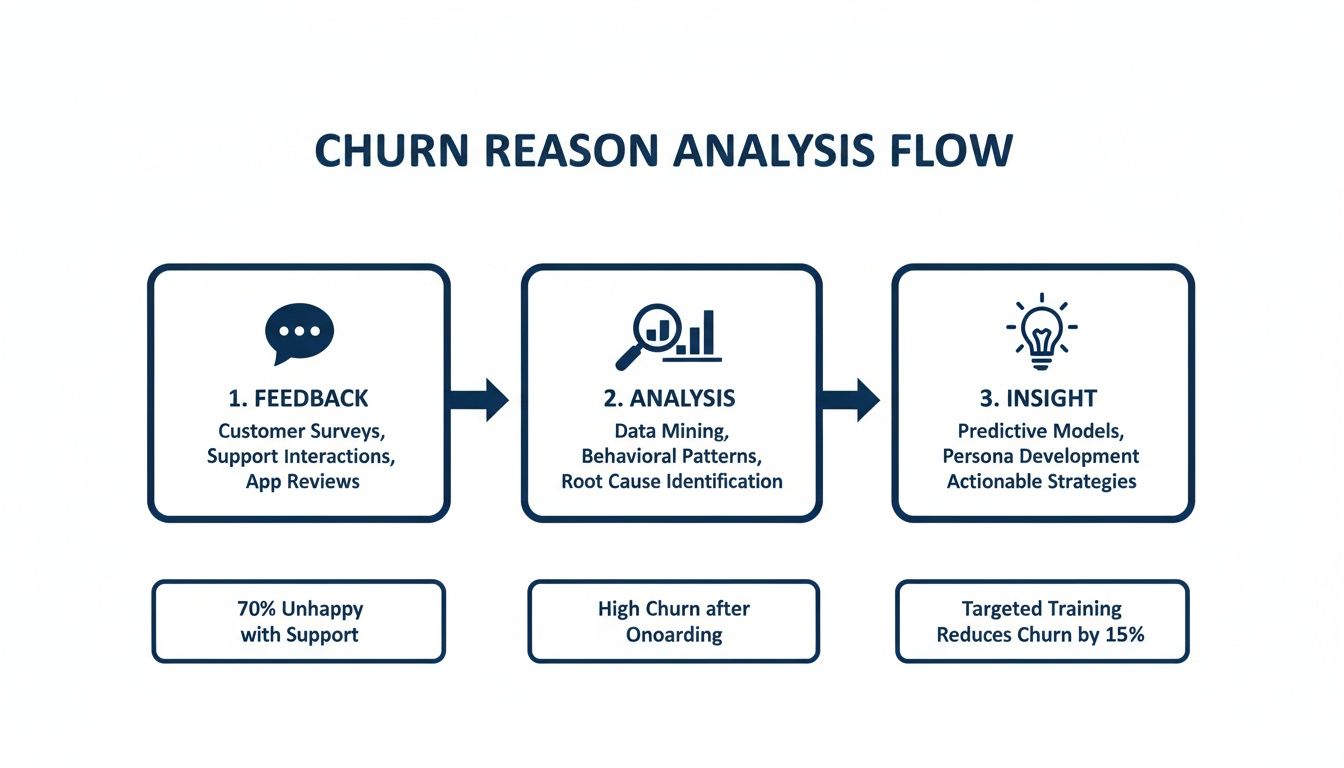
The key takeaway here is that feedback is just the starting point. The real magic happens when you analyze it systematically to find actionable insights that are ranked by what they're worth to your business.
Build Your Revenue-at-Risk Dashboard
Think of a "revenue-at-risk" dashboard as your command center for prioritization. It’s a living, breathing view that puts a price tag on every known issue, so you can point your precious development resources at the biggest fires. Instead of debating which bug is more annoying, your team can see, clear as day, which one is costing you the most money.
Putting this dashboard together involves enriching all that customer feedback with hard data from your CRM and billing systems.
- Connect Feedback to Accounts: First, link every support ticket, chat, and feature request back to a specific customer account. No more anonymous feedback.
- Pull in Revenue Data: For each of those accounts, import your key financial metrics—usually Monthly Recurring Revenue (MRR) or Annual Recurring Revenue (ARR).
- Layer on Expansion Potential: Don't forget future revenue. Make a note of accounts that have major upsell or cross-sell potential. A bug frustrating a small account is one thing; a bug blocking a $100,000 expansion deal is a full-blown emergency.
- Tag by Churn Risk: Finally, use a customer health score or other indicators to flag accounts that are already wobbling.
Once you aggregate all this data, you’ll see the true financial weight of each issue. A platform like SigOS can automate this entire process, pulling data from tools like Zendesk and Salesforce to give you a live-ranked list of issues, prioritized by their direct impact on your bottom line.
The goal is to completely change the conversation. You want to move from "What should we fix next?" to "Which fix will protect the most revenue this sprint?" This aligns your product and engineering teams directly with the financial health of the company.
Think Beyond Just Bug Fixes
This revenue-first framework isn’t just for squashing bugs. It’s an incredibly powerful tool for prioritizing your entire product roadmap, especially when it comes to new features. Every product manager I know has a backlog of feature requests that’s a mile long, and picking what to build next often feels like a guessing game.
Applying a revenue lens makes the picture crystal clear. Imagine you're weighing two popular feature requests:
- Feature A: Requested by 50 smaller, low-ARR customers.
- Feature B: Requested by 5 large, high-growth enterprise accounts who've said it’s a blocker for a major expansion.
In a simple voting system, Feature A would probably win. But when you look at the actual revenue impact, building Feature B first is a no-brainer. It not only protects a huge chunk of existing ARR but also directly unlocks new expansion revenue. That's how you build a product that drives growth, not just one that placates the most users.
The Real Power of Quantified Prioritization
When you start quantifying the financial impact of every product decision, you strip away the emotion and office politics. It’s no longer about who has the loudest voice in the room; it’s about what the data says.
This data-driven approach creates positive ripple effects across the whole organization.
- Product Teams can build their roadmaps with total confidence, knowing they’re working on the highest-impact initiatives.
- Engineering Teams get a clear line of sight into why their work matters, connecting their code directly to customer value and company revenue.
- Success Teams can have much smarter conversations with at-risk customers, armed with the knowledge that their feedback is being prioritized based on its real-world impact.
Ultimately, this shift transforms your entire approach. You stop playing reactive whack-a-mole with customer complaints and start proactively building a product that protects and grows revenue. You're no longer just patching leaks—you're reinforcing the very foundation of your business.
Implementing Targeted Interventions That Work
You've done the hard work of digging into the data, identifying why customers are leaving, and figuring out which problems are costing you the most. Now it’s time to shift from diagnosis to action. This is where you roll up your sleeves and implement targeted fixes that directly address the pain points you uncovered.
The key here is precision. Forget generic advice like "improve your onboarding." A truly effective intervention is specific and surgical. It’s the difference between a generic product tour and a personalized onboarding flow triggered by a user's role, or an in-app guide that pops up the exact moment someone is struggling.
Evolving Your Onboarding from Generic to Guided
A clunky, confusing onboarding experience is one of the fastest ways to lose a new customer. If people don't find value quickly, they simply won't stick around. The best way to fix this is to stop thinking of onboarding as a one-time tour and start treating it as an ongoing, context-aware process.
Here’s what that looks like in practice:
- Role-Based Onboarding: A developer and a project manager have completely different goals inside your product. Use a simple welcome survey to segment them from the start, then guide each one through the workflows that are most critical to their job.
- Triggered In-App Guidance: Don't just hope users find what they need. Use your behavioral data to see where they get stuck. If someone repeatedly fails to complete a key action, proactively trigger a tooltip or a short walkthrough to get them over the hump. This turns a moment of pure frustration into a valuable learning opportunity.
This approach is all about getting users to their first "aha!" moment as fast as possible. Once they see that initial burst of value, their commitment to your product grows exponentially.
The best interventions feel less like a fix and more like a helping hand. They anticipate a user's needs and provide the right support at the exact moment they need it, seamlessly integrating into their workflow.
Making Product Fixes That Protect Revenue
Your revenue-at-risk dashboard should become the north star for your engineering backlog. It’s what helps your team move from just fixing bugs to fixing the right bugs—the ones that are actively pushing customers out the door.
This is where integrating your tools becomes a game-changer. For example, a platform like SigOS can connect directly with project management tools like Jira or Linear. When your system flags a new churn-driving issue—like a critical report that’s loading too slowly for your biggest accounts—it can automatically create a ticket.
But this isn't just any ticket. It arrives packed with crucial context:
- The total ARR of every affected customer.
- Direct links to the support tickets or feedback where the issue was reported.
- A clear revenue-impact score.
This completely changes the conversation during sprint planning. Suddenly, the team can see that fixing "Bug A" will protect $50,000 in ARR, while "Bug B" is just a minor annoyance for a few free users. The priority becomes crystal clear, tying development work directly to the bottom line.
Proactive Support That Builds Loyalty
Never underestimate the power of great support. In fact, poor customer service is a massive churn driver, responsible for an estimated $75 billion in losses for U.S. businesses each year. To get ahead of this, your support needs to be proactive, not just reactive. For more ideas, you can explore these 10 actionable churn reduction strategies.
Today, a staggering 71% of customer success leaders say user engagement is their top metric for retention. They know that a silent customer isn't necessarily a happy one. You can dig into more data on this in this comprehensive report on customer success statistics.
A modern approach uses behavioral data to spot trouble before it starts. Let's say you notice a high-value account's usage has dropped off a cliff. Don't wait for them to send an angry email. Have a customer success manager reach out with a simple, helpful note: "Hey, noticed you haven't used the reporting feature this week. Is everything okay? Here's a quick guide on a new filter we just added."
This simple check-in can uncover problems before they escalate, remind them of your product's value, and show them you're genuinely invested in their success. It's a small effort that builds tremendous loyalty. You can even use churn prediction models to get even better at identifying which customers need that proactive touchpoint.
Building a System for Proactive Churn Prevention
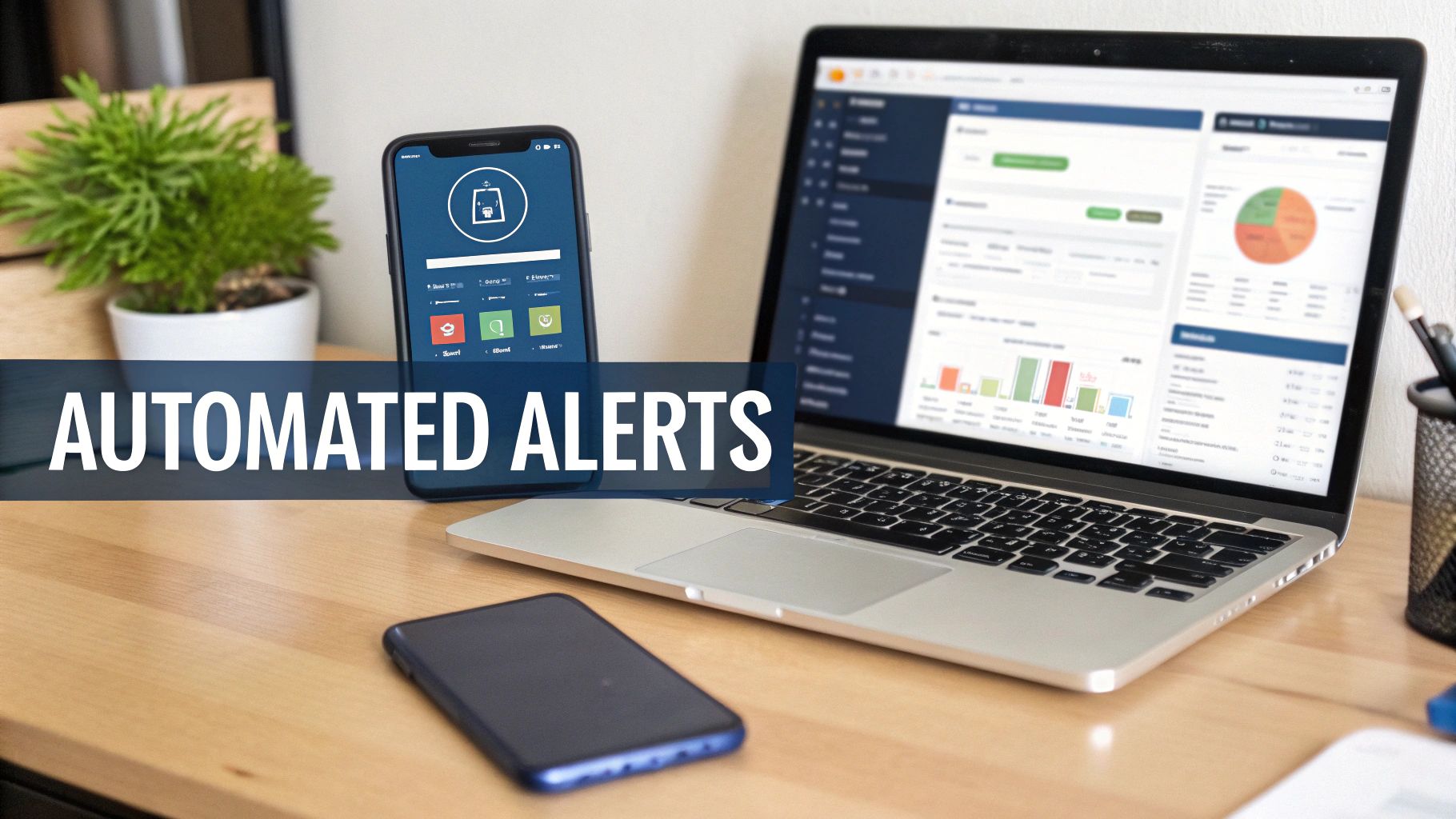
Fixing the root causes of churn is a huge win, but the work doesn't stop there. If you want to keep churn low for the long haul, you have to shift from putting out fires to preventing them in the first place. This means building an always-on system that acts as an early warning signal, catching at-risk customers before they’ve even started looking at your competitors.
This isn’t about just staring at a dashboard all day. It's about creating an intelligent, automated system that keeps an eye on the leading indicators of churn in real-time. When it spots trouble, it needs to trigger immediate, targeted action. Get this right, and churn prevention stops being a quarterly project and becomes a core part of how you operate.
Setting Up Your Automated Alerts
First thing's first: you need to define your tripwires. These are the specific behavioral red flags that tell you a customer is losing steam. Your system will be constantly scanning for these signals. While the exact triggers will vary depending on your product, some are pretty much universal predictors of churn.
Your monitoring system should be configured to flag events like these:
- Sudden Usage Drops: A daily active user hasn't logged in for a week? That's a critical alert.
- Key Feature Disengagement: A customer suddenly stops using a feature that’s central to their main reason for being with you.
- Negative Support Trends: The same account fires off multiple support tickets with negative sentiment in just a few days.
- Champion Churn: Your primary contact or the key decision-maker at a big account leaves their company.
These alerts can't just get dumped into a generic inbox. They have to be routed to the right person, right away. For instance, a usage drop alert should go straight to the assigned Customer Success Manager (CSM). A spike in bug reports for a specific feature? That should ping the relevant product manager.
The goal is to shrink the time between a negative signal and a positive intervention to almost zero. An automated alert that sits in an inbox for three days is a missed opportunity.
From Alert to Actionable Workflow
An alert is only useful if it kicks off a specific, pre-defined action. This is where you create automated workflows that take the guesswork out of how your team should respond. It’s how you transform your team from reactive firefighters into proactive problem-solvers.
Imagine these automated workflows in action:
- The Usage Slump Playbook: A high-value account’s usage plummets by 50% for three days straight. A workflow can automatically pop a task into your CRM for the CSM to reach out. That task should come pre-loaded with the user’s recent activity data and a few helpful talking points.
- The Bug Report Escalation: Let’s say multiple customers report the same bug, and their combined ARR is over a certain amount (say, $25,000). A system like SigOS can automatically create a high-priority ticket in Jira. It can also fire off a notification to a dedicated Slack channel for product and engineering leads, complete with the revenue-at-risk data.
To get a deeper understanding of these strategies, this SaaS playbook for reducing customer churn offers a great strategic foundation.
Closing the Feedback Loop
Here’s one of the most powerful—and most frequently overlooked—retention tactics out there: simply closing the loop. When a customer takes the time to report a bug or ask for a feature, they’re giving you a gift. Ignoring that is a massive breach of trust. But if you handle it right, you can turn a frustrated user into a loyal advocate.
This process needs to be systematic, too. When a developer marks a bug as "fixed" in Jira, it should trigger a notification back to the CSM or support agent who handled the original ticket. They can then shoot a personal email to the customer.
It doesn’t have to be complicated. A simple message like, "Hi Jane, I just wanted to let you know that our team has fixed the reporting bug you told us about. Thanks so much for flagging it for us!" does more than just inform. It shows you listen, you care, and you take action. This small gesture rebuilds trust and is a critical part of a healthy, customer-focused culture that’s serious about reducing its churn rate.
Your Churn Reduction Questions, Answered
When you start digging into churn, a lot of questions pop up. What's a "good" number to aim for? Where do you even begin? Let's clear up some of the most common questions we hear from teams working to build a rock-solid retention strategy.
What Is a Good Customer Churn Rate?
This is the million-dollar question, and the honest answer is: it depends. There’s no universal magic number. A "good" churn rate is completely tied to your industry and, more importantly, the type of customers you serve.
That said, we can look at some solid benchmarks to get our bearings.
For most B2B SaaS companies, a monthly customer churn rate less than 5% is generally seen as healthy. The real all-stars in the space often pull that number down to a lean 1-2% per month. The biggest factor is usually your target market:
- Companies selling to SMBs often have a higher churn, maybe in the 3% to 7% monthly range. It’s just the nature of the beast—smaller businesses have tighter budgets and are more likely to go out of business themselves.
- Enterprise-focused companies typically enjoy much lower churn, often well below 1% monthly. This makes sense, as they’re locked into longer contracts and their operations are deeply intertwined with the product.
At the end of the day, the most critical metric is your own, tracked over time. Your goal should be a consistent downward trend. That’s always a win.
How Can AI Help Predict and Prevent Churn?
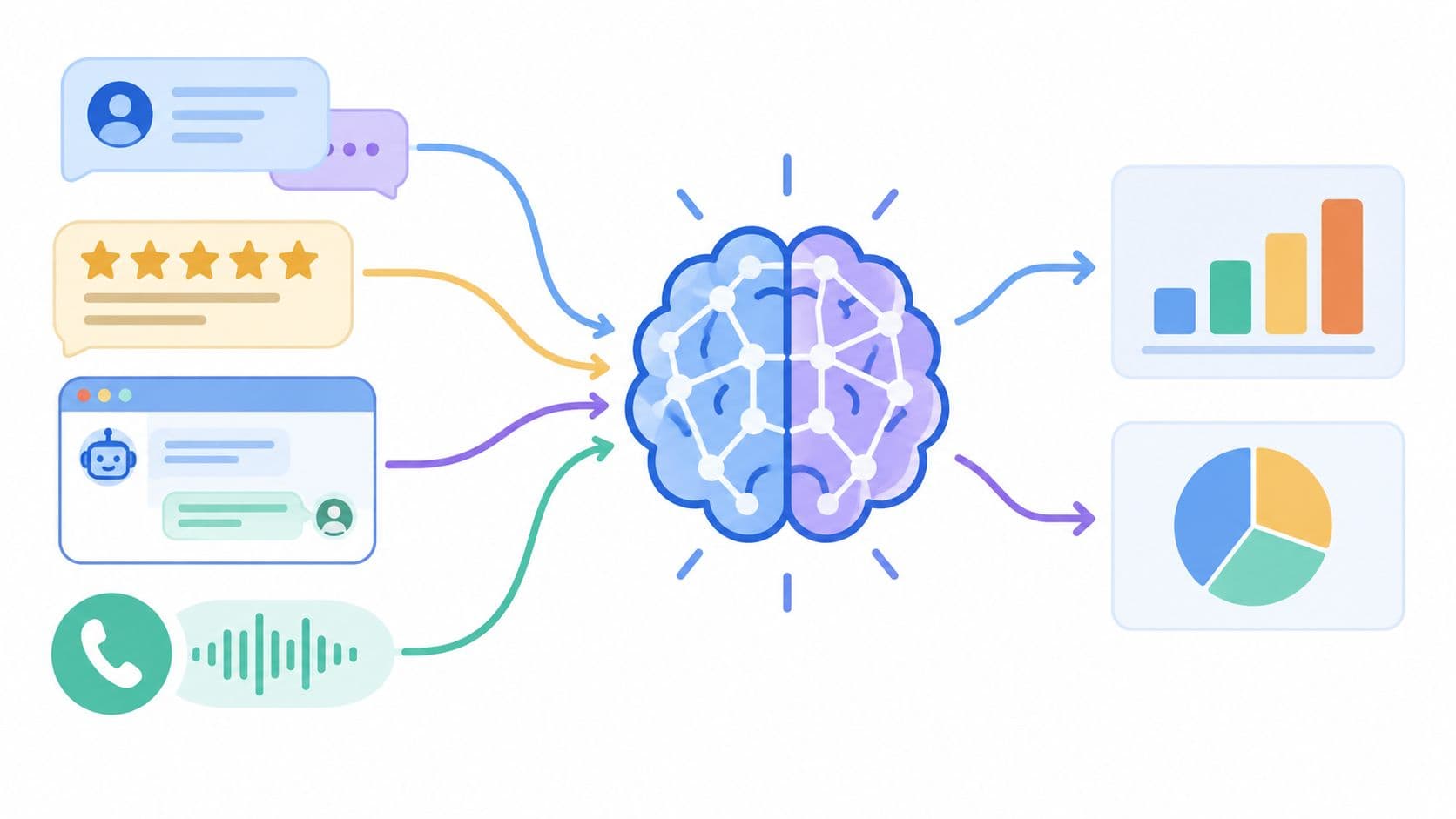
This is where things get really interesting. Modern AI tools have completely changed the game, letting us get ahead of churn instead of just reacting to it. They work by sifting through mountains of data to find the subtle clues that a customer is becoming a flight risk, long before they hit the cancel button.
The real power of AI is shifting from a reactive "Why did they leave?" post-mortem to a proactive "Who is about to leave, and what can we do right now?" strategy. We've seen predictive analytics help companies reduce churn by up to 15% simply by enabling them to act at the right moment.
For instance, an AI platform like SigOS can connect the dots between seemingly unrelated signals:
- A sudden nosedive in product usage.
- An uptick in frustrated-sounding support tickets.
- A champion user on the account suddenly goes quiet.
When the system sees these patterns converge, it can flag the account as high-risk and automatically kick off a playbook for your customer success team. This means they can step in with targeted, helpful outreach before a minor frustration spirals into a lost account.
What's the Difference Between Customer Churn and Revenue Churn?
Getting this distinction right is absolutely essential because it dictates where you focus your energy. While they sound similar, they measure two very different—and equally vital—signs of business health.
- Customer Churn Rate (often called logo churn) is simple: it’s the percentage of customers you lose in a given period. If you had 100 customers and lost 5, your customer churn is 5%.
- Revenue Churn Rate is the percentage of revenue you lost from those departing customers.
Here’s a quick scenario to make it crystal clear. Imagine you lose two customers this month. One was on a 50/month plan, and the other was an enterprise account paying ****5,000/month.
Your customer churn is the same for both (two logos lost). But the hit to your revenue is wildly different. By focusing on revenue churn, you naturally prioritize saving your most valuable accounts, which has a much bigger impact on your bottom line.
Ready to stop guessing what's causing churn and start protecting your revenue? SigOS uses AI to analyze all your customer feedback and behavioral data, showing you exactly which issues are costing you the most money. Get a demo and see your revenue-at-risk dashboard.
Keep Reading
More insights from our blog

Ready to find your hidden revenue leaks?
Start analyzing your customer feedback and discover insights that drive revenue.
Start Free Trial →