Build Your SaaS Revenue Operations Framework 2026
Build a revenue operations framework for your SaaS team. Learn core components, roadmap, metrics, & how to link product signals to revenue.
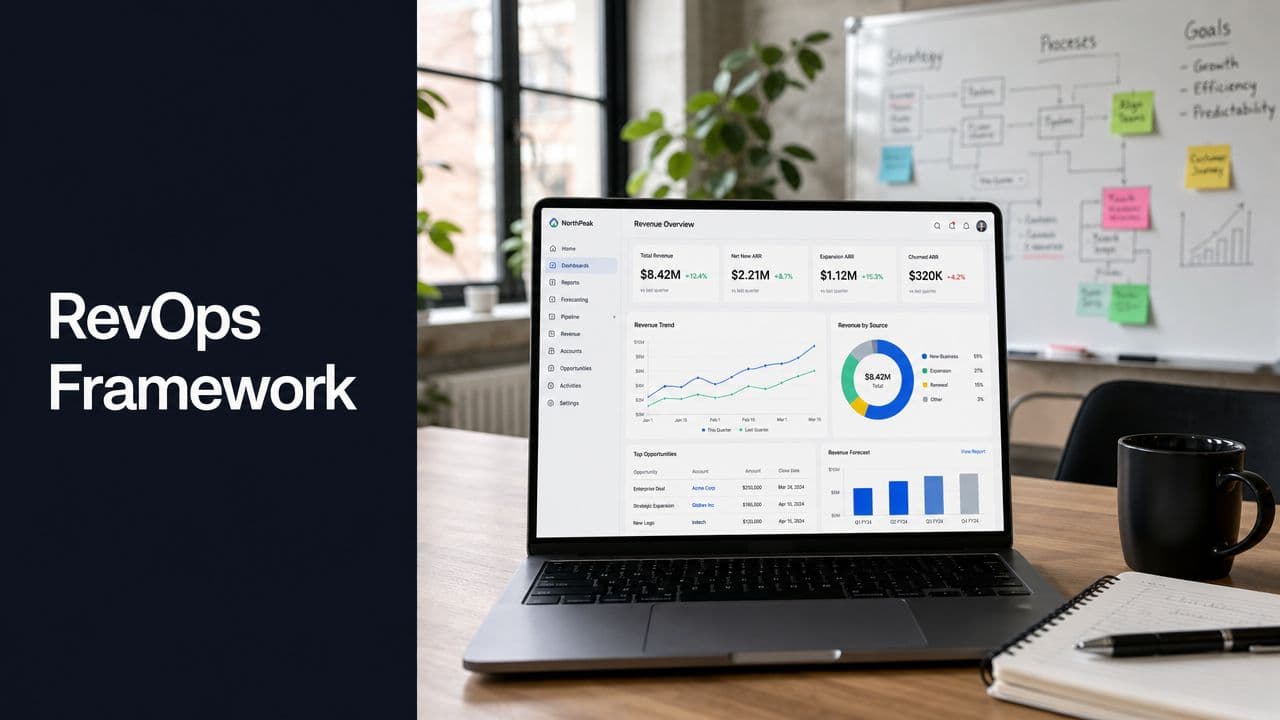
Most RevOps advice starts in the same place: align Sales, Marketing, and Customer Success around one funnel, one dashboard, and one set of handoffs. That's useful. It also misses the signal that often decides whether a SaaS company keeps revenue or gives it back.
A team can hit MQL targets, tighten SDR follow-up, and improve forecast hygiene while churn still shows up late and expansion stalls for reasons the CRM never captured. The problem isn't always bad selling. Often it's that the product is telling you something your revenue operations framework isn't built to hear.
Your RevOps Framework Is Missing Its Most Important Signal
A lot of RevOps frameworks are built to explain pipeline movement after the fact. SaaS teams need a framework that catches revenue risk before the CRM reflects it. The earliest signal often comes from the product itself: repeated bugs, stalled adoption, rising support friction, and feature gaps that block rollout.
A forecast can still look healthy while product friction is eroding renewal odds. By the time an at-risk account shows up in QBR prep or a renewal call, the pattern usually started weeks earlier in support tickets, onboarding notes, usage logs, and escalation threads. RevOps should treat those inputs as operating data, not background context.
That is the missing link between go-to-market alignment and real retention management. If your revenue operations framework tracks lead flow, stage conversion, and rep activity but ignores product behavior, it will miss the accounts most likely to churn and the ones most ready to expand.
Product signals rarely live in one system. They sit across Jira, Zendesk, call transcripts, feature request boards, in-app analytics, and customer success notes. Many teams review that information in separate meetings. Very few turn it into routing rules, account scores, or triggered actions for Sales, CS, and Product.
The practical shift is simple to describe and harder to implement. Product intelligence has to become part of revenue intelligence. Teams already using revenue intelligence systems to connect conversations, deal risk, and pipeline health should extend that model to include product evidence, so churn risk and expansion potential are tied to what customers are experiencing.
Sales conversations help fill in the picture. boost revenue with sales call recording software can surface repeated objections, implementation concerns, and feature requests early. The true value comes when those themes are tagged, routed, and connected to account strategy instead of sitting in call libraries no one operationalizes.
Product data is often the first warning system RevOps has in SaaS. Teams that wire it into their framework respond earlier, prioritize better, and stop treating churn as a surprise.
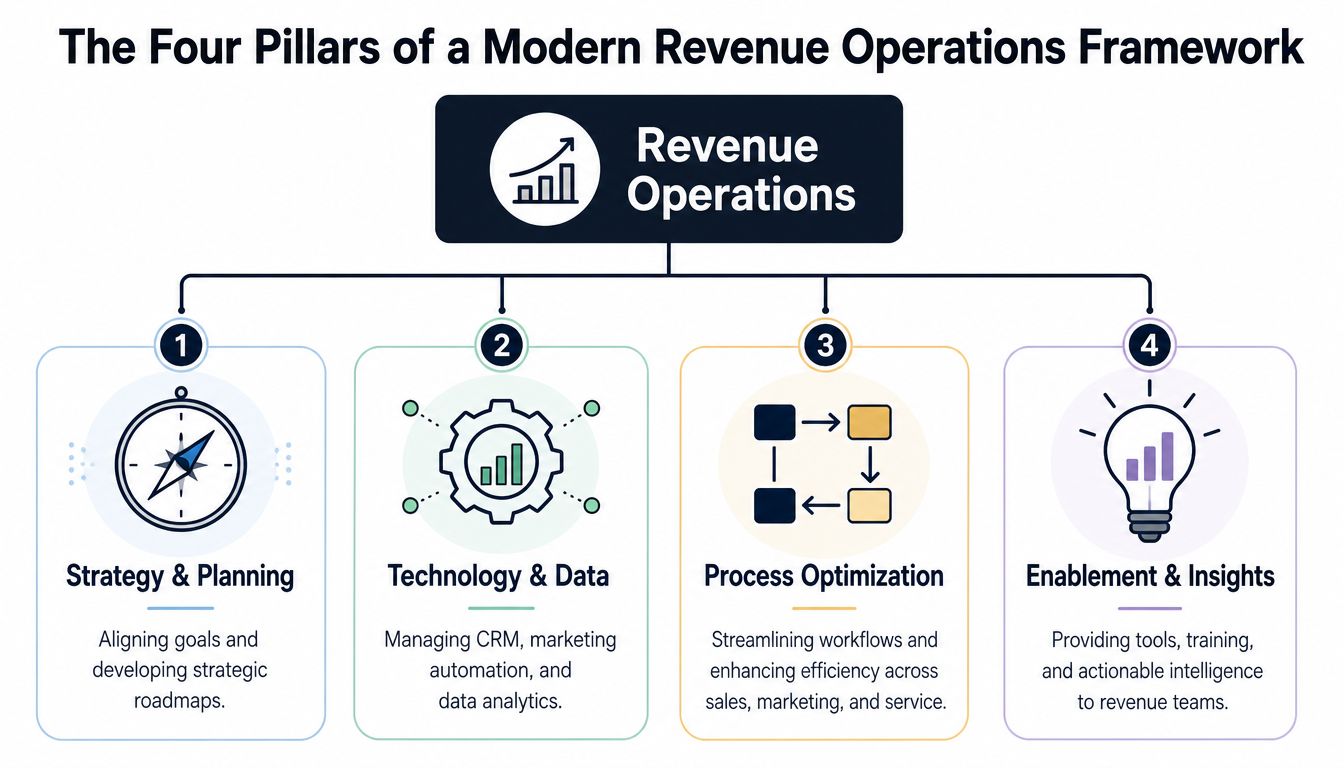
The Four Pillars of a Modern Revenue Operations Framework
Most RevOps frameworks break in the same place. They organize sales, marketing, and customer success around shared dashboards, but they leave product evidence outside the operating model. In SaaS, that gap is expensive. Bug volume, stalled adoption, repeated feature requests, and sudden usage drops often show up before pipeline risk, renewal risk, or expansion intent appears in CRM.
A modern framework rests on four connected pillars: people, process, technology, and data. The difference between a slideware model and a working one is simple. Each pillar has to support decisions tied to revenue, including decisions triggered by product signals.
People and ownership
Ownership is the first test. Shared visibility does not fix anything if no one owns the next action.
That usually shows up in predictable places. A sales rep flags a missing feature during a late-stage deal. Customer success sees declining usage in an account up for renewal. Support logs a cluster of bugs tied to one enterprise customer. Everyone can see the signal, but nobody is clearly accountable for triage, prioritization, customer communication, or follow-up.
A working ownership model answers three questions:
- Who triages revenue-impacting signals: One role needs authority to review risk and opportunity signals across CRM, support, and product systems.
- Who decides the response path: Teams need clear rules for when an issue goes to Sales, Success, Product, or leadership.
- Who closes the loop with the customer: Revenue teams lose trust fast when internal updates never make it back to the account team or buyer.
If your team is still drawing these boundaries, this guide on how to build a sales ops function is useful because it shows where Sales Ops ownership stops and broader RevOps governance starts.
Process
Process is where the framework becomes operational. Revenue leakage rarely comes from one major failure. It usually comes from unmanaged handoffs, unclear entry and exit criteria, and response times that drift by team.
Map the motions that affect revenue first: qualification, opportunity progression, deal desk review, implementation handoff, adoption monitoring, renewal prep, and expansion identification. Then add the product-triggered paths that many teams skip. For example, what happens when a high-value account files three priority bug reports in two weeks? What happens when usage drops below the threshold your CS team associates with churn? What happens when a product champion starts using a newly released feature across multiple seats?
Those are process questions, not reporting questions.
Technology
Technology should mirror the way the business decides and acts. In practice, that means fewer disconnected systems and clearer rules about which platform owns each field, alert, and workflow.
The stack usually spans CRM, marketing automation, billing, support, product analytics, call intelligence, and work management tools. The mistake is buying software before defining the event model behind it. If "product-qualified account" means one thing in product analytics, another in CS, and nothing in Salesforce, the stack creates confusion faster than it creates insight.
Keep the design practical:
- Send account-level product alerts into the same system where account owners already work
- Push only action-worthy events, not every raw usage event
- Define one source of truth for account status, lifecycle stage, and renewal date
- Track whether alerts changed rep behavior or account outcomes
Data
Data is the control layer for the other three pillars. Good RevOps teams do not just collect more inputs. They decide which signals deserve operational weight.
For SaaS, that means combining commercial, engagement, and product data in one account view:
| Signal type | Typical source | Operational use |
|---|---|---|
| Commercial | CRM, billing, forecasting tools | Pipeline, renewals, pricing, expansion |
| Engagement | Marketing automation, call recordings, CS notes | Intent, qualification, adoption risk |
| Product | Usage logs, bug reports, feature requests | Churn prevention, roadmap-informed selling |
Product data deserves equal standing here. A feature request from a strategic account is not just feedback for Product. It can affect deal timing, renewal confidence, expansion planning, and executive outreach. A drop in active users is not only a CS metric. It can change forecast quality and account prioritization for the quarter.
Use a simple filter. If a signal cannot trigger a defined action by a named owner within a set timeframe, keep it out of the center of the framework. That rule prevents dashboards from turning into storage for interesting but unused information.
A Stepwise Roadmap to Implement Your Framework
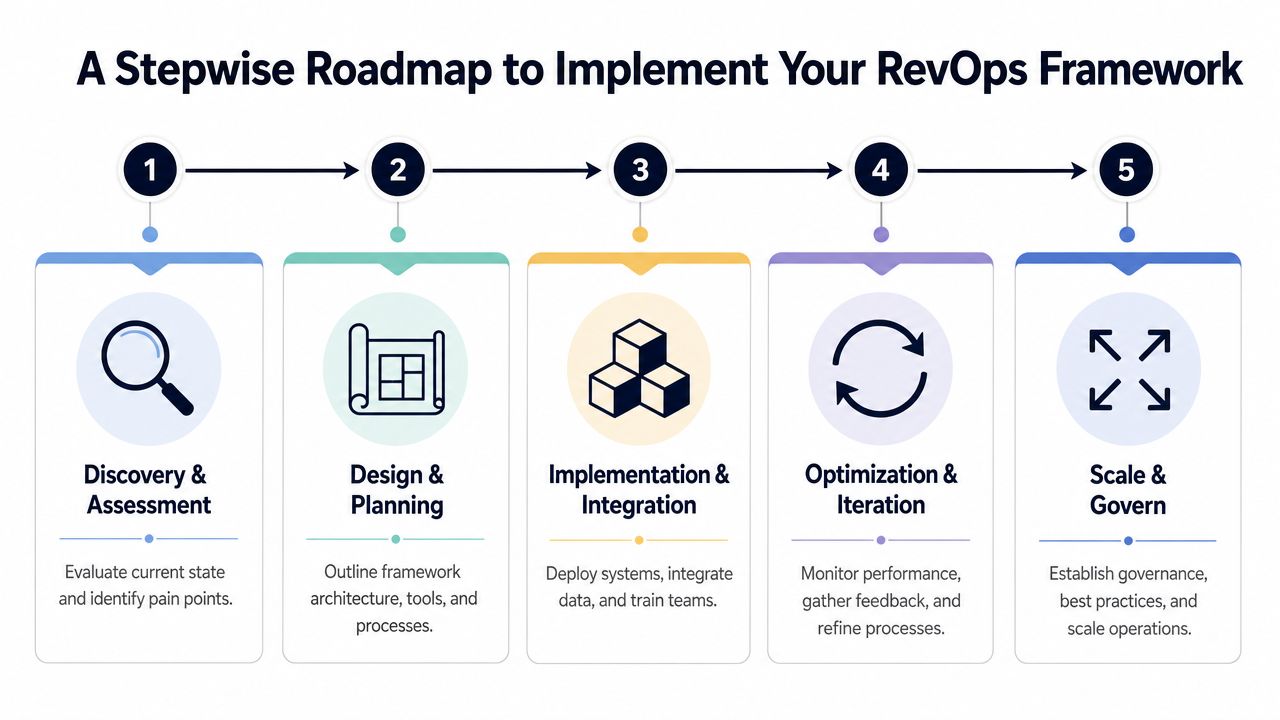
RevOps rollouts usually fail for a simple reason. Teams try to standardize every workflow at once, then wonder why adoption stalls. A framework works when the sequence matches the business reality, especially in SaaS where product signals can change account risk faster than pipeline reports do.
Use a staged rollout. Start with diagnosis, move to operating design, then deploy in a narrow motion before expanding. The order matters because bad process wrapped in new tooling just scales confusion.
Assessment
The first phase is diagnostic work, not a tool shopping exercise. The goal is to find where revenue execution breaks, who owns the fix, and which gaps matter this quarter.
Assess four layers at the same time:
- Lead flow quality: Where qualification rules are unclear or applied differently by channel or segment
- Pipeline hygiene: Which stages hold stale deals, weak next steps, or rep-created workarounds
- Customer transitions: Where Sales, onboarding, Support, and Success lose context during handoffs
- Product signal coverage: Which bug trends, feature requests, and usage changes never reach account owners or forecast reviews
Frontline input matters more than leadership theory here. Sales managers know where stages get gamed. CSMs know which renewals look healthy in the CRM but feel fragile on calls. Support and implementation leads can usually point to the exact product issues that create churn risk weeks before a renewal gets marked yellow or red.
Keep the output tight. Current-state workflows, failure points, and a ranked list of fixes is enough. If the assessment turns into a catalog of every problem in the company, nothing will ship.
Design
Design decides how the business should run. Fields, automations, and dashboards come later.
Set the operating rules first:
- Shared stage definitions so pipeline, onboarding, adoption, renewal, and expansion stages mean the same thing across teams
- Entry and exit criteria for each handoff, including what commercial and product context must move with the account
- Risk and escalation rules for defects, low adoption, implementation blockers, and roadmap-sensitive feature requests
- Source-of-truth rules for account owner, lifecycle stage, renewal date, health status, and product-risk indicators
This is also where trade-offs become visible. A broader set of required fields improves reporting, but it slows rep adoption if you overdo it. Real-time alerts help CSMs act faster, but too many alerts train the team to ignore them. Strong design chooses fewer rules with clear consequences rather than a large policy set no one follows.
A useful design packet is plain and operational. One-page workflow maps, decision tables, escalation paths, and manager guidance will get used. Dense architecture diagrams usually will not.
This explainer adds useful context before teams operationalize the plan:
Deployment
Deployment is where good plans meet real behavior. The work usually includes CRM updates, routing logic, integrations, dashboards, enablement, and manager inspection rhythms.
Treat deployment as a behavior change program, not a systems project. "Live in production" is not the success metric. The true test is whether reps, CSMs, and managers change what they do when product and commercial signals conflict.
Use a checklist that forces focus:
- Configure first-order automation: Routing, alerts, lifecycle updates, required fields, and account-level product flags
- Train managers first: Managers inspect adherence, coach exceptions, and stop side-channel process drift
- Pilot one motion: Trial-to-paid, renewals, or expansion. Pick the motion where product intelligence can change outcomes quickly
- Measure exception volume: Daily manual workarounds usually point to bad design, missing integration logic, or unclear ownership
For SaaS teams, the pilot should include product-driven plays. If repeated bug reports from high-value accounts are not changing renewal risk, the workflow is incomplete. If feature demand from active expansion targets never reaches account planning, the framework is still operating as if Product sits outside revenue.
Teams building that feedback loop often borrow ideas from AI workflows for product development, especially when they need to classify support themes and route them into account decisions without flooding the CRM.
If your stack supports account scoring, alerting, and rep workflows in one place, tools with revenue intelligence features can help reduce the amount of custom glue work RevOps has to maintain.
Ongoing optimization
Launch is the start of the work. Trust in the framework comes from the review cadence that follows.
Run optimization like an operating rhythm. Monthly reviews catch broken routing, stale fields, and alert noise. Quarterly reviews are better for bigger changes such as pricing updates, new product lines, territory shifts, or revised success criteria for expansion.
| Review area | What to examine | What usually changes |
|---|---|---|
| Handoffs | Delays, dropped context, duplicate work | SLA rules, owner assignments |
| Data quality | Missing fields, bad syncing, stale account status | Validation rules, integration logic |
| Product-linked signals | New bug patterns, adoption changes, feature demand | Alerts, playbooks, forecast inputs |
One rule keeps this phase grounded. Every recurring issue needs an owner, a time frame, and a decision on whether it is a process problem, a tooling problem, or a product problem. Without that discipline, optimization turns into a meeting series with no operational effect.
Launching the framework is the easy part. Keeping it trusted is the job.
How to Connect Product Intelligence to Revenue Operations
Sales and Marketing alignment gets most of the attention in RevOps. In SaaS, that is only part of the job. The framework breaks down when product signals stay trapped in Jira, support inboxes, and feedback boards while the revenue team is still working from stage changes and CRM notes.
Product intelligence belongs in the same operating layer as renewals, expansion planning, and forecast calls. That includes bug reports, support themes, feature requests, onboarding friction, and usage changes. If those signals do not reach account workflows fast enough, teams react after churn risk is already visible to the customer.
Workflow one for churn prevention
A common failure pattern looks like this. Support sees the same defect across several strategic accounts. Product knows the issue is real. Customer Success hears frustration in calls. RevOps still has a clean renewal view because no one has connected the product problem to account risk in a structured way.
A working system handles that sequence in four steps:
- Collect the signal from tickets, call notes, and usage decline into one account view.
- Add commercial context such as renewal date, ARR, product tier, and account segment.
- Trigger a shared response so Customer Success, Product, and RevOps work from the same risk state.
- Measure the outcome by tracking resolution time, retention impact, and whether the account recovered.
Many teams often get stuck. They can detect the product issue, but they cannot decide when it deserves revenue-level escalation. The practical rule is simple. Escalate when the product event intersects with money, timing, or strategic value.
When a bug hits adoption in an account up for renewal, it becomes a revenue event, not just a product issue.
Teams often benefit from studying modern revenue intelligence features that connect conversation, pipeline, and account context. The harder part is assigning ownership for product-linked alerts so reps are not flooded with noise and Product is not pulled into every isolated complaint.
Workflow two for expansion detection
The same connection matters on the upside.
Sales may hear the same feature request in late-stage deals. Product may see that existing customers in a specific segment are already using adjacent workflows heavily. Support may log workaround patterns that signal demand for a paid capability. None of that helps revenue teams if the information stays fragmented across systems.
A better model routes those inputs into one commercial decision path:
- Sales captures repeated demand in opportunity notes or a structured field
- Product intelligence groups the theme across prospects and current accounts
- RevOps attaches pipeline value and account potential to show whether the request has revenue weight
- Sales leadership adjusts strategy on packaging, timing, and roadmap communication
That does not mean every loud request should influence the roadmap. Good RevOps creates a filter. Leadership needs to see whether demand is broad, monetizable, and tied to the right segment before changing priorities.
What to operationalize first
Start with a narrow set of signals that already have a clear owner and an obvious action. That is how teams build trust in the model before adding more feeds and automations.
| First signal to operationalize | Why it works |
|---|---|
| Repeated bug reports from open renewals | High urgency, clear owner path |
| Feature requests tied to late-stage deals | Strong commercial context |
| Usage decline in newly onboarded accounts | Fast feedback loop for intervention |
In practice, these three signal types cover a large share of avoidable churn and visible expansion opportunities. They also force a useful operating habit. RevOps, Product, and Customer Success have to agree on what counts as a revenue-relevant product event, who owns the response, and how the result gets logged back into the account record.
If you want a practical view of how product teams structure these inputs before they hit GTM workflows, this overview of AI for product development is a useful reference.
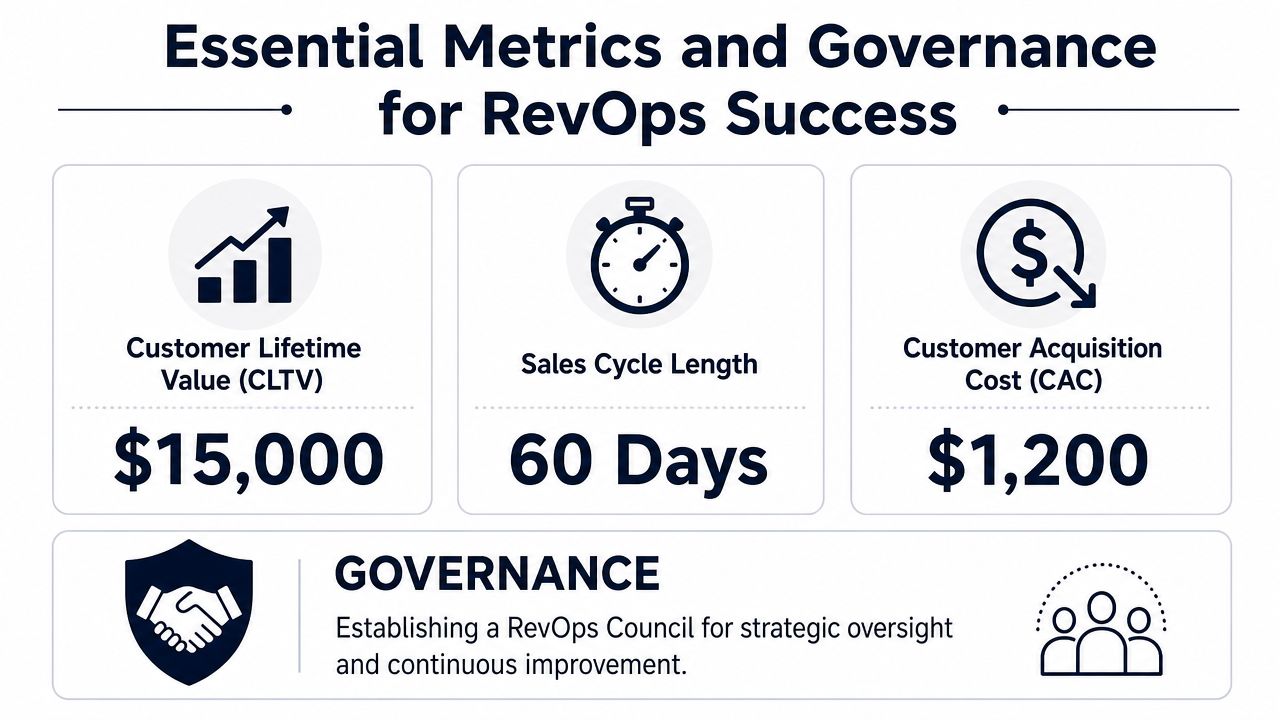
Essential Metrics and Governance for RevOps Success
Most RevOps dashboards mix strategic metrics, operational metrics, and activity metrics into one crowded screen. That makes governance harder because nobody knows which numbers deserve intervention.
A stronger approach is to split metrics into three groups: top-line, efficiency, and product-revenue. Then assign each group to a recurring review motion with named owners and clear actions.
Governance before dashboards
Effective RevOps frameworks establish standardized Service Level Agreements and measurable handoffs, with successful implementations often starting with a 2-week audit to identify top operational gaps and a 90-day plan to stabilize data and embed AI in execution, according to MAN Digital.
That only works when governance exists outside the dashboard itself. A RevOps council is usually enough if it includes the actual process owners: Sales Ops, Marketing Ops, Customer Success leadership, Product Ops or Product leadership, and Finance where pricing or forecasting is involved.
A useful council owns:
- SLA design and enforcement: Response windows, qualification criteria, escalation rules
- Metric definitions: One definition for pipeline stages, churn risk, expansion attribution, and adoption status
- Change control: No silent edits to routing, scoring, or lifecycle fields
- Exception review: Deals, accounts, or workflows that repeatedly fall outside the intended process
The three metric groups
Not every metric belongs in the weekly operating cadence. Sort them by decision type.
| Metric group | What to include | Main question |
|---|---|---|
| Top-line | ARR, NRR, renewals, expansion revenue | Are we growing the right way? |
| Efficiency | CAC, sales cycle, conversion timing, quote turnaround | Are our motions efficient? |
| Product-revenue | Churn by issue theme, expansion tied to feature demand, adoption risk by segment | Is product reality changing revenue outcomes? |
Top-line metrics belong with executives. Efficiency metrics belong with functional leaders. Product-revenue metrics need cross-functional review because no single team owns the whole signal chain.
Good governance means teams can disagree on interpretation without disagreeing on the underlying data.
The overlooked category is product-revenue metrics. Those metrics tell you whether product friction is concentrated in one segment, whether one feature is driving expansion conversations, or whether onboarding accounts are hitting the same blockers before they become formal risks.
For teams improving reporting maturity, this guide on metrics and reporting offers a useful lens on turning raw signals into operating decisions.
What not to measure
Some metrics create noise instead of insight. Avoid dashboards that overemphasize:
- Raw activity counts without downstream conversion or retention context
- Single-team success metrics that hide downstream friction
- Lagging-only indicators that confirm a problem after the renewal or expansion window has already moved
The purpose of governance isn't reporting discipline for its own sake. It's making sure your revenue operations framework produces action, not just visibility.
Turning Your Framework Into a Growth Flywheel
A mature revenue operations framework doesn't behave like a static project plan. It behaves like a flywheel.
When teams connect GTM activity to product reality, they make better decisions earlier. Success managers intervene before frustration hardens into renewal risk. Sales teams qualify expansion based on actual usage and demand patterns. Product leaders see which issues have commercial weight, not just which requests are loudest. RevOps becomes the function that keeps those loops tight and usable.
That changes the quality of growth. Revenue gets more predictable because fewer decisions depend on stale CRM fields or anecdotal account updates. Teams stop arguing about whether a problem belongs to Sales, Success, or Product because the framework already defines who acts, when, and on what evidence.
A few practical habits keep the flywheel moving:
- Review one shared signal set: Don't let Product, GTM, and Finance each maintain separate interpretations of account health.
- Treat handoffs as design work: If context gets lost, the process isn't finished.
- Upgrade metrics over time: Start simple, then add more product-revenue detail as trust in the system improves.
- Keep owner visibility public: Hidden ownership turns aligned teams into confused teams.
The strongest first move is small. Pick one process, such as trial-to-paid conversion, onboarding activation, or renewal risk review. Then ask one hard question: what single product signal would make this motion meaningfully better if the right team saw it in time?
That question usually surfaces the missing input faster than another funnel dashboard ever will.
SigOS helps SaaS teams turn feedback, usage, support conversations, and sales signals into revenue-prioritized product intelligence. If you want a clearer way to connect churn risk and expansion opportunity to your operating cadence, explore SigOS.
Keep Reading
More insights from our blog
Ready to find your hidden revenue leaks?
Start analyzing your customer feedback and discover insights that drive revenue.
Start Free Trial →