Essential Types of Customer Feedback for SaaS Success
Master the 10 key types of customer feedback for SaaS teams. Collect, analyze, and prioritize feedback to boost retention and drive revenue.
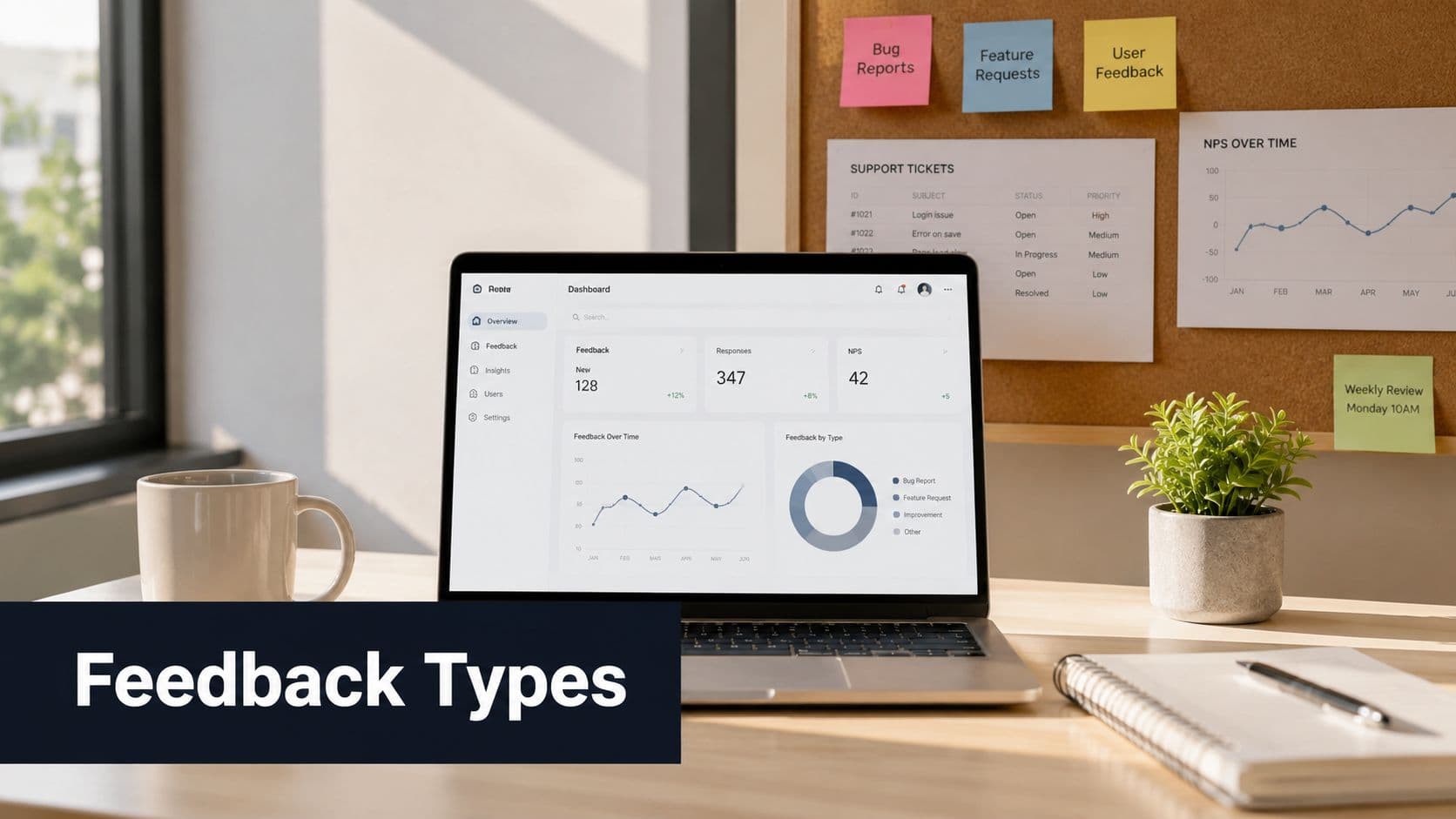
Your feedback system probably looks busy and feels elaborate. Zendesk fills with tickets, feature requests stack up in Productboard or Canny, sales calls surface objections, and your team swaps screenshots from Slack, Reddit, and customer emails. Yet the roadmap still gets driven by the loudest customer, the most recent escalation, or the request with the most votes.
That's the trap. Organizations often don't have a feedback collection problem. They have a feedback prioritization problem.
The cost of getting this wrong is bigger than most product teams admit. Only 1 in 26 customers will explicitly tell a business about a negative experience, while the rest silently leave. If you rely on tickets and surveys alone, you're making product decisions from a tiny visible slice of dissatisfaction while the real churn story sits in behavior, usage decline, and feature abandonment. That's why mature SaaS teams treat feedback as a revenue signal, not a listening exercise.
A useful system starts with a clear view of the major types of customer feedback, then connects each type to churn risk, expansion potential, and account value. If you're building a stronger process for collecting customer insights, the right move isn't gathering more comments. It's learning which signals deserve engineering time and which ones are just noise.
1. Support Tickets and Help Desk Feedback
Support tickets are the most familiar feedback stream, and they're still one of the most useful. They capture moments when customers hit friction hard enough to ask for help. That makes them explicit, high-context, and easy to operationalize.
They're also misleading when teams treat volume as importance. A flood of tickets can reflect a minor usability issue affecting many low-value accounts, while a small cluster of tickets from strategic customers can signal real retention risk. The better approach is to read tickets alongside segment, contract value, unresolved status, and recent product behavior.
What support tickets reveal well
Support data works best for bugs, onboarding friction, permissions issues, billing confusion, and integration failures. Zendesk, Intercom, and Freshdesk usually already contain the metadata you need. The mistake is leaving that metadata messy.
A tagging system only helps if teams use it consistently. If one rep logs “login bug,” another logs “authentication,” and a third logs “SSO issue,” your pattern detection falls apart before analysis even starts.
- Tag root cause, not just symptom: “Export timeout” is more useful than “customer upset.”
- Include account context: Segment, plan tier, renewal stage, and owner matter as much as the complaint.
- Track unresolved age: Old tickets often predict account risk better than raw ticket count.
For teams trying to operationalize this, a practical starting point is learning how to analyze customer feedback across support systems instead of reviewing tickets one by one.
Practical rule: Never prioritize a ticket theme by count alone. Prioritize by count multiplied by customer importance and likelihood of churn.
2. Usage Metrics and Behavioral Data
This is the feedback type too many teams still treat as “analytics” instead of feedback. That's a mistake. Usage data is often the clearest expression of customer truth because it shows what users do, not what they say they want.
The strongest product organizations treat drops in usage, repeated failed actions, feature abandonment, and shrinking session depth as implied customer statements. In SaaS, that often matters more than survey sentiment. June's taxonomy of feedback types explicitly separates inferred feedback from direct and indirect feedback, and notes that inferred feedback correlates strongly with churn risk in practice, which is why teams increasingly invest in it through analytics and session tools in SaaS environments (June on types of customer feedback).
Here's the image that captures the day-to-day reality of this work:

Where behavioral feedback beats stated feedback
A user may tell your CSM they love the product and still stop using the workflow that justifies renewal. That's why feature adoption, repeat usage, and time-to-value belong in every feedback review.
What works is cohort-based analysis. Compare accounts that expand with accounts that contract. Then look for meaningful behavioral separation. You'll often find that support pain, poor onboarding, and low adoption cluster together long before churn shows up in a CRM stage.
If your team still keeps product analytics separate from customer feedback reviews, fix that first. In this scenario, guides on using behavior analytics become more useful than another survey template.
Behavior is feedback with consequences attached.
3. In-App Feedback and Surveys
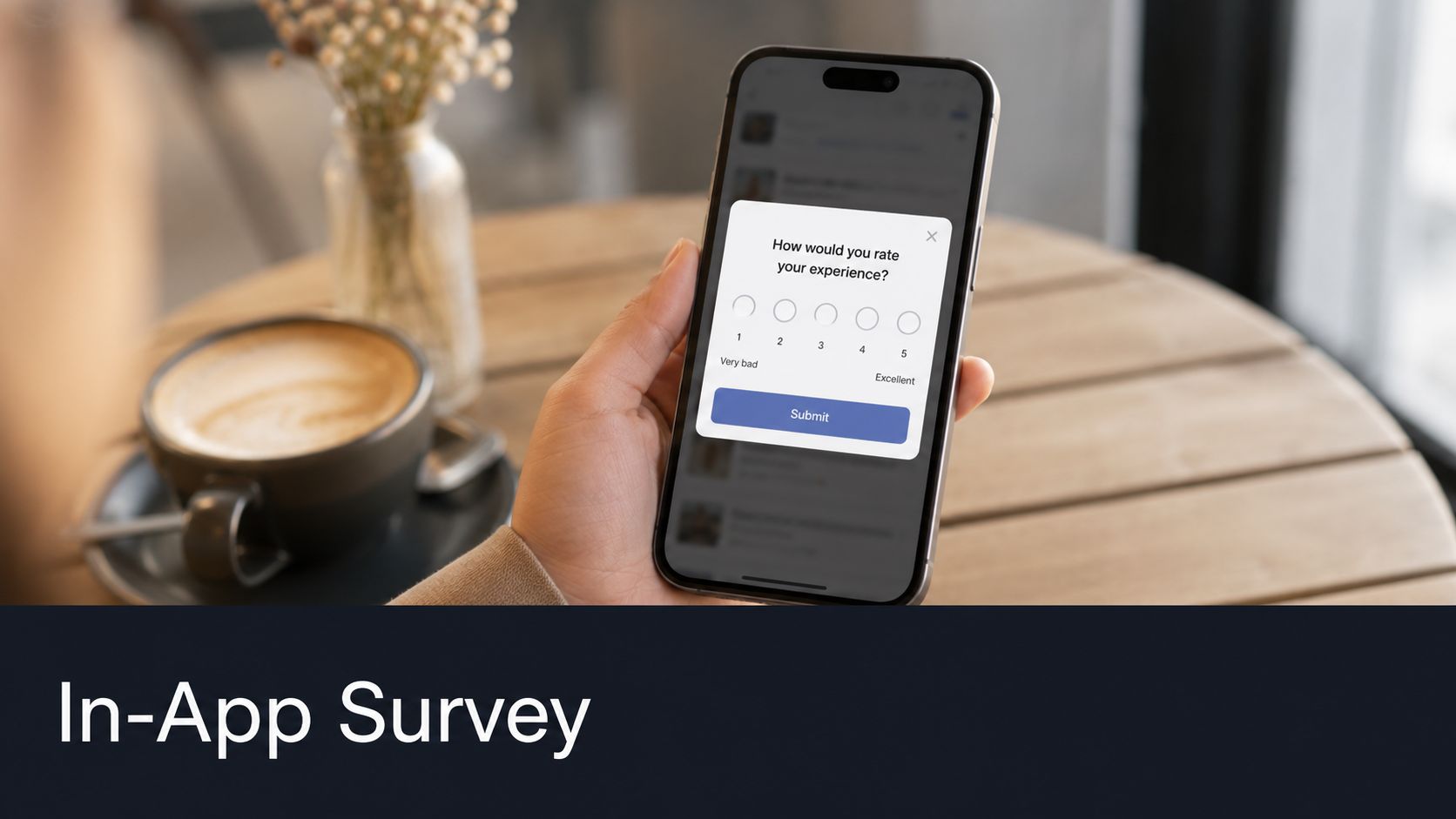
In-app surveys sit in the middle ground between qualitative feedback and product behavior. Done well, they capture sentiment at the exact moment context is fresh. Done badly, they become pop-up clutter that trains users to close boxes faster.
The operational advantage is timing. If a user finishes an export, upgrades a workspace, or exits a setup flow, you can ask a targeted question tied to a real action. That's much more useful than blasting a generic quarterly survey to everyone.
When surveys help and when they don't
Direct feedback still matters. It gives language, motivation, and emotional texture that analytics alone can't provide. But it comes with bias. June notes that direct feedback methods such as NPS and CSAT can suffer from response bias, which is one reason teams should avoid treating survey scores as the full story and instead compare them with observed behavior, support interactions, and retention patterns, as outlined in its feedback taxonomy.
That leads to a simple rule. Ask fewer questions, closer to the triggering event, and always connect the response to what the user just did.
- Target a moment: Ask after a completed workflow, not at random login.
- Keep it short: One rating question and one open text field usually beats a long form.
- Trigger follow-up intelligently: Low-effort responses can go to support. Repeated friction from valuable accounts should go to product.
A common setup is a CES-style question after account setup, a CSAT prompt after support resolution, and an open-ended question after a failed or abandoned workflow. Tools like Appcues, Pendo, and Userpilot make this easy. The hard part isn't delivery. It's deciding which responses deserve roadmap attention.
A practical explainer can help teams who need a visual walkthrough before implementing a program:
4. Sales Call Transcripts and Discovery Notes
Sales feedback is easy to undervalue because it often gets dismissed as “prospect wishes.” That's lazy thinking. Discovery calls are one of the richest sources of market-demand feedback because buyers tell you what they need to justify switching, buying, or expanding.
This matters even more in B2B SaaS, where a feature request from an active evaluator isn't the same as a random suggestion from a free user. Gong, Chorus, Zoom transcripts, and handwritten notes all hold clues about missing capabilities, procurement blockers, compliance needs, and category expectations.
Why this feedback is commercially important
Support tickets tell you where current customers struggle. Sales calls tell you where revenue gets stuck before it lands. Both matter, but they answer different questions.
The most effective way to use call transcripts is to tag three things together: the request or objection, the segment, and the commercial outcome. Did the deal close, stall, shrink, or go away? If a capability keeps showing up in expansion discussions with enterprise prospects, that belongs in roadmap discussion even if the vote board barely mentions it.
What doesn't work is forwarding random snippets from sales into Slack and calling that “voice of customer.” Product needs pattern analysis, not anecdote accumulation.
- Capture exact language: Buying committees often describe pain differently than existing users.
- Separate must-have from nice-to-have: Procurement blockers aren't the same as wishlist items.
- Map requests to deal stages: A request raised in legal review carries different weight than one raised in an intro demo.
I've seen teams improve prioritization by reviewing lost-deal themes next to churn themes. The overlaps are where product strategy gets sharper.
5. Customer Interviews and User Research
Interviews are the deepest of the major types of customer feedback because they reveal intent, workarounds, and mental models. Surveys tell you what someone selected. Interviews show you how they think.
That depth comes with a trade-off. Interviews are expensive in team time, slower to scale, and easy to bias if the moderator asks leading questions or only recruits friendly customers. They are not a replacement for behavioral evidence. They are a way to explain it.
What interviews do better than dashboards
A dashboard might show that new admins stop midway through setup. An interview can uncover that the blocker is fear. They don't know whether making a configuration change will affect the rest of the team, so they leave the task unfinished.
That kind of insight changes the solution. The problem may not be product capability. It may be missing reassurance, permission clarity, or workflow guidance.
Good interview programs recruit across extremes. Power users, new customers, churned accounts, low-adoption teams, and recently expanded accounts all reveal different truths.
Ask about the last real task they tried to complete, not what they “usually do.” Specific stories beat general opinions.
A useful interview guide usually covers the trigger for choosing your tool, the job they were trying to do, what felt difficult, what they worked around, and what would make the product more valuable inside their organization. That last part is where expansion insight often hides.
6. Feature Request and Feedback Voting Systems
Feature voting boards are attractive because they create order. Customers can submit ideas, support can point users somewhere official, and product gets a visible queue. The danger is that they create false confidence.
Votes aren't the same as business impact. They measure expressed demand from people willing to participate in that system. That's useful, but incomplete.
How to use votes without letting votes run the roadmap
Public boards like Canny, UserVoice, and Productboard are strongest when they help you cluster requests and communicate status. They are weakest when teams equate “most requested” with “most valuable.”
The gap is noise. The 2025 framing in the verified data is useful here: a large share of complaints and requests can be low-impact noise, while a smaller share represents higher-signal patterns tied to churn or expansion. Teams often waste time on the loud pile because it looks urgent. That's exactly why vote counts should be treated as one input, not the decision rule.
A better model weights requests by factors such as:
- Customer value: Who asked for it, and what kind of account are they?
- Revenue outcome: Does the request show up in churn, expansion, or sales friction?
- Behavioral corroboration: Do users behave in ways that support the stated need?
- Strategic fit: Does solving it strengthen the product's position?
Good boards also help with expectation management. When you decline a heavily voted request, explain why. Customers don't need every idea accepted. They need evidence that product judgment is coherent.
7. Chat and Messaging Feedback
Chat is where customers say what they won't package into a formal ticket. That makes it messy, repetitive, and extremely valuable. Intercom threads, live chat sessions, shared Slack channels, Microsoft Teams messages, and support chat widgets often surface issues before ticket volume spikes.
This is the closest thing many SaaS teams have to a real-time listening layer. It's informal, fast, and often emotionally honest.
What chat captures early
Customers tend to use chat for confusion, not just failure. They ask why something changed, whether a behavior is expected, or how to make a workflow work in their environment. Those conversations often reveal emerging friction before anyone labels it a bug.
That's why chat is useful for early warning. If multiple customers start asking variations of the same question after a release, product should look immediately. Not because every chat message is urgent, but because repeated uncertainty often predicts future dissatisfaction.
What works in practice is a lightweight triage model:
- Escalate repeated language: Similar phrasing across accounts usually signals a real pattern.
- Review chat by release window: Product changes often create short-term confusion clusters.
- Separate education issues from product issues: Both matter, but they require different fixes.
Teams using AI on chat streams should be careful about over-automation. Summaries and clustering are helpful. Fully automated conclusions about root cause often aren't. A human still needs to inspect the pattern and connect it to product context.
8. Email and Direct Customer Feedback
Direct emails to founders, product leaders, CSMs, and support teams are often some of the highest-intent feedback you'll receive. Someone took the time to write. That alone tells you the emotion is strong, whether positive or negative.
This channel has a different signal profile from chat. It's lower volume, usually more considered, and often tied to strategic accounts or power users. In B2B SaaS, some of the best expansion clues come through email threads about reporting, permissions, integrations, and procurement blockers.
Why email deserves a real intake process
Too many teams leave email feedback scattered across inboxes. That creates a hidden feedback system where the most connected internal stakeholder becomes the bottleneck.
The fix is simple. Route important emails into a shared intake flow, then add account context. A complaint from a small inactive account may matter less than a thoughtful feature explanation from a champion running a large deployment. Without that context, every message looks equally urgent.
Email is especially useful for capturing nuance. Customers often explain the business process around the request, not just the missing button or field. That context is gold for prioritization because it reveals the operational consequence behind the ask.
The best direct emails don't just tell you what feature is missing. They tell you what work the customer can't complete without it.
For product teams, the practical move is to review direct email themes in the same forum as support, behavior, and sales. Once they live in separate channels, prioritization drifts toward whoever speaks most often to leadership.
9. Churn Exit Interviews and Cancellation Feedback
Cancellation feedback is one of the few moments when the customer tells you, with actions attached, that your product no longer wins. That makes exit data painful, but valuable.
It's also incomplete. Many customers leave without explaining much, and some give polite reasons that hide the true story. Still, when paired with prior usage and support history, churn feedback becomes one of the clearest ways to validate whether your roadmap is solving the right problems.

How to get useful cancellation feedback
Keep the collection method short. A long exit form gets ignored. A short in-app prompt, a cancellation form, or a brief CSM follow-up tends to work better.
The deeper value comes when you don't treat the stated reason as the full reason. If someone selects “missing features,” look backward. Were there also repeated support issues, low adoption, or failed onboarding milestones? That's how you distinguish surface explanation from full account narrative.
Teams working on retention systems should study their client churn analysis alongside exit reasons rather than reviewing cancellations in isolation.
The strategic point is simple. Churn feedback shouldn't just explain the loss. It should sharpen your ability to spot the next similar loss before renewal is at risk.
10. Social Media and Online Community Mentions
Social and community feedback is the most public form of unsolicited input. It includes LinkedIn posts, Reddit threads, Product Hunt comments, G2 reviews, founder communities, and customer discussions in places your team doesn't control.
That makes it noisy. It also makes it candid.
Where public feedback helps most
People talk differently in public than they do in a support queue. They compare vendors, describe workarounds, share frustration without worrying about ticket etiquette, and explain what they switched to. For competitive positioning, that's hard to beat.
The underserved opportunity here is to connect implicit and indirect feedback to revenue outcomes instead of treating public commentary as marketing sentiment. The verified data notes that teams often over-index on explicit feedback while under-analyzing implicit behavioral signals, even though those hidden signals account for much of what predicts churn or expansion. Social feedback becomes more useful when it's cross-checked against product behavior and sales outcomes rather than read as standalone opinion.
What works is focused monitoring. Track product names, core features, competitor comparisons, release reactions, and recurring complaints in communities where your buyers spend time. A random viral mention matters less than a thread full of target customers discussing the same workflow problem.
- Watch communities with buyer concentration: Niche forums often matter more than broad social feeds.
- Track competitor pain too: Market dissatisfaction can expose positioning opportunities.
- Validate before acting: Public sentiment is directional, not dispositive.
Side-by-Side Comparison of 10 Customer Feedback Types
| Item | Implementation complexity 🔄 | Resource requirements ⚡ | Expected outcomes ⭐ | Ideal use cases 📊 | Key advantages 💡 |
|---|---|---|---|---|---|
| Support Tickets and Help Desk Feedback | Medium, integrates with ticketing and consistent tagging | Moderate, support staff + tooling; benefits from AI triage | ⭐⭐⭐⭐ High‑signal for bugs and churn correlation | Issue triage, root‑cause analysis, churn detection | Direct, timestamped accounts; easy revenue correlation |
| Usage Metrics and Behavioral Data | High, event instrumentation and analytics pipelines | High, data engineering, analytics platforms | ⭐⭐⭐⭐⭐ Objective, predictive signals for retention/expansion | Adoption analysis, health scoring, funnel optimization | True behavior visibility; early churn detection |
| In‑App Feedback and Surveys | Low–Medium, embed widgets and trigger rules | Low, survey tooling and UX design time | ⭐⭐⭐ Contextual sentiment and quick validation | NPS/CSAT, post‑task feedback, micro UX checks | High response rates; feedback captured in context |
| Sales Call Transcripts and Discovery Notes | Medium, recording/transcription + tagging | Moderate, sales ops, transcription & analysis | ⭐⭐⭐⭐ High‑intent insights tied to deal size | Enterprise prioritization, competitive intel, upsell signals | Verbatim needs, objections, direct revenue signals |
| Customer Interviews and User Research | Medium–High, recruiting and skilled moderation | High, researcher time, transcription, analysis | ⭐⭐⭐⭐ Deep qualitative understanding of "why" | Strategy decisions, UX research, hypothesis validation | Root‑cause discovery; uncovers unarticulated needs |
| Feature Request and Feedback Voting Systems | Low, off‑the‑shelf platforms available | Low–Moderate, community management | ⭐⭐⭐ Demand visibility but may not equal revenue impact | Prioritizing visible features, community engagement | Quantifiable votes; transparent roadmap signals |
| Chat and Messaging Feedback | Medium, integrate chats and NLP analysis | Moderate, monitoring + AI to surface signals | ⭐⭐⭐ High‑volume, early‑warning signals | Real‑time issue detection, informal sentiment tracking | Candid, frequent feedback; reveals quick workarounds |
| Email and Direct Customer Feedback | Low, routing and categorization rules | Low, inbox management and tagging | ⭐⭐⭐ Higher‑intensity, lower‑volume insights | Power‑user requests, detailed complaint resolution | Rich context and motivation; written traceability |
| Churn Exit Interviews and Cancellation Feedback | Low–Medium, automated exit flows or short calls | Low, brief surveys; occasional interviews | ⭐⭐⭐⭐ Highest‑signal on actual churn drivers | Understanding cancellation reasons; preventing future churn | Direct reasons for leaving; clear revenue impact |
| Social Media and Online Community Mentions | Medium–High, listening and filtering setup | Moderate, monitoring tools + analyst review | ⭐⭐⭐ Variable but can surface viral or competitive trends | Brand sentiment, competitor monitoring, launch feedback | Unfiltered public sentiment; amplification and market signals |
From Noise to Signal Your Feedback Prioritization Plan
Organizations typically gather various types of customer feedback. Tickets, calls, surveys, emails, usage data, chat logs, exit forms, and public commentary are usually sitting in different tools, owned by different teams, interpreted through different incentives. That fragmentation is the primary problem.
A support leader wants fewer escalations. Sales wants fewer objections. Product wants cleaner prioritization. Success wants lower churn. Each of them is looking at legitimate signals, but none of those signals is enough on its own. The job is to unify them around business outcomes.
That means replacing volume-first prioritization with consequence-first prioritization. A request with many votes may still be low value. A bug mentioned by only a handful of enterprise customers may be far more important. A support theme may look operational until you connect it to shrinking adoption. A sales objection may seem niche until it keeps showing up in larger deals. Once feedback is mapped to retention risk, expansion potential, or strategic differentiation, roadmap debates get much sharper.
This is also where AI becomes useful. Not as a replacement for product judgment, but as a way to cluster huge volumes of messy input, connect explicit comments to behavioral evidence, and surface patterns human reviewers would miss in time. The key is to use AI for synthesis and correlation, not blind prioritization.
The strongest model I've seen is straightforward:
- Collect widely: Pull in direct, indirect, inferred, and unsolicited feedback.
- Normalize consistently: Use a shared taxonomy across support, product, sales, and success.
- Score economically: Judge issues by likely impact on churn, expansion, and strategic accounts.
- Validate behaviorally: Confirm what customers say against what they do.
- Review continuously: Feedback isn't a quarterly deck. It's an operating system.
If you build that discipline, feedback stops being a backlog management exercise. It becomes a revenue system.
Teams that want to improve retention and roadmap quality usually don't need another survey tool. They need a way to connect all these signals and identify what drives business outcomes. That's the shift from listening to prioritizing, and it's what turns customer input into a real growth advantage. If you're focused on boosting agency profits with feedback, the same principle applies. Feedback only pays off when it changes what gets fixed, built, and sold.
SigOS helps SaaS teams turn scattered feedback into prioritized action. By combining support data, chat transcripts, sales calls, and behavioral signals, SigOS surfaces which issues are tied to churn risk, which requests support expansion, and which complaints are just noise. If your roadmap still depends on volume, instinct, or the loudest customer, SigOS gives you a better system.
Keep Reading
More insights from our blog

Ready to find your hidden revenue leaks?
Start analyzing your customer feedback and discover insights that drive revenue.
Start Free Trial →